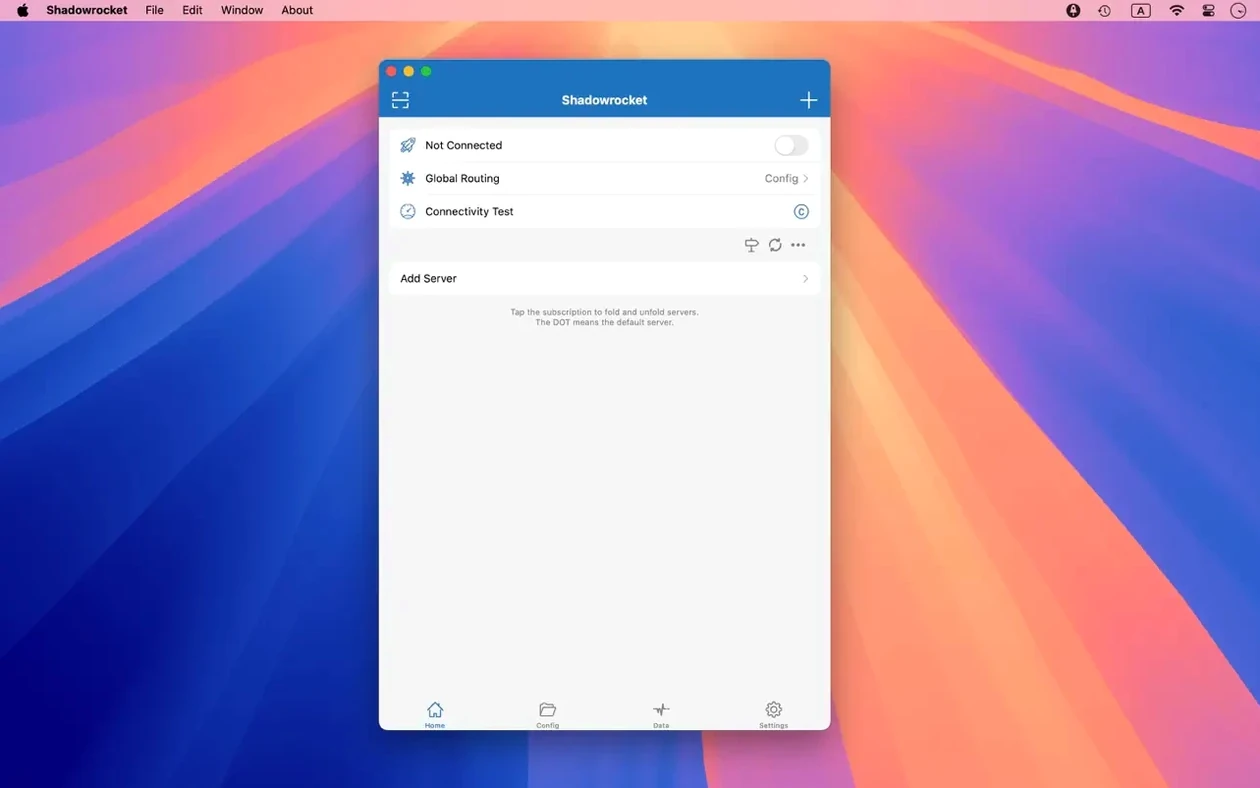
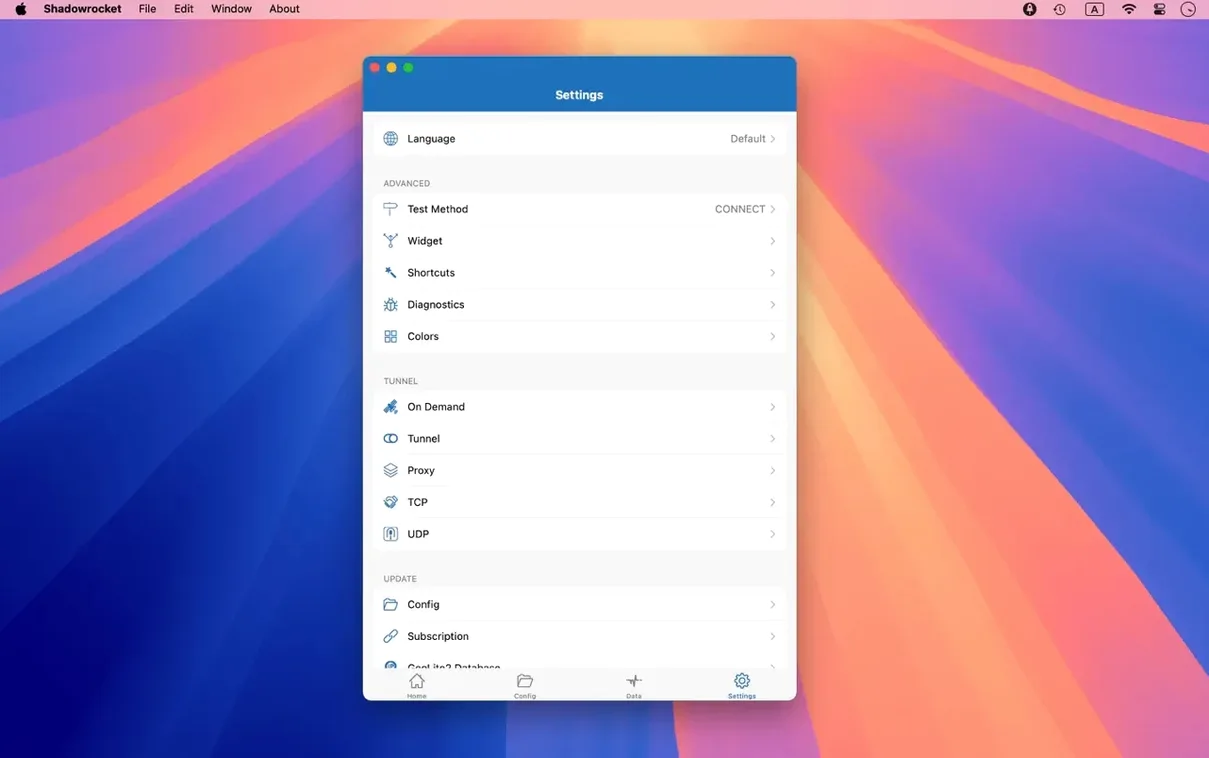
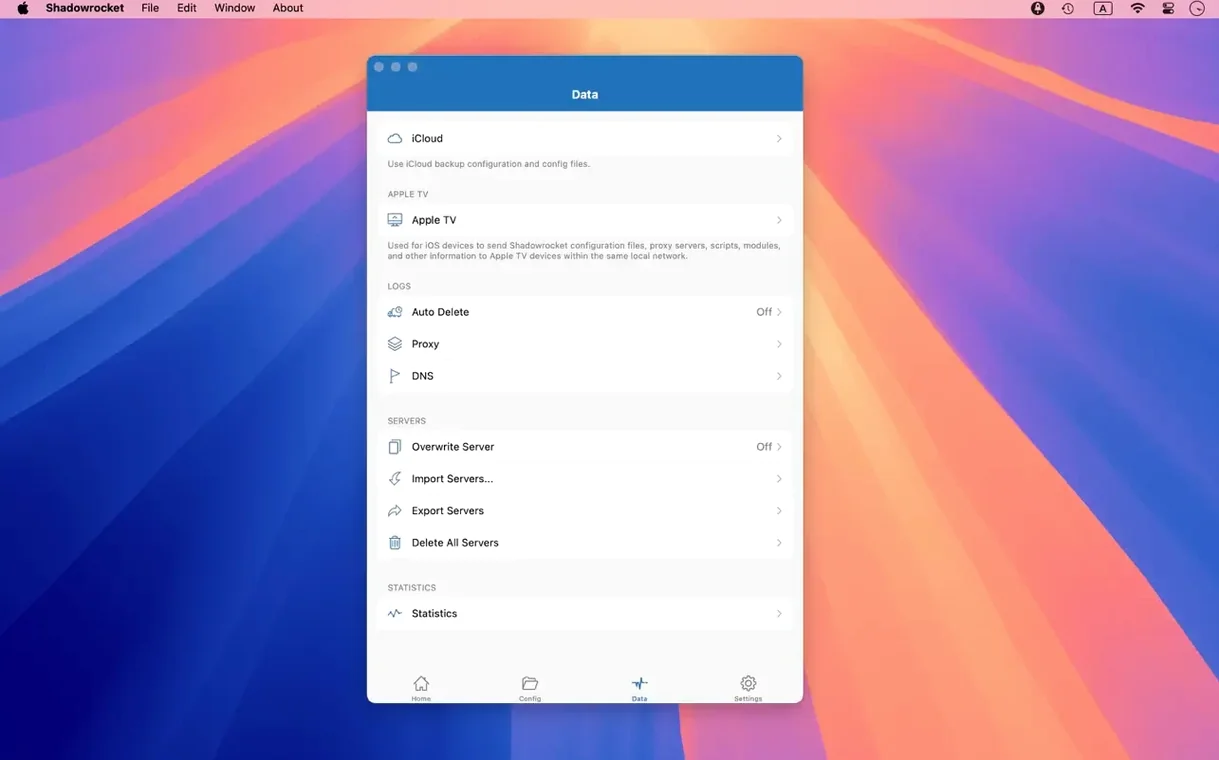
With version 2.2.92, some rough edges on macOS got smoothed out—server table glitches, menu bar oddities, and a Dock icon quirk are all patched. If you grabbed the dmg and have the app running in your menu bar, you’re at the right starting line. Shadowrocket is a rule-based proxy client, and the real fun begins when you shape traffic to fit your network life.
Three things to set up first
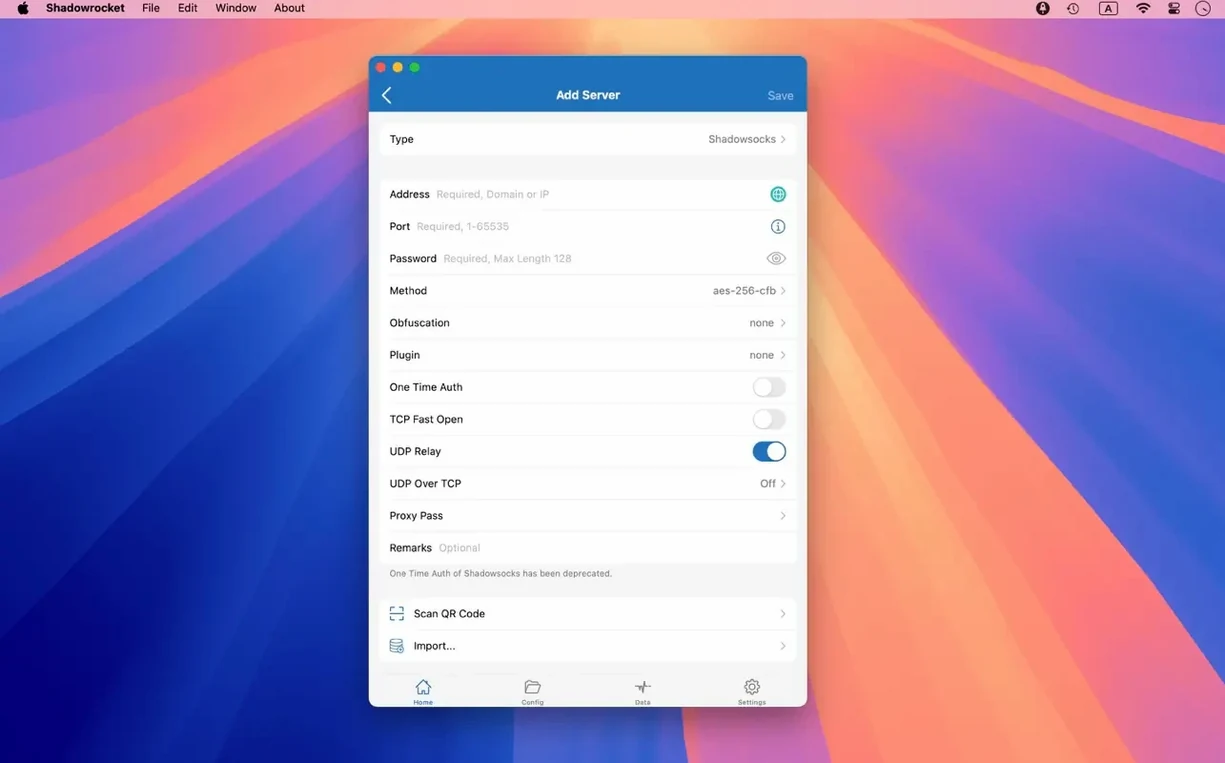
- Get a server configured. Tap into the server list and add a connection using a protocol the app understands—Shadowsocks, V2Ray, or a straightforward SOCKS5 proxy. You can build a multi-level chain later, but start with a single, reliable endpoint.
- Build a basic rule. Open the rules tab and create a domain-suffix rule for a site you visit daily. Shadowrocket also supports domain keyword matches, CIDR IP ranges, and GeoIP lookups, so you can get precise about which traffic goes through the proxy and what stays local.
- Try DNS over HTTPS. Under DNS settings, switch the resolver to DNS over HTTPS or DNS over TLS. It’s a quiet upgrade that encrypts your name lookups, and you can pair it with local DNS mapping for devices on your home network.
Bring in rules from elsewhere
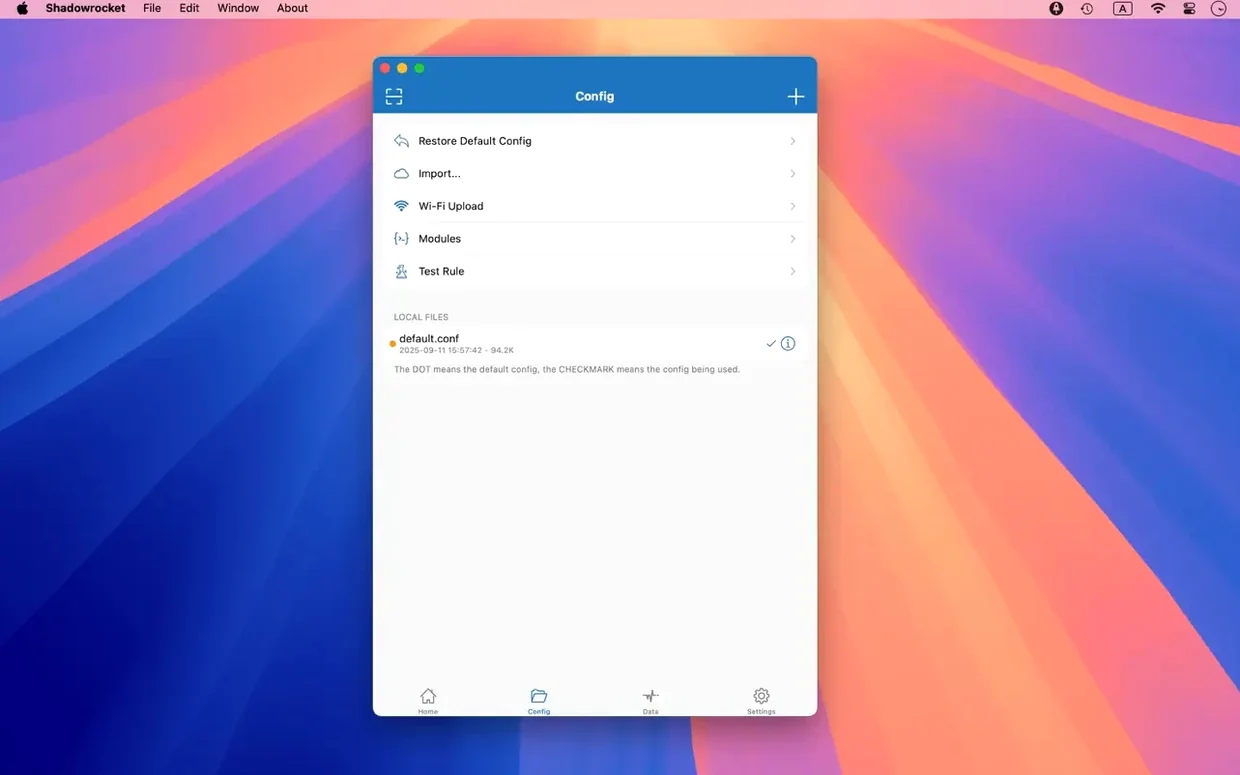
You don’t have to write every rule by hand. Shadowrocket lets you import rule files from a URL or pull them straight from iCloud Drive. This is handy when you want to layer on community-maintained ad-blocking lists that work by domain and user-agent patterns, giving you a cleaner browsing experience without a separate extension.
When you’re in the market for a macOS proxy client, Shadowrocket sits on a shelf with a few other tools that get talked about in the same breath—Surge, ClashX, and V2RayU come up often. The difference tends to be in how each app thinks about rules and how much it expects you to tinker. Surge is powerful, almost a networking lab in app form, but its macOS interface loads up on panels and switches that can feel heavy when all you want is a few domain-suffix rules and a quick glance at your traffic. ClashX and V2RayU both lean on configuration files written in YAML or JSON; they’re perfectly capable, yet they nudge you toward text-editing workflows that Shadowrocket mostly handles with point-and-click rule builders. Shadowrocket doesn’t try to out-spec any of them on raw protocol support—it already covers Shadowsocks, V2Ray, SOCKS5, kcptun, cloak, gost, and the v2ray plugin family—but it puts rule-making front and center with domain matches, IP ranges, and GeoIP all living in one clean table. If your daily routine involves a shadowrocket mac dmg that you’ve dragged into Applications and you want to spend less time editing configs and more time actually using the network, the app’s design leans in your favor.
A second difference shows up in how traffic inspection works day to day. Shadowrocket records and displays HTTP, HTTPS, and DNS requests from your macOS device right inside the main window; you don’t need to open a separate console or tail a log file. For someone who got started with shadowrocket for mac because they wanted to see exactly which domains their apps were phoning home to, that visibility is immediate. Surge offers similar logging but organizes it differently, and ClashX often sends you to the macOS Console or a third-party dashboard. Small preference, big impact on a Tuesday afternoon when you’re trying to figure out why a weather widget won’t update.
Quiet shortcuts that get overlooked
The first month with Shadowrocket tends to reveal a handful of moves that aren’t labeled in big bold letters. They stick once you stumble across them.
- Menu bar speed peek. Click the menu bar icon and hold for a beat—proxy throughput and direct Wi‑Fi speed both appear without opening the full window. Good for spotting whether a tunnel has stalled before you refresh a page.
- Rule reordering by drag. In the rules table, you can drag rows up and down instead of editing priority numbers. The topmost matching rule wins, so dragging a domain-suffix entry above a broader GeoIP rule changes traffic routing instantly.
- URL rewrite as a quick redirect. The rewrite feature isn’t just for advanced scripting. A simple pattern like redirecting a tracking domain to
127.0.0.1takes under a minute to type and test, and it works alongside the built-in ad-blocking rules for an extra layer of quiet. - Script filters as a sidecar. If you have a small JavaScript snippet that modifies requests on the fly, the script filter slot lets you attach it to a rule without wrapping it in a separate proxy chain. It’s easy to miss because the button lives at the bottom of the rule editor, tucked away.
- iCloud rule sync. Dropping a rule file into iCloud Drive from your phone and then pulling it into the Mac app via the import button saves you from emailing yourself .conf files. Both the shadowrocket mac dmg install and the iOS version speak the same rule format.
Backup over proxy blocks Wi‑Fi timeouts
Picture a late evening in a home office. You’ve been editing photos on your Mac, and the backup job to a remote server keeps timing out over the house Wi‑Fi. You decide to route it through a Shadowsocks endpoint you keep on a VPS.
You click the Shadowrocket menu bar icon and confirm the proxy is off. Opening the main window, you tap the server list and see your VPS entry already configured—it’s been sitting there since you pulled down the shadowrocket dmg a few weeks ago. You select it, then move to the rules tab. You create a new rule: domain suffix matches backup.yourdomain.com, proxy set to the VPS, and you drag it above the catch-all direct rule that handles everything else. You flip the global switch on. The connection graph in the status bar twitches and settles into a steady trickle of activity as the backup client resumes.
While the backup runs, you open the requests log. A stream of HTTPS calls scrolls past—mostly your backup client’s handshakes and the occasional push notification from a chat app that somehow slipped through the rules you wrote last month. You spot a DNS query for an analytics domain you don’t recognize, right-click it, and add a domain-keyword block rule on the spot. The next query for that domain hits the black hole. The backup finishes quietly, and you switch the proxy off again from the menu bar, leaving the rule set in place for next time.
Memory hovers at 80 MB under load
On an Apple Silicon machine running macOS 14, Shadowrocket settles into a surprisingly small footprint. The process hovers around 80–110 MB of memory under a typical load with a dozen rules and one active proxy connection. CPU usage stays in the low single digits unless you’re decrypting a heavy stream of HTTPS traffic—and even then, the spikes are brief and tied to bursts of activity, not a constant drain. Intel Macs see slightly higher numbers but nothing that would nudge the fan on a MacBook Pro during normal browsing.
Stability has been consistent through several point releases, and version 2.2.92 cleaned up the few UI hiccups that used to show up in the server table when you selected multiple entries at once. The menu bar icon now behaves predictably when the Mac wakes from sleep, and the Dock icon no longer lingers after you’ve switched to menu bar mode. These are small fixes, but they matter when the app sits in your menu bar for weeks without a restart. Proxy failover isn’t automatic—you’ll need to set up a multi-level chain or switch servers manually if one drops—but the connection state reporting is honest and quick, so you’re not left wondering whether you’re on the tunnel or off.
If you’ve been curious about what a shadowrocket for mac workflow actually feels like in daily use, the short answer is: lightweight, rule-first, and reluctant to get in your way. It’s the kind of tool that rewards you for spending a Saturday afternoon fine-tuning your rule set, then mostly disappears until you need to peek at the request log or add one more domain to the block list.
The 2.2.92 update tidies up a few interface spots on macOS. Server table bugs are fixed, the menu bar behaves more predictably, and the Dock icon no longer misbehaves.
- macOS 10.15 or later
- Works on Apple Silicon and Intel Macs
Questions I actually get
Which proxy protocols does Shadowrocket for Mac support?
It supports Shadowsocks, V2Ray, and SOCKS5, and you can chain them together in a multi-level proxy setup if needed.
Can I block ads with the macOS version?
Yes, the app supports ad blocking through domain-based and user-agent rules, and you can import additional rule lists from a URL or iCloud Drive.
Does it run on Apple Silicon Macs?
It does. The macOS build includes native support for both ARM (Apple Silicon) and 64-bit Intel architectures.
Porch talk 0
Come in or pull up a chair to leave a comment.
Nobody has pulled up a chair yet. If you used it on a real Saturday, say what the hour was.