You're heading to a cabin with spotty reception, but there's a stack of documentation and a few long-read essays you want to have on hand. A basic save-as-PDF won't cut it because you need the linked pages and stylesheets to stay intact. That's when a local site copier stops being a curiosity and starts being genuinely useful.
SiteSucker Pro does exactly what the name suggests. It takes a URL and automatically downloads the page, its images, stylesheets, and linked files, rewriting links so everything works when you open it locally. The Pro edition goes a step further by handling embedded video, which the standard version skips. It's a focused tool built by Rick Cranisky that has been around the Mac scene for years, and the current 6.2.2 release keeps it steady on modern systems.
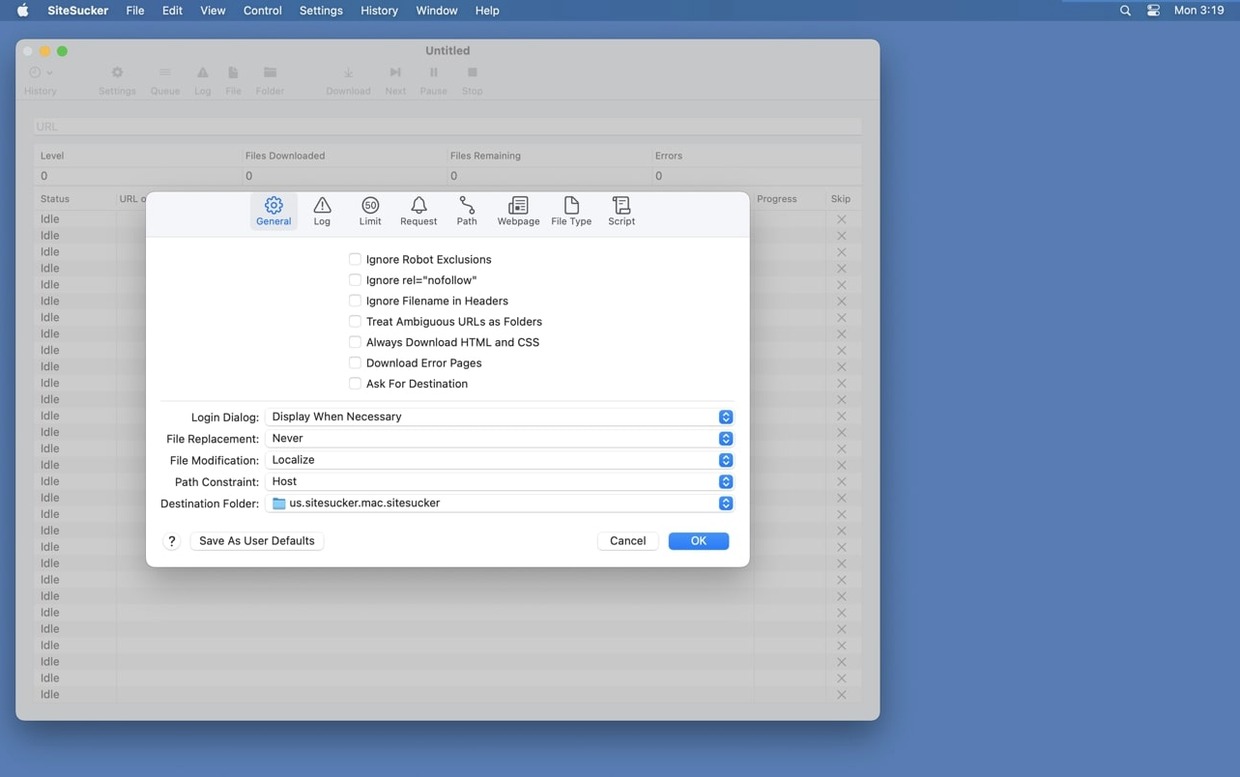
The real control lives in its settings. You can tell it to grab every file in sight or restrict downloads to specific types—just PDFs and HTML, for instance. The Limits section reins in the crawl by capping link depth or total file count, while the Paths section lets you force certain links to download or skip them entirely. There's even a user-agent setting under Advanced that can imitate Safari or Firefox if a server is being picky. By default, it respects robots.txt exclusions, which is the polite way to mirror a site.
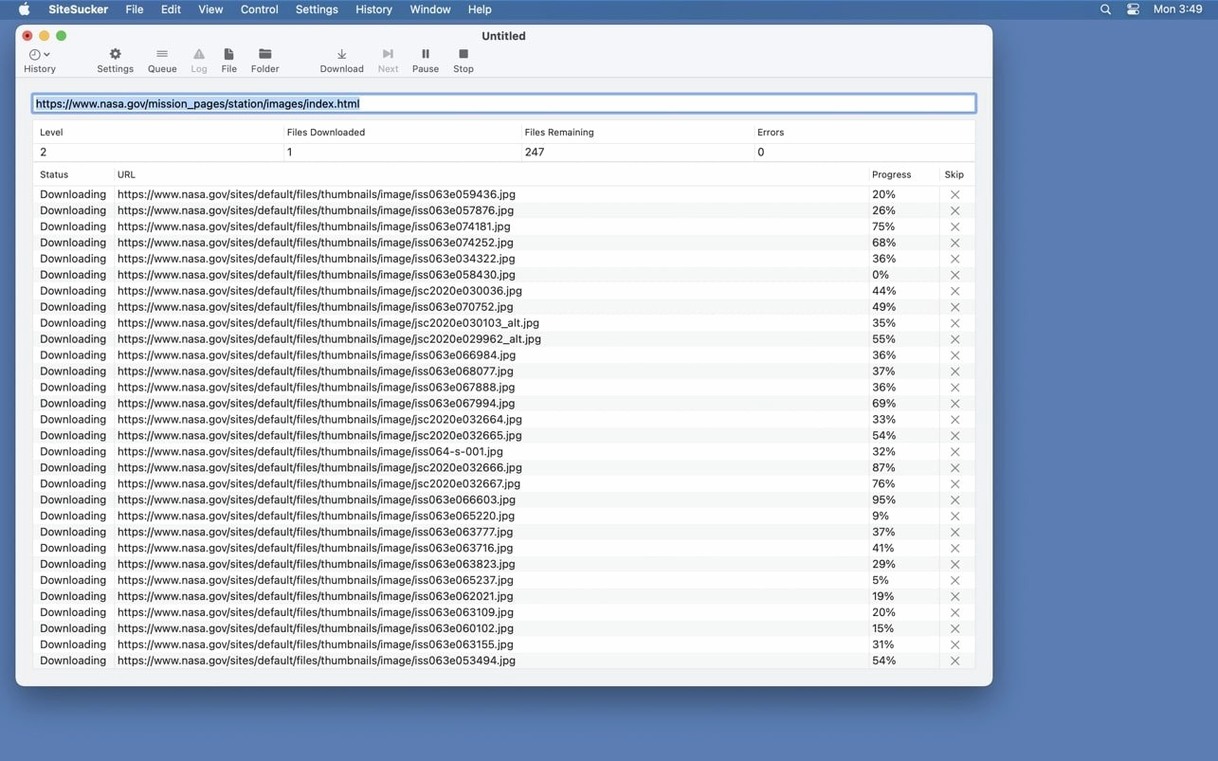
Once a job starts, the operation log gives you a running view of what's been pulled and what got skipped, and you can open that log in Console for a closer look. It's the kind of app that suits researchers, developers grabbing documentation, or anyone who wants a clean local copy of a site without fussing with command-line tools.
Copy any queued URL with a right-click
You can right-click any row in the download queue and copy its URL without stopping the job. If you're pulling a site for reference and spot a page you want to send a colleague, that little gesture saves you from digging through the log later. Another one: holding Option while clicking the New button lets you paste a URL straight from the clipboard, no typing needed.
The toolbar's Open Log button is obvious, but what's not obvious is that the log file itself is a plain text file sitting in your job's folder. You can grep it, share it, or stash it with the downloaded site as a record of when you grabbed the content. If you use sitesucker from the command line in the future, you'll appreciate having that timestamp baked in.
Spend a few minutes in the File Types section and you'll notice the list is editable. You can add custom extensions that aren't in the default checklist—handy when a site serves SVG illustrations with a .xml wrapper or uses an oddball format for its data files. Once you add it, the app treats it like any other file type for every subsequent job until you remove it.
Zero-depth downloads that finish instantly
The biggest misstep is leaving the link depth at the default of zero and wondering why the download finished in three seconds. That setting doesn't mean "unlimited"—it means only the starting page gets fetched. Crank it to at least 2 or 3 if you want a section of a site, and don't be shy about checking "Stay on the same server" unless you genuinely need off-site assets.
Another rookie move: ignoring the minimum file size filter when a site hides tiny tracking pixels. Those one-pixel GIFs get vacuumed up by the dozens if you're not paying attention. Setting a floor of a few kilobytes keeps your local mirror cleaner. And if you're using a sitesucker pro license, remember that the video-downloading features won't kick in until you enable them in File Types—the app defaults to skipping embedded media to keep jobs quick.
Switching off the robots.txt check without thinking about it is the polite-robot equivalent of walking into someone's house with muddy boots. Most sites are fine, but some shared-hosting setups will throttle you hard if you hammer them. The user-agent switcher under Advanced is your friend here; imitating Safari usually keeps things smooth.
Silicon-native crawling at hundreds of pages per minute
On a modern Apple Silicon machine, sitesucker pro mac churns through static pages without breaking a sweat. A documentation site with a few hundred interlinked pages finishes in under a minute on decent broadband. It's not a multithreaded speed demon by default, but the steady, single-connection crawl means you rarely trigger rate limits or get IP-banned mid-job. For a weekend project like grabbing a personal blog archive, that trade-off feels right.
Memory use stays modest. Downloading a medium-sized news site with images hovers around 200–300 MB of RAM, and the app releases it promptly when the job completes. The 6.2.2 update patched a PDF-creation bug, and in daily use the app hasn't shown the beach ball or left orphaned processes behind. CPU load spikes briefly when it's rewriting internal links across hundreds of HTML files, but it's a few seconds of fan noise and then quiet.
If you've used other offline browsers that choke on modern JavaScript-heavy layouts, temper your expectations: this tool pulls what the server sends, not what a script renders. It's not a flaw, just a boundary worth knowing. What you get is a faithful, lightweight local copy—and on flaky café Wi-Fi or a tethered connection, the resume-on-restart behavior means a dropped connection isn't a lost cause. That alone makes sitesucker mac free of the frustration that comes with starting a big mirror from scratch.
- macOS 26 or later
- Runs on Intel and Apple Silicon Macs
Questions I actually get
Does SiteSucker Pro download every file from a website?
Not by default. You can set it to download all files, or restrict it to selected file types like HTML, images, or PDFs. It also respects robots.txt exclusions unless you change that setting.
What does the Pro edition add over the standard SiteSucker?
SiteSucker Pro adds the ability to download embedded videos from pages, which the standard version does not handle.
Can I control how deep SiteSucker Pro goes into a site?
Yes. The Limits section in the settings lets you set a maximum link depth, cap the total number of files, and define minimum and maximum file sizes for the download.
Porch talk 0
Come in or pull up a chair to leave a comment.
Nobody has pulled up a chair yet. If you used it on a real Saturday, say what the hour was.