
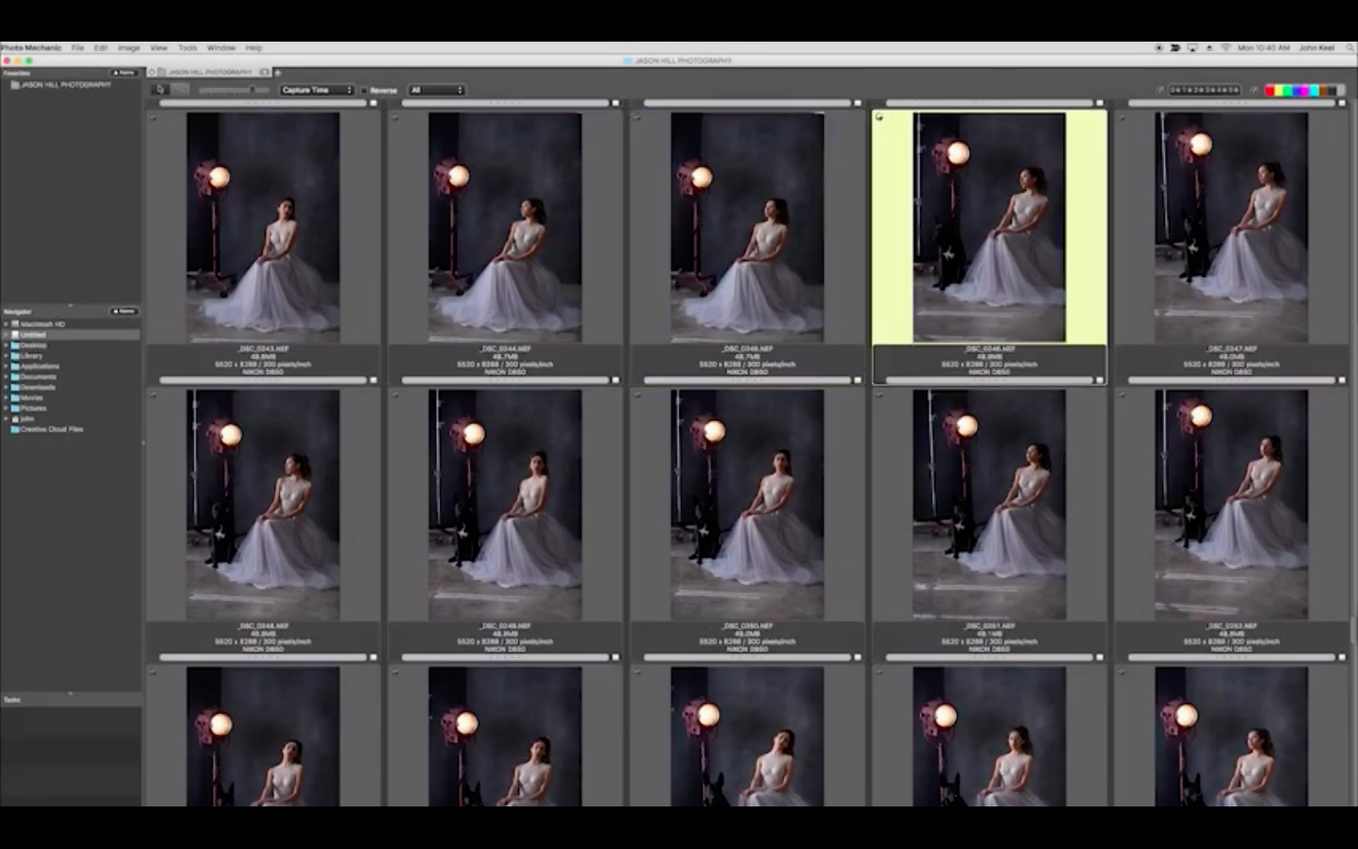
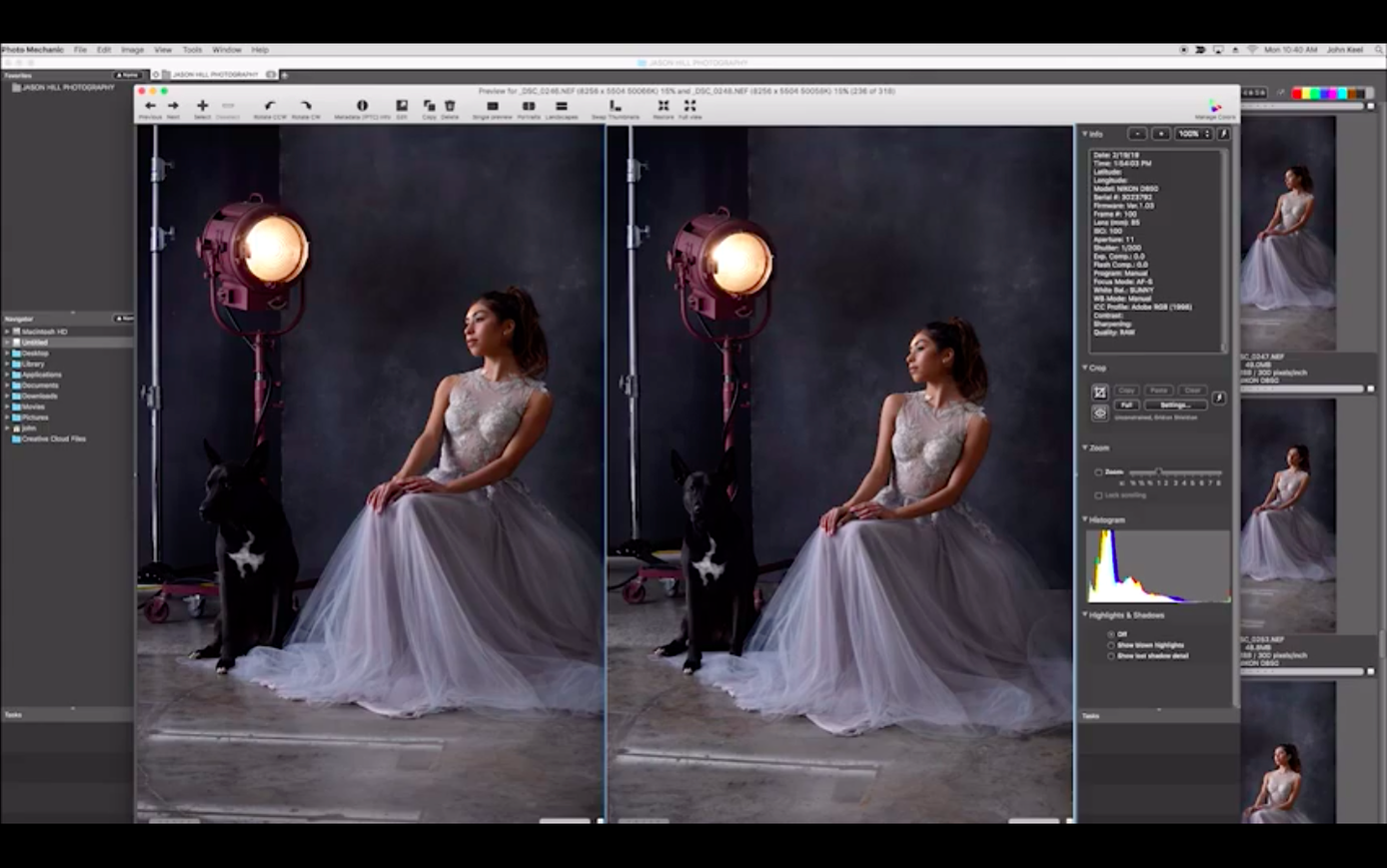
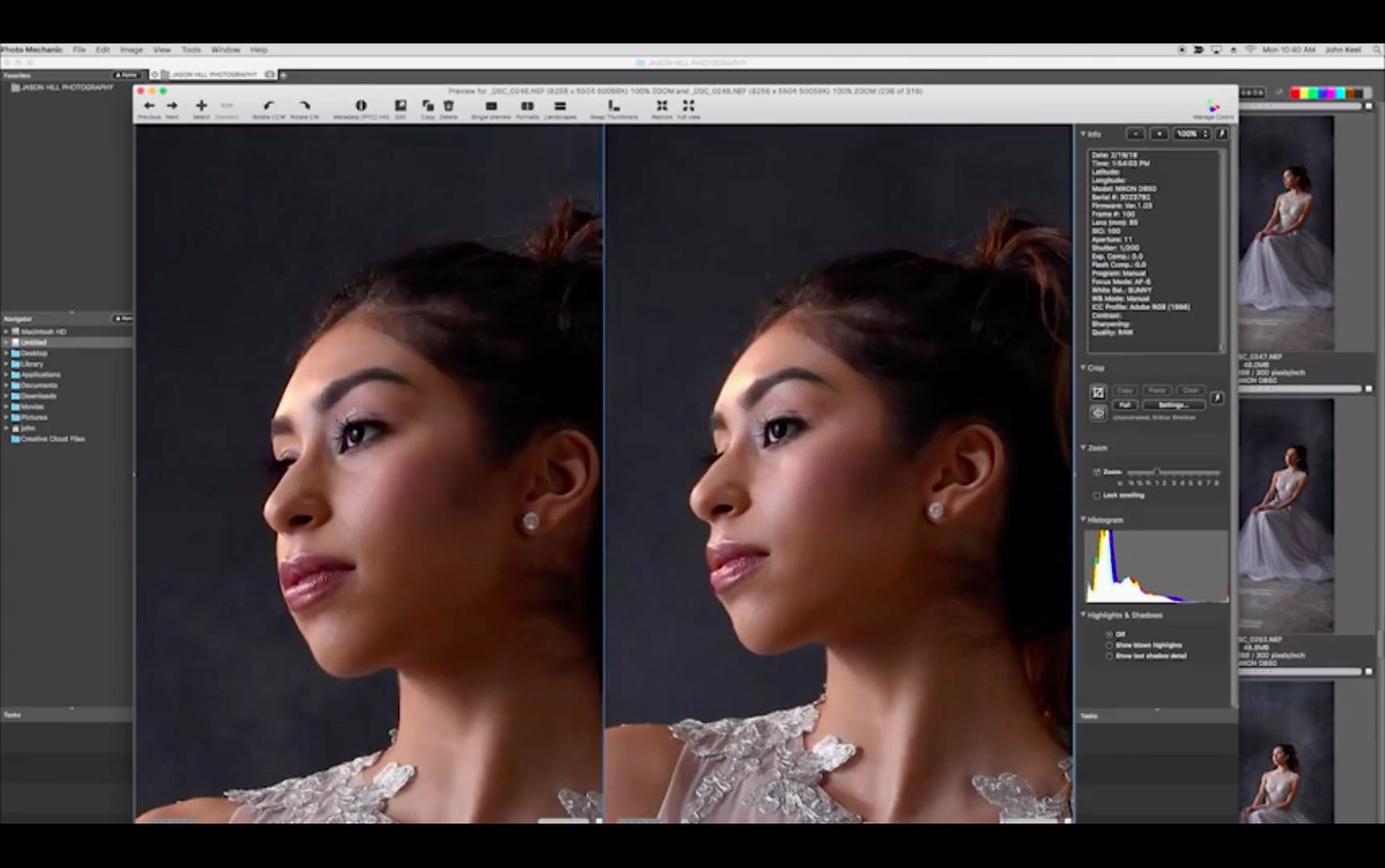
Loading 5,000 RAW files without a spinning beach ball is where this app separates itself from the library managers most people know. Photo Mechanic Mac treats your card dump like a contact sheet, rendering embedded JPEG previews instead of crunching raw data, so you scroll through a full wedding or match day with zero lag.
Tools that go past the basics
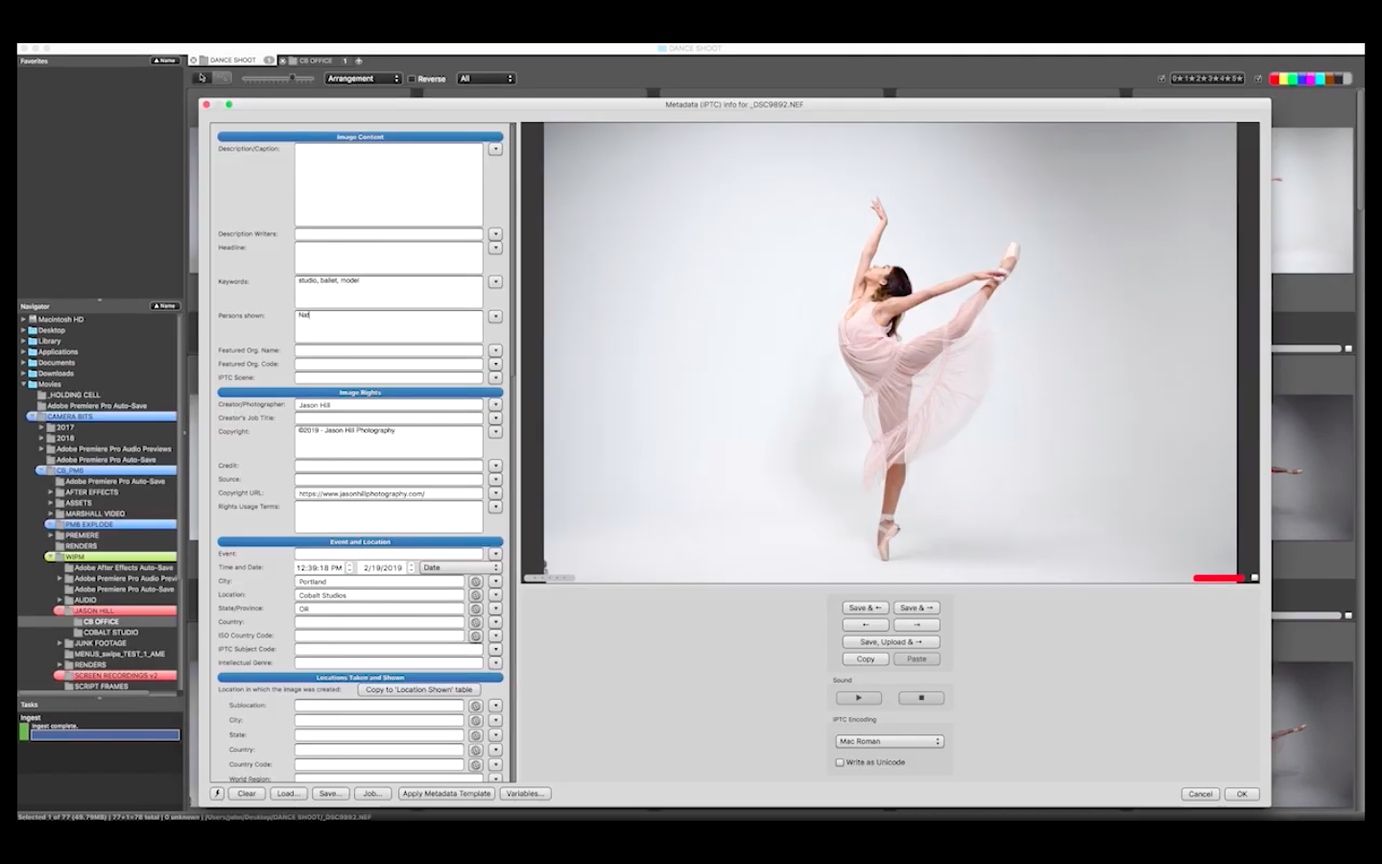
- Variable ingest with live metadata — apply your copyright, keywords, and location during the copy, so every frame lands on the drive already stamped.
- IPTC stationery pad — build reusable templates for clients, agencies, or stock libraries that batch-write captions, bylines, and usage terms across selected images.
- Code replacement — type a shortcode like \ph1 and have it expand to a full player name or caption string pulled from a plain text file you maintain.
- FTP uploader with per-photo resizing — send selects straight to an editor’s server with sharpening and size limits applied on the fly, no round-trip to another app.
- Color class and star rating hot keys — tag keepers and rank them with single keystrokes, then filter the contact sheet to show only what passes the first cut.
- Adjust capture time — sync bodies that drifted apart or correct a time zone mistake before the files hit your catalog.
Where Plus fits in
Photo Mechanic Plus adds a catalog on top of this browsing engine, letting you search across drives that aren’t mounted. The base app stays deliberately catalog-free — it works directly on folders, which keeps it snappy and predictable when you just need to turn a card around fast. If you regularly tag, caption, and transmit images under deadline pressure, this is the piece of the pipeline that earns its keep before you ever open a raw developer.
When the second shooter hands you four cards at midnight
A wedding photographer wrapping up a ten-hour Saturday has two bodies of her own and a second shooter’s mismatched cards — maybe 6,000 frames total, some shot on a camera body nobody remembered to sync the clock on. The last thing she wants is an import dialog that insists on building previews or a library that needs to “analyze” everything before she can see it. She mounts the first card, fires up the ingest with her IPTC template already loaded, and watches thumbnails populate at the speed the card reader can deliver. By the time she’s poured a glass of wine, the keepers are color-tagged, the second shooter’s clock drift is corrected, and the whole set is renamed to her client’s naming convention. That’s the kind of evening this app was built for.
A news wire workflow, end to end
Say you’re covering a college football game for a wire service. You’ve got a deadline measured in minutes after the final whistle, not hours. Here’s how a typical sequence runs inside Photo Mechanic Mac:
- Ingest with live metadata. As the card copies, the IPTC pad stamps every file with the event name, your byline, copyright, and a city/state location. You don’t touch a single frame yet.
- First pass: color class. Scroll the contact sheet in full screen, tapping a number key to tag a frame green for a keeper, yellow for maybe, red for trash. The embedded JPEG previews render instantly — no waiting for RAW decode.
- Filter and star. Show only green-tagged images. From those, use single-key star ratings to rank the top three or four frames per play sequence.
- Caption with code replacement. Open the IPTC info for your top-rated shot, type
\qb12, and it expands to “Quarterback Marcus Chen, 42-yard touchdown pass, 3rd quarter.” Your code file lives on the desktop and gets updated weekly with roster changes. - Crop and straighten. A quick crop on the best frame, then save it back into the contact sheet without exporting a new file.
- Transmit via FTP. Select the five-star picks, hit Send, and the FTP uploader resizes to the desk’s spec — 3000 pixels on the long edge, a touch of sharpen — and drops them into the editor’s incoming folder while you keep working.
The whole loop from card insertion to transmitted selects can run under four minutes when the play happens late in the fourth quarter. That’s why sideline photographers keep this app open next to their raw developer, not instead of it.
Apple Silicon Finally Arrives for Contact Sheet Speed
The jump to build 8239 brought full Apple Silicon support, and on an M-series MacBook Pro the difference shows in contact sheet scrolling and folder navigation — it’s the kind of speed bump you feel when you’re churning through a 4,000-image folder and every arrow-key press responds before your finger lifts. Ingest operations that used to peg the CPU now stay cool and quiet, which matters when you’re working off battery in a press room with one outlet shared by six people.
Camera Bits also refined the metadata handling under the hood, particularly with how the app reads and writes IPTC fields alongside XMP sidecars. For photographers who shuttle files between this app, a raw processor, and a catalog tool, the round-tripping of captions and keywords has gotten less fussy — fewer warnings about conflicting metadata, fewer moments where you wonder which app owns the truth. The color management pipeline got a quiet tune-up too, so tagged previews on a wide-gamut MacBook display match what you’ll see downstream more reliably.
The Ingest-and-Cull Partner for Lightroom and Photo Supreme
Photo Mechanic is not trying to be your raw processor or your long-term catalog. It sits upstream of both, and the fit with other apps is what makes the workflow click. After you cull, caption, and rename a shoot, you drag the keepers into Lightroom or Capture One for raw development — and because this app writes IPTC data into the files themselves (or into XMP sidecars), the raw processor picks up your star ratings, color labels, keywords, and captions without re-entering anything. The same goes for Spotlight: metadata written by Photo Mechanic is indexed by macOS, so you can find a specific player’s name or a location right from the Finder search bar.
For photographers who use Apple Photos for personal work, a common pattern is to cull and tag in this app first, export a trimmed set of JPEGs, then drag those into Photos — skipping the heavy library import only to delete half the frames later. The FTP uploader also pairs well with Hazel or a watched folder setup: transmit selects to a local folder that a script or automation picks up and pushes to a cloud service, a social media scheduler, or a client gallery. And because the app stays folder-based instead of locking you into a database, you can move between machines, back up to an external drive, or hand a drive to a colleague without exporting a catalog — the folder is the catalog, and the metadata travels with the files.
- macOS 13 or newer
- Apple Silicon Mac
- Interface language: English
Porch talk 0
Come in or pull up a chair to leave a comment.
Nobody has pulled up a chair yet. If you used it on a real Saturday, say what the hour was.