
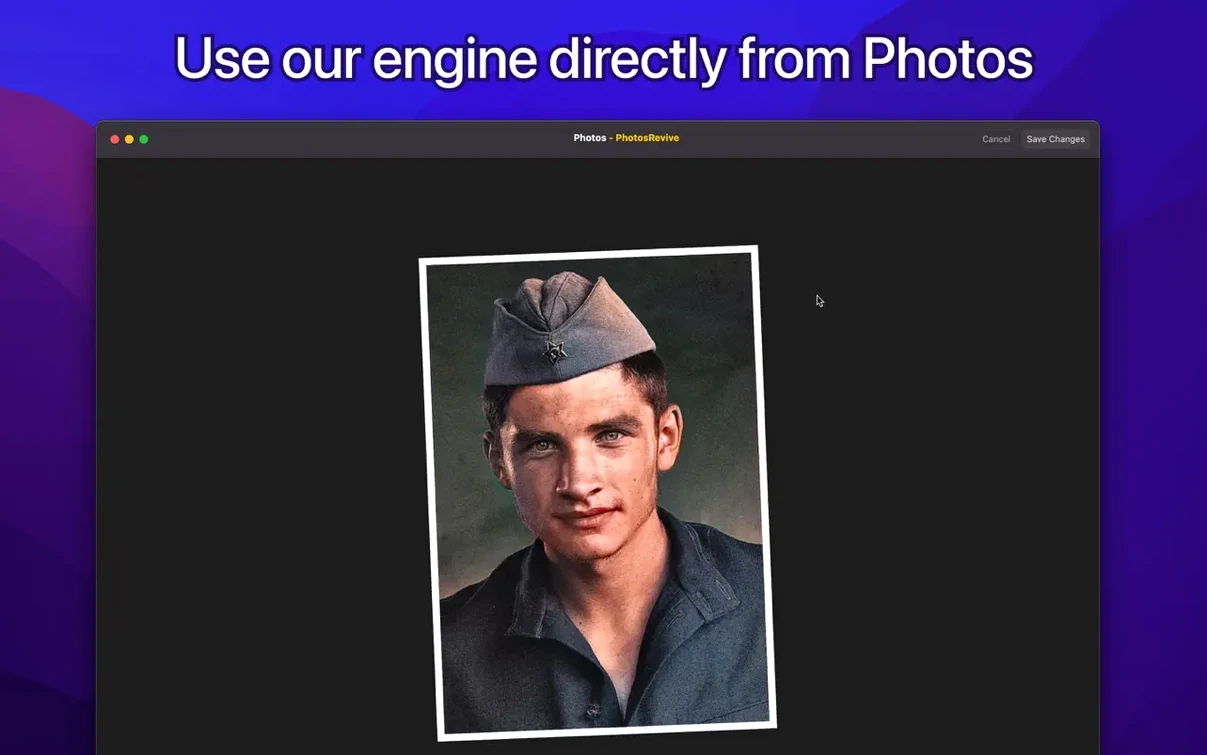
PhotosRevive runs on any Mac with an Apple Silicon or Intel 64-bit processor, as long as you're on macOS 11 or newer. It's a straightforward tool that breathes new life into monochrome images without a steep learning curve.
Add automatic color to a scanned photo
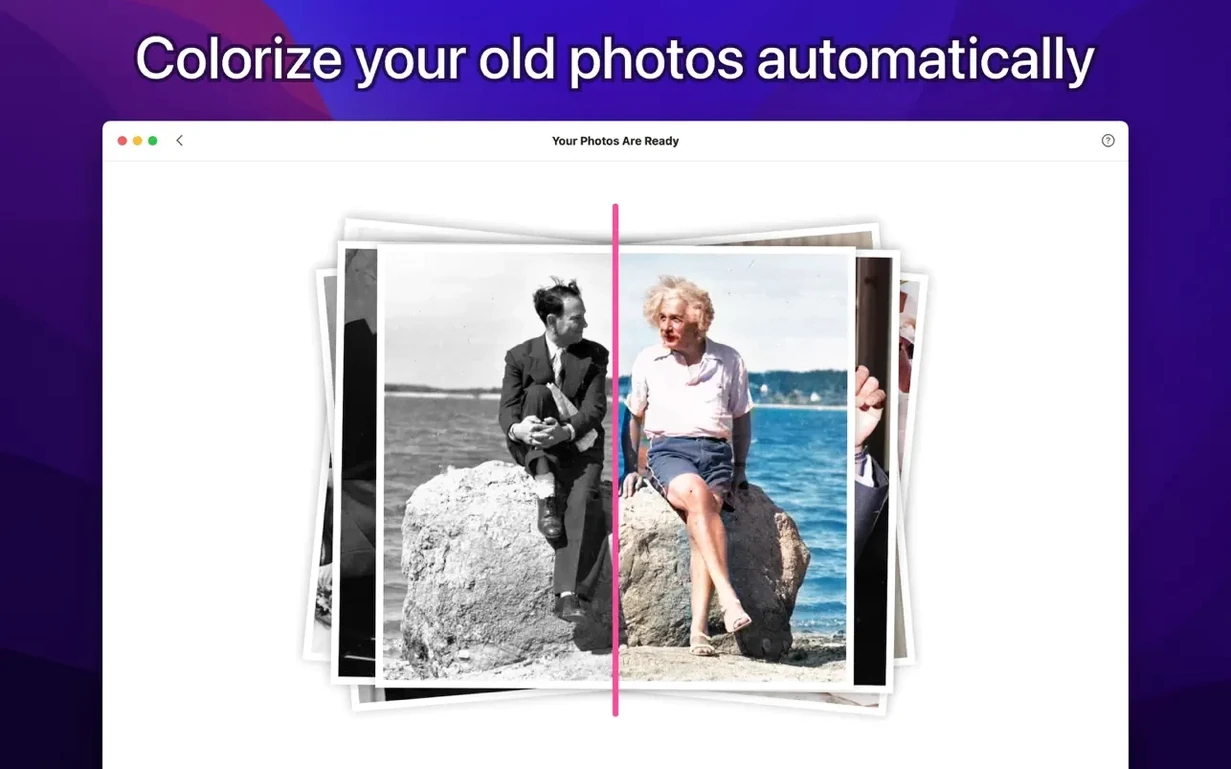
Bring an old print into the app with your scanner or open an existing file. The artificial intelligence engine reads the grayscale tones and applies a full color palette in seconds, no manual painting required.
Guide the AI with a manual hint
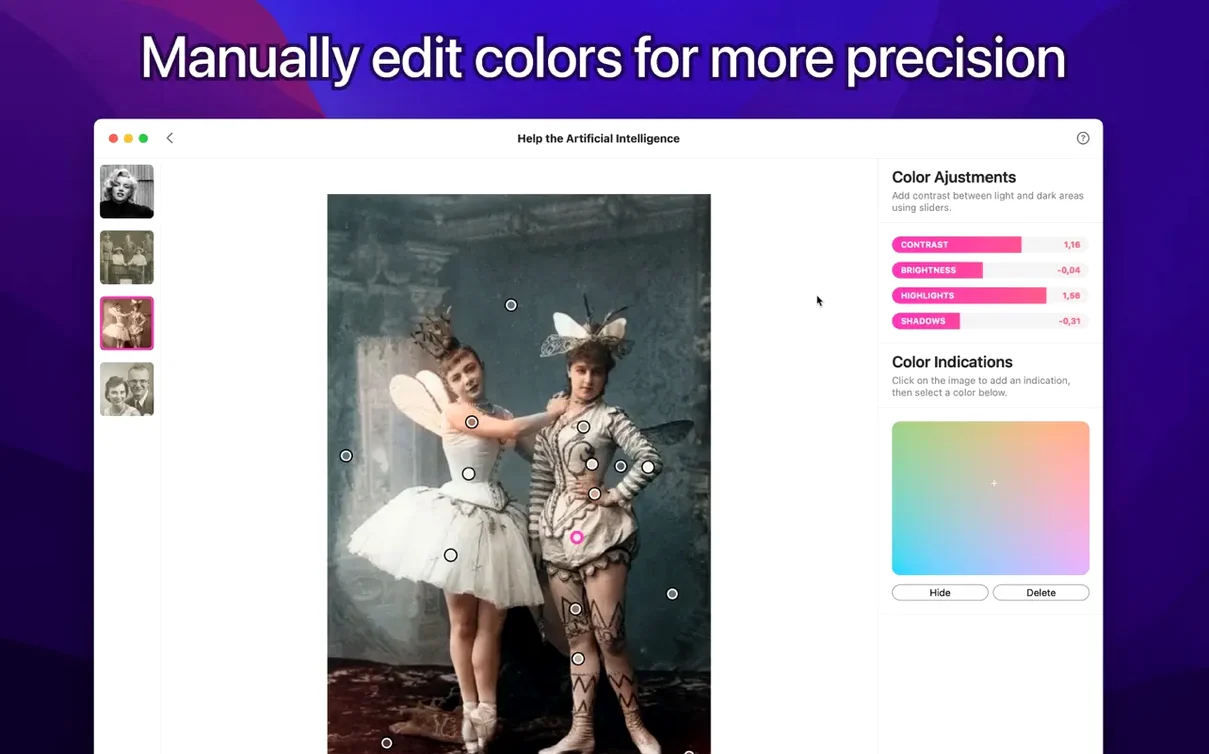
When the automatic result needs a small correction, drop a color hint onto a specific area—a patch of skin, a piece of fabric, a patch of sky. The app re-interprets the surrounding region based on your suggestion while leaving the rest of the image intact.
Keep your workflow across devices
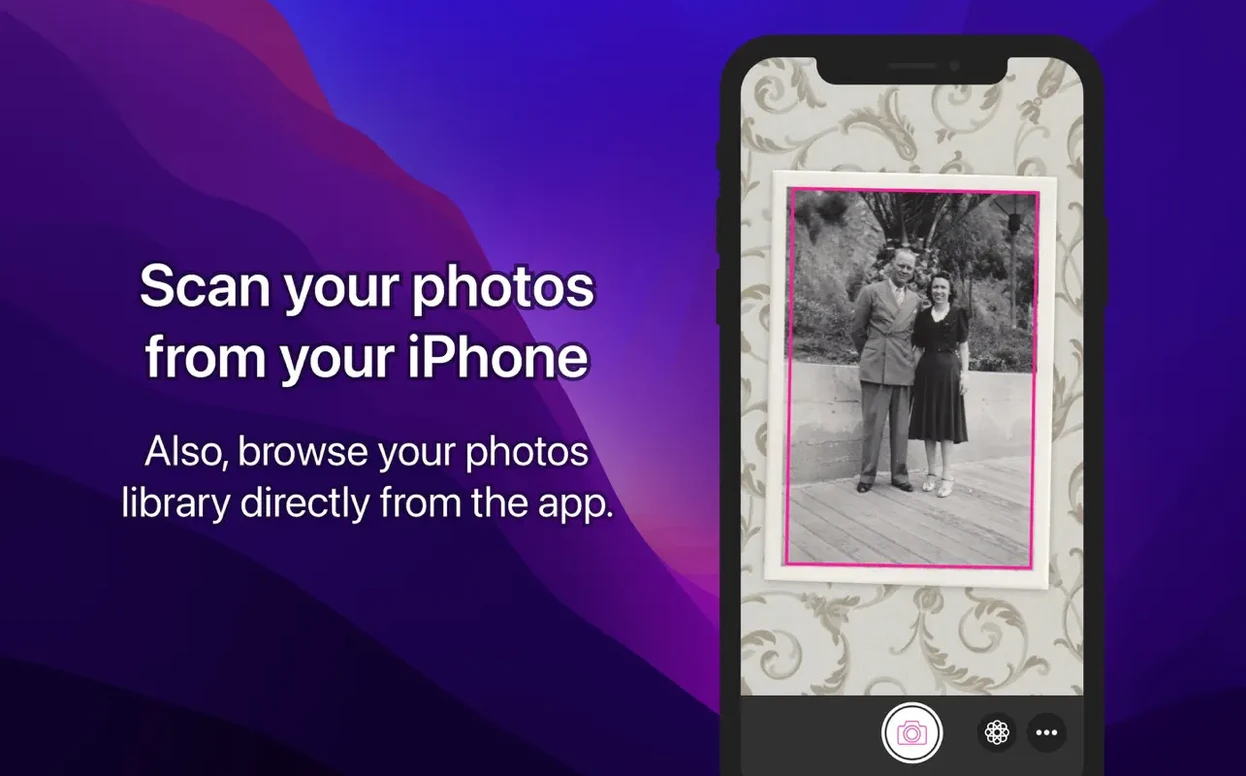
The same colorization engine is also available on iPhone and iPad. You can scan a snapshot on the go and finish the job later on your desktop, right where you left off.
Drag In a JPEG or Start From Photos
A couple of things tend to come up the moment someone grabs the disk image. The big one is whether PhotosRevive works as a standalone app or only inside Apple Photos. It does both. You can drag a JPEG or TIFF straight onto the Dock icon and start working, or you can fire it up as a Photos extension from the editing pane. The extension route saves a round-trip when you're already organizing a library.
People also ask if the color hints replace the automatic pass. They don't—you run the AI first, then refine. Tapping a hint onto a jacket or a patch of grass nudges the algorithm for that region, but the initial colorization always runs across the whole frame. Another question: does it handle high-resolution scans? A 600 dpi TIFF from an Epson flatbed chews through more RAM than a phone snapshot, but on an Apple Silicon Mac the processing stays snappy. Intel machines from 2018 onward handle it fine too, just with a slightly longer wait for the preview to settle.
Five-Second Color Fix on an M1 Mac
PhotosRevive 2.2.0 feels light on its feet. Launching the app takes about two seconds on an M1 MacBook Air, and dragging in a 20-megapixel scan triggers a progress bar that fills in under five seconds. Memory usage hovers around 300 MB during a typical session, climbing briefly when you stack multiple hint corrections. The optimized build for macOS 26 keeps the fan quiet even on older Intel hardware.
Stability holds up well across long editing stretches. I've thrown forty images through it in one sitting without a crash or a beachball. The only hiccup worth mentioning is that the scanner-import feature occasionally needs a second attempt on certain Canon all-in-ones—closing and reopening the import window sorts it out immediately. For anyone who grabbed a PhotosRevive torrent Mac build, the TNT release behaves identically to the direct download; the app doesn't phone home or stall on first launch.
Dab a Forehead to Nail the Tone
The most common slip is skipping the color hint step entirely when a photo looks slightly off. The automatic pass nails skin tones maybe seven times out of ten, but a quick dab of beige on a forehead often fixes the remaining three. People stare at a magenta-tinged face and assume the tool failed, when a single hint would have pulled it right.
Another habit: dragging in a heavily compressed JPEG with banding artifacts. The AI interprets those as actual transitions, so a gradient in the sky turns into stripes of blue and teal. Start with a clean scan whenever you can. Beginners also tend to apply hints too broadly—a large brush stroke across a whole shirt confuses the algorithm more than a small dot on the collar. Tiny, targeted hints give the engine a reference point without overwhelming the texture underneath.
Version 3.1.0 keeps things steady — this one's a quiet maintenance update that brings PhotosRevive in line with the latest macOS releases. No new buttons to learn or workflows to rethink, just the foundation work that keeps everything running smoothly as Apple moves the platform forward.
- macOS 11 or newer
- Supports macOS 26 and later
- Works on Apple Silicon and Intel 64-bit Macs
Questions I actually get
Does PhotosRevive work on Intel Macs?
Yes, it supports both Apple Silicon and Intel 64-bit Macs running macOS 11 or later.
Can I influence the colorization if the AI gets it wrong?
You can place manual color hints on the photo to guide the artificial intelligence toward a more accurate palette for specific objects.
Is there a way to digitize physical prints directly into the app?
PhotosRevive includes a built-in option to scan or import a photo right before you start the colorization process.
Porch talk 0
Come in or pull up a chair to leave a comment.
Nobody has pulled up a chair yet. If you used it on a real Saturday, say what the hour was.
More for the same hour
Everything in Mac Apps
 PhotoScape X Pro
4.3 Mac Apps
452 MB
PhotoScape X Pro
4.3 Mac Apps
452 MB
 Photomator
3.4.15 Mac Apps
662 MB
Photomator
3.4.15 Mac Apps
662 MB

 Pixea Plus
8.4.0 Mac Apps
Updated 193 MB
Pixea Plus
8.4.0 Mac Apps
Updated 193 MB
 Pixelmator Pro
4.3 Mac Apps
641 MB
Pixelmator Pro
4.3 Mac Apps
641 MB
 Photo Mechanic
2025.1.8239 Mac Apps
64 MB
Photo Mechanic
2025.1.8239 Mac Apps
64 MB
 Pixelsnap
2.6.4 Mac Apps
10 MB
Pixelsnap
2.6.4 Mac Apps
10 MB
 Permute
4.0.11 Mac Apps
84 MB
Permute
4.0.11 Mac Apps
84 MB

 Perfectly Clear WorkBench
4.8.0.2871 Mac Apps
200 MB
Perfectly Clear WorkBench
4.8.0.2871 Mac Apps
200 MB