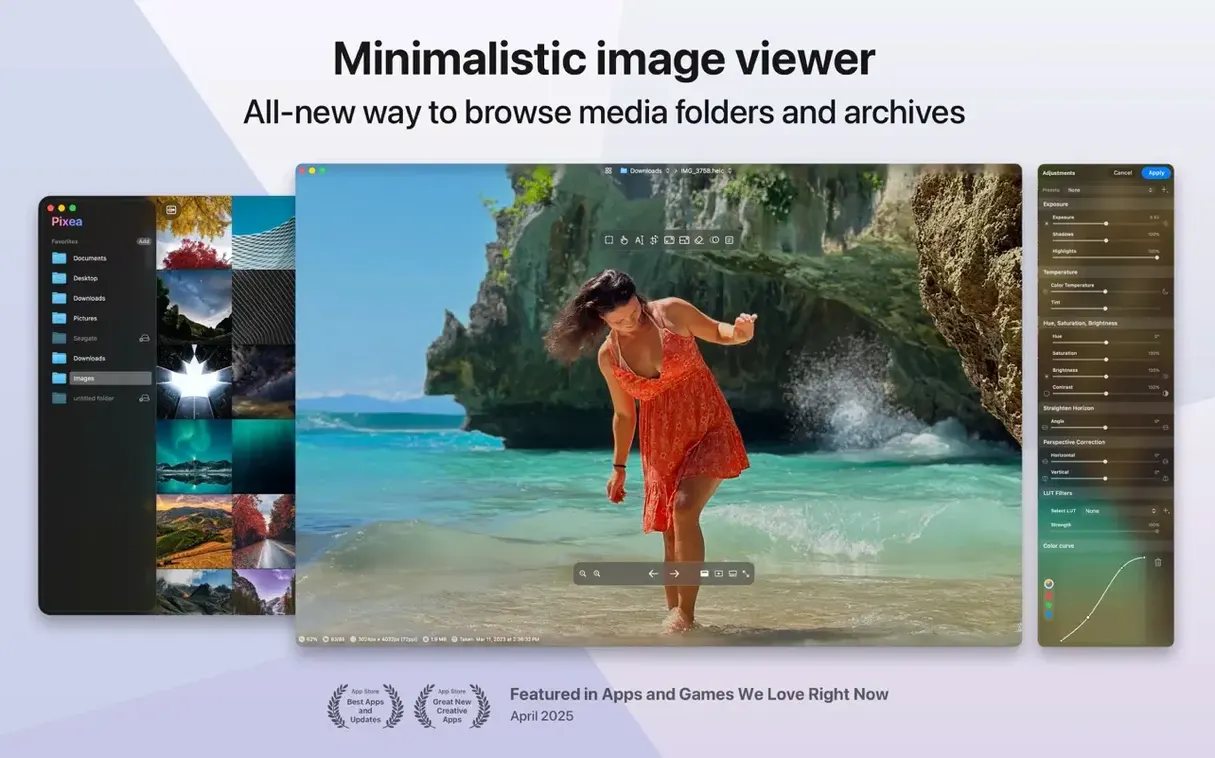
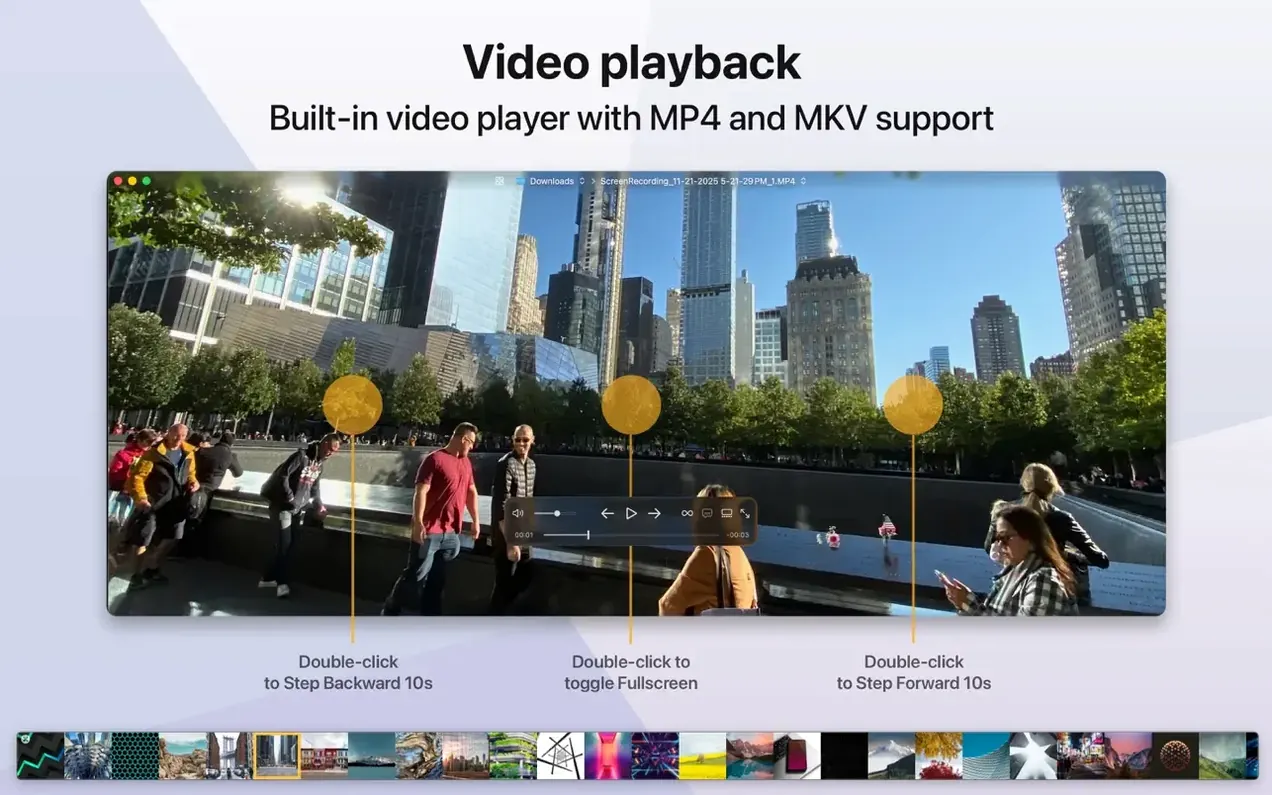
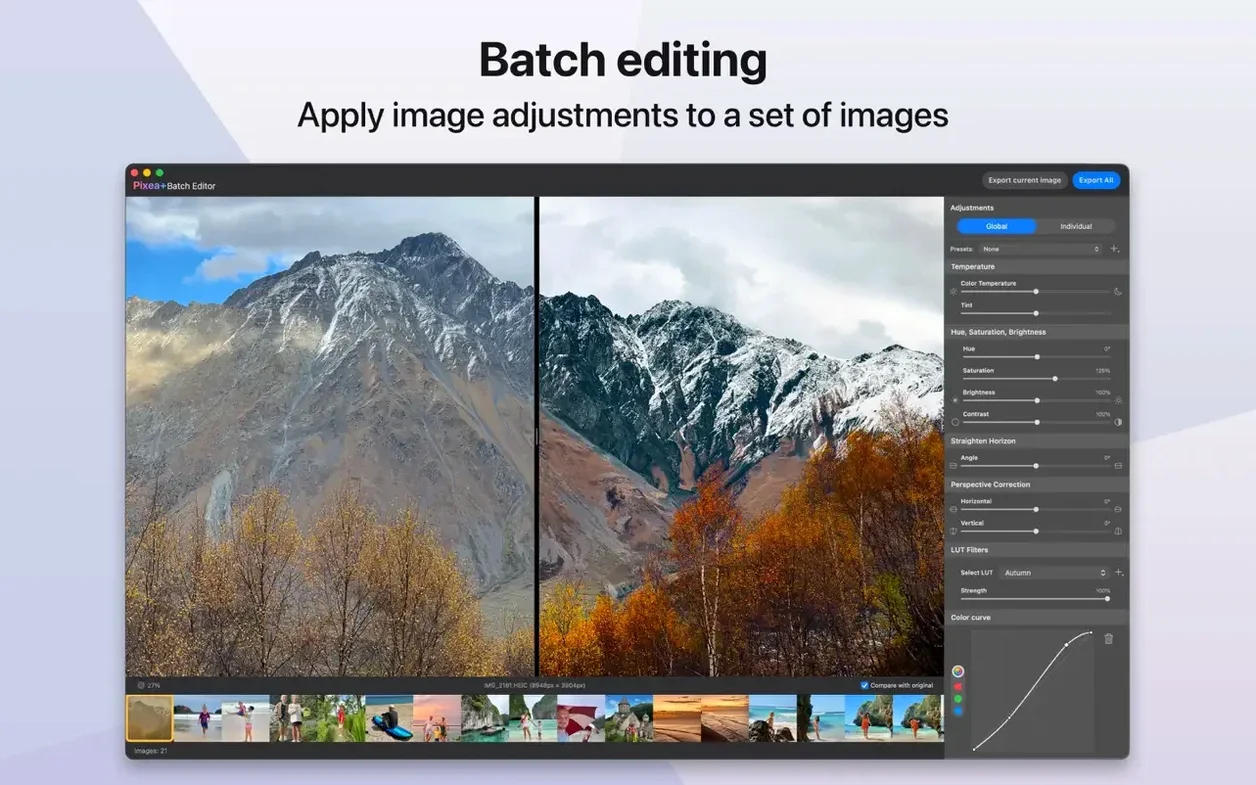
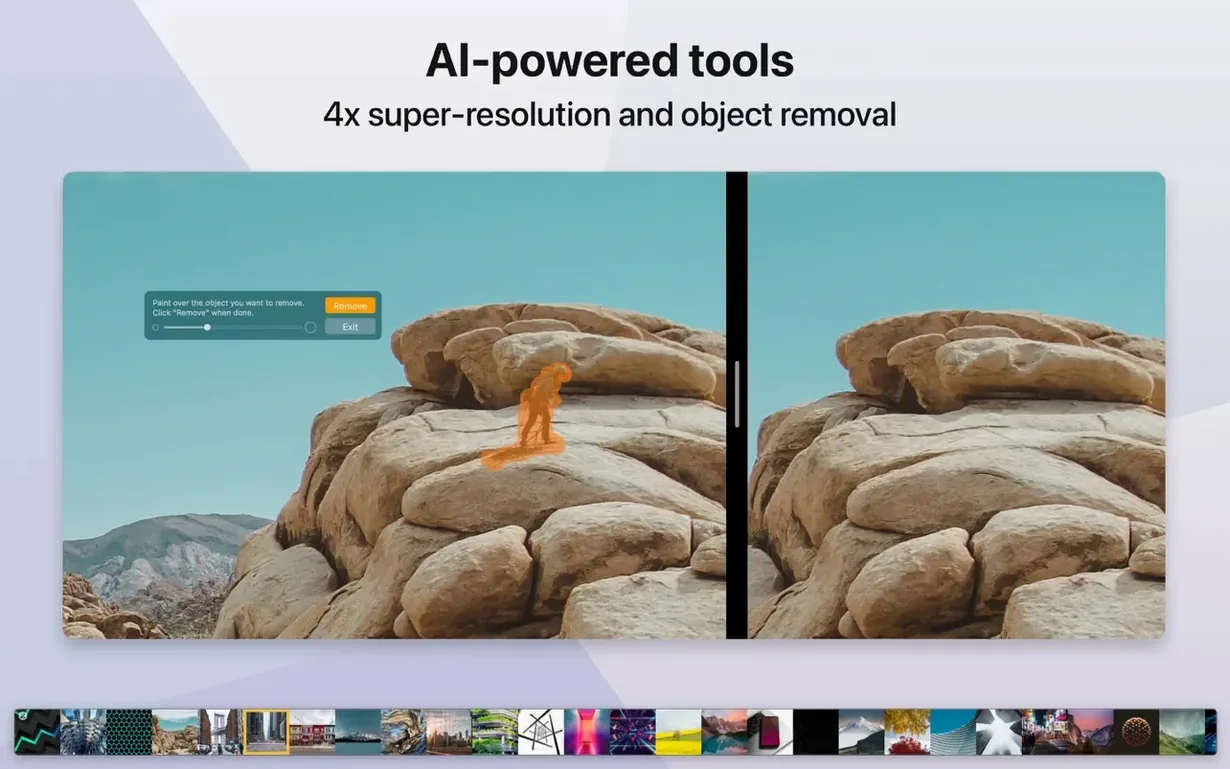
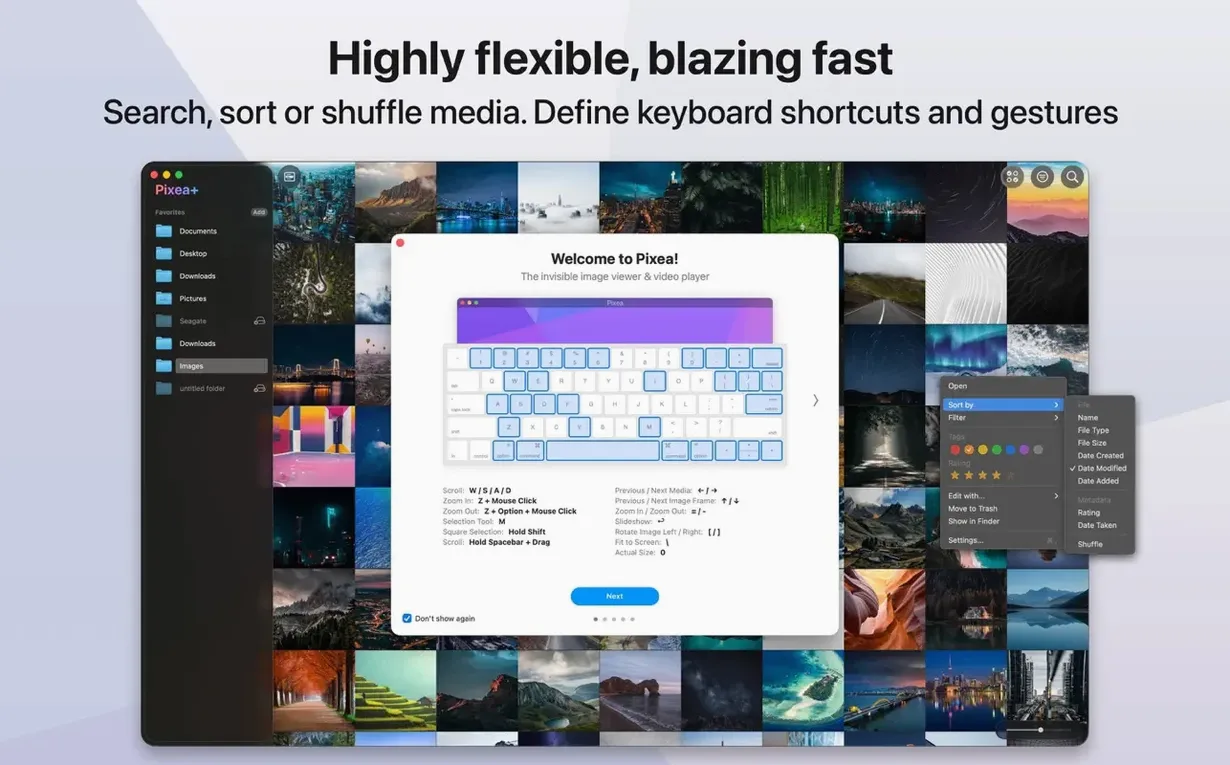
When you double-click a photo and Preview opens, you get a solid, no-fuss view. Pixea Plus is that same kind of immediate tool, but tuned specifically for a photographer's sprawling mix of files. It's a macOS image viewer, not another library app trying to import and organize your whole life.
- Open anything straight from the Finder. JPEG, HEIC, PNG, GIF, WEBP, and layered PSDs all render without a wait. It also handles RAW files from Canon, Nikon, Sony, Fuji, Leica, Olympus, Hasselblad, and Minolta cameras.
- Peek inside archives. Got a ZIP full of images? You can browse the contents right in the app without extracting a thing first.
- Use the new editing touches. Version 8.3.0 added masks, a native Pixea Image format for saving your work, and full undo/redo actions. Small corrections stay in a clean, modern interface that feels native to the Mac.
If you already lean on Preview for quick looks but need something that understands your camera's RAW files and keeps a low profile, this one slots right in alongside your existing tools.
A Start-to-Finish Mask Workflow
You come back from a Saturday morning walk with a folder of Fuji RAW files and one shot where the sky bleached out while the tree line stayed perfectly exposed. Here's how Pixea Plus handles that in a few minutes without bouncing between apps.
Open the RAW file. The image loads fast, and you can swipe with two fingers to flip through the rest of the folder while you decide which frame to work on. Once you settle on the shot, tap M to see the histogram — the right side is spiking hard, confirming what your eyes already told you about the sky.
Now create a mask. Drag a rough gradient across the top third of the frame, covering the blown-out clouds and that strip of pale blue above the treeline. The mask overlay shows in translucent red so you can see exactly what you're including. Pull the exposure slider down about a stop and a half, then nudge the saturation up just a touch — the clouds regain texture and the sky deepens without making the whole scene look processed. You can add a second mask for the shadow side of the tree trunks if you want to lift the hue there independently, but for this shot one gradient does the job.
Save as a Pixea Image file. That keeps your masks, the exposure and saturation adjustments, and the EXIF data all bundled together so you can revisit the edit next week without starting from scratch. Export a JPEG copy for sharing, and you're done. The whole sequence — open, mask, tweak, save — runs inside a single window with no import dialog and no catalog to maintain.
Against XnView, Lyn, and Phoenix Slides
Plenty of apps can open images. Three that often come up in the same conversation are XnView MP, Lyn, and Phoenix Slides — each takes a different approach, and where Pixea Plus fits depends on what you actually reach for day to day.
XnView MP is the Swiss Army knife. It handles over 500 formats, batch converts, and runs on basically every platform. The trade-off is a busy interface that feels ported rather than native, with preference panels that sprawl. Pixea Plus strips that down to what a Mac user typically wants while browsing: open, look, maybe tweak, move on. If you need batch watermarking or hexadecimal raw inspection, XnView earns its place. If you want a clean window that obeys trackpad gestures and stays out of your way, Pixea Plus is the lighter lift.
Lyn is closer in spirit — a Mac-native viewer with geotagging and metadata smarts built in. It leans harder into library browsing, with folder trees and smart albums. Pixea Plus skips the organizational layer entirely and spends its attention on the image itself: the histogram, the mask tools, and the archive browsing feel like first-class features rather than checkboxes. Lyn gives you more ways to sort; Pixea Plus gives you more ways to look and correct.
Phoenix Slides is free, fast, and extraordinarily bare. Full-screen slideshows and quick folder browsing are its whole personality. No editing, no histograms, no RAW development. It's a great comparison point because it highlights what the Pixea mac download adds: a real editing layer without becoming a heavyweight editor. You're not replacing Capture One here, but you are getting exposure and hue masks that Phoenix Slides won't touch.
Daily Speed, Stability, and Resource Footprint
On an Apple Silicon MacBook Air with 16 GB of RAM, Pixea Plus opens cold in under two seconds. Thumbnail generation across a folder of 80 mixed RAW and JPEG files feels nearly instant — the app pre-caches aggressively when you navigate into a directory, and the 8.3.0 optimizations mentioned by the developer show in smoother scrolling through large sequences.
Memory use stays modest. With five 45-megapixel RAW files open in tabs, Activity Monitor reports around 380 MB of RAM. That figure climbs slightly during mask operations — the app holds undo states in memory — but it drops back once you close a few tabs. On an older Intel iMac running macOS 12, the same folder scrolls with a half-beat of lag on the first pass, then catches up and stays fluid. The app hasn't beachballed once across a week of daily use, and it handles quick switches between JPEG, HEIC, and PSD without stuttering.
Disk activity is what you'd expect from a viewer that doesn't maintain a library database: reads spike when you open a folder, then settle to near zero. No background indexing, no background anything. If you've ever felt a photo app quietly grinding away in the background after you closed the window, that absence here is noticeable and welcome.
The Pixea dmg itself is compact, and the app behaves well when dragged between machines — preferences are minimal, and there's no sprawling support folder filling up your Application Support directory. For anyone who wants a viewer that launches quickly, stays responsive during edits, and doesn't claim system resources when it's sitting idle, this one earns its place in the dock.
Version 8.4.0 landed with a handful of new image adjustments that feel right at home in a quick editing session. The Reshape tool lets you nudge local geometry without warping the whole frame, and the new Spatial Dehaze works with depth information to cut through haze where it matters most. Clarity joins the adjustment lineup too, giving mids a crisp lift.
Around the edges, the printing dialog got smarter — auto-rotate, scale controls, and images-per-sheet options are all in one place now. Copy to Clipboard can either maximize compatibility or preserve HDR headroom, depending on what you need downstream. Brilliance got a polish, and the usual round of UI tweaks and bug fixes tidies things up.
- macOS 11 or later
- Apple Silicon or Intel 64-bit Mac
Questions I actually get
Does Pixea Plus work on both Intel and Apple Silicon Macs?
Yes, the app includes native support for both ARM and 64-bit x86 architectures, so it runs smoothly on any modern Mac.
What camera RAW formats does it support?
It opens RAW files from a wide range of camera brands including Canon, Nikon, Sony, Fuji, Leica, Olympus, Hasselblad, and Minolta.
Porch talk 0
Come in or pull up a chair to leave a comment.
Nobody has pulled up a chair yet. If you used it on a real Saturday, say what the hour was.