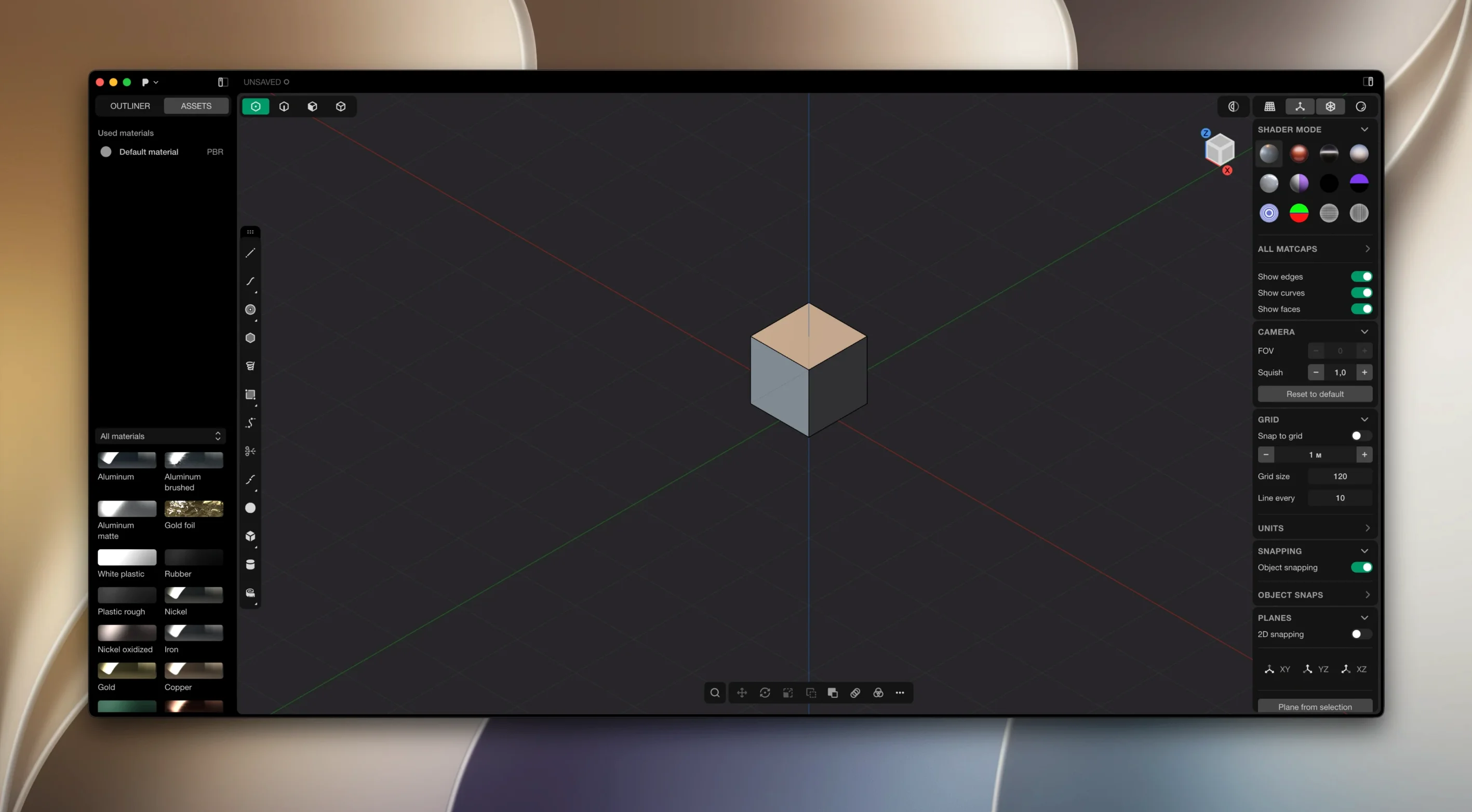
Plasticity is a professional 3D modeling package that trades brittle history stacks for responsive direct editing of solids and surfaces. It runs on the Parasolid and xNURBS geometry kernels, so the booleans come out watertight and the blends stay precise even when you push them around late in a session. If you have been working long enough to know when a fillet is going to fail before the solver does, this is the kind of environment that gets out of your way.
- Direct editing core. Grab a face, push a boundary, and the solid rebuilds without recalculating a feature tree you built three hours ago.
- Watertight booleans. Union, subtract, and intersect operations resolve cleanly, even on geometry that would choke a lesser kernel.
- Precise fillets. Constant-radius and variable-radius blends that handle tricky edge terminations without collapsing.
- xNURBS surfacing. Patch complex curves with high-quality surfaces instead of fighting control-point gymnastics.
- Export Hidden Line. The 2026.1 release adds technical SVG output for documentation, patent drawings, and spec sheets straight from the viewport.
Plasticity runs natively on Apple Silicon Macs and also ships builds for Windows and Ubuntu Linux. If your workflow lives on the command line or you need to move files between studios on different platforms, that cross-OS support matters. The modeling style will feel familiar to anyone who has worked in a dedicated surface modeler, but the lack of a timeline makes it worth a look for concept modelers who want to iterate fast before handing off to engineers.
A certain kind of Mac user finds Plasticity clicking into place almost immediately, and it is not always who you would guess. Industrial designers who have spent years in parametric CAD often describe a quiet relief: finally, a modeler that does not punish them for changing their mind. They tend to build complex consumer-product shells and enclosures, where a late-stage fillet adjustment in a history-based tool can unravel an afternoon of work. Here, that same tweak is just a click and a drag.
Concept artists and 3D illustrators get a different gift. They are not chasing engineering tolerances; they want to block out a prop, a vehicle, or a hard-surface environment and keep the flow going. Plasticity hands them solid primitives, booleans that clean up after themselves, and a viewport that snaps to isometric views with a single keystroke. The SVG export in the 2026.1 release is quietly attractive for this crowd too — a clean hidden-line drawing dropped right into a presentation deck without a trip through another application.
Engineers who freelance across platforms round out the picture. Someone running a MacBook for design and a Linux box for simulation can open the same file on both machines and keep the geometry intact. No translation layers, no lost metadata. The Parasolid kernel underneath is the same one that drives half the engineering world, so what you model is what the downstream team actually receives.
Double-tap to frame any selection instantly
Plasticity keeps its interface surprisingly lean, which means a handful of genuinely useful shortcuts are easy to overlook in the first week. A few worth hunting down:
- Double-tap the middle mouse button to frame your selection in the viewport. It is faster than hunting for the zoom-extents icon, and once it is muscle memory you will use it constantly.
- Hold Shift while orbiting and the camera locks to 90-degree increments. If you are building something mechanical, this alone keeps your orthographic views clean without needing to set up named cameras.
- The Spacebar repeats the last command. Running a series of identical fillets? Select the edge, tap Space, select the next edge, tap Space. It sounds trivial, but it collapses a dozen menu trips into a rhythm.
- Right-click drag on a numeric field scrubs the value like a virtual slider. You do not need to type a radius; just drag it and watch the geometry update live.
- Alt-drag a face extrudes it directly in the viewport without entering a dedicated extrude tool. It is the kind of direct-manipulation shortcut that makes the whole "no timeline" philosophy feel coherent.
Lock in your units before the first primitive
New installations of Plasticity ship with sensible defaults, but a few early adjustments pay off quickly. Start by setting your home grid and unit system before you drop the first primitive — switching from millimeters to inches mid-project is an avoidable headache, and the document units lock in at creation. The Preferences panel also lets you dial back the chamfer and fillet preview resolution if you are on a base-model Mac; the geometry stays exact, but the viewport feedback gets lighter.
If you are coming from a polygon modeler, spend the first hour with primitives and booleans alone. Build a simple bracket, a bottle, a phone case — anything with intersecting solids. Watch how the boolean results behave when you drag edges around afterward. That direct-after-boolean workflow is where Plasticity feels most distinct, and it is what makes plasticity torrent searches so common among 3D artists curious about its modeling style.
Keep the xNURBS tools out of reach until day two or three. They are powerful, but they reward clean input curves and a bit of patience. Once you have a feel for how the kernel handles continuity, the G2 blending starts to feel natural. For Mac users exploring Plasticity Mac torrent options to try the Studio feature set, the PolySplines converter is the standout addition — it turns subdivision cage meshes into editable NURBS patches, which opens a bridge between sculpting workflows and production surfacing that did not exist in the application before.
Finally, if the install package includes a patcher that throws an error, moving the Patcher folder to the desktop before running it usually clears the issue. It is a small quirk that crops up in some Plasticity Mac crack distributions, and the fix is simple enough to mention. Once the application is running, switch the interface language from the Preferences menu if English is not your first choice — the Russian, German, Japanese, and Chinese localizations are well-maintained and cover every tooltip.
Plasticity 26.1.3 fix is out with the developer's latest fixes and improvements.
- macOS 10.14 or later
- Apple Silicon
Porch talk 0
Come in or pull up a chair to leave a comment.
Nobody has pulled up a chair yet. If you used it on a real Saturday, say what the hour was.