
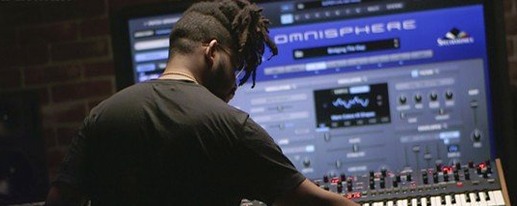
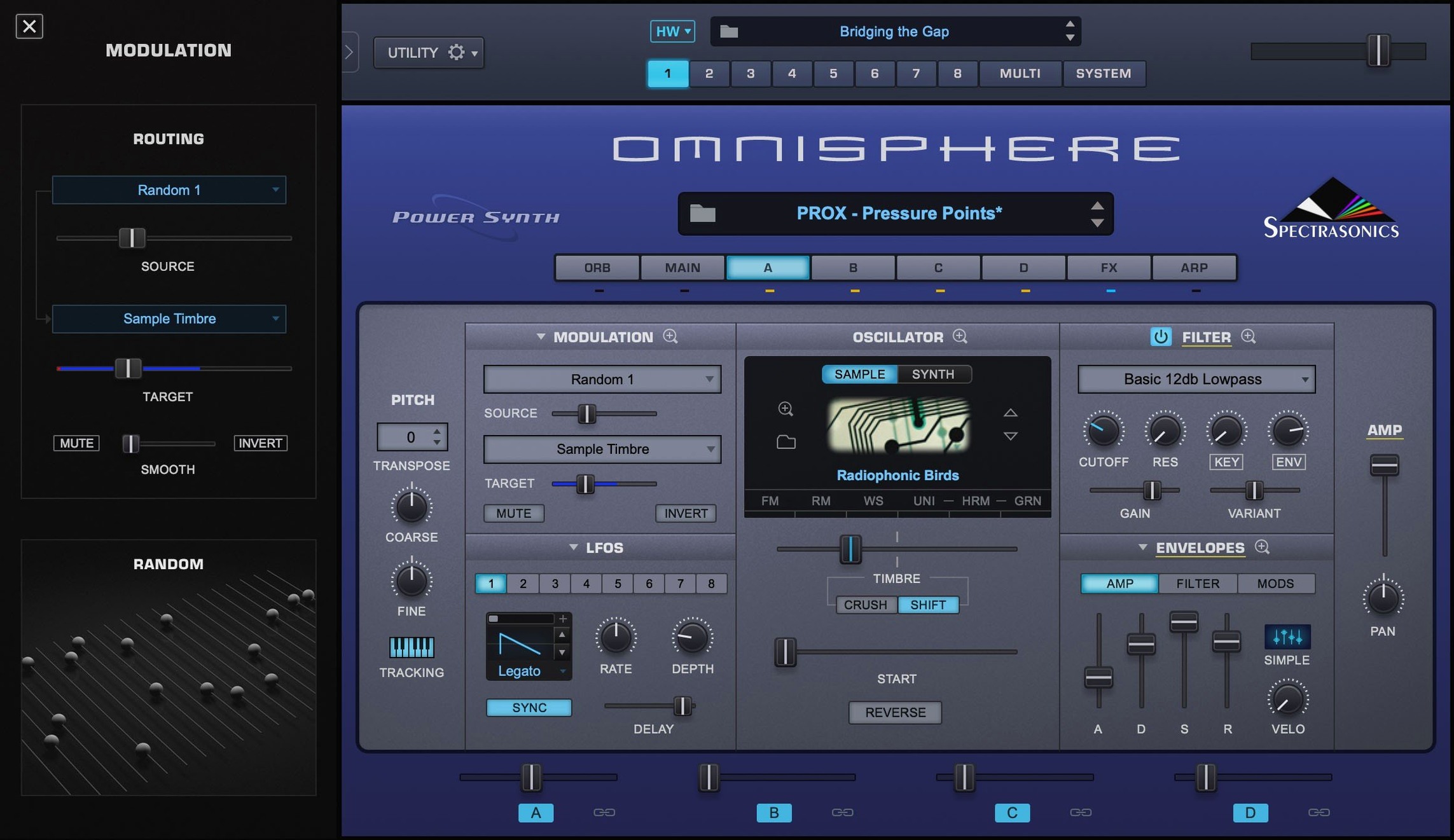
When a track needs a sound that sits between familiar and strange, Omnisphere is the instrument a lot of producers reach for first.
Track instrument — Omnisphere lives on instrument tracks inside your DAW. Load it up, pick a patch, and it plays like any other software synth, but with a wider palette of synthesis types under one roof.
Bus processor — Some producers route audio through Omnisphere's effects section on a bus. The built-in processing can turn a plain drum loop or vocal stem into texture without leaving the plugin.
Sound design workhorse — The flagship Spectrasonics synthesizer combines multiple synthesis methods in one instrument, which makes it a go-to for pads, evolving textures, and hybrid sounds that need to move.
Hardware companion — With Hardware Synth Integration, Omnisphere can map its engine to supported hardware synths, turning a physical keyboard into a hands-on controller for the software.
Scoring composers find instant inspiration in the factory library
You don't need to know every modulation matrix page to enjoy this instrument, but some folks will settle in faster than others. Scoring composers and media producers tend to get the most mileage early on, because the factory library leans heavily into evolving, cinematic territory. Load a patch, hold three notes, and the sound keeps shifting for half a minute without any extra work.
Keyboard players who already own a supported hardware synth often find the Hardware Synth Integration clicks immediately. The physical controls map to the software engine, so patch browsing and tweaking feel closer to playing an instrument than clicking a screen. That connection makes long sound-design sessions less fatiguing.
Beatmakers and electronic producers who usually reach for simpler synths can still find a home here, but the learning curve is real. The payoff comes when a track needs a texture that a basic subtractive synth can't pull off. That's the moment Omnisphere stops feeling oversized and starts feeling necessary.
Opens standalone for fast sound-design sessions
Omnisphere plays well with the usual DAW workflow because it shows up in all the major formats — standalone, VST, AU, and AAX. That means you can open it on its own for a quick sound-design session, or drop it into Logic, Ableton Live, Pro Tools, or any host that supports those plugin types.
It also pairs naturally with macOS audio routing tools. Sending a vocal or guitar track into the plugin as an audio source opens up granular and effects-based processing that goes far beyond typical channel-strip inserts. Some producers keep a dedicated bus with Omnisphere loaded just for that purpose.
Hardware Synth Integration extends the reach further. A supported MIDI controller or synth becomes a tactile front end, letting you browse patches and adjust parameters without touching the mouse. If your setup already includes one of the major brands Spectrasonics supports, the integration feels like a free upgrade to the physical gear you own.
Skipping the search and tagging tools buries you in presets
A few habits trip up new Omnisphere users more than anything else. The first is treating it like a preset machine and ignoring the browser's search and tagging features. The library is enormous, and scrolling through it alphabetically is the slowest possible way to find a sound. Learning the search terms and category filters early makes everything faster.
Another common mistake is skipping the standalone app. It seems redundant if you already have a DAW, but opening Omnisphere outside a project removes the pressure of a timeline. You can explore sounds, build patches, and save ideas without loading a full session first.
Beginners also underestimate how much the built-in effects shape the final sound. Turning off the reverb or delay on a patch often reveals a completely different tone underneath. If a preset feels too washed out or too thin, the effects section is usually the first place to look, not the oscillator page.
Large patches pause briefly on first load
Omnisphere 3.0.2c holds up well on Apple Silicon and Intel Macs running macOS 11 or newer. The plugin feels responsive during patch browsing on a modern machine, though the first load of a large patch can take a moment while samples stream from the STEAM folder. After that initial load, switching between patches is generally quick.
Resource use scales with the patch. A simple synth sound stays light on CPU, while layered patches with granular engines and stacked effects demand more headroom. On older Intel Macs, those heavier patches may push the processor harder, but freezing or bouncing tracks keeps a session moving without frustration.
Stability in daily work depends on the host, but the current version handles long sessions without drawing attention to itself. The reference guide simply notes Software 3.0.2c, and Spectrasonics frames the update from 3.0.0d as a straightforward free refresh. Some users search for Omnisphere 3 Mac torrent or Spectrasonics Omnisphere 3 torrent when setting up, and with a clean installation the plugin behaves like a mature instrument right away.
For anyone curious about the wider catalog, searches like Omnisphere torrent or Omnisphere 3 free point to how often this synth comes up in producer circles. The real story is simpler: Omnisphere earns its reputation by being the instrument you open when nothing else fits, and once you have your library paths properly configured it rarely stalls.
Version 3.0.2c is a maintenance update. The reference guide identifies Software 3.0.2c as the current release.
- macOS 11 or newer
- Intel or Apple Silicon Mac
- Interface language: English
Questions I actually get
What is Spectrasonics Omnisphere?
Omnisphere is the flagship software synthesizer from Spectrasonics. It combines multiple synthesis types in one instrument and works in major DAWs and hosts.
Does Omnisphere 3 work on Apple Silicon Macs?
Yes. Omnisphere 3 supports both Intel and Apple Silicon Macs running macOS 11 or newer.
What is Hardware Synth Integration in Omnisphere?
Hardware Synth Integration lets Omnisphere work with supported hardware synthesizers, using the physical controls to shape sounds inside the software.
Porch talk 0
Come in or pull up a chair to leave a comment.
Nobody has pulled up a chair yet. If you used it on a real Saturday, say what the hour was.
More for the same hour
Everything in VST Plugins Output Portal
1.2.1 VST Plugins
319 MB
Output Portal
1.2.1 VST Plugins
319 MB
 Nuro Audio XVOX Pro
1.5.2 VST Plugins
625 MB
Nuro Audio XVOX Pro
1.5.2 VST Plugins
625 MB
 Nudist Audio Nudistort
1.2.5 VST Plugins
45 MB
Nudist Audio Nudistort
1.2.5 VST Plugins
45 MB
 noteGRABBER
2.0.0 VST Plugins
35 MB
noteGRABBER
2.0.0 VST Plugins
35 MB
 Neural DSP Soldano SLO-100 X
1.0.0 VST Plugins
340 MB
Neural DSP Soldano SLO-100 X
1.0.0 VST Plugins
340 MB
 Neural DSP Parallax X
1.0.0 VST Plugins
179 MB
Neural DSP Parallax X
1.0.0 VST Plugins
179 MB
 Neural DSP Fortin Nameless Suite X
1.0.1 VST Plugins
441 MB
Neural DSP Fortin Nameless Suite X
1.0.1 VST Plugins
441 MB
 Neural DSP Archetype Rabea X
1.0.1 VST Plugins
742 MB
Neural DSP Archetype Rabea X
1.0.1 VST Plugins
742 MB