
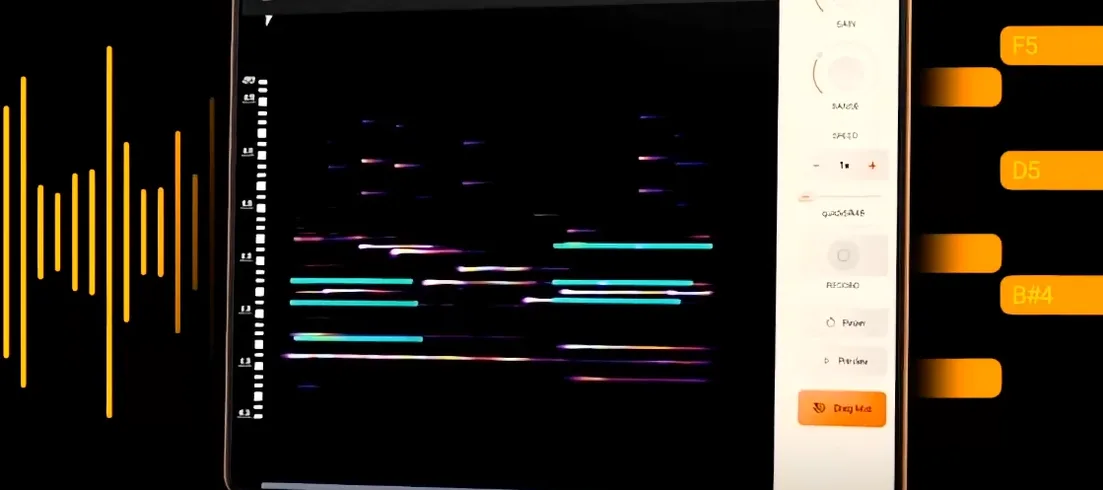
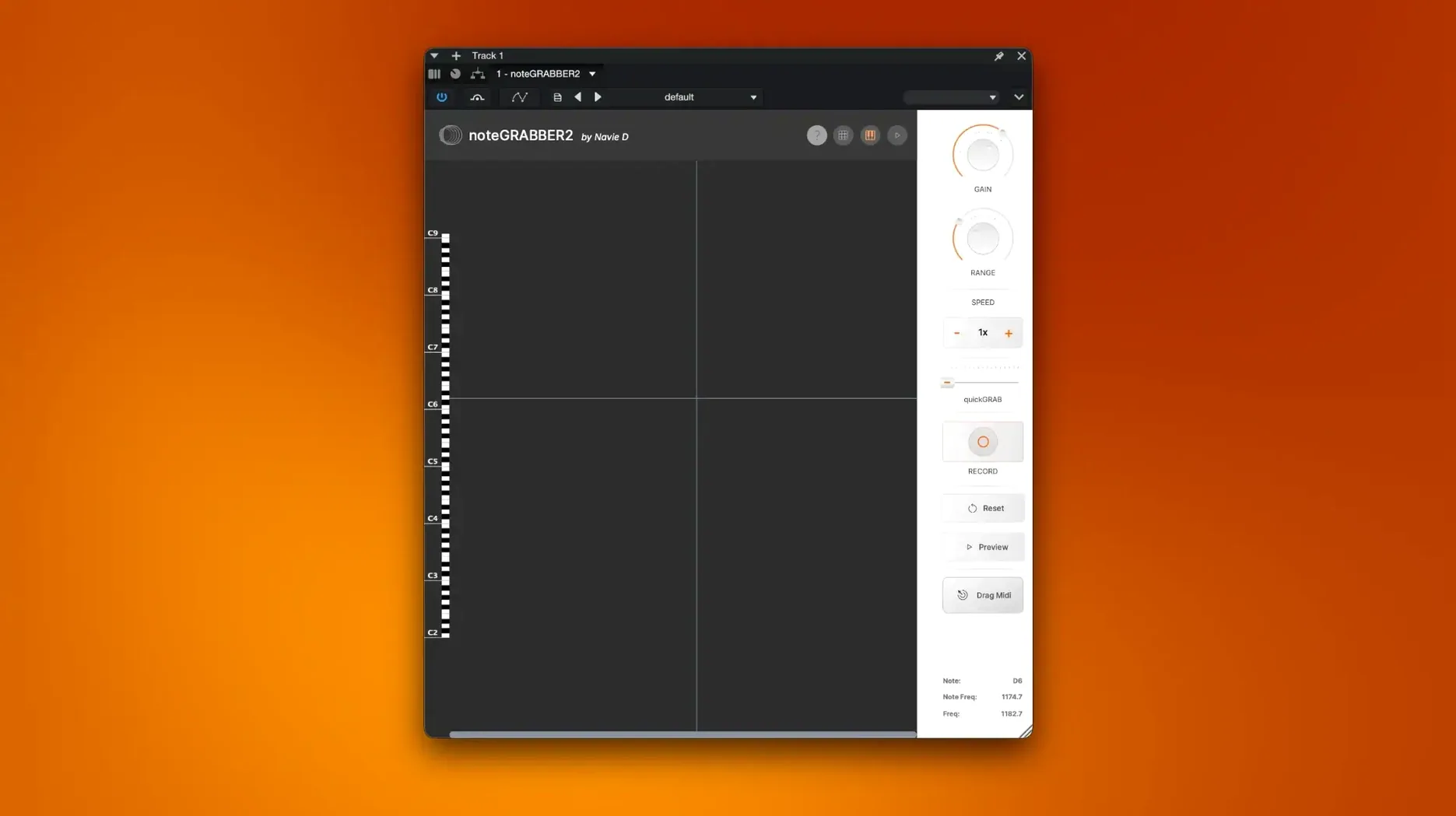
A great sample lands in your project, full of texture and a melody that almost works. Reaching for a keyboard to replay it note-for-note can pull you out of the creative flow. That's where an audio-to-MIDI helper earns its spot in the plugin folder.
- Drop it on the track. Load noteGRABBER onto the channel with your sampled audio. It listens to the material and analyzes the pitch and timing information sitting in that waveform.
- Capture what's there. The plugin converts the detected notes into MIDI data. You get a clean performance map that matches the original sample's melodic and rhythmic content without manual transcription.
- Push the data around. Send that MIDI to a soft synth on a new track and start experimenting. Change the instrument, nudge notes to create a different rhythmic pattern, or rewrite the melody entirely while keeping the groove intact.
This kind of tool fits naturally on audio tracks when you're building beats or layering instruments over a sample. It turns a static piece of audio into a flexible starting point you can reshape. If you spend time pulling ideas out of sampled material, it's a sensible addition to the bus chain.
Before I drag a sample into a project, I open the settings panel and change two things. The factory defaults work, but a small adjustment upfront saves me cleanup time later.
Pull Back Sensitivity to Kill Ghost Notes
Open the plugin window and look for the sensitivity control. The default tends to grab every tiny transient, including ghost notes and finger slides that you probably don't want translated into MIDI. Pulling it back by about twenty percent cleans up the output noticeably. You'll still catch the main melodic phrases, but the piano roll won't look like someone sneezed on it.
The second one is the note length threshold. By default, noteGRABBER holds onto very short blips that often turn out to be noise rather than intentional pitches. Setting a minimum length of around forty milliseconds filters out those false triggers before they reach your synth track. If your sample has a slow attack — a pad swell or a bowed string — you may want to ease that threshold back down so you don't lose the front of the note. Feel it out per sample, but starting with these two dials tightened makes the rest of the session smoother.
Doubling a Horn Stab from a Dusty Soul Loop
Picture a Tuesday night. You've pulled a dusty soul loop off a record, and there's a horn stab every four bars that you want to double with a soft synth pad. Here's how it unfolds.
You drop the loop onto an audio track and insert noteGRABBER in the first slot. The sample plays through, and the plugin's display lights up as it chews through the waveform. It takes about as long as the sample itself — real-time analysis, no offline rendering step. When the transport stops, your DAW has a fresh MIDI clip sitting on the track, already routed to the plugin's output.
You create a new instrument track, load up a warm analog-modeled polysynth, and point its input to noteGRABBER's MIDI output. Hit play. The horn stabs are now triggering a lush pad sound, perfectly in time and at the original pitches. The magic isn't the conversion itself — it's that you didn't stop to transcribe anything. The idea stayed intact.
Now you get curious. You duplicate the MIDI clip, shift every other note down a third, and add a high-pass filter to the pad. In under three minutes, a simple horn part has become a layered harmonic bed with movement and depth. The sample still plays underneath, anchoring the groove, while the captured MIDI gives you a second voice to sculpt.
Before you close the session, you bounce the MIDI to a new audio track and mute the original horn hits. Now you've got a completely original synth line that shares the DNA of the sample but sounds nothing like it. That's the loop that usually stays in the arrangement.
Never Feed It a Full Mix with Vocals and Bass
The most common stumble is feeding noteGRABBER a full mix and expecting clean results. If you throw a drum loop with a vocal snippet and a bassline all baked together into a single waveform, the pitch detection gets confused. It tries to grab everything at once, and the resulting MIDI looks like a chord cluster nobody asked for. The fix is simple: work with isolated melodic material. A horn line, a vocal phrase, a guitar lead — monophonic or lightly polyphonic stuff gives the cleanest output. If all you have is a mixed sample, try band-pass filtering the section you care about before it hits the plugin.
Another early mistake is ignoring the MIDI velocity data that noteGRABBER generates. New users often drag the MIDI to a synth and wonder why the dynamics feel flat. The plugin captures velocity based on the amplitude of each detected note, but if your synth patch isn't velocity-sensitive, that information goes nowhere. Pick a preset that responds to velocity, or manually adjust the curve in your DAW's MIDI editor to bring the quiet notes up and the loud ones under control.
Some folks also assume the plugin works offline, like a batch processor. It doesn't. You need to play the track through in real time for the analysis to happen. If you insert it on a silent track and wait, nothing shows up. Hit play. Let the transport roll. The conversion happens as the audio passes through.
If you grabbed noteGRABBER through a notegrabber free download or stumbled across a notegrabber 2 crack on a forum, you might also be missing the documentation that explains the sensitivity interplay with different source material. A notegrabber torrent sometimes ships without the readme, so taking a moment to locate the original guide online can make all the difference. The key relationship to understand is that sensitivity and minimum note length work as a pair — raising one without adjusting the other usually creates as many problems as it solves. Start with the two settings I mentioned earlier and tweak them together.
- macOS 10.12 or later
- Apple Silicon and Intel Macs
Questions I actually get
What does noteGRABBER actually do with an audio sample?
It analyzes the notes in an audio file and converts that information into MIDI data, allowing you to use the extracted melody and timing with other instruments.
Porch talk 0
Come in or pull up a chair to leave a comment.
Nobody has pulled up a chair yet. If you used it on a real Saturday, say what the hour was.
More for the same hour
Everything in VST Plugins Nudist Audio Nudistort
1.2.5 VST Plugins
45 MB
Nudist Audio Nudistort
1.2.5 VST Plugins
45 MB
 Nuro Audio XVOX Pro
1.5.2 VST Plugins
625 MB
Nuro Audio XVOX Pro
1.5.2 VST Plugins
625 MB
 Neural DSP Soldano SLO-100 X
1.0.0 VST Plugins
340 MB
Neural DSP Soldano SLO-100 X
1.0.0 VST Plugins
340 MB
 Omnisphere
3.0.2c VST Plugins
205 MB
Omnisphere
3.0.2c VST Plugins
205 MB
 Neural DSP Parallax X
1.0.0 VST Plugins
179 MB
Neural DSP Parallax X
1.0.0 VST Plugins
179 MB
 Neural DSP Fortin Nameless Suite X
1.0.1 VST Plugins
441 MB
Neural DSP Fortin Nameless Suite X
1.0.1 VST Plugins
441 MB
 Neural DSP Archetype Rabea X
1.0.1 VST Plugins
742 MB
Neural DSP Archetype Rabea X
1.0.1 VST Plugins
742 MB
 Neural DSP Archetype Petrucci
1.0.0 VST Plugins
745 MB
Neural DSP Archetype Petrucci
1.0.0 VST Plugins
745 MB