
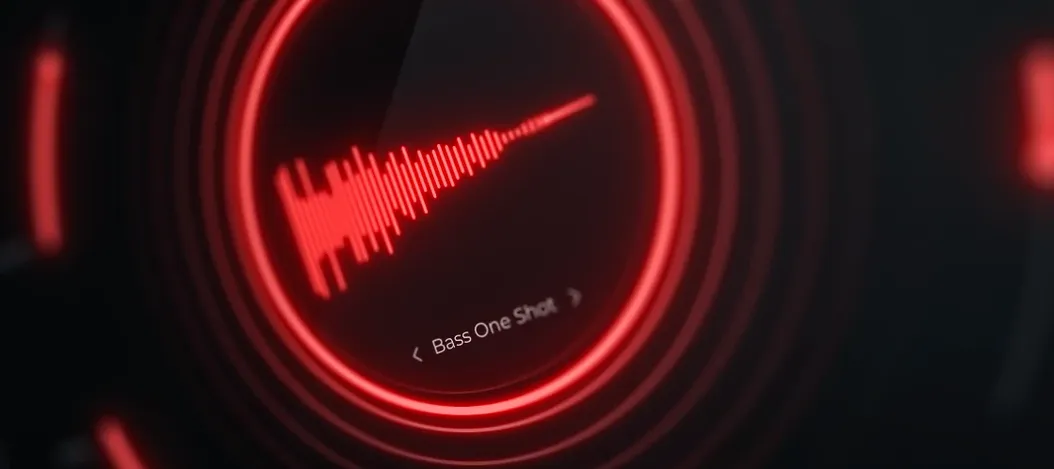
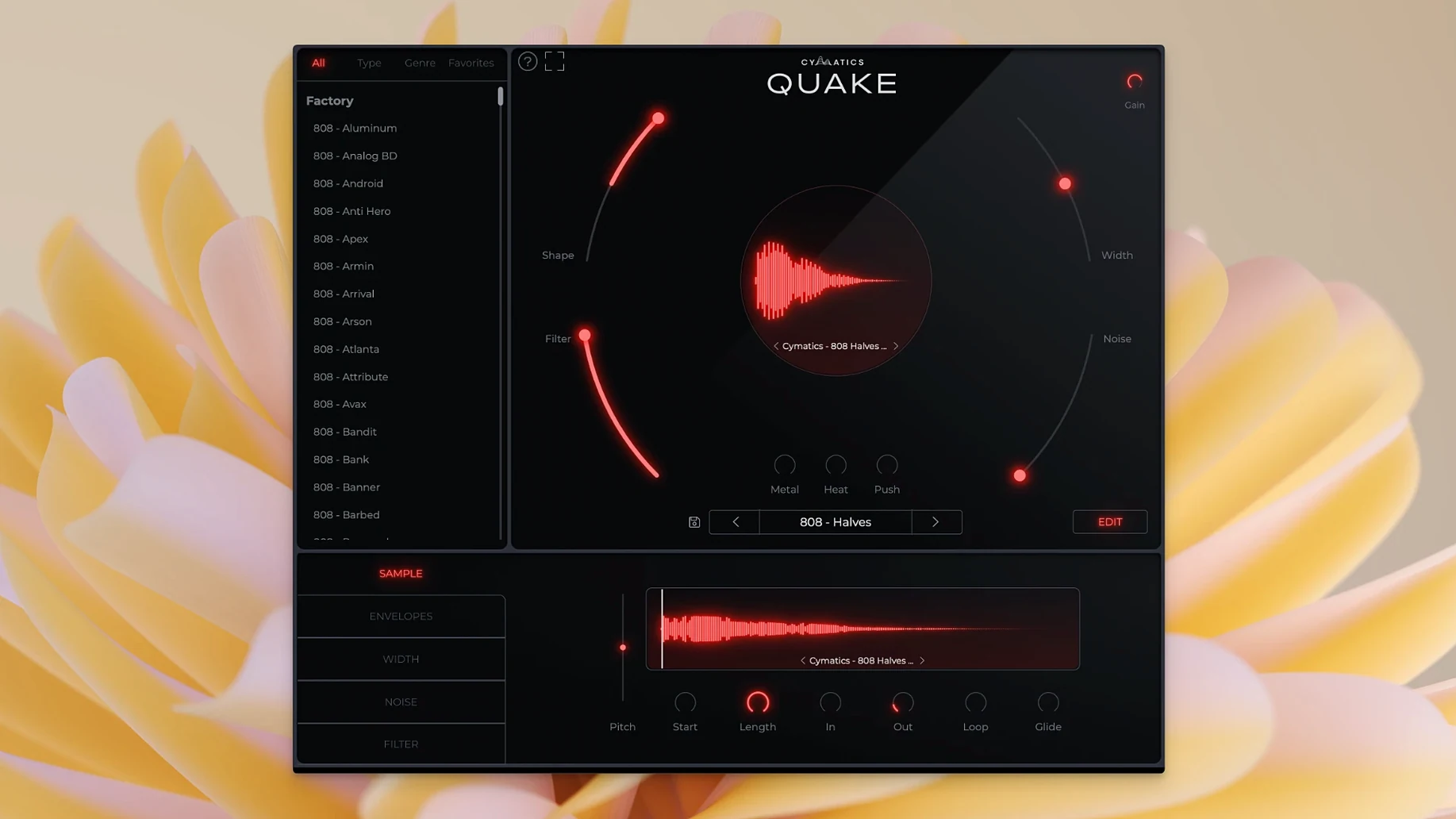
QUAKE runs on macOS 10.14 and later, on both Intel and Apple Silicon machines, so it fits most setups without much fuss. The plugin opens as a single window where every bass-shaping tool sits within reach — no hunting through menus while an idea cools off.
The controls read like a chain of decisions. Shape changes the tone and envelope of the core sound. Filter pulls out unwanted frequencies before they pile up. From there, Noise adds texture, while Metal, Heat, and Push each bring a different flavor of saturation and distortion — from metallic edge to warm drive.
The preset library spans 13-plus genres, so you can start from a sound that already leans the right way, then adjust Width, Shape, or any other knob until it sits where your mix needs it. Everything is fully customizable.
First Days With QUAKE: A Few Things Worth Knowing
You install it, scroll through presets for twenty minutes, and already have a handful of sounds you want to use. That first session tends to be a blur of clicking through genres and cranking the Heat knob. Here are a couple of habits that make the second session sharper.
Start from a preset, even when you plan to build from scratch. Pick something close to what you hear in your head — a clean Trap 808, a gritty House bass — then strip it back. Pull Noise down to zero, kill the Filter, set Heat and Push flat. You now have a blank canvas that already sits in a useful ballpark, which is faster than staring at default knob positions and wondering where to begin.
Learn what Metal, Heat, and Push actually do to a sine wave. Load the simplest preset you can find, solo the oscillator, and run each saturation stage one at a time. Metal adds a cold, jagged edge. Heat rounds things out with a warmer drive. Push feels like it's shoving the signal against a ceiling. Knowing those three flavors in isolation means you reach for the right one without second-guessing later.
Watch the Width knob on sub-heavy material. Stereo information below 120 Hz can make a mix collapse on smaller speakers. QUAKE gives you the control; the trick is remembering to use it. Keep the sub range narrow and let the midrange harmonics carry the stereo spread. A quick check in mono tells you whether you went too far.
Dialing in a Sub that Punches on a Tuesday Night
Let's say it's a Tuesday evening. You have a beat going — kick hitting hard, hi-hats ticking, a simple chord loop floating over the top — and the low end isn't doing its job. You drop QUAKE onto a fresh instrument track.
First move: flip through the Trap category. You land on a preset called something like "Sub Grinder." It's close, but the attack is too soft and there's a nasal ring around 400 Hz that fights the chords. You turn Shape clockwise until the transient bites harder. Then you open the Filter section, sweep it until the nasal frequency ducks away, and nudge the resonance down so the cut doesn't whistle.
The tone is solid now but feels polite. You add a touch of Heat — just enough that the waveform bends without turning fuzzy. The kick and the bass start locking together. You dial Width back to about 30 percent, keeping the fundamental centered while the upper harmonics breathe a little wider. A quick A/B with the bypass button: the track wakes up. Total time, maybe four minutes. You move on to arranging, not sound design.
Full Feature Set Arrived on Day One
Since this is the initial release, there is no prior version to compare against. What that means in practical terms: the control set arrived fully formed from day one. No waiting for a Width knob that appeared in a 1.1 update, no Filter section bolted on after user requests. Everything — Shape, Noise, Metal, Heat, Push — shipped together.
The preset library covering 13-plus genres was part of that same release, so early users opened the plugin and immediately had Trap, House, R&B, EDM, and Drill presets ready to go. That breadth out of the gate means the everyday workflow hasn't shifted because of missing features; it simply started where many plugins arrive after several updates. If you are looking for the cymatics quake plugin experience, version 1.0.0 already delivers the full bass engine as described.
Compatibility landed wide from the start too: macOS 10.14 and up, native on both Intel and Apple Silicon. No Rosetta-only period to work through, no architectural catch-up cycle. For anyone on an M-series Mac, the plugin ran natively on day one.
Plugin Missing in Your DAW After Install
Problem: The plugin doesn't show up in your DAW after installation.
Fix: Most often, the DAW is scanning the wrong folder. QUAKE installs as a standard component; check your DAW's plugin manager to confirm it's looking at the correct Audio Units or VST directory. A rescan usually catches it. On Apple Silicon machines running a DAW in native mode, make sure you installed the ARM version rather than the Intel-only build.
Problem: Presets sound wildly different from the demo you heard.
Fix: The incoming signal level matters. If your MIDI velocity is low, presets built around the Shape and saturation stages will respond with less aggression. Try velocities above 100 before judging a preset. Also, some presets lean on the Noise section for character — if you're listening on small monitors, that texture may get lost and the sound will feel thinner than expected.
Problem: The low end gets muddy when you stack multiple QUAKE instances.
Fix: This isn't a QUAKE-specific issue, but the plugin's saturation stages can generate harmonics that pile up in the 200–400 Hz range. On each instance, sweep the Filter to carve a small notch somewhere in that zone; even a 2 dB dip per track adds up to a cleaner sum. High-pass filtering below 30 Hz on every bass track also tightens things without losing weight.
Problem: The Width knob seems to do nothing on certain presets.
Fix: Width affects the stereo field above the sub range. If a preset has little harmonic content — say, a pure sine-based 808 with no Noise or saturation engaged — there isn't much to spread. Crank Heat or Push slightly to generate upper harmonics, then Width will have material to work with.
If you grabbed the cymatics quake free download and ran into any of these, a few minutes of targeted tweaking usually settles things. The plugin's controls are straightforward once you understand what each stage is actually processing. And for those digging into presets across genres, the cymatics quake library rewards a little patience — a sound that seems off at first often locks into place once you adjust Shape and Filter to fit your specific track.
If you build 808s or bass lines often and want the essential controls in one place, QUAKE is worth a look.
- macOS 10.14 or later
- Intel or Apple Silicon Mac
- Interface language: English
Questions I actually get
What genres are the QUAKE presets suited for?
The developer page says the library covers bass presets for 13+ genres and styles, and every preset is fully customizable.
What do the Metal, Heat, and Push controls do?
Each adds a different type of saturation and distortion, giving you distinct ways to color the bass sound.
Does QUAKE work on Apple Silicon Macs?
Yes, it runs on both Intel and Apple Silicon, with macOS 10.14 or later required.
Porch talk 0
Come in or pull up a chair to leave a comment.
Nobody has pulled up a chair yet. If you used it on a real Saturday, say what the hour was.
More for the same hour
Everything in VST Plugins Cymatics VOXITY
1.0.0 VST Plugins
97 MB
Cymatics VOXITY
1.0.0 VST Plugins
97 MB
 Devious Machines Infiltrator
2.5.26 VST Plugins
46 MB
Devious Machines Infiltrator
2.5.26 VST Plugins
46 MB
 Effectrix
1.4.8 VST Plugins
20 MB
Effectrix
1.4.8 VST Plugins
20 MB
 elastiquePitch
2.5.0 VST Plugins
17 MB
elastiquePitch
2.5.0 VST Plugins
17 MB
 Cableguys Snapback
1.1 VST Plugins
37 MB
Cableguys Snapback
1.1 VST Plugins
37 MB
 EZbass
1.3.3 VST Plugins
81 MB
EZbass
1.3.3 VST Plugins
81 MB
 EZdrummer
3.1.2 VST Plugins
786 MB
EZdrummer
3.1.2 VST Plugins
786 MB
 FabFilter Total Bundle
25.06.2026 VST Plugins
347 MB
FabFilter Total Bundle
25.06.2026 VST Plugins
347 MB