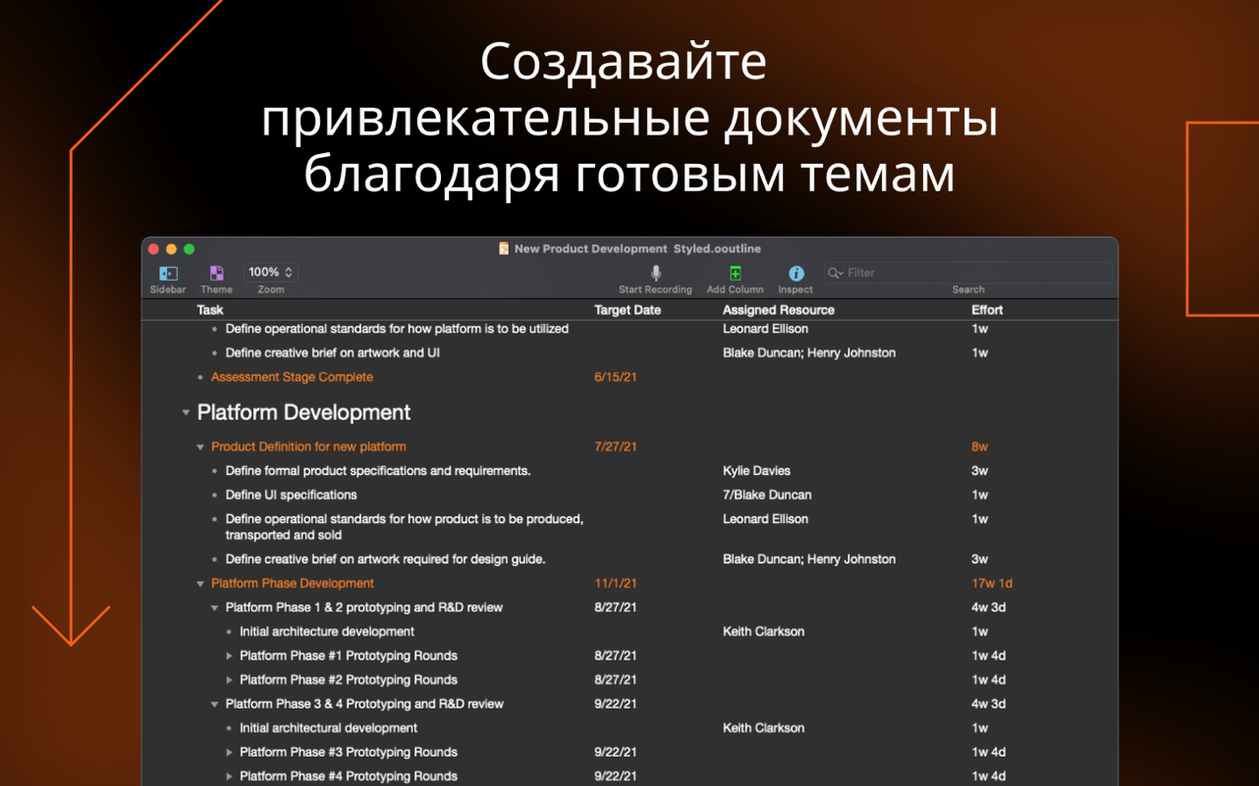
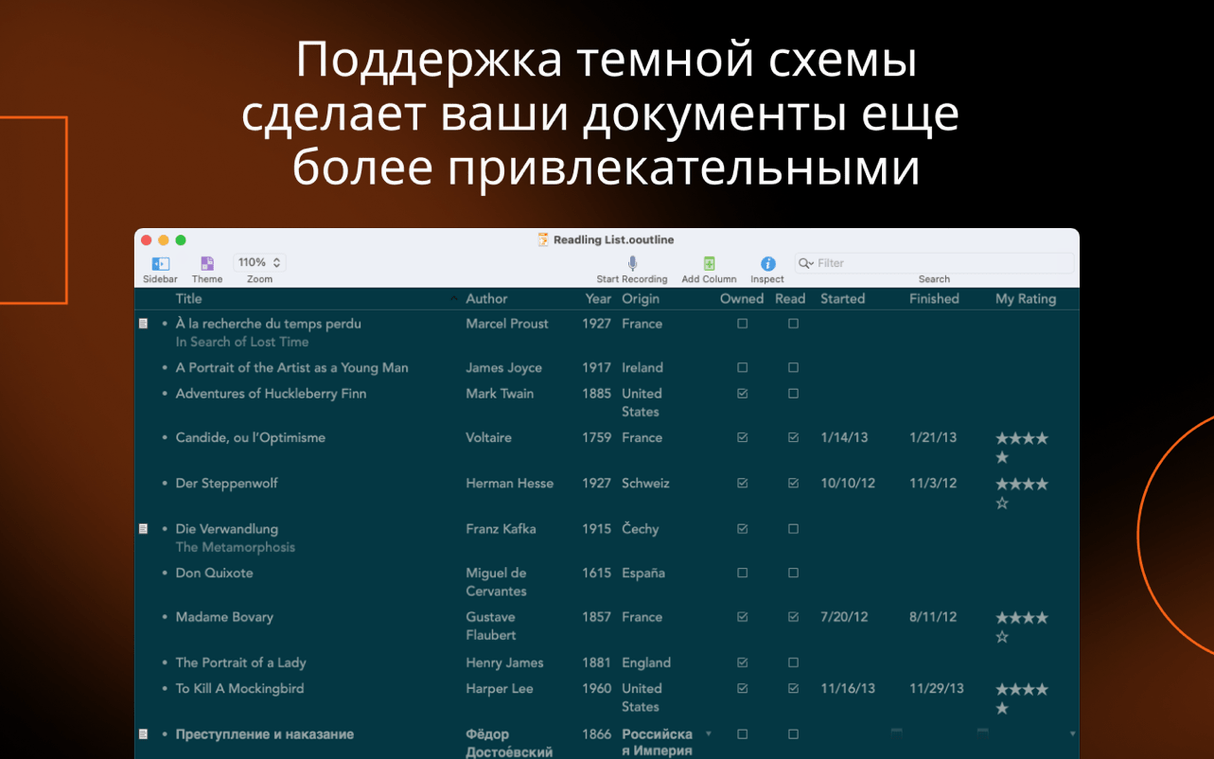

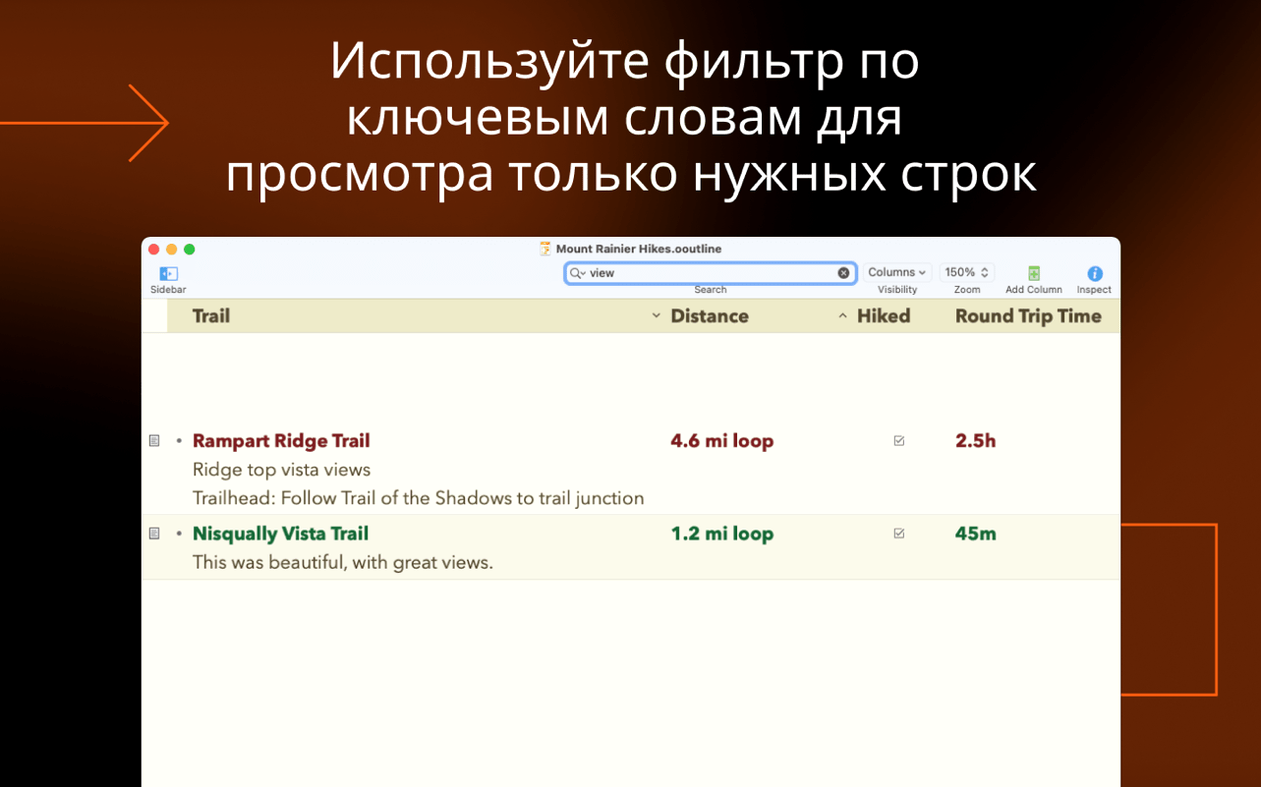
A single OmniOutliner document can hold columns for checkboxes, pop-up lists, dates, durations, and plain numbers without breaking a sweat. That's the kind of flexibility that turns a simple list into a lightweight project tracker.
Sort data across multiple columns
When you enable column sorting in version 6.2.1, sorting behaves better across several open windows. The update also keeps the window you're working in front when you hit save, so your focus stays right where you left it.
Zero in on a section
Command-click lets you select multiple rows in the section sidebar at once, making it easy to focus on a handful of topics without dragging through the whole outline.
Get clean data into other apps
Export to Excel format is built in. The recent update also improves how pasted information converts into compatible column types, so moving data from a spreadsheet into your outline feels less like guesswork.
Pasted columns land in the wrong type
Pasting a chunk of spreadsheet cells into OmniOutliner and watching the columns scramble is a rite of passage. The data usually lands in the wrong column type because the app guesses based on the content, and it doesn't always guess the way you'd expect. Version 6.2.1 tightened this up a fair bit — pasted data now converts more reliably when the column types are compatible — but if you still see dates turning into plain text or numbers landing in a pop-up column, check the column type dropdown first. Switching a column from Rich Text to Number or Duration after pasting usually fixes the mismatch in seconds.
Another head-scratcher is the inspector panel covering the scroll bar when it's open. The 6.2.1 update fixed this directly, but if you're running multiple monitors or have a narrow window, you can always collapse the inspector with a quick keystroke rather than reaching for the mouse. A few people also trip over password protection thinking it's document-level encryption — it's actually AES-256 encryption tied to a password you set per file, so forgetting the password means the outline is gone for good. No recovery route exists, which is by design.
Save the shipping styles as templates for your own
Give yourself twenty minutes to set up two or three named styles before you start building anything serious. OmniOutliner ships with structural styles for rows, notes, and columns, but the real time-saver is creating your own named styles for the kinds of blocks you use repeatedly — a "Quote" style with a left indent and italic, or a "Cost" style with right-aligned numbers in a specific column. The style preview at the top of the inspector makes this painless because you see exactly what you're about to apply.
Next, learn the keyboard shortcuts for navigating rows, not just creating them. Holding Option while pressing Return adds a sibling row; Command-Return adds a child. Once those are in muscle memory, outlining feels closer to typing in a text editor than filling out a form. If you plan to use the app for project tracking, create a template document with your preferred column setup — a pop-up list for status, a date column for deadlines, a duration column for estimates — and save it somewhere accessible. Dragging that template into a new folder beats rebuilding columns from scratch every time.
If you come across an OmniOutliner Pro torrent Mac search while hunting for resources, you'll find plenty of community-made templates floating around too. The Omni Automation plug-in system means people share custom actions that slot right into the app, from batch-exporting selected rows to running Apple Intelligence prompts on outlined text on supported hardware.
Writers tracking drafts and research in one view
Writers who structure long-form work before the first draft tend to bond with this app quickly. The multi-column setup lets them track word counts, chapter statuses, and research notes in one view without bouncing between a word processor and a spreadsheet. Project planners who need lightweight tracking but don't want to live inside a Gantt chart appreciate that they can collapse huge sections and focus on whatever phase is active, then export a clean .xlsx file when someone higher up asks for a status sheet.
Students juggling reading notes across several courses are another natural fit. A single document with columns for source titles, key quotes, and page numbers keeps seminar prep tighter than a stack of loose text files. The password protection means a research outline with early-stage ideas stays private, which matters more than people admit. If your Mac runs Apple Silicon, the Omni Automation plug-ins that tap into Apple Intelligence can summarize selected rows or rephrase notes, though that's strictly optional — the app doesn't lean on it for core functionality.
Version 6.2.1 tidies up a handful of everyday behaviors. Pasted data converts more reliably into matching column types, image attachments scale as expected, and the Quick Look preview generator now shows the correct display name.
- Added missing localized strings in the Inspectors and Sidebar.
- Improved multiple-window sorting when column sorting is enabled.
- Kept the current window active when saving.
- macOS 15 or later
- Runs on both Intel and Apple Silicon Macs
Questions I actually get
Does OmniOutliner Pro support multiple data types in one document?
Yes. You can mix pop-up lists, checkboxes, numerical values, dates, and durations across different columns in the same outline.
What export formats does OmniOutliner handle?
The app supports exporting to Excel format, which helps when you need to share structured information with spreadsheet users.
Porch talk 0
Come in or pull up a chair to leave a comment.
Nobody has pulled up a chair yet. If you used it on a real Saturday, say what the hour was.