

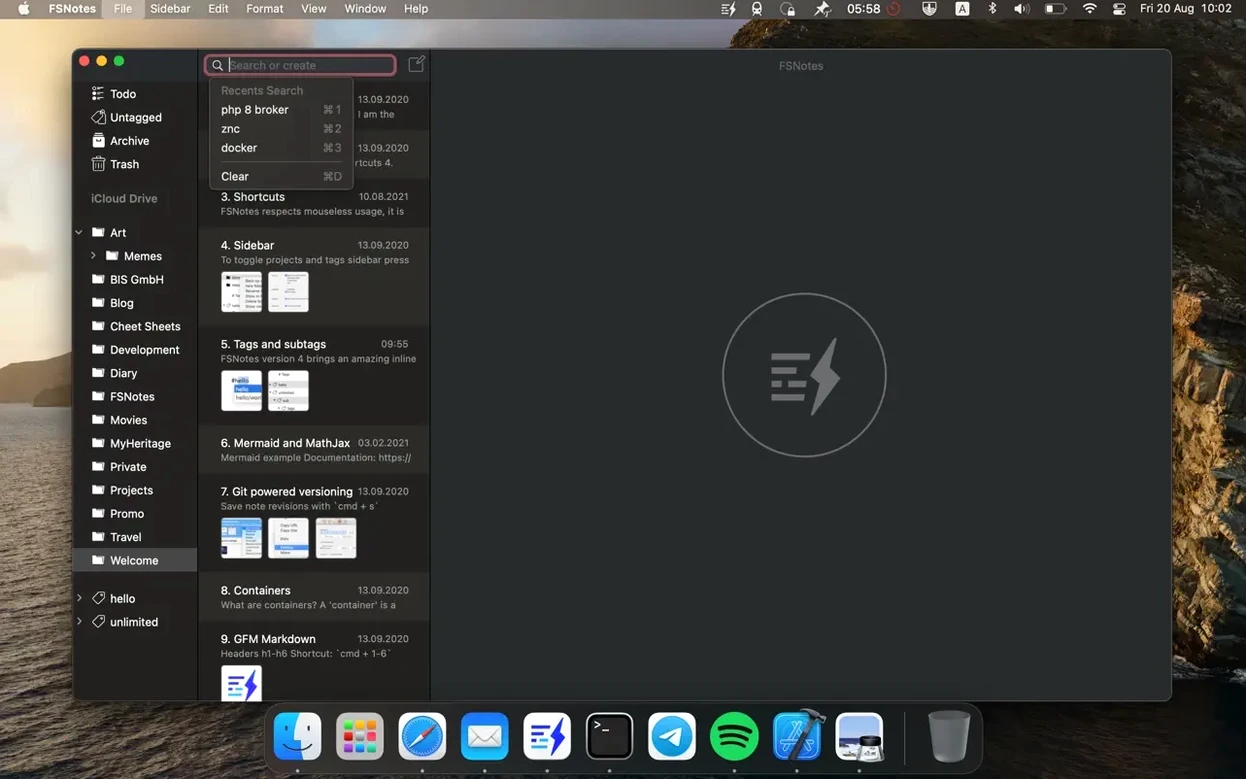
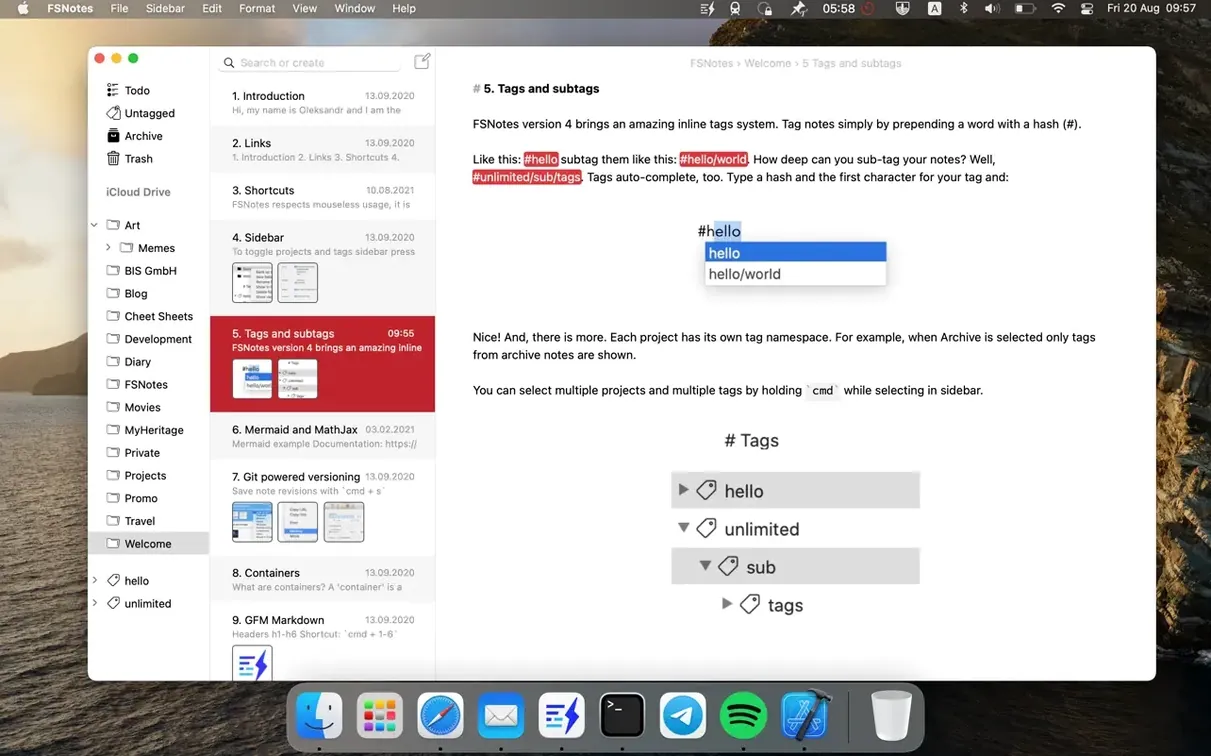
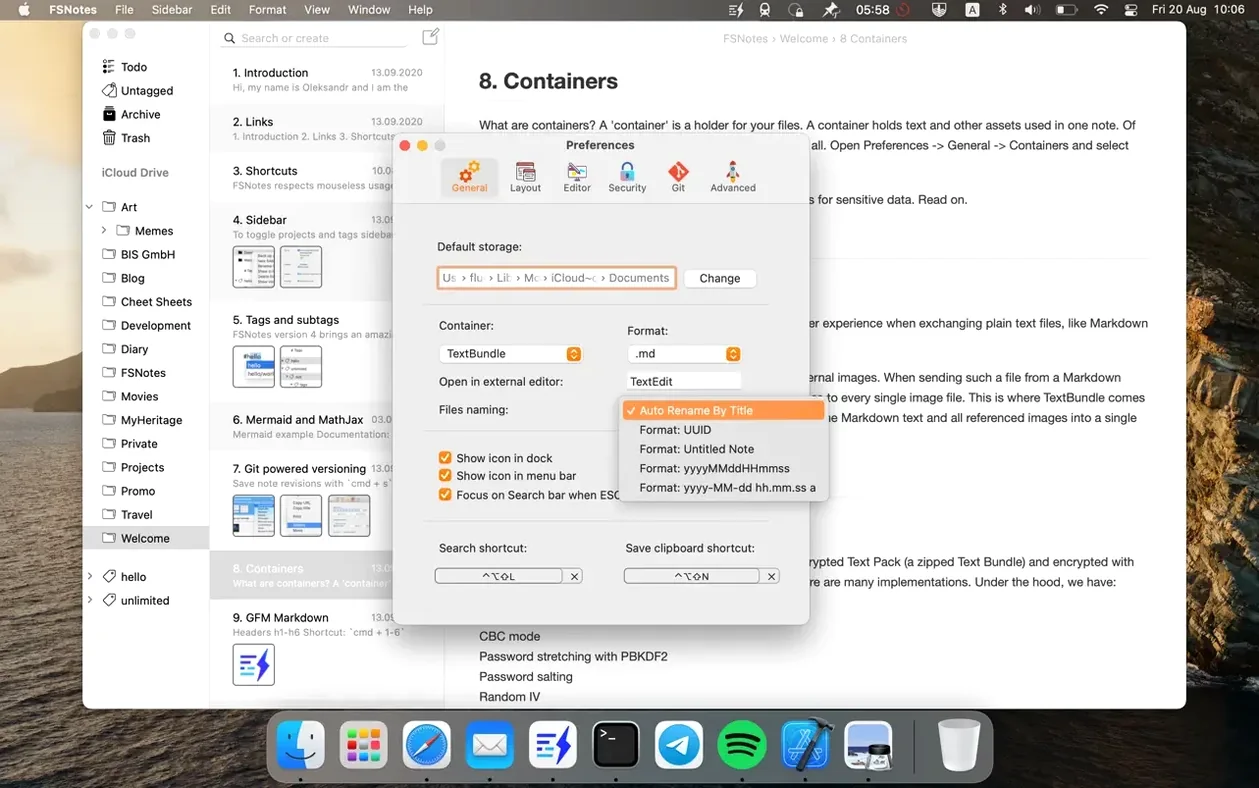
FSNotes suits the writer who has settled on a favorite text editor but wants a lightweight, always-there Mac shelf for Markdown and plain-text files.
File-system storage — Every note lives as a standard .txt or .md file in a folder you choose. Nothing is locked inside a proprietary database, so you can browse, back up, or edit the same files with any other app.
External editor handoff — You can view a note inside FSNotes and press a shortcut to open its file in your main writing app. Changes save back to the same file, keeping the two tools in sync without manual export.
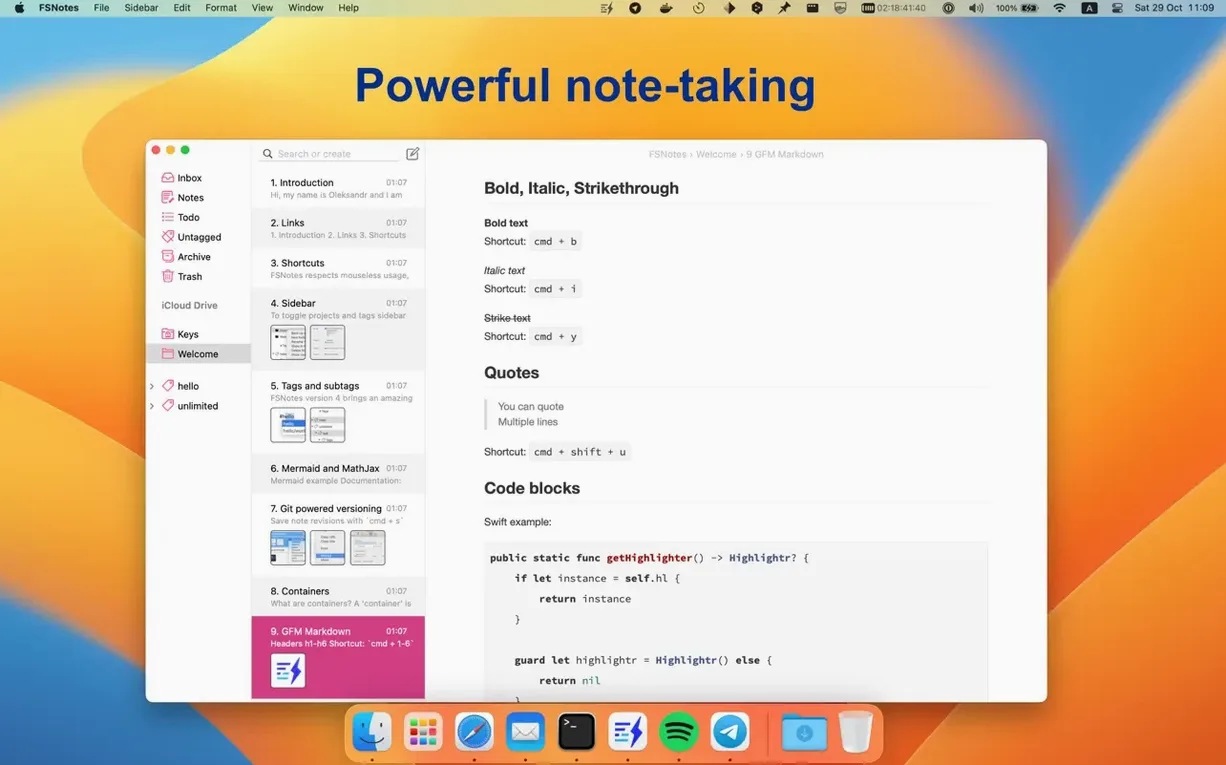
GitHub Flavored Markdown — Live highlighting covers GFM tables, task lists, and code blocks, with syntax coloring for more than 170 languages right in the editing pane.
Multi-folder awareness — Instead of a single vault, you can point FSNotes at several folders at once. A research project, a daily log, and shared team notes can each sit in their own directory while appearing together in the sidebar.
Global keyboard access — A system-wide hotkey summons the search field or captures clipboard content into a new note without switching windows. The rest of the app is built around the keyboard, from navigation to formatting.
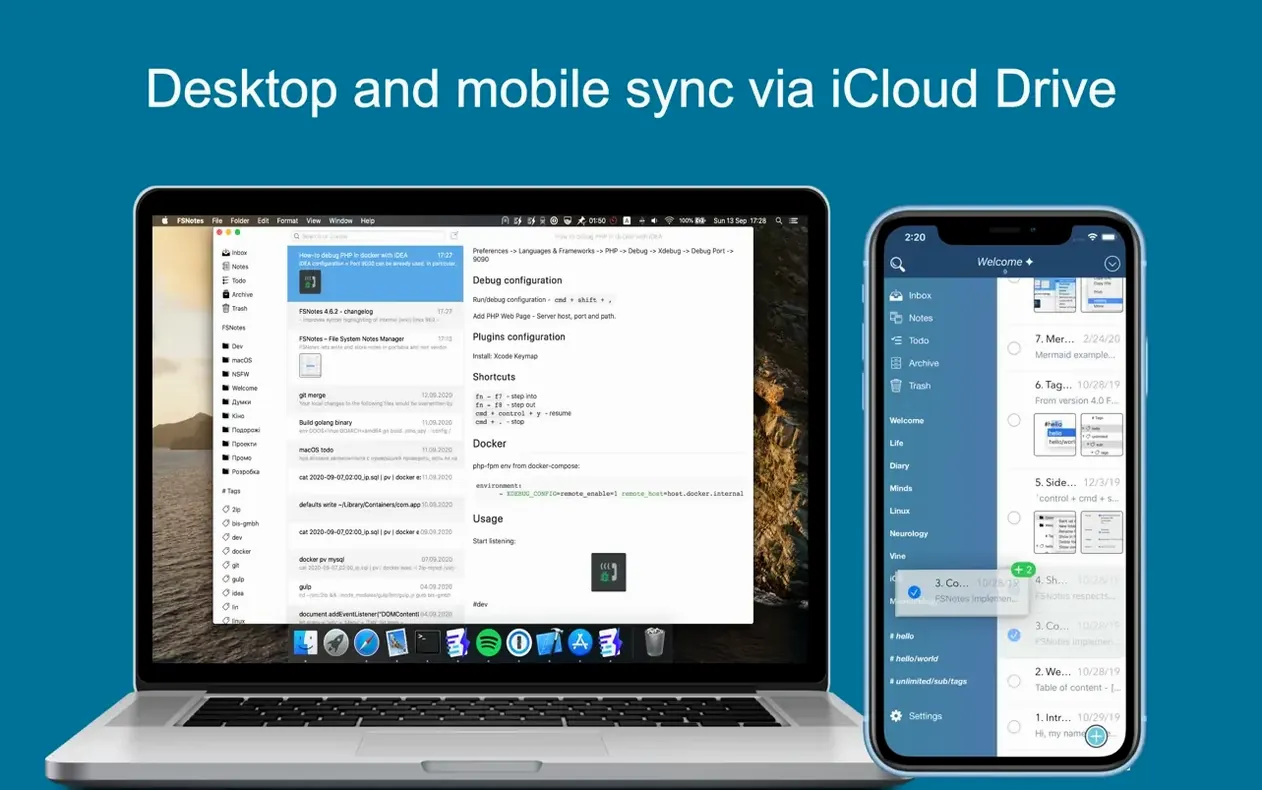
Anyone who already organizes their thoughts in plain text and wants faster search, live preview, and iCloud sync without leaving the file system should take a look.
When macOS Revokes Folder Access After an Update
Most friction with FSNotes comes from how it interacts with the file system, not from the app itself. Here are the spots people tend to stumble.
Folder permissions after macOS updates. Apple occasionally resets access rights, and suddenly FSNotes can't read your notes folder. The fix is straightforward: open System Settings → Privacy & Security → Files and Folders, remove FSNotes from the list, then re-add the folder through the app's preferences. It takes thirty seconds, but it's not obvious when you're staring at an empty sidebar.
iCloud sync conflicts. If you edit the same note on two devices before either has synced, FSNotes keeps both versions. The older one gets a timestamp appended to its filename. You won't lose work, but you will need to merge the two files manually. Letting a file finish uploading on one device before editing on another avoids this entirely.
External editor path changes. After updating your main text editor or switching to a different one, the "open in external editor" shortcut may do nothing. Head to Preferences → General and reassign the editor path. FSNotes doesn't guess when apps move.
Storing Notes Outside the Sandboxed Container
New users often treat FSNotes like a database app and miss what makes it different. The biggest misstep is storing notes inside the default sandboxed container and then wondering where the files live. If you want file-system access, point the storage folder to a directory you control — Documents, iCloud Drive, or a custom sync folder. The app won't push you toward this during setup.
Another habit worth breaking: relying on the preview pane as your only view of formatted Markdown. The live highlighting in the editor is good, but flicking the split view on with ⌘⌥P gives you a rendered preview alongside your source. Beginners who stay in single-pane mode often miss that headings, tables, and task lists are actually rendering correctly.
Some people also overlook the pin feature entirely. Right-click any note and choose "Pin" to keep it at the top of the list. For daily scratch files, project indexes, or a quick-reference Markdown cheat sheet, this saves more clicks than you'd expect.
Cold Launch Under a Second on Apple Silicon
FSNotes launches cold in under a second on Apple Silicon Macs, and search stays responsive across several thousand notes. The app indexes file contents on disk rather than maintaining a separate database, so the initial scan of a large folder takes a moment, but after that, filtering the note list is near-instant. Memory use typically hovers around 80–120 MB with a few dozen notes open — modest for an Electron-free Mac app.
Stability has been solid through the 7.x releases. Crashes are rare and usually trace back to a corrupted Markdown file or a permissions hiccup rather than a bug in the app itself. The developer ships fixes on a steady cadence; version 7.3.4 quietly patched an app icon glitch and a sidebar outline quirk, both of which had been niggles rather than blockers.
If you're grabbing the fsnotes download for the first time, the direct disk image route skips sandboxing and gives the app full access to your chosen folders from the start. That's the setup most long-term users settle on. For those hunting a fsnotes torrent mac copy, the same file-system behavior applies regardless of where the build originates — the app reads and writes plain files, nothing hidden, nothing that phones home.
The latest update lands with a handful of fixes and improvements that keep things running smoothly. Nothing flashy—just the kind of under-the-hood attention that makes everyday note-taking feel a little more reliable.
- macOS 12.4 or later
- Apple Silicon and Intel 64-bit Macs
Questions I actually get
Does FSNotes work offline?
Yes, it works without an internet connection since all notes are stored as local files on your Mac.
Can I store notes in more than one folder?
Absolutely. You can add multiple folders to the app, and each one appears in the sidebar as its own storage location.
Porch talk 0
Come in or pull up a chair to leave a comment.
Nobody has pulled up a chair yet. If you used it on a real Saturday, say what the hour was.
More for the same hour
Everything in Office
 GoodNotes
5.9.8 Office
442 MB
GoodNotes
5.9.8 Office
442 MB

 GraphPad Prism
11.1.0 Office
68 MB
GraphPad Prism
11.1.0 Office
68 MB

 Final Draft
13.5.0 Office
Updated 111 MB
Final Draft
13.5.0 Office
Updated 111 MB

 EndNote
2025.4 Office
Updated 112 MB
EndNote
2025.4 Office
Updated 112 MB

 iA Writer
8.1.1 Office
Updated 23 MB
iA Writer
8.1.1 Office
Updated 23 MB

 DjVu Reader Pro
2.7.2 Office
26 MB
DjVu Reader Pro
2.7.2 Office
26 MB

 Complete Anatomy
12.6.0 Office
Updated 867 MB
Complete Anatomy
12.6.0 Office
Updated 867 MB
 ClickClack - Typing Trainer
5.2.0 Office
Updated 12 MB
ClickClack - Typing Trainer
5.2.0 Office
Updated 12 MB