

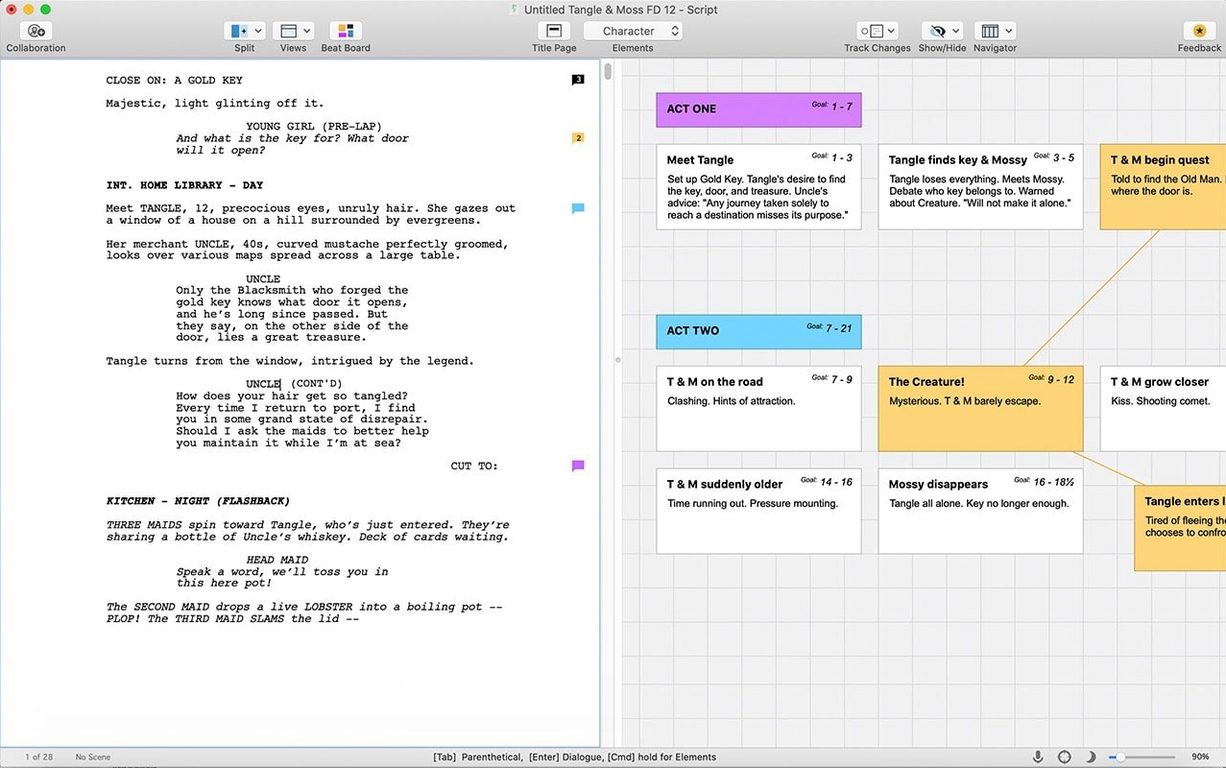
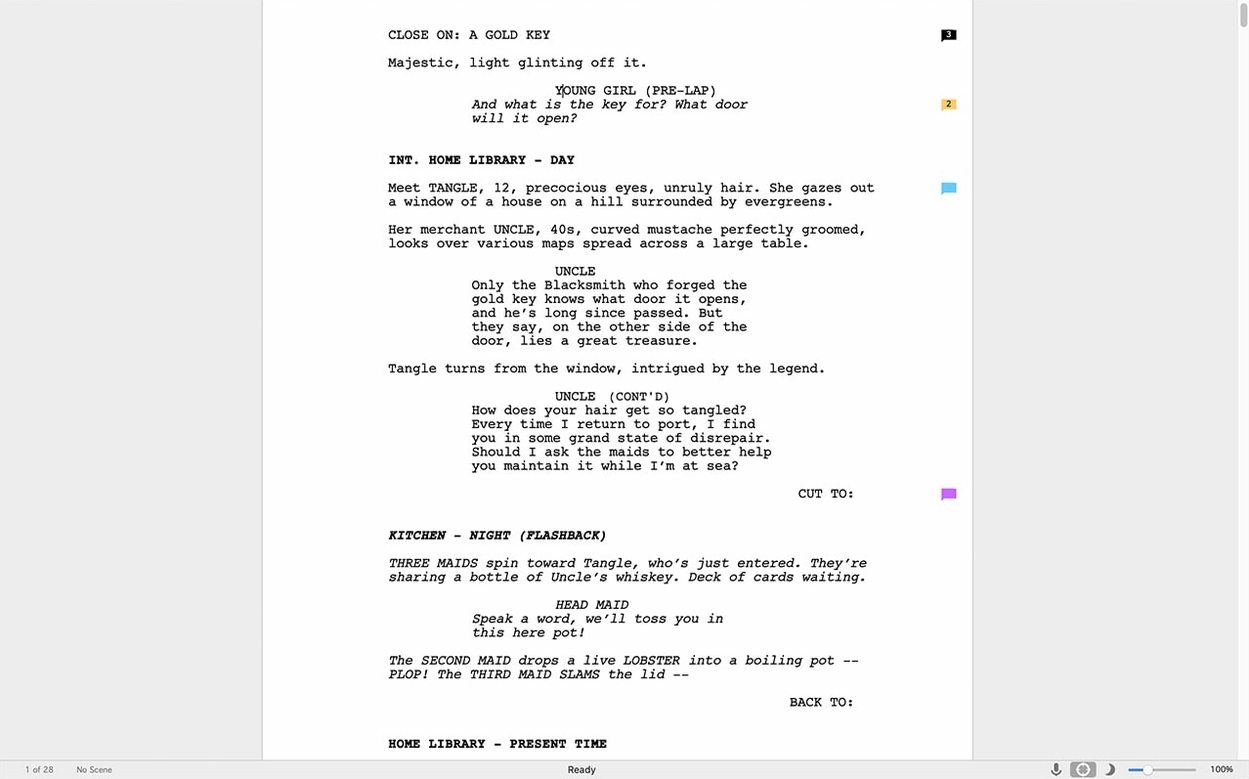
One hundred and twenty pages. That's the sweet spot for a feature screenplay, and hitting it means your formatting has to be dead-on. Final Draft 13 handles that math so you can focus on the story. It automatically paginates and formats to industry standards as you type, turning your ideas into a properly structured script without constant fiddling.
Writing a scene, start to finish
Open a new file and you're greeted by a blank page with the cursor already in the right spot—no template picking required. Hit Tab to jump from scene heading to action to character name. The app remembers your character names and suggests them after a few keystrokes. When you finish a draft, the included reports flag repeated words, estimate runtime, and track every speaking role so revisions stay grounded in real numbers instead of guesswork.
Beyond the script page
Final Draft 13 connects with Scrivener for research and outlining before you ever type FADE IN. The companion iOS app, Final Draft Go, lets you capture a scene idea on your phone and see it waiting on your Mac later. This version runs on Intel Macs with macOS 12 Monterey or newer and requires an internet connection just for the first sign-in.
The daily writing experience
After a week of steady use, Final Draft settles into a rhythm that feels almost transparent. The launch time on an Intel Mac is a few seconds—enough to sip your coffee, not enough to lose a thought. Once the document is open, the typing response is immediate. No beach ball, no hesitation when skipping between pages of a 90-page script with the Navigator panel open. Memory usage hovers around 200 to 300 MB on a typical feature-length project, which leaves room for a browser full of research tabs and Spotify without the fan kicking in.
Autosave fires quietly in the background. I've crashed other writing apps by accidentally closing the lid mid-save, but Final Draft recovers with a backup prompt that actually brings back the last sentence you typed, not the version from twenty minutes ago. The only time I noticed the interface pause was when generating a full cast report on a script with over forty speaking roles—it took about four seconds, then delivered the breakdown.
One quirk worth knowing: the app occasionally asks to re-verify on first launch after a macOS point update. It's quick and happens once, but it can catch you off guard if you're opening it right before a deadline. Stability otherwise is uneventful in the best way. No mysterious quits during long dialogue runs, no weird glyph corruption when mixing languages in parentheticals.
Runs fine on older Intel Macs
"Will it slow down my older Mac?" Not in any way that matters for writing. The current version runs on Intel hardware going back to macOS 12 Monterey, and the interface draws efficiently. You won't get the instant window resizing of a Metal-optimized app, but Final Draft isn't pushing pixels like a video editor. Writers using 2017 or 2018 MacBook Pros report comfortable performance with multiple scripts open.
"Do I need to be online all the time?" Only for the first sign-in. After that, you can write from a cabin with no Wi-Fi for weeks. The collaboration features and cloud backup are optional, not forced. That distinction matters for writers who treat internet access as a distraction to be avoided during drafting hours.
"What happens to my old Final Draft 11 or 12 files?" They open without conversion drama. Final Draft 13 reads files from several versions back and saves them in the current format. If you ever need to send a file to someone running an older version, the export options let you save down to the Final Draft 8 format, which covers practically every production still in motion.
"Is it worth moving to 13 from an earlier release?" The Scrivener integration alone changes the shape of a pre-writing workflow. If you outline in one app and draft in another, the bridge between them removes the friction of copy-pasting scene summaries. Beyond that, the revision mode markers are cleaner, and the dark mode on a calibrated page looks closer to printed script stock than earlier attempts.
Heavier than Fade In, but format-savvy
Put Final Draft next to Fade In and you're looking at two apps that share a deep understanding of screenwriting formats but feel different under the fingers. Fade In opens faster and runs lighter—its install footprint is a fraction of Final Draft's. But Final Draft pushes further into production territory with tagging, revision tracking across multiple passes, and the kind of reporting that script supervisors ask for by name. Fade In is the nimble drafting tool; Final Draft is the tool that stays with the script through pre-production.
Highland 2 takes the opposite approach entirely. It strips formatting choices away and encourages writers to stay in flow with a minimal interface. That's liberating for a first draft, but Highland doesn't replace the revision tools or the production reports that Final Draft carries. Writers often pair them: Highland for the messy early pages, Final Draft for the polish and delivery. If you only want one app to cover both phases, Final Draft does more of the heavy lifting on the back end.
Then there's WriterDuet, which started as a collaborative browser tool and grew into a desktop app. Its real-time co-writing features are more fluid than Final Draft's collaboration mode, but the desktop version feels less anchored to macOS conventions—menus, keyboard shortcuts, and text rendering don't always match what you expect from a native Mac app. Final Draft behaves like it grew up on the platform, even if it carries some legacy interface decisions from that long history.
First days: getting comfortable fast
Set your default template once. Open a blank screenplay, tweak the font to Final Draft Courier or whatever your production prefers, then save it as a template through the File menu. Future scripts inherit those settings without ceremony.
Learn five keyboard shortcuts before anything else. Tab and Enter you already know. Add Command-1 through Command-5 to jump directly to scene heading, action, character, parenthetical, or dialogue elements. That muscle memory eliminates the one friction point new users complain about most: reaching for the mouse to switch paragraph styles.
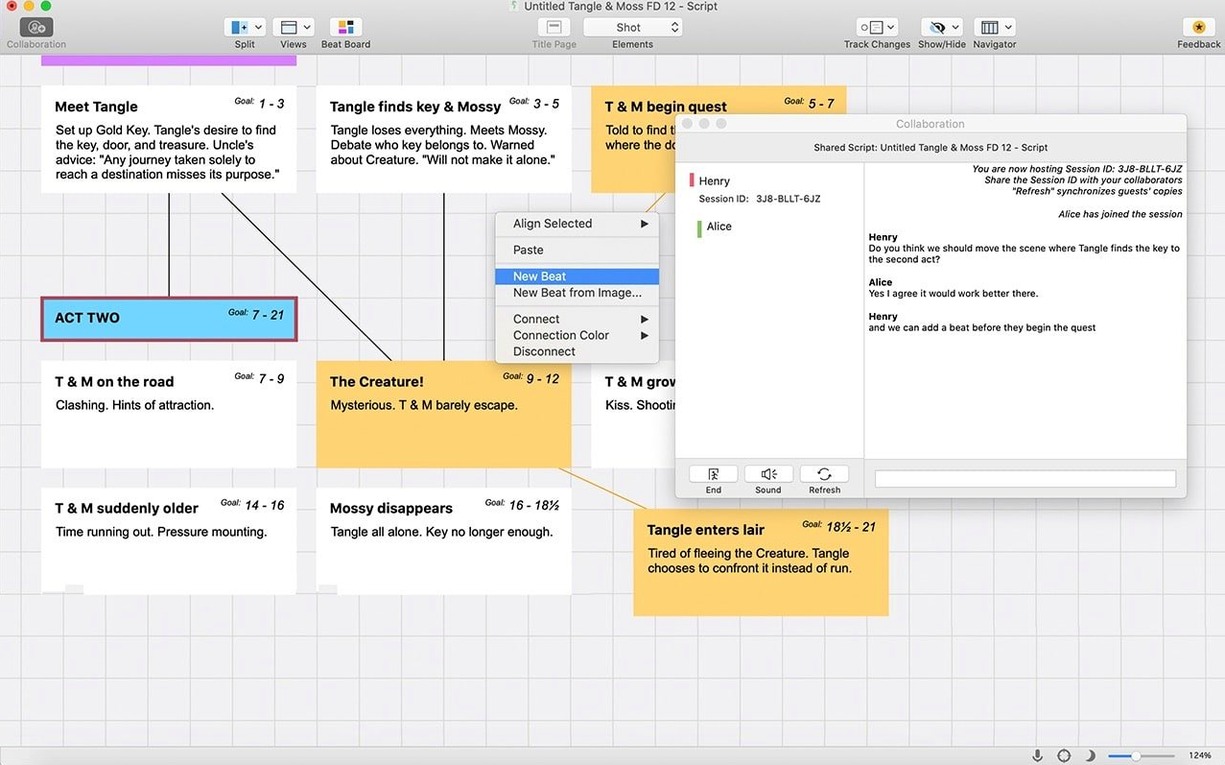
Drag your research into the Beat Board early. Before you outline, drop character photos, location references, and script snippets onto the board. They sit there like index cards on a corkboard, visible while you write. It feels like a gimmick until you're deep in act two and a quick glance reminds you of a detail you almost forgot.
Run a report after your first ten pages. Not because ten pages need proofreading, but because seeing the character list and scene breakdown that early tells you whether your structure is leaning too heavily on one voice or one location. The reports teach you to spot patterns before they harden into problems.
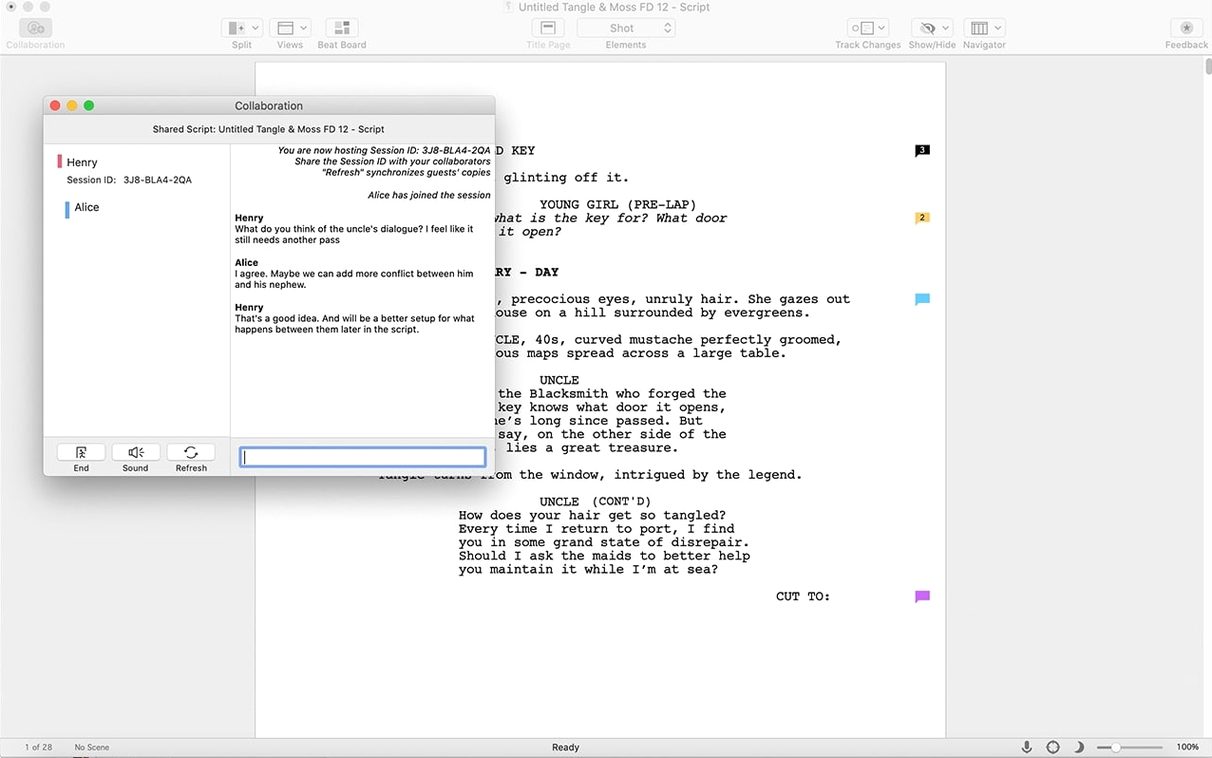
Ignore the collaboration panel until you need it. It's there, it works, but learning the app's basic flow without the extra interface elements keeps your first few sessions calmer. When a writing partner comes aboard, everything you need is waiting under the Collaborate menu.
- macOS 10.15 (Catalina) or later
- Intel 64-bit processor
Questions I actually get
Can I run Final Draft 13 on an older Mac?
Final Draft 13 needs macOS 12 Monterey or later, so Macs that can't update past that version won't be able to run it.
Does Final Draft work on an iPad?
There isn't a full iPad version, but the companion app Final Draft Go lets you write and edit scripts on an iPhone or iPad and sync them back to your Mac.
Is an internet connection always required?
No, an active internet connection is only needed during the very first sign-in. After that, offline writing works fine.
Porch talk 0
Come in or pull up a chair to leave a comment.
Nobody has pulled up a chair yet. If you used it on a real Saturday, say what the hour was.
More for the same hour
Everything in Office
 FSNotes
7.3.6 Office
Updated 24 MB
FSNotes
7.3.6 Office
Updated 24 MB

 EndNote
2025.4 Office
Updated 112 MB
EndNote
2025.4 Office
Updated 112 MB
 GoodNotes
5.9.8 Office
442 MB
GoodNotes
5.9.8 Office
442 MB
 GraphPad Prism
11.1.0 Office
68 MB
GraphPad Prism
11.1.0 Office
68 MB

 DjVu Reader Pro
2.7.2 Office
26 MB
DjVu Reader Pro
2.7.2 Office
26 MB
 iA Writer
8.1.1 Office
Updated 23 MB
iA Writer
8.1.1 Office
Updated 23 MB
 Complete Anatomy
12.6.0 Office
Updated 867 MB
Complete Anatomy
12.6.0 Office
Updated 867 MB
 ClickClack - Typing Trainer
5.2.0 Office
Updated 12 MB
ClickClack - Typing Trainer
5.2.0 Office
Updated 12 MB