
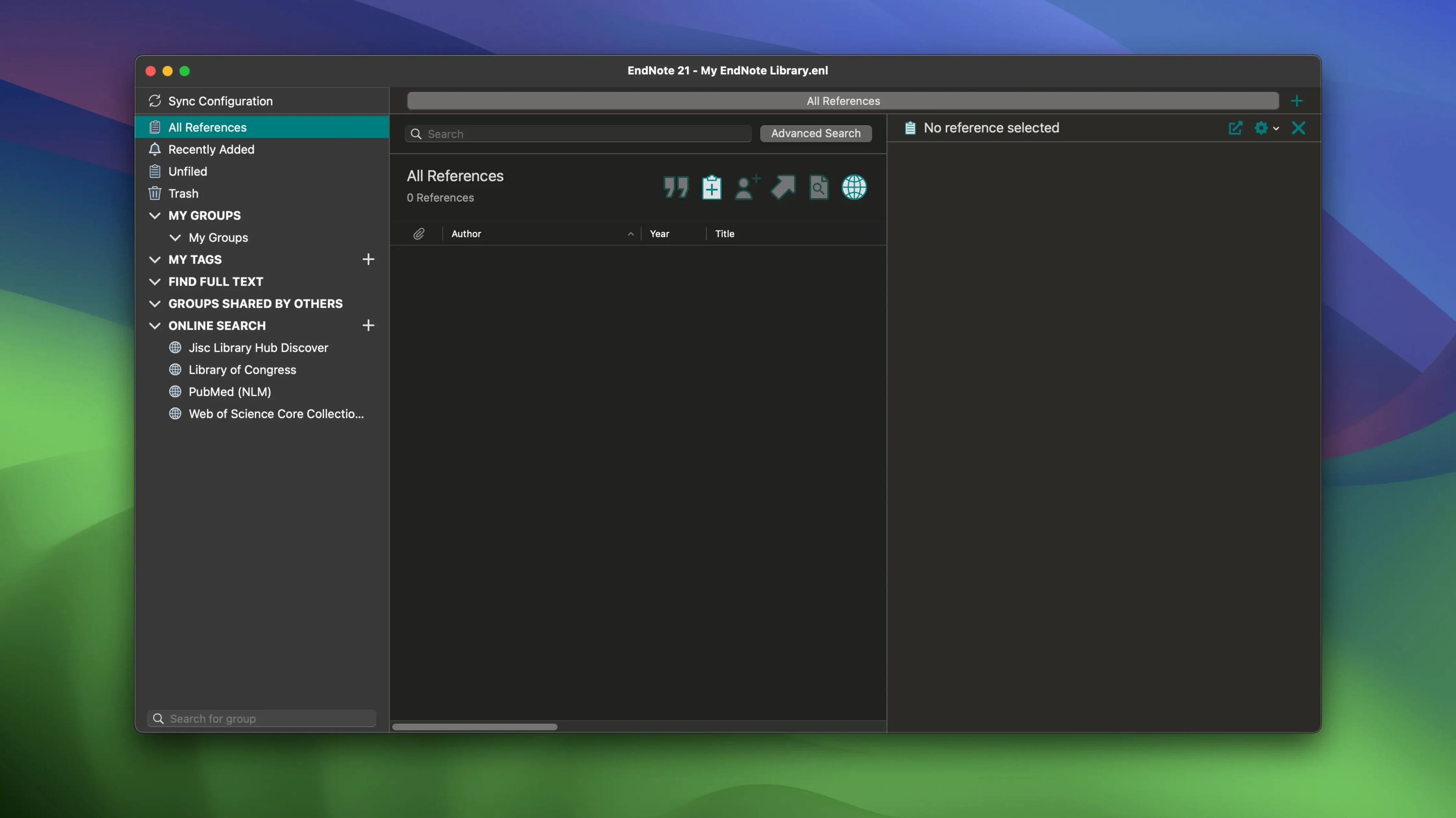
If you live in Microsoft Word or Google Docs for your writing, EndNote feels less like a separate app and more like a smart sidebar that handles your citations. It sits next to your word processor, ready to drop in a reference and build the bibliography as you go. The current version, 2025.3, keeps that connection tight with the Cite While You Write plug-ins for both apps, plus it now speaks Simplified Chinese for researchers working across languages.
| Detail | Value |
|---|---|
| Current version | 2025.3 (22.3.0.22265) |
| macOS requirement | 10.14 or later |
| Apple Silicon support | Yes, native |
Beyond the word processor tie-ins, the sync engine is what makes the library feel portable. Your references, attached PDFs, notes, and annotations all travel across devices, so a paper you annotated on a Mac desktop shows up marked up on a laptop. A thoughtful touch in this release: you can roll individual references back to a previous version, which is handy when a citation gets edited one time too many. EndNote won’t replace your file system or your favorite note-taking app, but for anyone juggling a long reading list and a deadline, it earns its spot in the dock.
Apple Silicon Libraries Scroll Without the Beachball
EndNote 2025.3 opens a library of a few thousand references without the beachball I've seen in older builds. Scrolling through a long list of citations feels fluid on Apple Silicon, and the app settles into about 300–400 MB of RAM with a moderate library open. It's not a featherweight — no reference manager with a built-in PDF viewer and sync engine is — but it doesn't bog down the rest of the system either.
The bug fixes in this version are the kind that matter when you're on a deadline. An earlier crash in Word when Select Matching References appeared has been resolved, so that tense moment where Word freezes mid-citation is gone. The sync engine has been steady in testing: libraries with several hundred PDFs attached push changes across devices in under a minute on a decent connection, and annotations come through intact. Stability-wise, the app hasn't thrown a single unexpected quit during a full day of writing and searching, which is the baseline you hope for but don't always get with research software.
Color-Coded Dots for Must-Read and Cited
A few touches hide just under the surface and make the daily grind smoother:
- Color-coded tags appear as small dots in the reference list. Assign red to "must read," green to "cited," blue to "skim later," and you can scan a hundred references in seconds without opening a single one.
- Restore previous versions of a reference works per-record, not for the whole library. If you accidentally overwrite an author name or delete an abstract, right-click the reference and pull back an earlier state — no need to restore the entire library from a backup.
- Cloud restore for the full library is there when things go sideways. A corrupted local library or a botched sync isn't catastrophic; you pull the whole thing back down from EndNote Web and keep working.
- Drag-and-drop PDF imports are smart about metadata. Drop a PDF with a DOI embedded, and EndNote fills in the author, title, and journal fields without asking. It misses on older scanned papers, but for anything published in the last decade, the hit rate is high.
If you've been searching for an endnote crack for mac or an endnote torrent to try before committing, these quality-of-life details are the sort of thing you notice once the software is actually running on your machine. The convenience layer is what separates a reference manager you tolerate from one you reach for without thinking.
A Grad Student's Wednesday Afternoon
Picture a doctoral candidate in public health, three weeks from a submission deadline. She has forty-seven papers in a folder on her desktop, a half-written literature review in Word, and a bibliography that currently ends at "Smith et al., 2019" because adding citations manually ground to a halt.
She drags the PDF folder into EndNote. Most of the metadata populates automatically. For the five that don't, she pastes the DOI into the search bar and EndNote pulls the records from PubMed. She color-codes thirty papers as high-priority with an orange tag, then opens Word. With Cite While You Write running, she drops citations into the lit review as she writes — {Kessler, 2021} appears, and the bibliography grows at the bottom of the document in real time. She annotates a methods section PDF on her Mac, and by the time she walks to the campus library and opens her laptop, the annotated file is waiting in the synced library. The reference list formats itself in APA 7th while she makes coffee.
That afternoon saves her about four hours of manual formatting and cross-checking. The win isn't flashy; it's that the software stayed quiet and let her think about her argument instead of her citations.
Built for Long-Form Word and Google Docs Writers
EndNote makes the most sense for people whose writing lives inside Word or Google Docs and whose reference lists run long. A few groups stand out:
- Dissertation writers and graduate researchers who manage hundreds of sources across multiple chapters. The Cite While You Write plug-in handles chapter-specific bibliographies and footnote styles that simpler tools struggle with, and the per-reference version history catches the small editing mistakes that creep in during late-night writing sessions.
- Librarians and research coordinators who maintain shared group libraries benefit from the sync engine and the cloud restore feature. A tagged, color-coded library shared with a research team means everyone works from the same curated set of sources, and annotations travel with the PDFs.
- Scientists and medical researchers submitting to journals with strict formatting requirements. EndNote's output style library covers thousands of journal-specific formats, and the app switches between them without reformatting citations by hand.
- Anyone working across languages. The new Simplified Chinese localization in 2025.3 is a quiet but significant addition for researchers citing sources in both English and Chinese, and the Unicode support handles mixed-language bibliographies cleanly.
If your workflow involves writing short pieces with a handful of references, EndNote is probably more tool than you need. But for long-form academic writing where the bibliography is a living document that grows alongside the manuscript, it fits. The people who downloaded an endnote mac torrent or looked for an endnote mac crack to get started often discover that the time it saves in the final weeks of a project justifies the space it takes on the drive. A reference manager that stays stable, syncs reliably, and quietly handles the citation formatting while you focus on the actual words on the page is the whole job description — and 2025.3 delivers that without fuss.
Version 2025.4 ships with the developer's latest fixes and improvements under the hood.
- macOS 10.14 or later
- Apple Silicon or Intel 64-bit Mac
Questions I actually get
Does EndNote for Mac support Google Docs?
Yes. Version 2025.3 includes the Cite While You Write plug-in for Google Docs, so you can insert citations and build a bibliography without leaving your document.
Porch talk 0
Come in or pull up a chair to leave a comment.
Nobody has pulled up a chair yet. If you used it on a real Saturday, say what the hour was.
More for the same hour
Everything in Office
 Final Draft
13.5.0 Office
Updated 111 MB
Final Draft
13.5.0 Office
Updated 111 MB

 DjVu Reader Pro
2.7.2 Office
26 MB
DjVu Reader Pro
2.7.2 Office
26 MB
 FSNotes
7.3.6 Office
Updated 24 MB
FSNotes
7.3.6 Office
Updated 24 MB
 GoodNotes
5.9.8 Office
442 MB
GoodNotes
5.9.8 Office
442 MB

 GraphPad Prism
11.1.0 Office
68 MB
GraphPad Prism
11.1.0 Office
68 MB

 Complete Anatomy
12.6.0 Office
Updated 867 MB
Complete Anatomy
12.6.0 Office
Updated 867 MB

 iA Writer
8.1.1 Office
Updated 23 MB
iA Writer
8.1.1 Office
Updated 23 MB
 ClickClack - Typing Trainer
5.2.0 Office
Updated 12 MB
ClickClack - Typing Trainer
5.2.0 Office
Updated 12 MB