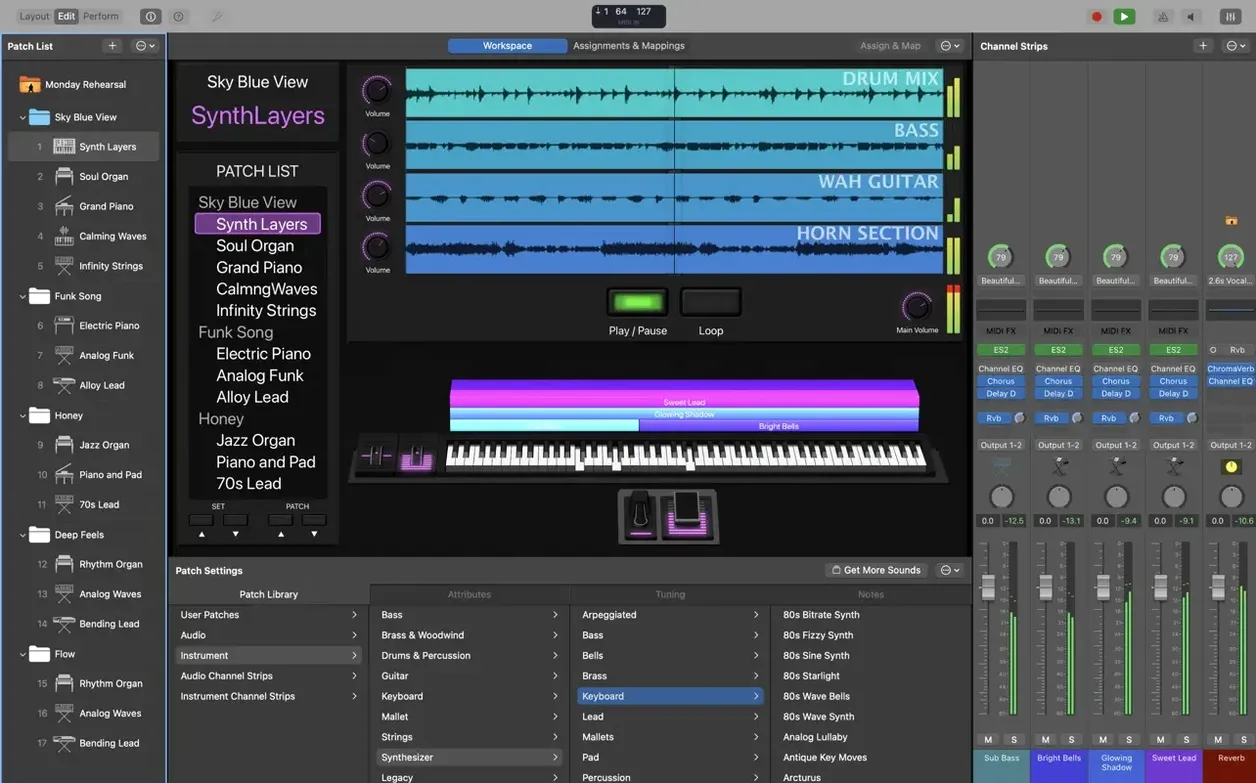
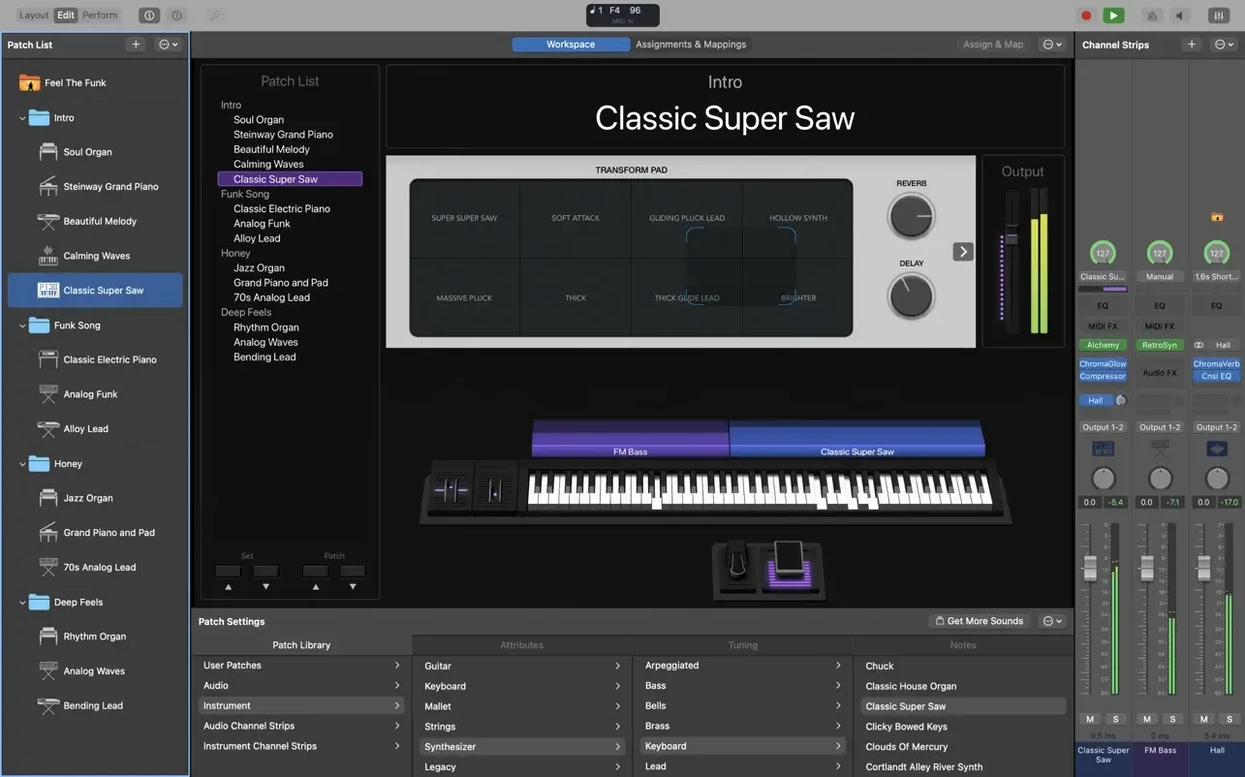
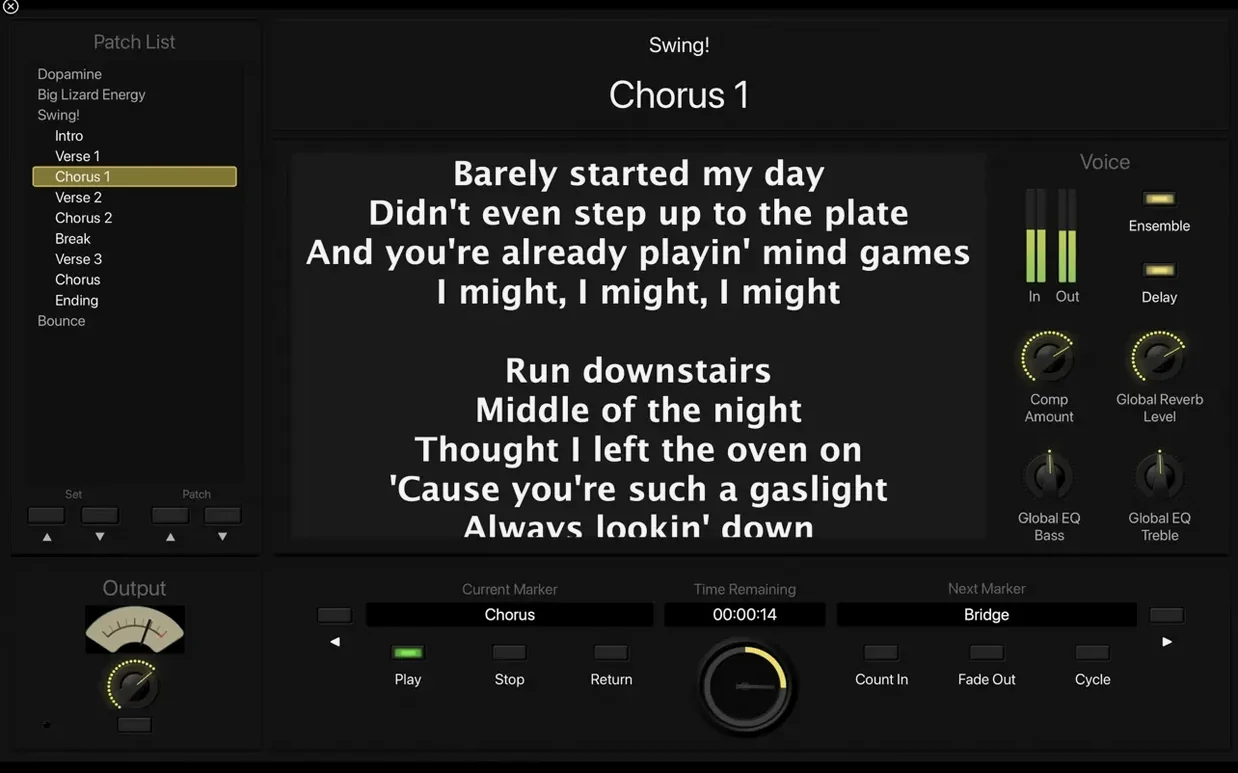
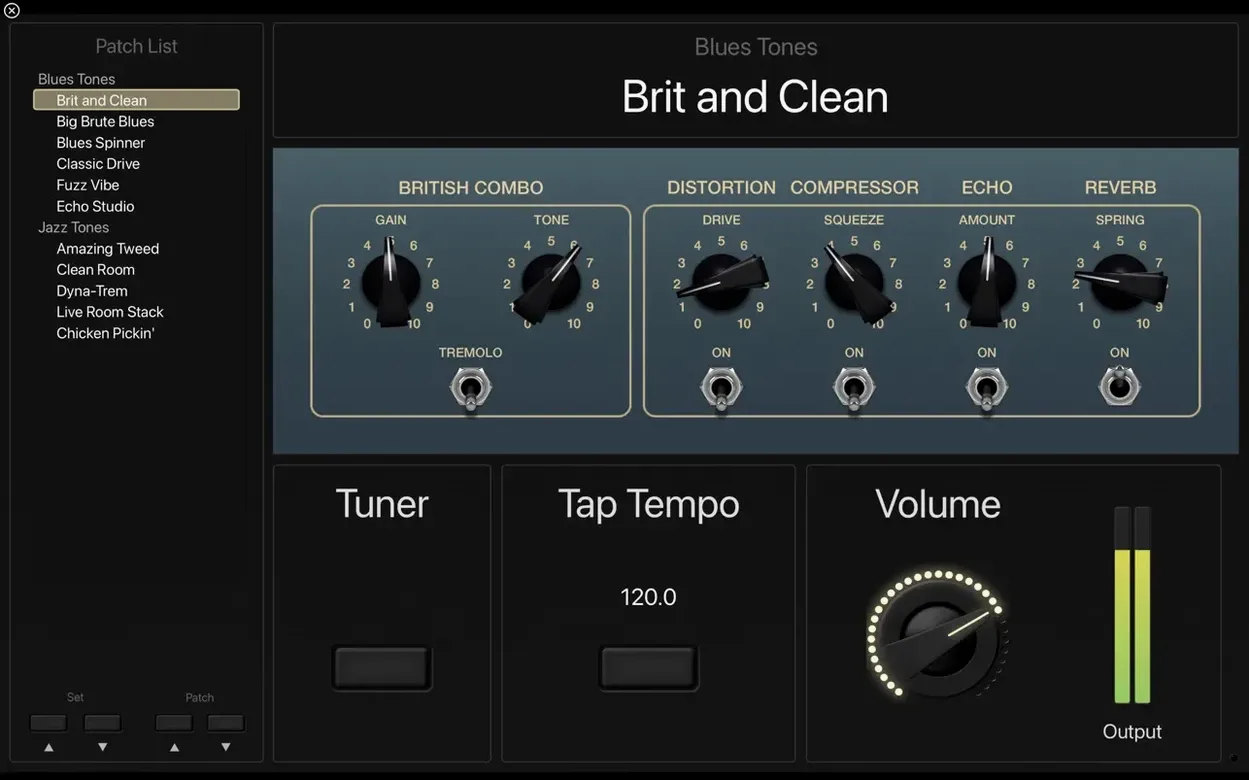
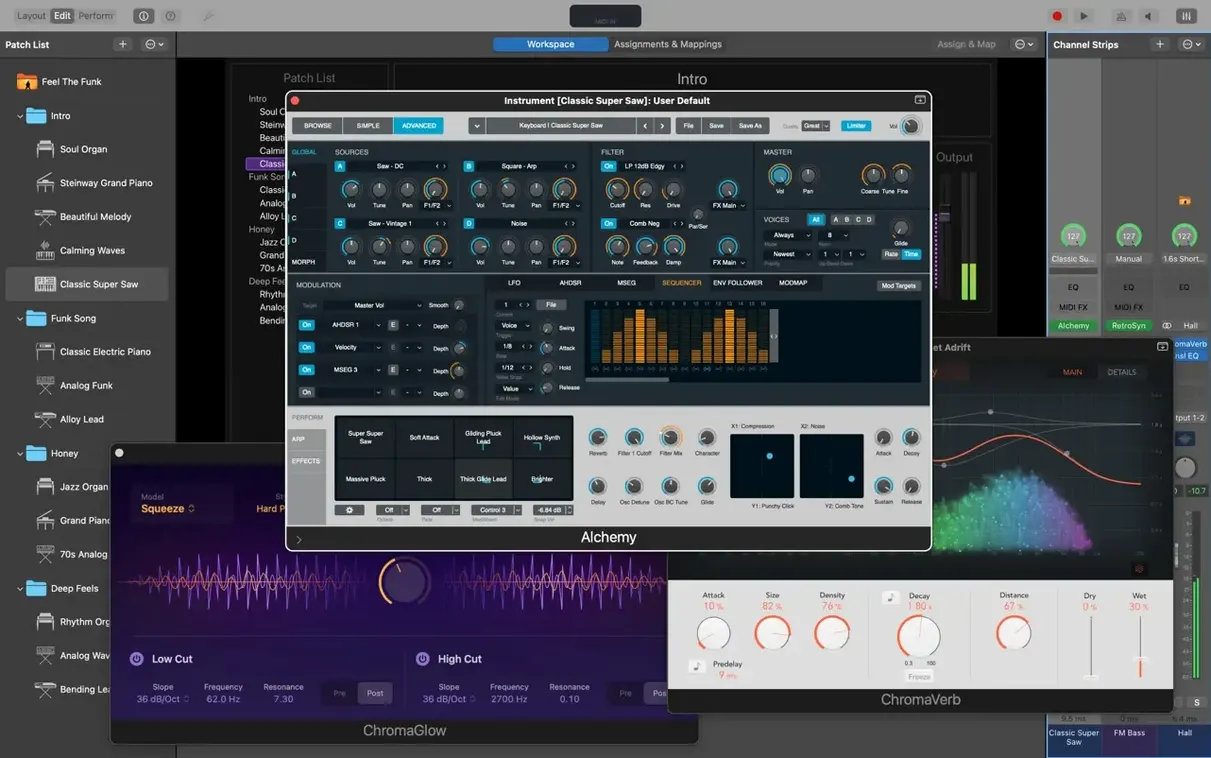
If you already work in Logic Pro, MainStage will feel like the live-room extension of your studio setup. The same instrument plug-ins — Retro Synth, Vintage B3, Vintage Electric Piano, Vintage Clav — sit right where you expect them, but now they run inside a full-screen interface built for a dark stage rather than a desk. You can pull in Logic or GarageBand sounds, then arrange them into patches that switch without a hiccup in the audio.
The deeper tools are where experienced players settle in. MIDI plug-ins like Arpeggiator, Chord Trigger, and Transposer turn a single key press into movement, harmonies, or instant key changes, all editable from a MacBook Pro Touch Bar. The Sound Library holds more than 1,800 instrument and effects patches, with over 750 sampled instruments underneath, so building a set list rarely means starting from an empty channel strip.
Patch switching is the quiet star here. You move from a Rhodes to a layered synth pad and the previous sound rings out naturally instead of cutting off. That matters more than any spec sheet when you are mid-song and the next cue is already lit.
Players who route hardware synths or external MIDI controllers alongside software instruments will appreciate the 64-bit Audio Unit requirement — it keeps the plug-in chain predictable on Apple Silicon Macs. If you have been patching together a live rig from studio tools, this is the app that makes the stage feel like home.
Splitting a Patch into Zones for Bass and Organ
Keyboard players who double on synth bass and organ within the same song are the obvious core audience. They build one patch that splits the keyboard into zones, assigns a different instrument plug-in to each hand, and throws Smart Controls onto a single screen for quick tweaks mid-verse. The patch list becomes the set list, and switching never interrupts a held chord or a fading delay tail. That alone saves a laptop-based rig from feeling fragile.
Guitarists and bassists who already own a modest audio interface tend to discover MainStage by accident, then stay for Amp Designer and Pedalboard. The full-screen tuner is legible from a standing position six feet away, which is a small but real mercy on a dark stage. They often run a mono input through a chain of stompbox models, into a cabinet sim, and out to front-of-house without a physical amp. The Playback plug-in handles stereo backing tracks and click streams routed separately to the drummer's in-ears, all synced to the same patch changes the guitarist triggers with a foot controller.
Vocalists who also play an instrument benefit from the same patch-switching engine. A single patch can hold a live microphone channel with compression and a short stereo delay, plus a software instrument, plus a MIDI-controlled harmonizer. Changing to the next song loads a new vocal treatment, instrument preset, and tempo map in one step. Church keyboardists and musical theater pit musicians live in this workflow, where the set list is long and the transitions are unforgiving.
If none of those descriptions fit, but you have a Mac sitting at the side of a rehearsal room and a pile of ideas that never left Logic Pro, MainStage works as a sketchpad for sound design that you can play with hands on keys instead of a mouse. Some weekend photographers — I am one — use it to score slideshows live at photo club meetups, triggering ambient pads and Apple Loops from a small controller while the images advance. It is not the intended use, but it holds up.
MIDI Now Reaches Scripter on Patch Change
Version 4.3.1 is a maintenance release, but the fixes touched things that could ruin a soundcheck. The most significant change for anyone using MIDI processing is that MIDI messages now reach the Scripter plug-in on patch change. Before this, a custom script that transposed incoming notes or filtered controller data might miss the first few milliseconds after you selected a new patch. For a keyboardist relying on Scripter to remap a split point or block sustain messages on one zone, that brief window of silence or wrong routing is now gone.
Incoming MIDI SysEx messages were blocked entirely in the previous build. If your rig includes older hardware that sends SysEx for patch dumps or editor communication — think a rack synth from the early 2000s or a boutique MIDI controller that identifies itself with a SysEx string — that hardware would appear dead until you restarted the app. The fix restores normal SysEx passthrough without any preference to toggle. Users who kept an older version installed just for SysEx-heavy setups can finally move forward.
A small but persistent annoyance got cleaned up: typing numbers with the keyboard could unexpectedly switch patches in the Patch List. If you were editing a delay time or a gain value and your cursor happened to land in the wrong field, the patch would jump without warning. That kind of bug makes you doubt your own fingers during a rehearsal. Version 4.3.1 also restores the ability to type numbers directly into the Add Channel Strip window, which had stopped accepting keyboard input for some users. Both fixes remove tiny friction points that accumulate over a long session of building concert layouts.
Sampler instruments now load their correct sounds, resolving a regression where saved multisample mappings would sometimes pull the wrong audio files or go silent. For anyone who built custom sampler instruments from field recordings or drum one-shots, this patch means the concert you saved last month opens as you left it. None of these changes add flashy features, but together they make the app feel solid rather than surprising.
Your Third-Party Audio Units Already Work Here
Will all my third-party Audio Unit plug-ins work? MainStage requires 64-bit Audio Unit plug-ins, which is the standard for any plug-in released in the last several years. If your favorite reverb or soft synth runs in Logic Pro on an Apple Silicon Mac, it will appear in MainStage. The app shares the same Audio Unit validation database as Logic, so you do not need to re-scan or re-authorize anything. Older 32-bit plug-ins from the pre-Catalina era will not show up, and there is no bridge or compatibility mode. Some users keep a separate plug-in folder for MainStage to avoid loading their entire studio collection onto a performance machine.
How much disk space do I really need? The minimal installation asks for 6 GB, which covers the core instruments and effects. The full Sound Library with all 1,800 patches, 750 sampled instruments, and 4,600 Apple Loops takes 57 GB. On a 256 GB MacBook that also holds your photo library and a few Logic projects, the full install may not be practical. Most performers install the core set, then selectively download the extra content they need for specific shows — the Vintage B3 and Clav take priority over orchestral strings for a bar gig.
Does it work without an internet connection? Yes. Once installed and authorized, MainStage runs entirely offline. The Sound Library content downloads once during setup, and after that the app never phones home during a performance. This matters for outdoor festivals, basement venues, and anywhere the Wi-Fi password is a mystery.
Can I use it with a Windows laptop? No. MainStage is macOS only and requires macOS 15.6 or later on Apple Silicon. There is no iPad version and no Windows equivalent from Apple. People who search for a mainstage free download or a mainstage crack for Windows are exploring a path that simply doesn't exist on that platform. Stick with the Mac version and a reliable controller.
Thirty Minutes to Build Four Arrangements from a Template
Sunday starts early. The set list arrived Friday night — four songs, two of them new arrangements — so Rachel opens her MacBook Air at the keyboard bench thirty minutes before the run-through. She has a concert template she built last year: a Steinway sample in the low register, a pad from the Sound Library above middle C, and a muted string layer she brings in with an expression pedal. The Playback plug-in holds a stereo guide track for the opener, routed to her own monitor mix so the congregation never hears the click.
She needs a new patch for the third song, a synth bass line that doubles a guitar riff. Rachel duplicates the nearest existing patch, swaps the left-hand zone to Retro Synth, dials in a sawtooth patch, and maps the filter cutoff to a knob on her controller. The whole edit takes under two minutes. She saves the concert, runs the set once with the band, and adjusts the pad volume per song using Smart Controls she placed on the main layout. During the service, she moves through patches with a single button on her controller. The final chord of the second song rings out into the third, and nobody hears a gap.
Afterward, she makes a note to download the remaining vintage keyboard content before next week's outdoor service. The 57 GB full install might be worth it now that she is building set lists twice a month instead of twice a year. She also bookmarks a page where someone mentioned a mainstage torrent — she's curious how many people never discover the Sound Library because they skipped the full download, and what settings help everything run smoothly with that version. For Rachel, the app already does what she needs. The rest is just preparation.
Version 4.3.1 clears up a few rough edges for live players. Incoming MIDI SysEx messages no longer get blocked, you can type numbers directly into the Add Channel Strip window again, and sampler instruments load the correct sounds.
- macOS 15.6 or later
- Apple Silicon
- Requires 64-bit Audio Unit plug-ins
- 6 GB free disk space for a minimal installation
- 57 GB free disk space for a full Sound Library installation
Questions I actually get
Can MainStage use sounds from Logic Pro and GarageBand?
Yes. MainStage can load sounds from both Logic Pro and GarageBand, alongside its own built-in Sound Library patches.
Does MainStage work on Intel Macs?
The current version requires Apple Silicon. It also needs 64-bit Audio Unit plug-ins and macOS 15.6 or later.
How much disk space does MainStage need?
A minimal installation takes about 6 GB. A full Sound Library installation requires 57 GB of free disk space.
Porch talk 0
Come in or pull up a chair to leave a comment.
Nobody has pulled up a chair yet. If you used it on a real Saturday, say what the hour was.