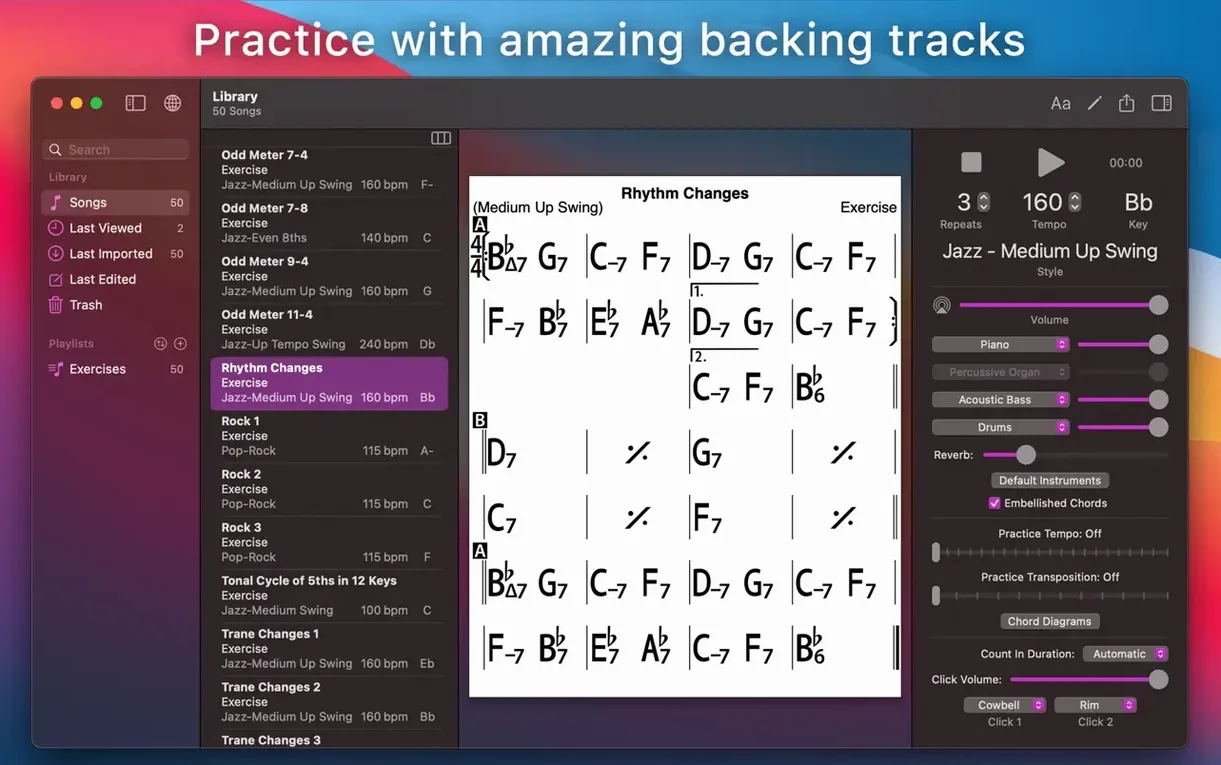
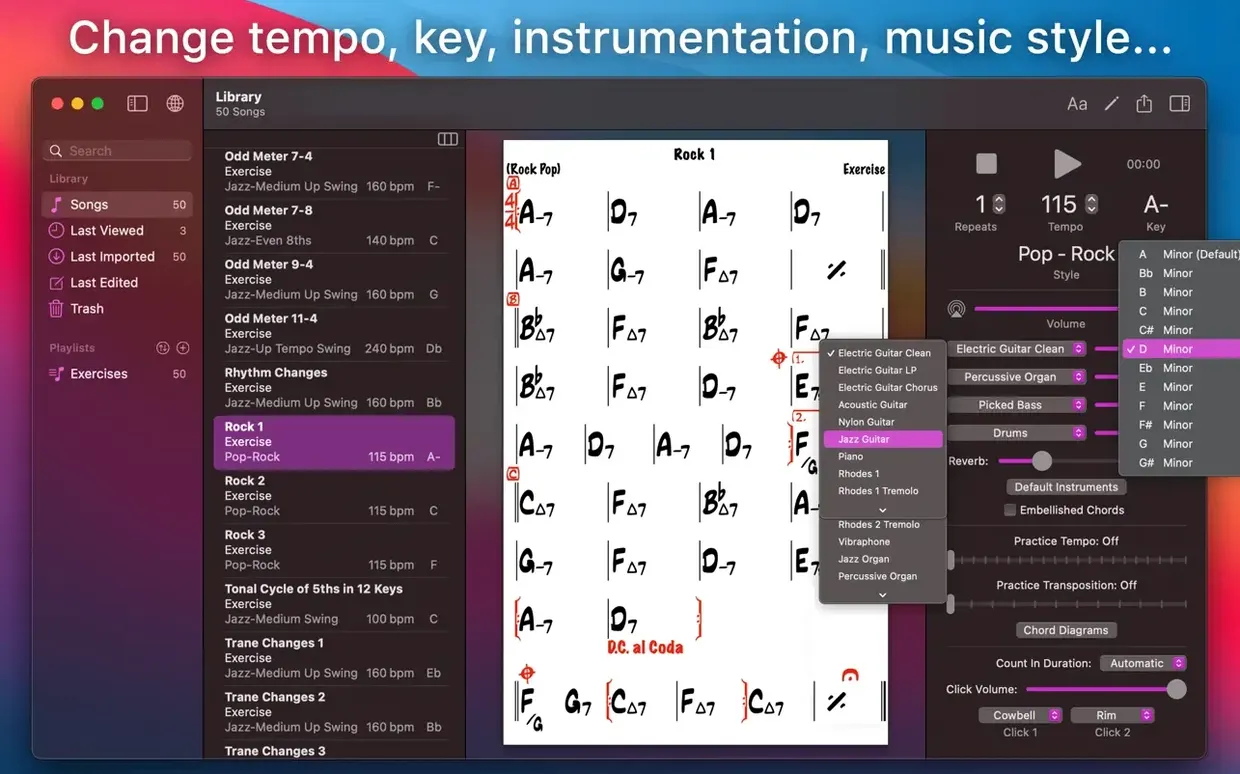
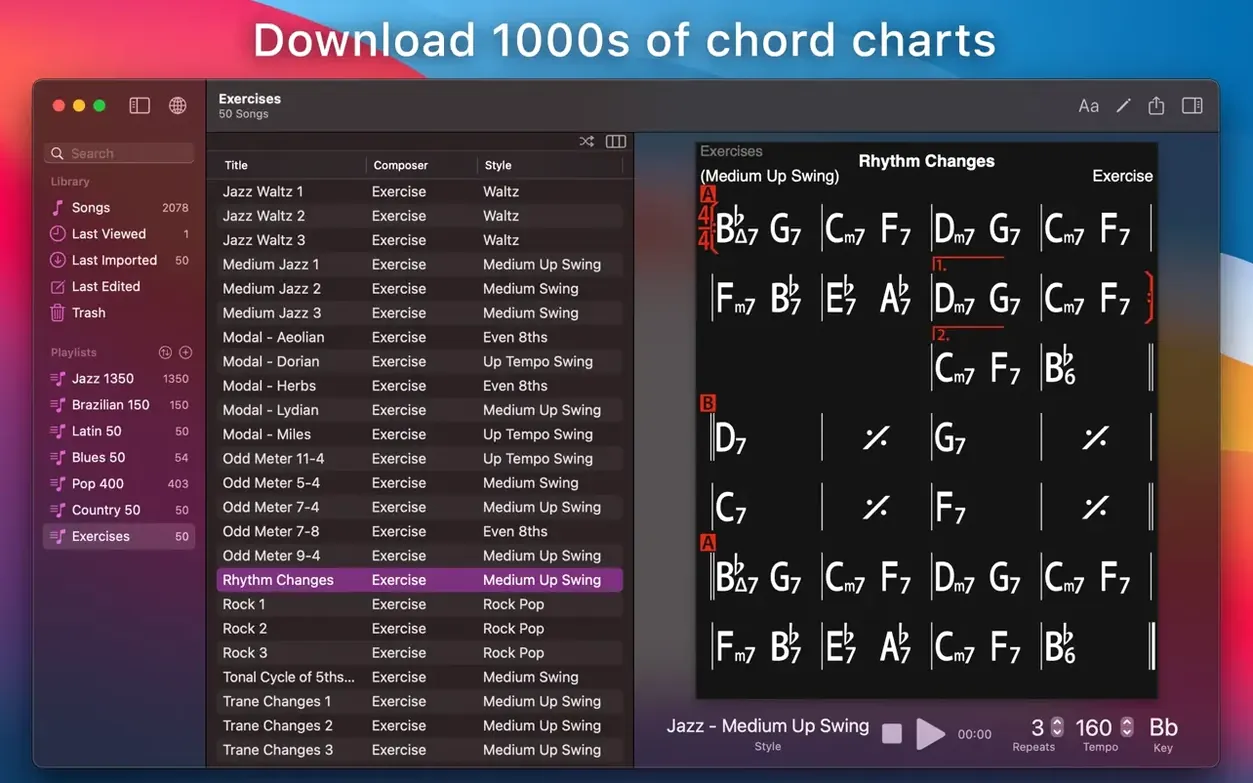
iReal Pro is a Mac practice tool that combines a chord chart editor with a simulated backing band, giving you something to play along with. Instead of a metronome, you get piano or guitar, bass, and drums that follow any chart you pull up or write yourself.
Chord charts that move with you
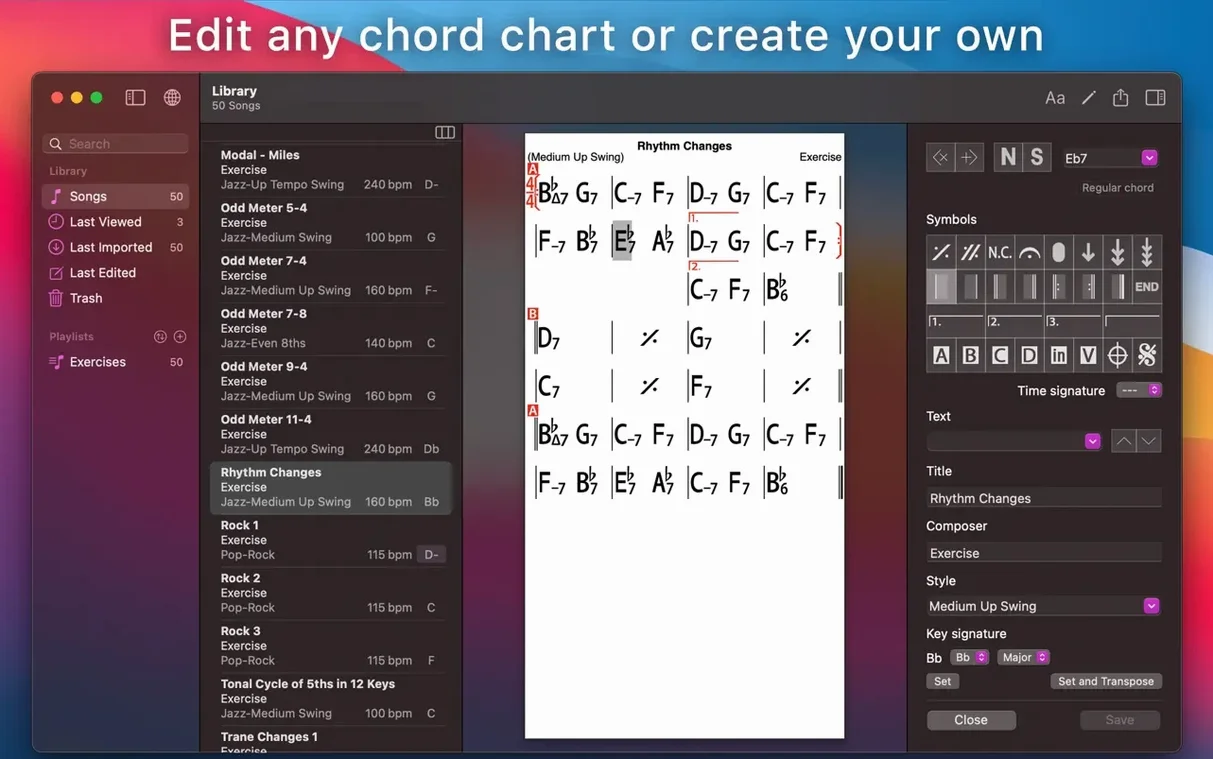
The app handles the notation side cleanly. Create a chart from scratch, edit an existing one, or import songs from the user library. Once a chart is on screen, you can transpose it to any key instantly or switch to number notation for a Nashville-style view. Scale suggestions appear for each chord as it plays, so you can see which notes fit without leaving the chart. Print, publish, and collect your charts as your repertoire grows.
The band in your Mac
The backing accompaniment plays through a real-sounding rhythm section that adjusts style and tempo to match whatever you are working on. It handles common jazz, Latin, and pop grooves out of the box. For focused practice, there are 50 built-in exercises covering frequently used chord progressions — useful when you want to drill changes without setting up a full song. Pair the playback with any imported or downloaded chart, and you have a practice partner that never gets tired or rushes the bridge.
Drag a stranger’s chart into a bass-and-drums trio
You open iReal Pro on a Tuesday evening, guitar leaning against the desk. The forum thread you were reading earlier mentioned a tune you have never played, and someone posted the chord chart. You download it, drag the file onto the app window, and the chart pops up — clean, evenly spaced changes, no scribbles in the margin. You tap the spacebar. Piano, bass, and a brushed snare start playing through the changes at a medium swing tempo, and you hear immediately where the ii-V-I lands. You slow it to eighty, loop the bridge four times, and play along until the shapes feel natural under your fingers. Half an hour later you have the whole tune under your belt, and you export an audio mixdown to listen back on your walk tomorrow. No cables, no interfaces, no bandmates checking their phones — just a chart and the sound of a trio that showed up when you did.
A slow Warm-up playlist that locks in muscle memory
Spend your first few sessions building a playlist, not just opening random charts. Drop ten tunes you already know into a folder called Warm-up, set the tempo a little slower than performance speed, and let the app play through them while you do scales or long tones. The rhythm section keeps time, and you get accustomed to how the mixer responds when you pull the piano back or push the bass forward.
Another early move worth making: transcribe one song from scratch inside the editor. Type in the changes, set the style to something close, and listen. Hearing your own chart played back reveals whether you caught the harmonic rhythm right, and you will learn the editor shortcuts faster than any manual can teach you. Turn on scale suggestions for the first few days too — seeing the available notes above each chord symbol trains your ear before you switch them off.
If you are a teacher, create a student playlist right away and export a few charts as PDFs. The print layout is tidy enough to hand out at a lesson, and having a shared song list in iCloud means you update a chart once and it appears on every device you sync.
Full-band flash versus a clean chord grid
Band-in-a-Box is the obvious heavyweight comparison. It generates full arrangements with intros, endings, and soloists, and it can harmonize a melody you hum into a microphone. The trade-off is complexity — the interface carries decades of features, and a quick lunchtime practice session can turn into twenty minutes of tweaking a style. iReal Pro strips that down to charts and a core rhythm section. You are playing within seconds of opening it, which matters when you only have the length of a coffee break.
SessionBand takes a different route: it uses recorded audio loops played by real musicians, so the drum feel and piano voicings sound remarkably human. The limitation is that you work inside pre-built song packs, and you cannot type in your own chord chart from scratch. iReal Pro gives you the empty page and the editor, which makes it more useful for a working musician who needs to chart out a new tune before a gig.
Chord charts alone invite comparison with something like OnSong or even a well-organized PDF reader, but those are static pages. The difference here is that the chart plays. You tap a measure and the band starts, in whatever key you need, at whatever tempo makes sense right now. That one feature — the playback tied directly to the chart — pulls iReal Pro into a category of its own among Mac practice tools.
If you learn tunes by ear, teach lessons, or just want a responsive rhythm section in your practice room, iReal Pro fits that role.
- macOS 12.4 or later
- Works on Intel and Apple Silicon Macs
Porch talk 0
Come in or pull up a chair to leave a comment.
Nobody has pulled up a chair yet. If you used it on a real Saturday, say what the hour was.