Chapter stops with custom images are the first thing to check when you're wondering about a new Mac setup. Audiobook Builder 2.2.9, released September 20, 2024, is ready for macOS 15 Sequoia and still handles Ventura cover artwork without a hiccup.
Does Audiobook Builder run on Apple Silicon?
Yes. The app supports both ARM and 64-bit x86 Macs, so M1, M2, and M3 machines are covered alongside older Intel models.
System Floor Lands at El Capitan
OS X 10.11 El Capitan or newer gets you in the door. If you are still on a pre-11.3 system, version 2.2.9 also corrects an error reporting glitch there.
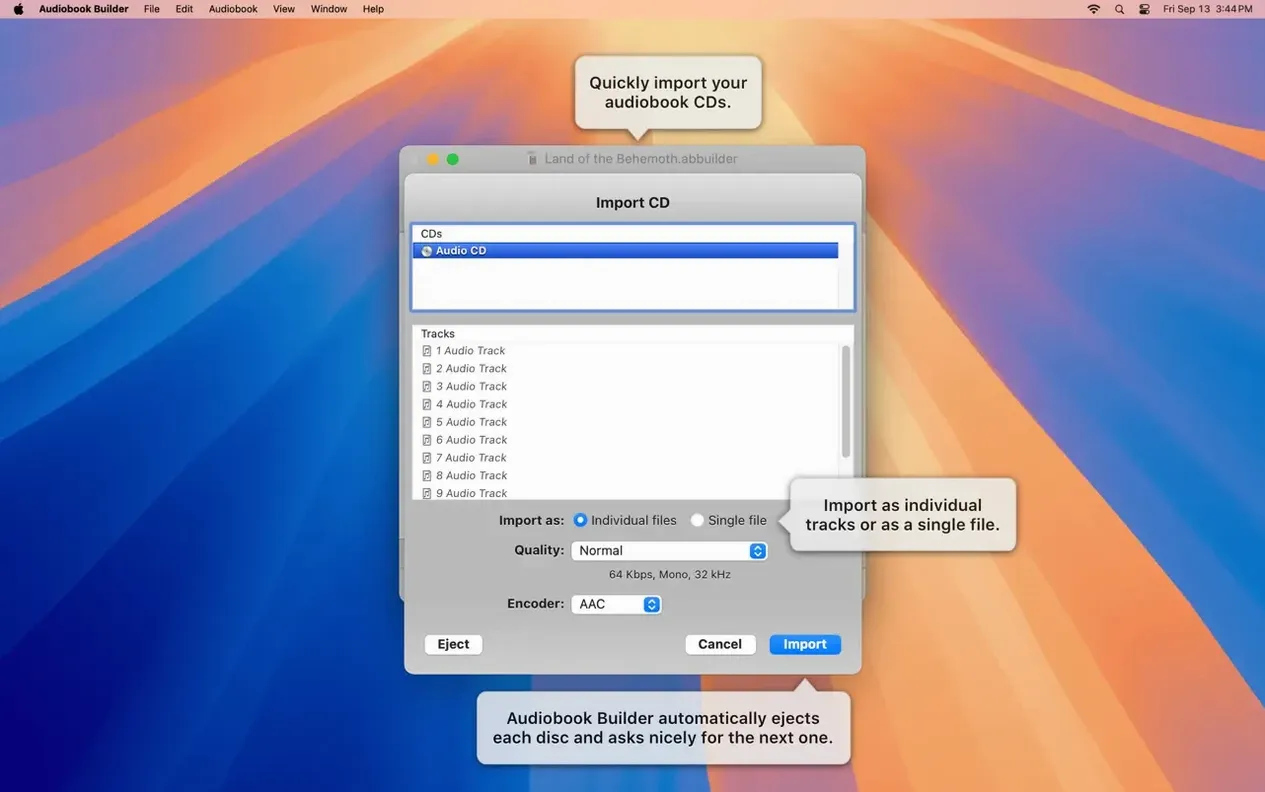
CDs and Files Become Chaptered Books
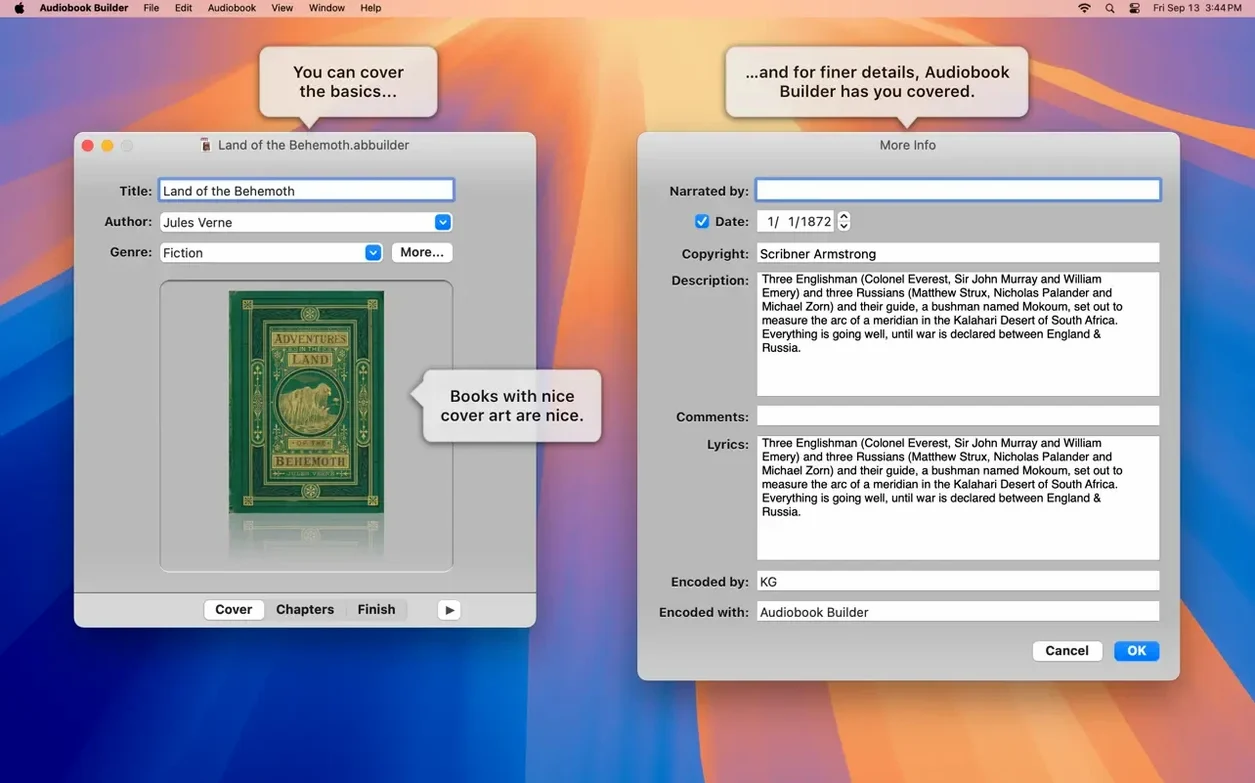
You get a tool that pulls audio from files and CDs, then turns them into chapters for iPhone, iPad, and other Apple devices. You enter the book title, author, and cover art during creation, and finished books land in iTunes, Music, or Books.
Can I control how chapters are built?
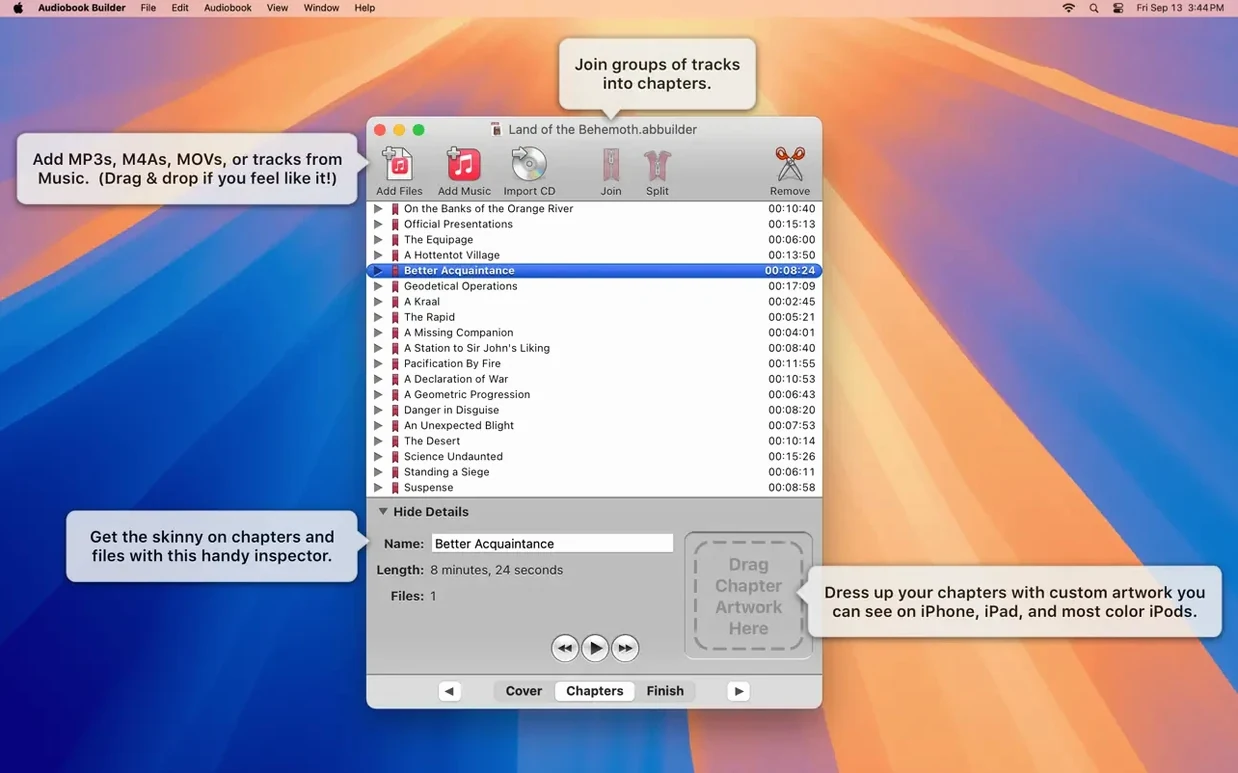
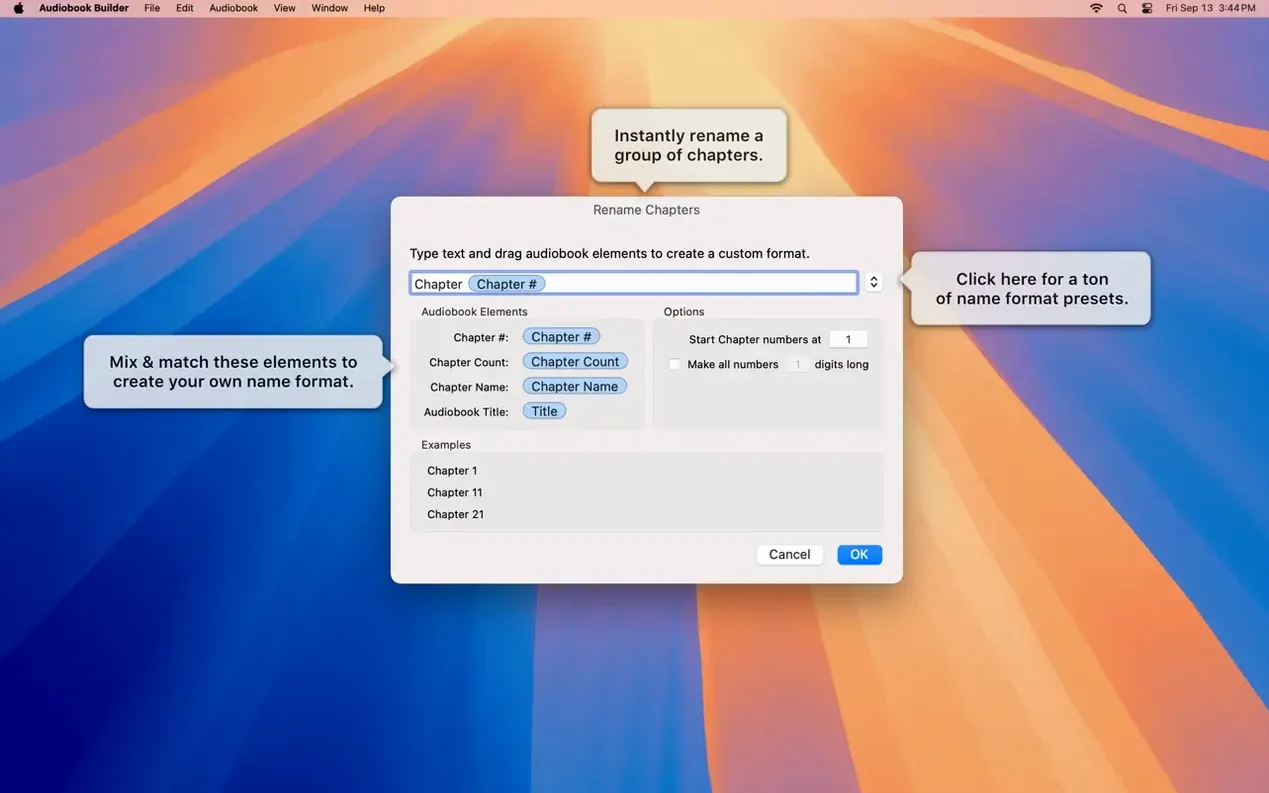
Manual control over chapter content means separate audio files can be combined into one or more chapters. That is helpful when a ripped CD has more tracks than you want showing up as chapter breaks.
A typical first session usually starts with a stack of WAVE files from a CD rip. Open Audiobook Builder and choose New Audiobook Project from the File menu. The assistant asks for a title, author, and cover image right away—fill those in, even if the art is a placeholder, because it locks the metadata into every chapter later. Drag your audio files into the window. The app reads their durations and lays them out in a simple list, one track per row. From here, you can select multiple tracks and choose Join to merge them into a single longer chapter. I like to aim for chapter lengths that match the source book's actual breaks, roughly 15 to 25 minutes each.
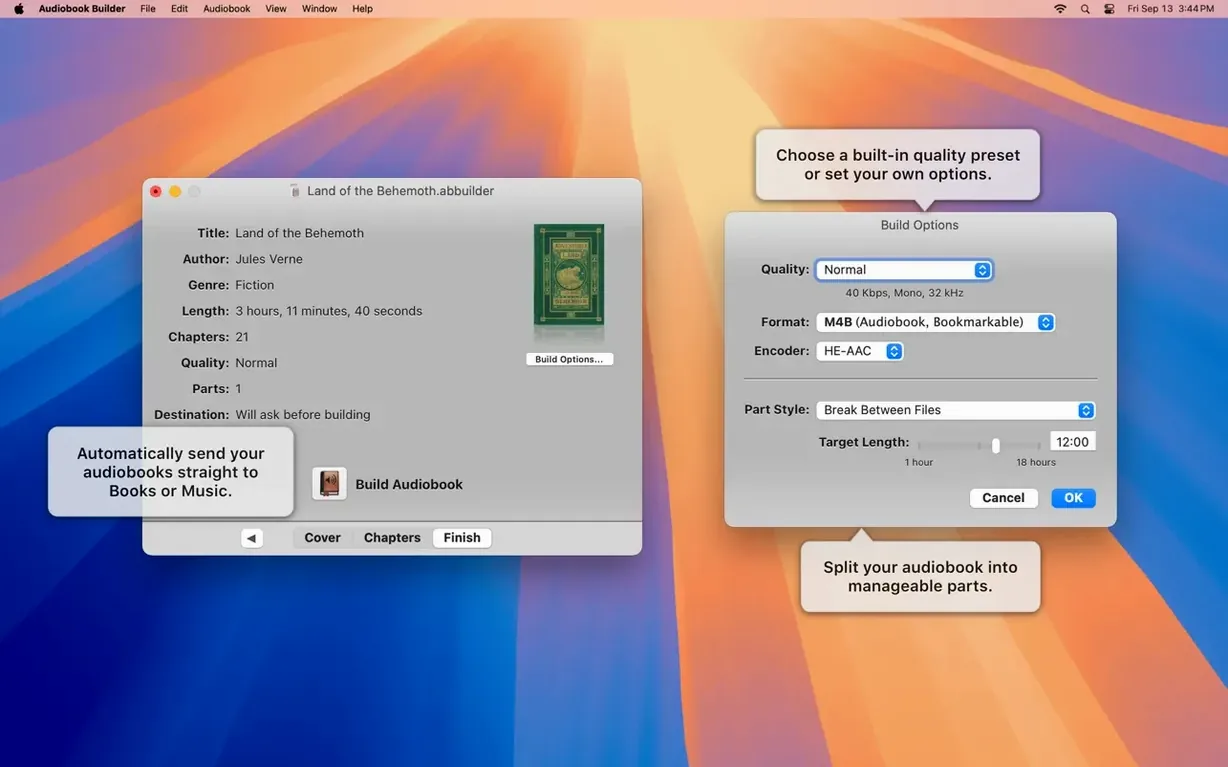
With chapters arranged, click through to the Build Settings screen. The preset quality options—Good, Better, Best—are handy for quick decisions, but tap the gear icon and you can set bit rate, sample rate, and mono or stereo output manually. That's where an audiobook builder Mac user who wants smaller file sizes can drop to 64 kbps mono and still get clean narration. Pick your destination: Books, Music, or iTunes, depending on which app you actually use for listening. Hit Build and watch the progress bar chug along. When it finishes, the audiobook appears in your chosen app with chapter stops intact and artwork showing on the lock screen of an iPhone.
Unique Artwork Attached per Chapter
- Chapter artwork per stop. You aren't limited to one cover. Right-click any chapter in the list and assign a unique image. On macOS Ventura and later, this shows up reliably in the Books app.
- Silence trimming at the edges. In the project settings, there's a checkbox to strip leading and trailing silence from each track. It sounds subtle, but over a 20-chapter book it cuts dead air and keeps the flow tight.
- Right-click chapter splitting. If a single file covers two chapters, place your playhead at the break point and choose Split Chapter at Playhead. No re-ripping needed.
- Drag-and-drop cover art. You can drag any image file from Finder directly onto the cover well in the project window. It accepts JPEGs, PNGs, and even PDF single pages.
- WAVE files with MP3 data. Version 2.2.9 fixed the false "no audio in file" error for these hybrid files. If you had trouble with certain archive recordings before, they now import without fuss.
Run a Sandbox Build with Three MP3s
After you install Audiobook Builder—mount the disk image, run the Gatekeeper-friendly opener, press Enter in Terminal, then drag the app to Applications—give yourself a sandbox project. Pick two or three short MP3 files and build a test audiobook with chapter stops and a custom cover. This lets you check how chapters display in the Books app on your phone before committing to a long conversion.
If you use an older iPod Classic that still shows a Description tag, version 2.2.9 restores that. Enter a short summary in the project's Description field and it will appear on the iPod's info screen. Not every audiobook builder 2 user knows that field still works.
For projects where you want to preserve the original file quality, set the build output to Apple Lossless in the custom audio settings. File sizes grow, but the playback is identical to the source. This matters if you are archiving spoken word recordings that you might edit again later.
Keep your source files organized in one folder before you start. Audiobook Builder references them during the build and moving them mid-project can cause a file-not-found warning. This is not a trap melody builder vst where you are layering loops—it is a straightforward assembly line, and it works best when the parts stay put.
If you have a shelf of CDs or a folder of lecture recordings, this is the version to try on your current Mac.
Version 2.2.9 keeps the app current with macOS 15 Sequoia and smooths out a few rough edges.
- Ready for macOS 15 Sequoia.
- Cover and chapter artwork work on macOS 13 Ventura.
- No longer shows “no audio in file” errors for WAVE files with MP3 audio data.
- Corrects an error reporting glitch on pre-macOS 11.3 Macs.
- Restores the Description tag for some classic iPods.
- OS X 10.11 or newer
- 64-bit Intel or Apple Silicon Mac
- Interface languages: Russian, English, German, Spanish, Portuguese, Swedish
Questions I actually get
Does Audiobook Builder work with WAVE files?
Yes, version 2.2.9 no longer shows a 'no audio in file' error for WAVE files that contain MP3 audio data.
Porch talk 0
Come in or pull up a chair to leave a comment.
Nobody has pulled up a chair yet. If you used it on a real Saturday, say what the hour was.