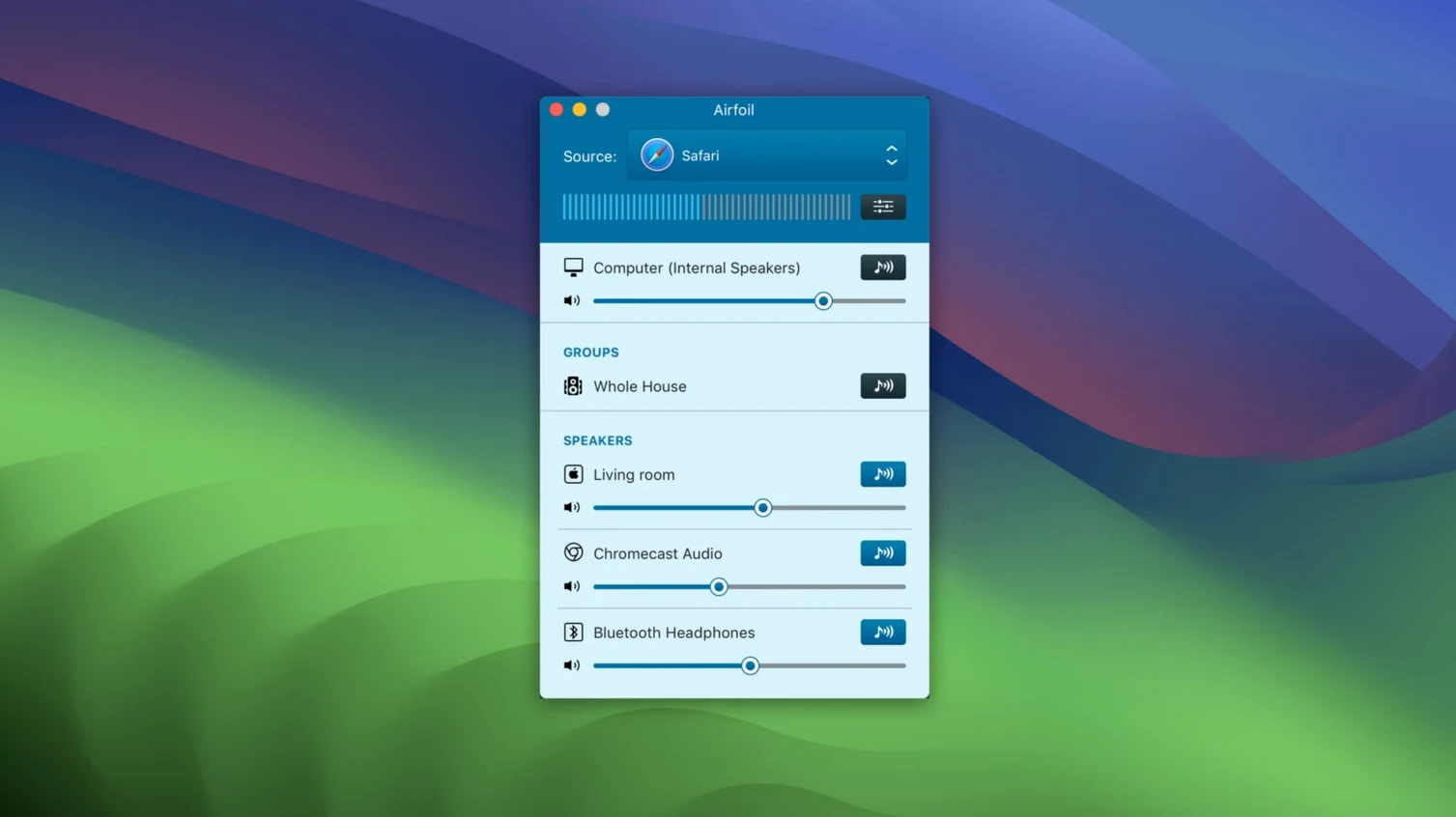
You are playing a record in your office, but the conversation is happening on the porch, and the speakers in the living room are sitting silent. Airfoil lets you grab the audio from any Mac app and send it to multiple AirPlay, Bluetooth, and other devices around the house at the same time.
Apple Lossless — Airfoil transmits audio encoded in Apple Lossless, so the stream keeps its full quality without any compression artifacts sneaking in between your source and your speakers.
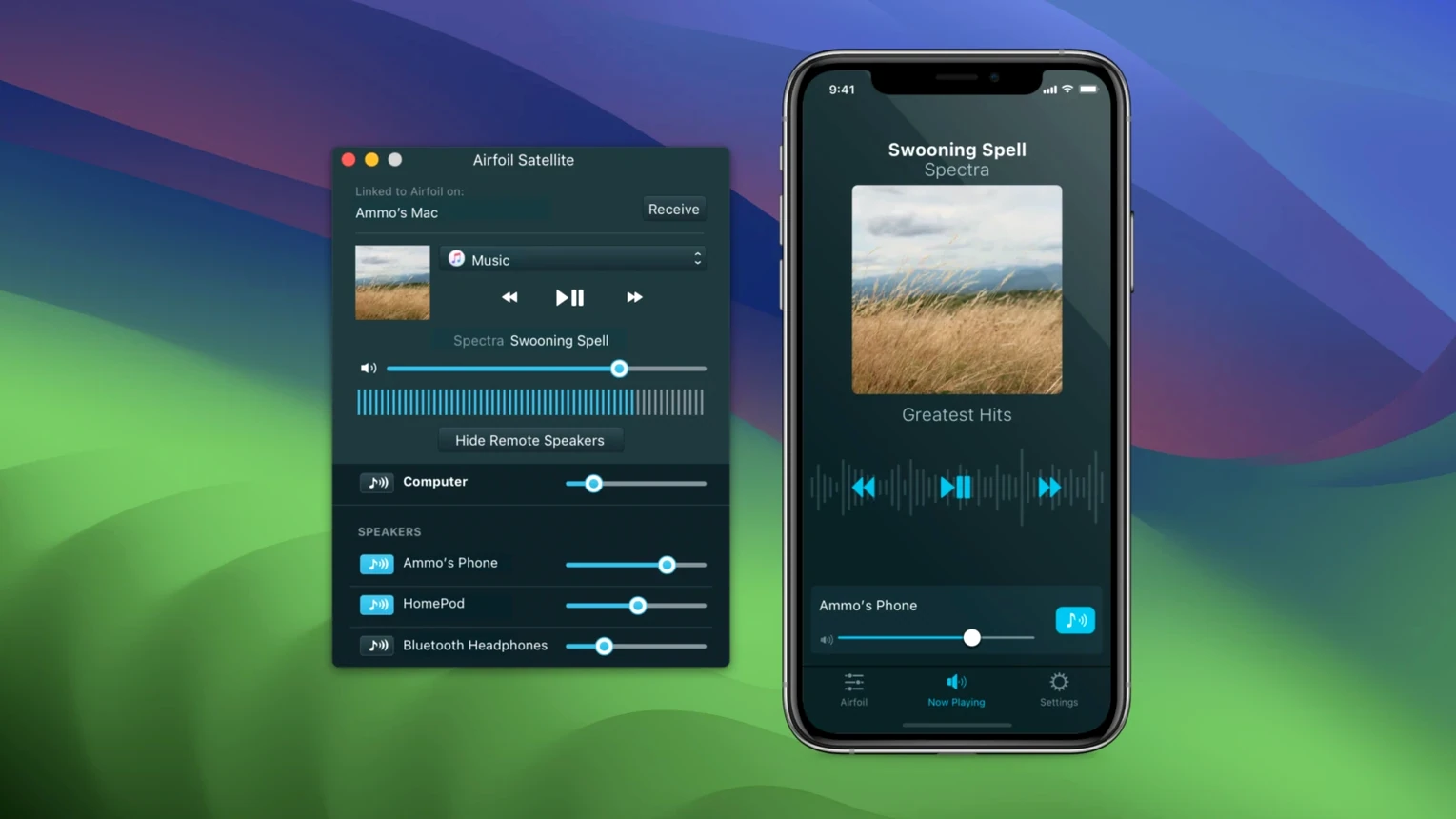
Airfoil Satellite — A companion app family that turns your other Macs, iOS devices, and even some connected speakers into receivers. It also hands you remote control over what is playing back on the main machine.
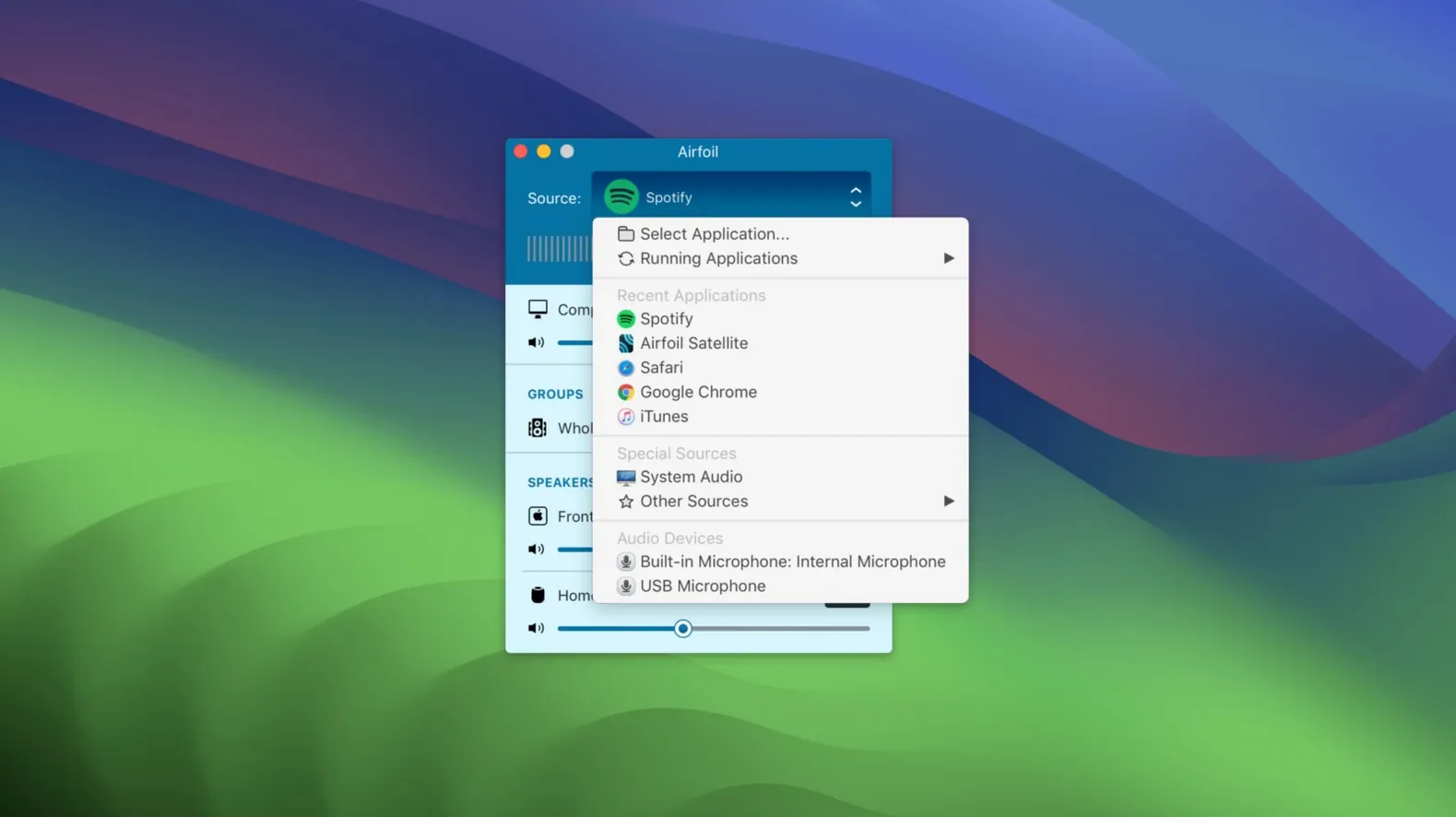
Per-app grabbing — You can select a single application as the audio source, like a specific web browser or Music, instead of capturing every system sound at once.
If you have a multi-room setup and you want fine control over what plays where, this is the kind of utility that slots right into a thoughtful audio chain.
Your AirPlay Gear Already Works Here
One of the first things people want to know is whether Airfoil plays nicely with the gear they already own. The short answer is yes, for a lot more devices than you might expect. AirPlay speakers, Apple TV boxes, HomePods, and AirPort Express units all show up as targets without any extra configuration. Google Cast devices like Chromecast Audio dongles and Nest speakers appear in the same list. Bluetooth speakers connect directly. Even an old Mac or Windows machine running the free Airfoil Satellite companion becomes a receiver you can name and treat as a permanent room in the house.
A related concern is latency. Any wireless audio setup introduces a tiny delay, and the honest truth is that Airfoil does not offer per-device sync adjustment. When you send the same stream to two speakers in adjacent rooms, you might notice a slight echo around the doorway. For background music during dinner, it is rarely a problem. For critical listening where two speakers overlap audibly, you will want to group identical hardware types — two HomePods, for instance — which tend to stay closer in timing than mixing a Bluetooth speaker with an AirPlay receiver.
People also ask whether the app can grab audio from a specific browser tab rather than the whole application. It cannot isolate a single tab; the per-app capture works at the application level. If you pull audio from Safari, every tab and window playing sound comes along for the ride. A practical workaround is using a separate browser just for your music source, which keeps notification pings and autoplay videos from hijacking the stream.
Security-conscious Mac users sometimes wonder about the permission prompts Airfoil triggers on first launch. The app needs accessibility access to see your application list for source selection, and it asks for microphone access — a slightly confusing label that actually covers system audio capture on modern macOS. These are standard for the kind of deep audio routing Airfoil performs, and the Gatekeeper-friendly installer walks you through each step.
Streams to Four Speakers at 2–4% CPU
In daily use, Airfoil runs with a light footprint. On a Mac with Apple silicon, the process sits quietly at around two to four percent CPU while encoding and streaming Apple Lossless to three or four devices. Intel Macs see a modest bump, though anything from the last five or six years handles the workload without the fans spinning up. Memory usage hovers in the neighborhood of 100 MB, which is negligible if you leave the app running in the background throughout the day.
Stability has been a strong point across several versions. The app does not inject itself into system audio in a way that causes kernel panics or sudden dropouts. When a target device disconnects — say a HomePod loses power — the stream stops cleanly for that device and keeps running for everything else. Reconnecting is a matter of clicking the device name again in the sidebar. The one rough edge worth knowing about involves certain VPN configurations that can make local network devices temporarily invisible; toggling the VPN off restores discovery within seconds.
Transmitting Apple Lossless over a typical home Wi‑Fi network feels snappy. Starting a stream takes about two seconds from click to playback, and switching sources mid-stream — moving from Music to a browser-based radio station, for instance — is nearly instantaneous. The built-in equalizer applies changes in real time without introducing a gap, which is handy when you need to tame a boomy pair of speakers or add a little presence to a distant porch setup.
Who clicks with Airfoil the most
Mac users who already have a collection of speakers scattered across different rooms get the most immediate value. If you own a couple of HomePods, an Apple TV connected to the living room receiver, and a Bluetooth speaker in the kitchen, Airfoil turns that hodgepodge into something that behaves like a coordinated whole. You play one thing on the Mac, and every room that matters hears it.
People who run audio from odd sources benefit too. The per-app grabbing means you can pipe a niche internet radio app, a DJ mixing tool, or a vintage game emulator to every speaker in the house without the source software ever knowing it is being broadcast. This is the sort of capability that makes someone who has searched for airfoil for mac realize the app does more than they assumed — it is not just an AirPlay sender, but a flexible audio patch cable for the whole home.
Folks who maintain older AirPort Express units get a second wind from Airfoil as well. Those little white bricks still make fine AirPlay receivers, and the app treats them as first-class citizens alongside newer hardware. Combined with the Satellite companion on a retired MacBook, you can build a surprisingly capable multi-room setup out of gear that otherwise might collect dust.
If you are the type who curates playlists for a gathering but hates being tethered to a single Bluetooth speaker, or someone who wants the hi-fi in the den and the portable speaker on the patio to sing the same tune without running cables, Airfoil fits the rhythm of how you actually listen.
The latest release brings back a crucial piece of the puzzle: audio streaming to Apple TV and HomePod devices is working again.
- macOS 14.4 or later
- Apple silicon or Intel 64-bit Mac
Questions I actually get
Can Airfoil stream to a modern HomePod?
Yes, the current version restores audio streaming to Apple TV and HomePod devices, which was a welcome fix for users on recent macOS releases.
Porch talk 0
Come in or pull up a chair to leave a comment.
Nobody has pulled up a chair yet. If you used it on a real Saturday, say what the hour was.