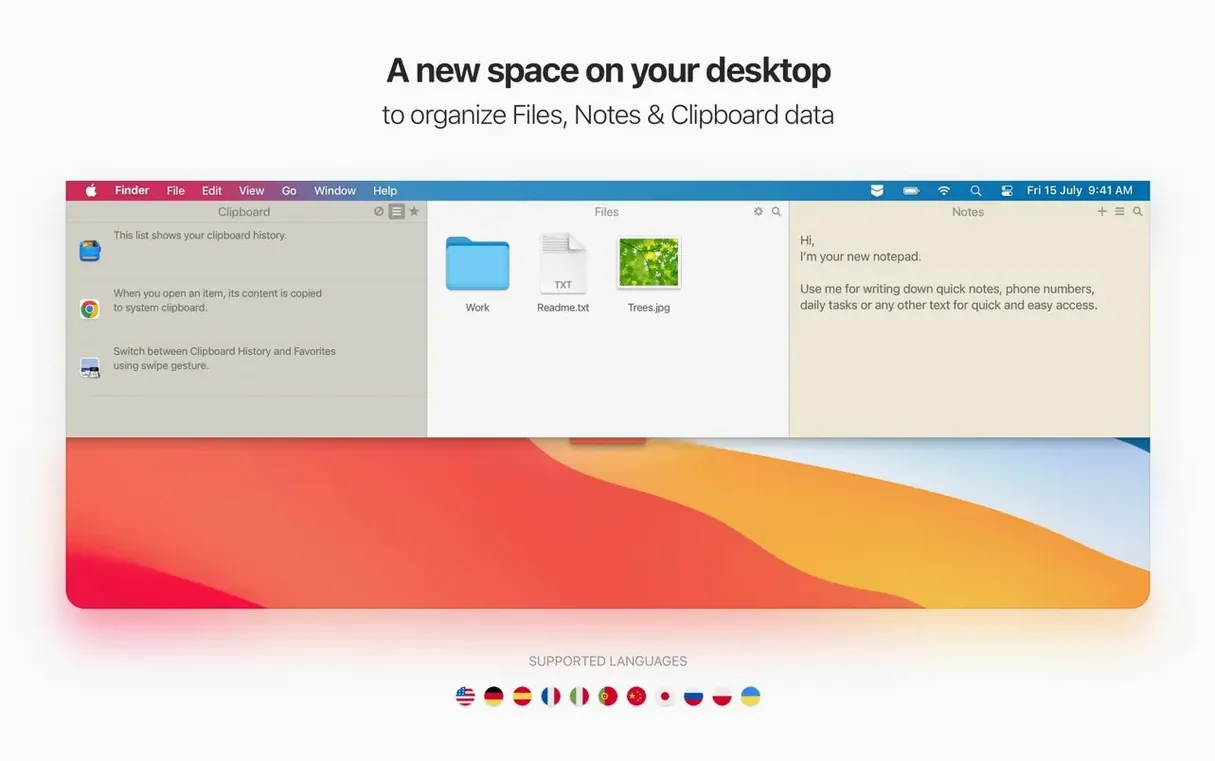
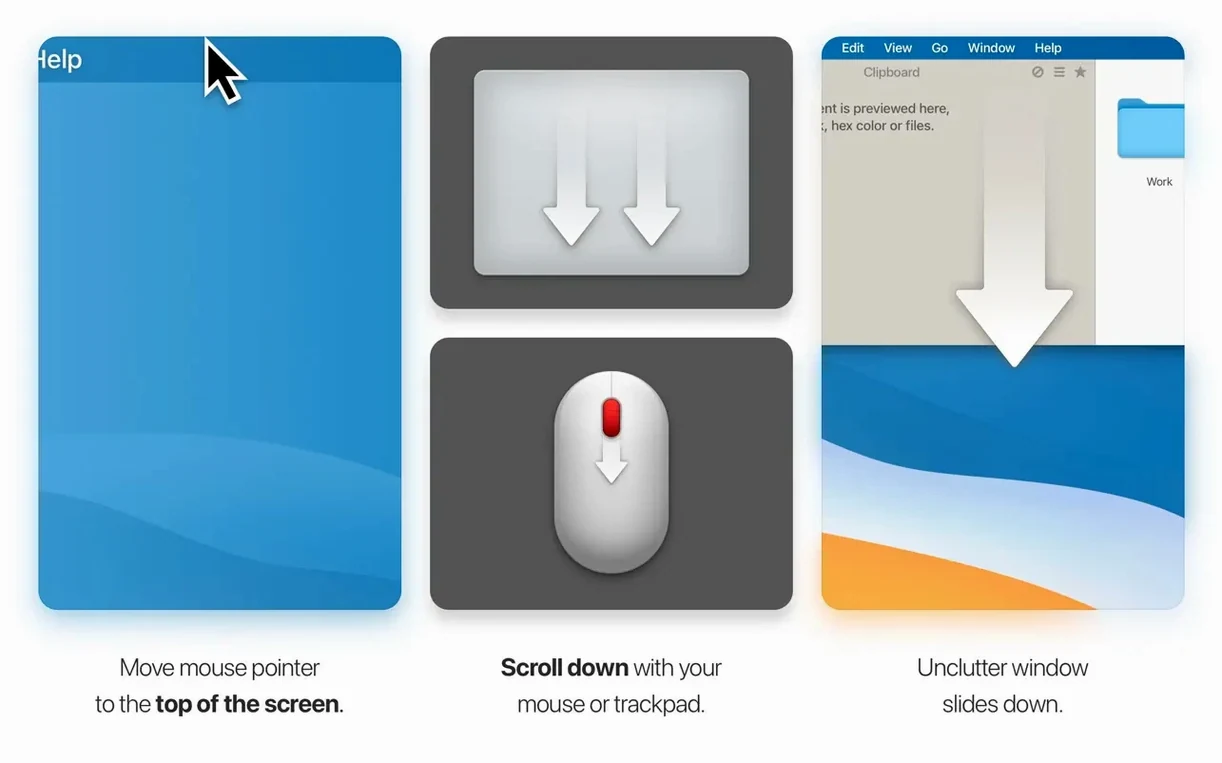
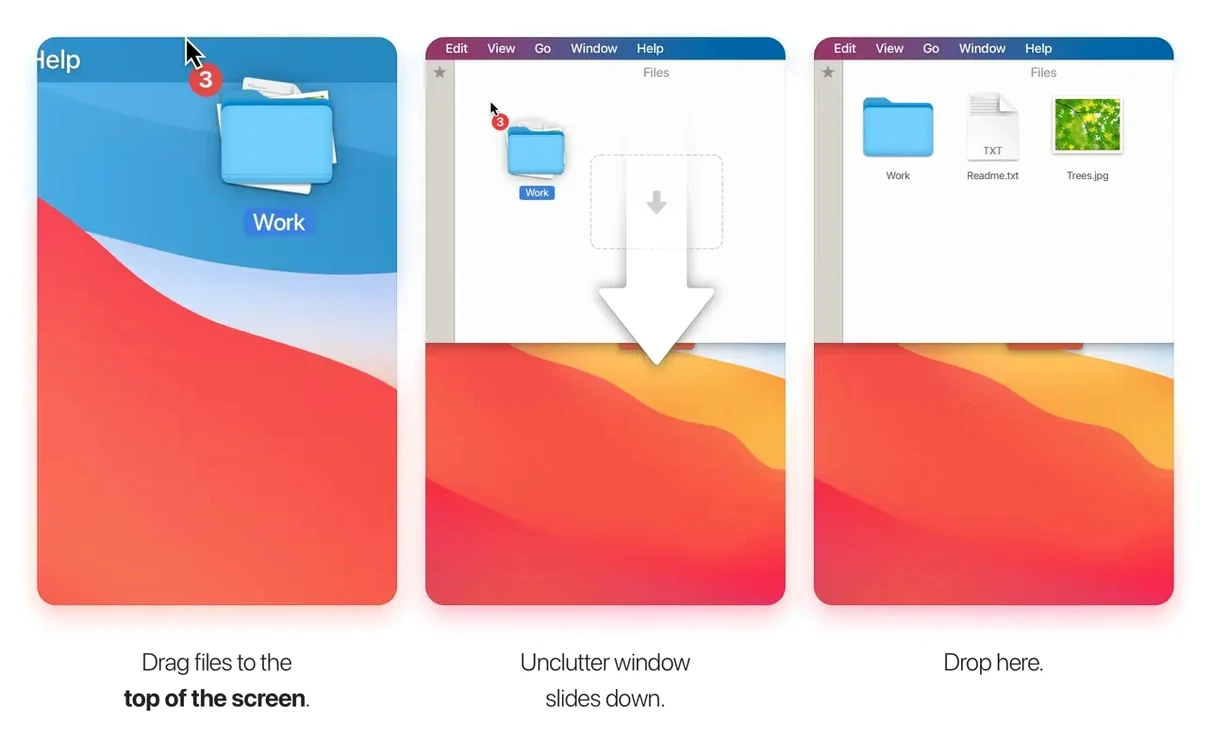
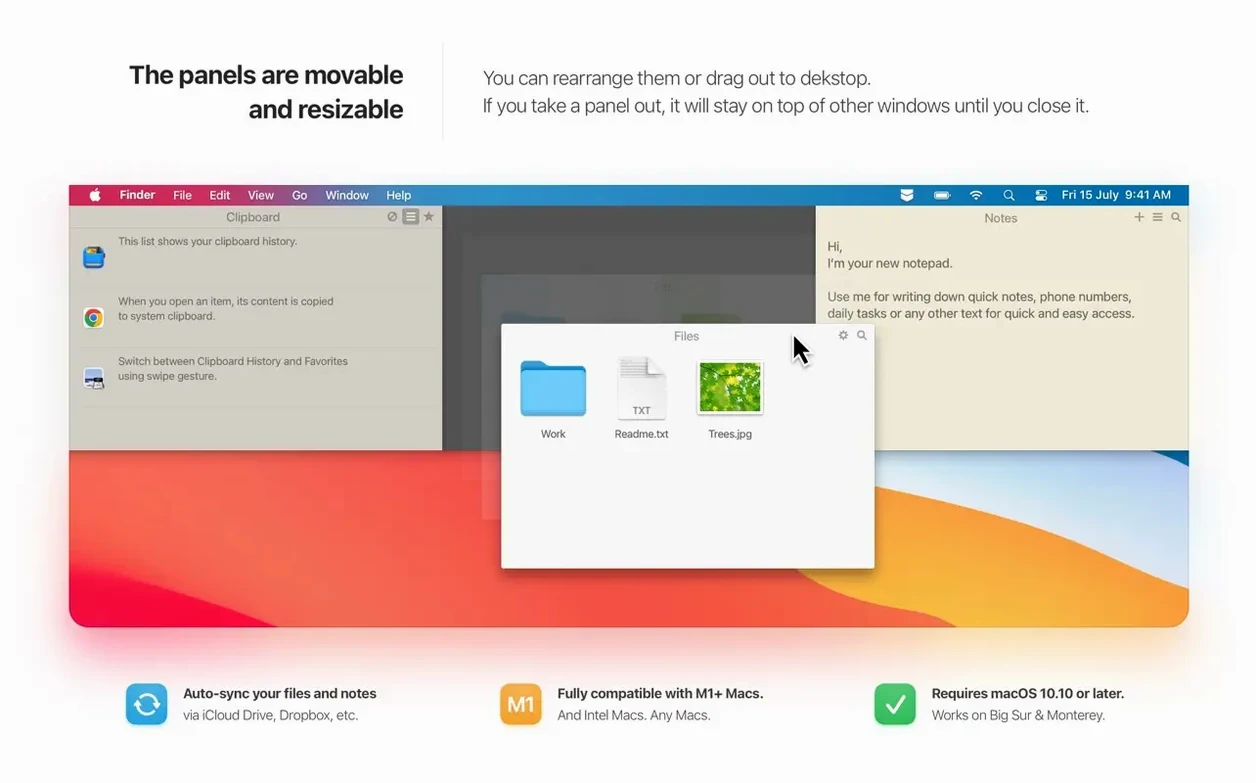
A busy desktop is a quiet kind of noise. Screenshots pile up, a snippet of text gets copied over before you paste it, and that tidy little text file with tonight’s dinner idea vanishes into the wrong folder. Most people patch this with three separate tools and a Downloads folder full of “just in case” items. Unclutter takes a different route: it slides one panel down from the top of your screen and holds all three — files, notes, and clipboard history — in a single spot.
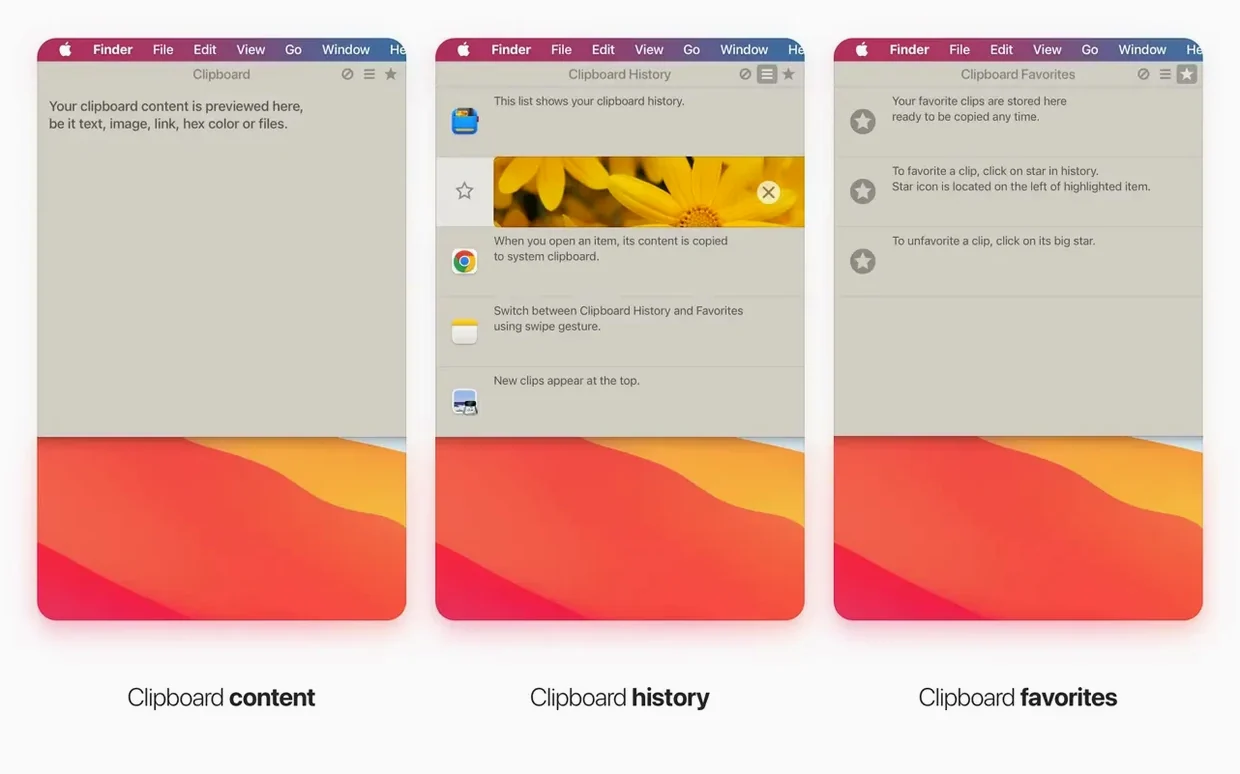
Think of it as a temporary shelf that lives just above your menu bar. Drag a group of images there while you reposition a design file, drop a link you plan to read later, or jot a quick note without opening a heavy writing app. Full-text search across your notes means the one with the contractor’s phone number surfaces even if the title is blank. The clipboard side holds onto recent clips so copying a second thing no longer means losing the first.
It sits comfortably next to the tools you already use rather than trying to replace them. The file shelf works alongside Finder, not against it, and the notes panel handles the throwaway thoughts that don’t belong in a structured notebook. A recent update also ironed out a quirk where cloud-synced storage folders could freeze files, so keeping the shelf in iCloud Drive is safe now.
If your desktop has turned into a staging area you’re afraid to clean, Unclutter gives you a cleaner staging area that stays out of sight until you need it.
Lightweight enough to forget it’s running
Some menu bar utilities have a way of making themselves known — a beachball here, a memory spike there. Unclutter keeps to itself. On an M1 MacBook Air it idles at barely a whisper of CPU, and even during a long session of dragging files in and out, the memory footprint stays flat. Launching the panel has no lag; the animation is immediate, and the clipboard list populates with whatever you copied moments before the app was even open. That last part matters more than it sounds. Reboot your Mac and your clipboard history is still there, which isn’t true of every clipboard manager on macOS.
Stability has been a quiet strength through the last few point releases. The developer chased down a rare crash triggered by dragging panels and plugged a small memory leak during file icon generation. Day to day, you’re unlikely to hit a snag. The one oddity — the Settings window appearing uninvited — got squashed in version 2.2.18.
The Shelf Fight: Unclutter vs. Yoink
People searching for a download unclutter for mac page are often weighing it against a small handful of alternatives. Here’s how the comparison tends to shake out.
Unclutter versus Yoink: Yoink does the temporary file shelf beautifully, and that’s where it stops. No notes, no clipboard history. If you only need a drag-and-drop holding zone, Yoink is laser-focused. Unclutter gives you that same shelf plus two extra tools you’d otherwise install separately.
Unclutter versus CopyClip: CopyClip is a free, icon-only clipboard history in the menu bar. It’s simple and gets out of the way, but it doesn’t handle files, doesn’t do notes, and won’t survive a restart with your clips intact unless you tweak it. Unclutter remembers everything across reboots and adds a full workspace above your screen.
Unclutter versus Paste: Paste is the design-forward clipboard manager with a gorgeous interface and iCloud sync built in. It’s fast and covers clipboard history exhaustively. What it doesn’t do is give you a file shelf or sticky notes. If your workflow leans heavily on reusing copied text and images, Paste might feel more polished. If you juggle files, quick notes, and clipboard clips equally, Unclutter pulls ahead by keeping all three in one gesture.
None of these is a wrong choice — it comes down to whether you want one panel that does three things, or three apps that each do one thing very well.
- macOS 10.13 or later
- Intel 64-bit
Questions I actually get
Can Unclutter remember things I copied earlier in the day?
Yes, it keeps a running clipboard history so you can restore text, images, or links you copied earlier instead of hunting through old documents.
Does the file shelf work as permanent storage?
It’s meant as a temporary staging area — a place to park files between tasks — but items stay there until you remove them or drag them elsewhere.
Porch talk 0
Come in or pull up a chair to leave a comment.
Nobody has pulled up a chair yet. If you used it on a real Saturday, say what the hour was.