

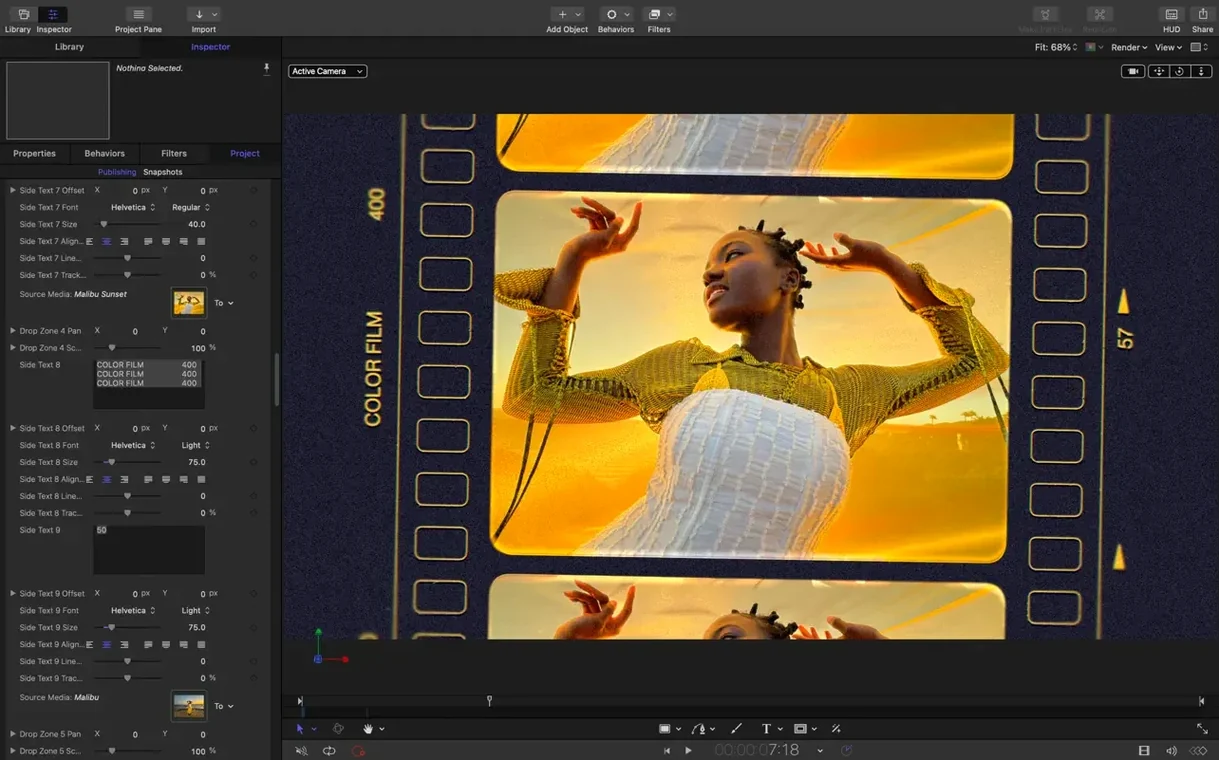
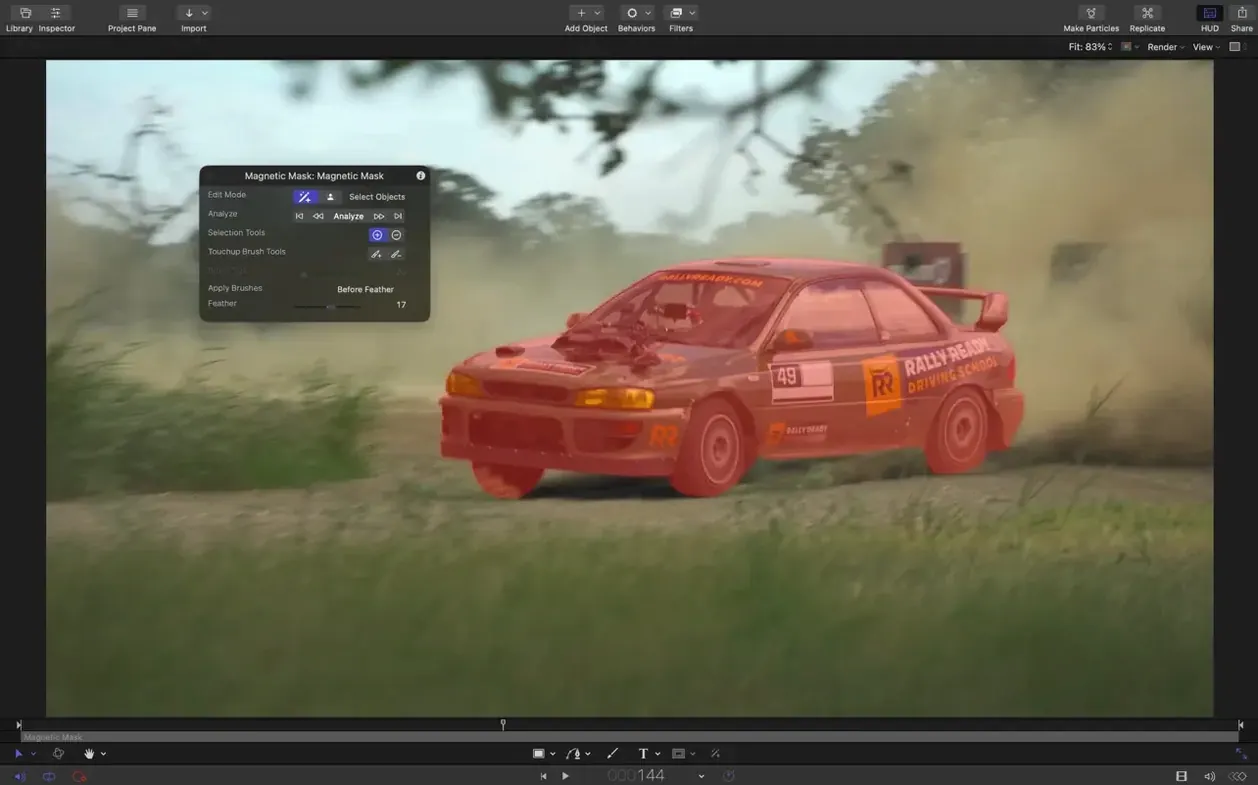
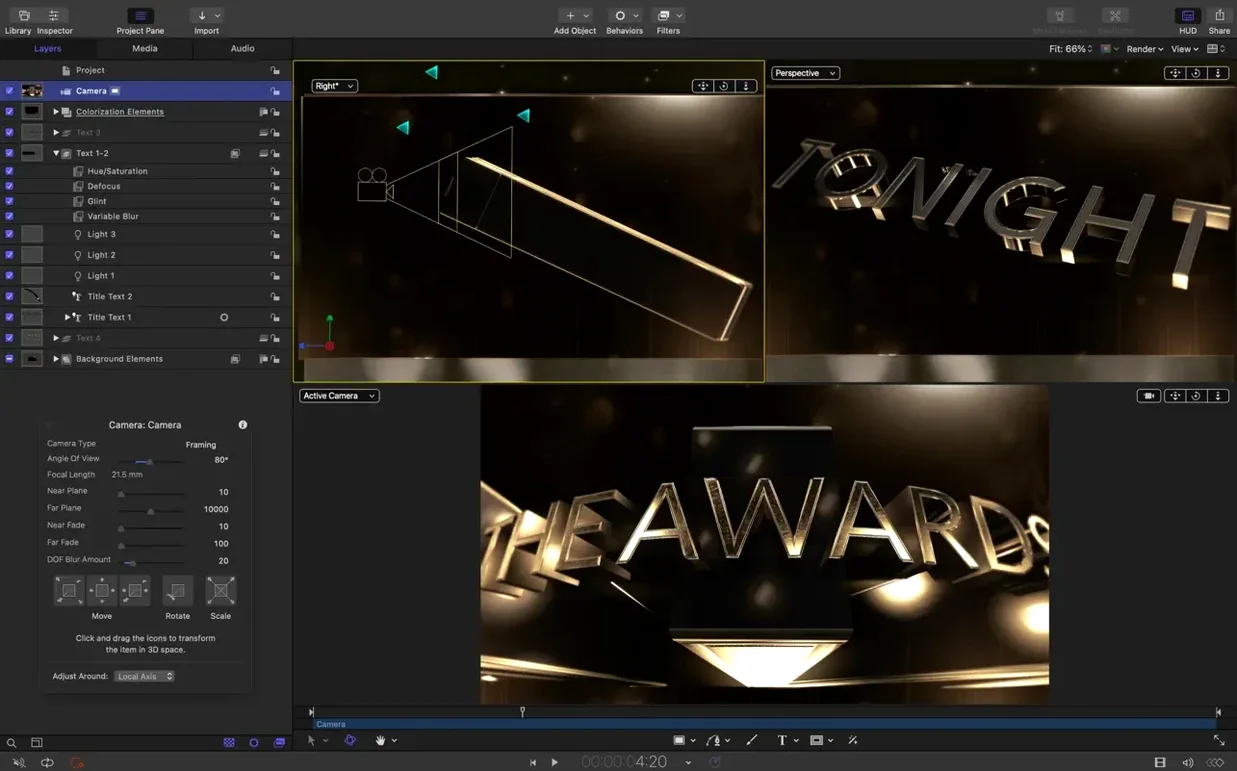
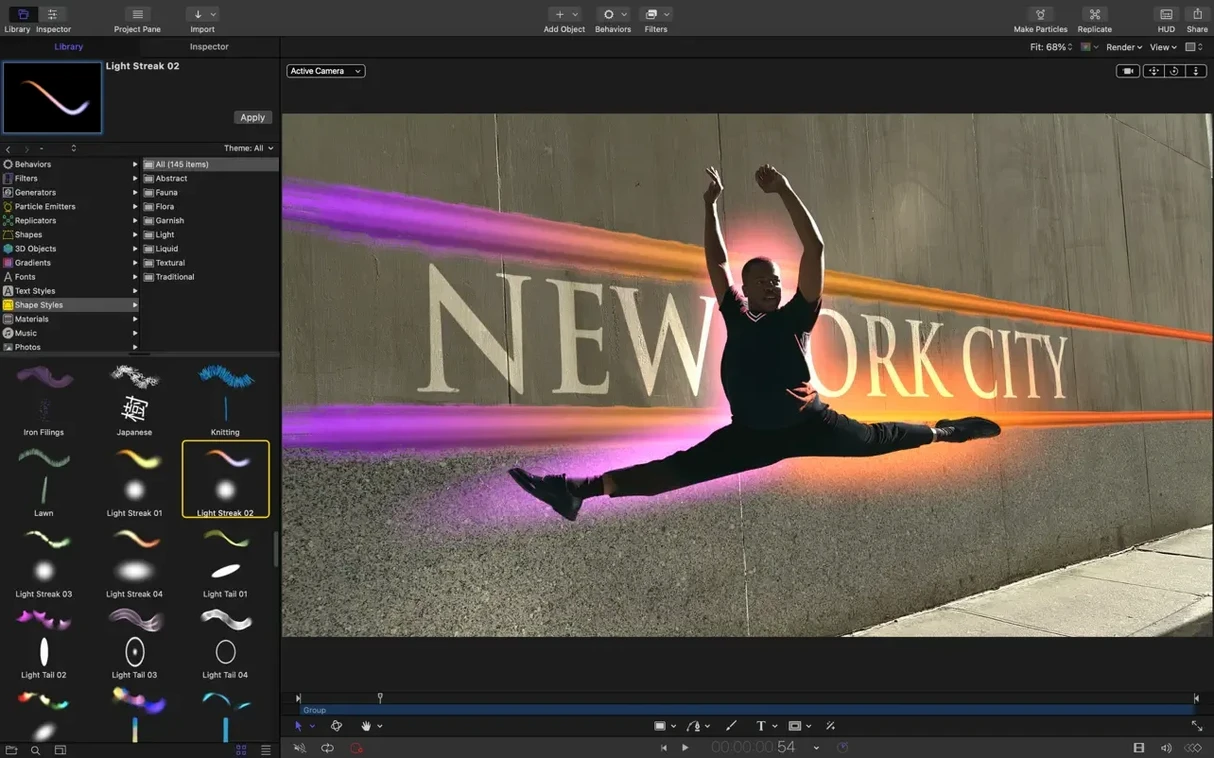
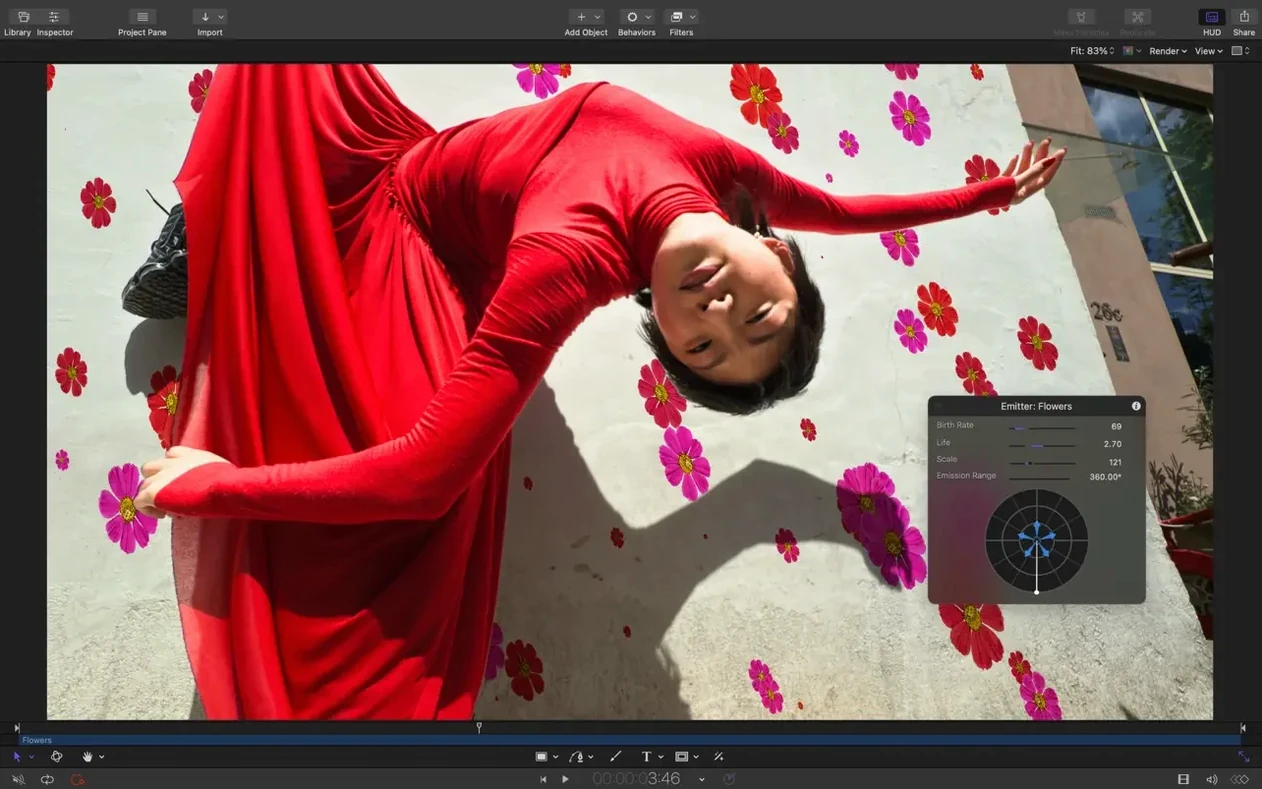
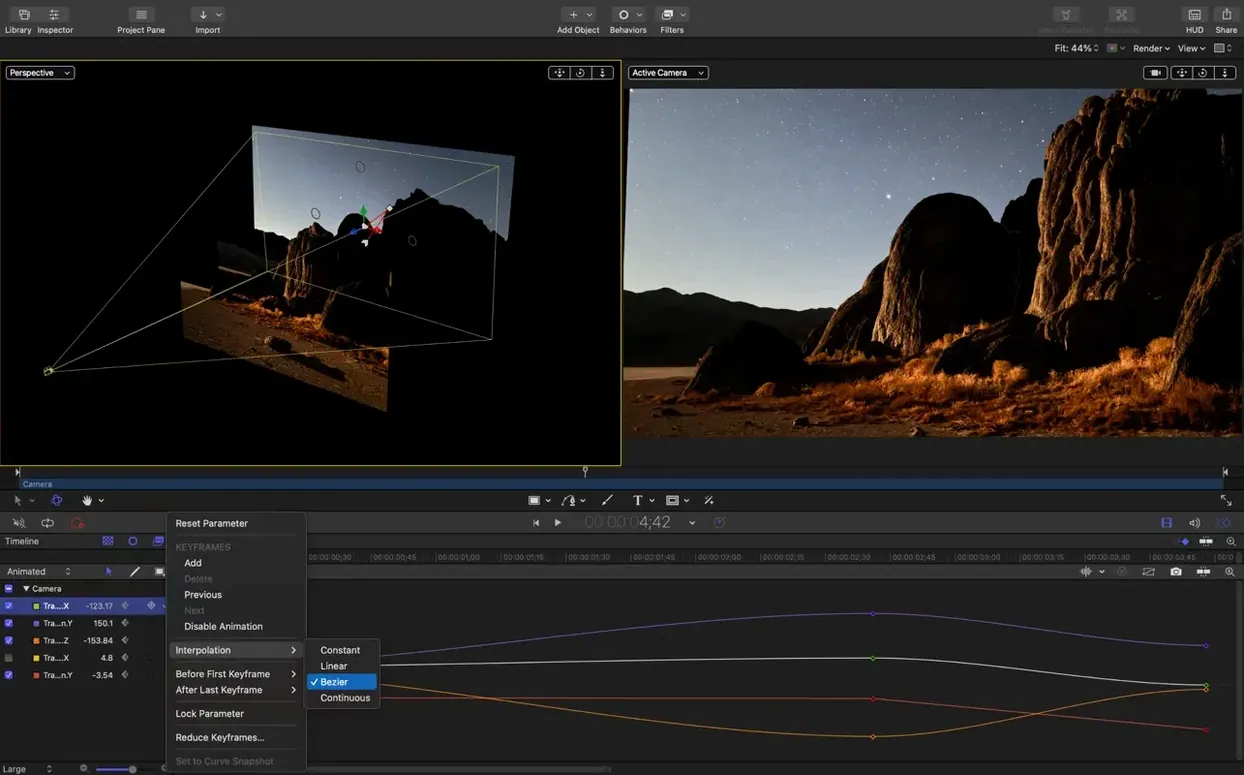
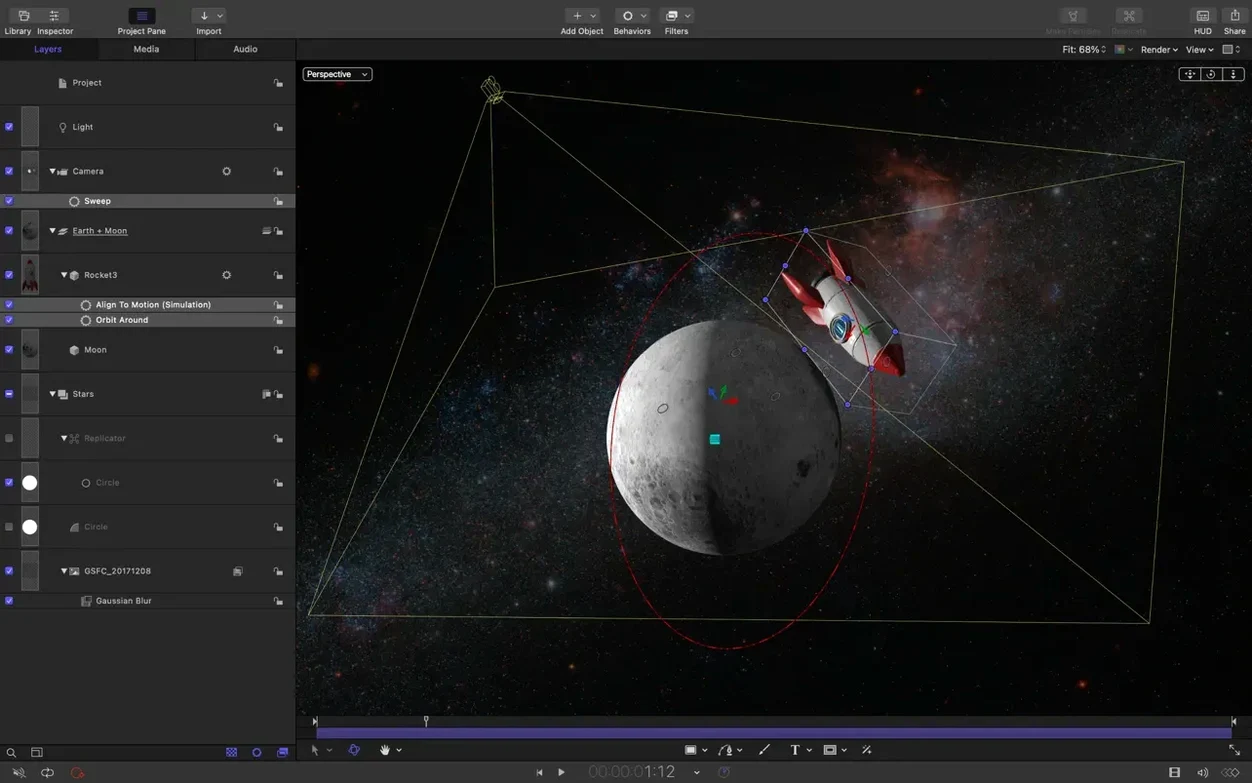
If you spend your days in the Final Cut Pro timeline, you know the built-in titles and transitions can only carry a project so far. That's where Motion steps in—not as a separate island, but as a direct extension of your editing workflow. It's built for the moment a static lower third won't do and you need a custom particle effect or a 3D title that tracks perfectly with your scene.
Tools under the hood
Beyond the ready-made templates, Motion opens up a deep toolkit that rewards hands-on tweaking. The things you'll reach for on a complex project:
- Cinematic 2D and 3D titles with full control over materials, lighting, and depth of field.
- Bezier mask vertex selection that now behaves exactly as you drag, thanks to a fix in this release.
- Clip sequencing controls to stagger, cascade, or reverse clips, turning a flat group into a rhythmic sequence.
- SVG import that keeps vector graphics razor-sharp at any resolution.
- Direct integration with Apple Compressor for encoding when you're ready to output.
A closer look at SVG and textures
One addition that experienced users will appreciate is the SVG import. Instead of scaling up pixel-based logos and watching them soften, you can now bring in clean vector art that stays crisp no matter how far you push in. Also, if you've ever seen a 3D text element grab the wrong texture during playback, that's been ironed out, along with a brighter-than-expected rendering bug for certain color correction filters on macOS 26. It's a collection of quality-of-life fixes that keep the app feeling responsive and predictable during long compositing sessions.
How Motion fits with your other tools
Motion sits at the center of an ecosystem, not off to the side. The tightest bond is with Final Cut Pro X—build a title template, a generator, or a transition inside Motion, save it, and it appears automatically in your FCP browser. No exporting, no relinking. Editors can tweak any published parameter right from the inspector without ever opening Motion, which is exactly how it plays out on fast-turnaround jobs like commercials and broadcast spots.
When you need finished deliverables, Apple Compressor picks up where Motion leaves off. Send a project directly from the Share menu and Compressor opens with the output settings you have already tuned for that client's spec. It feels less like three separate apps and more like one long bench—you just slide from one station to the next.
What about other Apple tools? A title card built in Motion often starts life as a still comp in Keynote or a rough layout sketched in Preview. Drag an SVG logo out of Pages or Sketch and Motion reads it cleanly now. On the audio side, many users rough out a soundtrack in GarageBand or Logic Pro, bounce a stereo mix, and use it as a timing guide in Motion's timeline with its snapping behavior and clip sequencing controls. It is not a formal plug‑in relationship, but the workflow has settled in for plenty of small‑studio and one‑person video teams.
Things worth asking before you dive in
One question that comes up in forums is whether Motion replaces After Effects. It does not, and it does not try to. Motion is a motion graphics and effects tool tuned for the Final Cut editor who needs titles, transitions, and particle‑based effects with real‑time playback. It does not have a scripting engine, character animation rigging, or the vast third‑party plugin ecosystem that After Effects carries. What it offers instead is speed—scrubbing a 3D title at full resolution without a pre‑render bar filling up.
Another common concern is whether you can use Motion without having Final Cut Pro installed. Absolutely. You can build standalone animation pieces, short film title sequences, or looping visuals for presentations and export ProRes masters straight out. Many people looking for an apple motion free download want exactly that—a lightweight way to create polished motion graphics without committing to a full NLE first.
System performance comes up too. Motion runs natively on both Apple Silicon and Intel 64‑bit Macs under macOS 15.6 or later. The real‑time engine leans heavily on the GPU, so a machine with a decent graphics core will let you stack multiple 3D text objects and particle emitters without dropping frames. If you have been searching an apple motion download to test on an older Intel Mac, you can expect usable playback on simpler 2D comps, though heavy 3D scenes will push the hardware harder.
Settings to change within the first hour
Out of the box, Motion behaves sensibly, but a few preferences make it feel like your own.
First, head to the Canvas section of preferences and switch the background from black to a medium gray or a checkerboard. It sounds small, but when you are building a title meant to key over footage, seeing it against a neutral ground helps you judge edge contrast without the black‑hole effect of the default viewport.
Next, consider setting the default project duration to something short—say ten seconds—instead of the standard thirty. Most title cards and lower thirds run under eight seconds, and starting with a tighter timeline keeps you from building animations that overstay their welcome.
If you work across multiple displays, enable the floating inspector and timeline windows. Motion is one of those apps that truly rewards spreading out. Keep the canvas on your color‑accurate monitor and tuck the timeline and library onto a second screen. The stagger, cascade, and reverse controls introduced in version 6.3 feel far more immediate when you can see the clip sequence spread out wide while the composite plays full‑screen.
Lastly, dig into the project properties and set the render quality to "Best" and motion blur to "Normal" as your default. Motion defaults to a performance‑biased preview, which is smart, but when you are dialing in the speed of a cascade across ten title elements, you want to see the motion blur samples accurately from the start.
SVG Import Grabs Headlines but Clip Sequencing Saves the Real Time
The headline feature of version 6.3—SVG import—grabs attention, but the smaller changes affect daily work just as much. The clip sequencing controls are the kind of addition that saves you from manually offsetting a dozen layers on the timeline. Tap the stagger button and one slider spreads the clips apart; reverse flips the order without dragging each element individually. For title sequences where words fly in one after another, it turns a tedious manual task into a one‑click gesture.
The bug fixes targeted exactly the pain points that would send someone looking for an apple motion torrent to get a fresh, stable build without the frustrations of an earlier version. Dragging to select vertices on a Bezier mask now behaves correctly, which matters every time you rotoscope a shape or isolate a section of a logo. The texture media fix for 3D text and particle emitters was one of those maddening, intermittent glitches—you would scrub through a timeline and suddenly a text face would flash the wrong texture for a few frames. With that resolved, playback stays solid.
The color correction filter rendering fix for macOS 26 is worth noting if you have already updated your system and noticed certain grades looking a touch hot. The filters now match their intended output across releases, so a project opened on a newer Mac looks like what you approved on the previous OS.
Performance updates across the board mean the interface stays responsive when you are deep in a project with multiple groups, generators, and filters stacked. It is the kind of invisible improvement you only notice when you realize you have not seen a beachball in an afternoon of compositing. For editors who have been on the fence about grabbing an apple motion download, this version 6.3 build polishes the day‑to‑day experience enough to make the jump worthwhile.
Version 6.3 focuses on refinement, with a standout addition for anyone working with vector artwork and several key fixes.
- Import SVG files that scale to any size and keep graphics sharp at any resolution.
- Added controls to stagger, cascade, or reverse clips.
- Fixed an issue where dragging to select vertices on a Bezier Mask did not work.
- Fixed incorrect texture media during playback for some 3D text and particle emitters.
- Fixed brighter rendering for some color correction filters on macOS 26.
- Includes performance updates for a fluid and responsive workflow.
- macOS 15.6 or later
- Apple Silicon or Intel Mac
Questions I actually get
Is Motion still used for professional film and TV work?
Yes, it's used regularly for television programs and films, particularly by editors who need to create and refine motion graphics directly within the Final Cut Pro ecosystem.
What's the main fix for 3D objects in this version?
This update fixes an issue where 3D text and particle emitters would occasionally display the wrong texture media during playback.
Porch talk 0
Come in or pull up a chair to leave a comment.
Nobody has pulled up a chair yet. If you used it on a real Saturday, say what the hour was.
More for the same hour
Everything in Mac Apps MotionVFX mInfographics
Mac Apps
8 MB
MotionVFX mInfographics
Mac Apps
8 MB
 MotionVFX mKBHD
Mac Apps
12 MB
MotionVFX mKBHD
Mac Apps
12 MB
 MotionVFX - mLowers Universal for FCP
Mac Apps
71 MB
MotionVFX - mLowers Universal for FCP
Mac Apps
71 MB

 Moho Pro
14.4 Mac Apps
622 MB
Moho Pro
14.4 Mac Apps
622 MB
 MotionVFX mModules
Mac Apps
5 MB
MotionVFX mModules
Mac Apps
5 MB
 Motionvfx - mTitle Cinematic
Mac Apps
5 MB
Motionvfx - mTitle Cinematic
Mac Apps
5 MB

 Mountain Duck
5.3.2 Mac Apps
187 MB
Mountain Duck
5.3.2 Mac Apps
187 MB

 MouseBoost Pro
5.3.0 Mac Apps
Updated 17 MB
MouseBoost Pro
5.3.0 Mac Apps
Updated 17 MB