

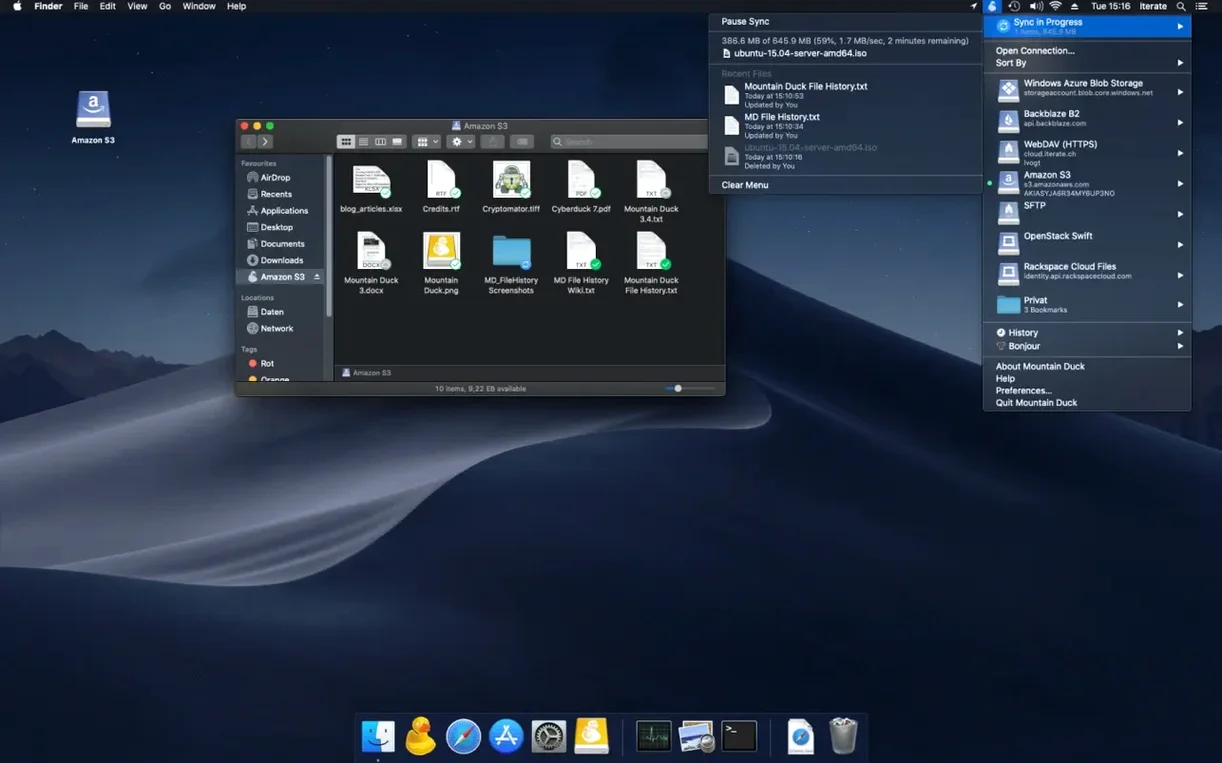
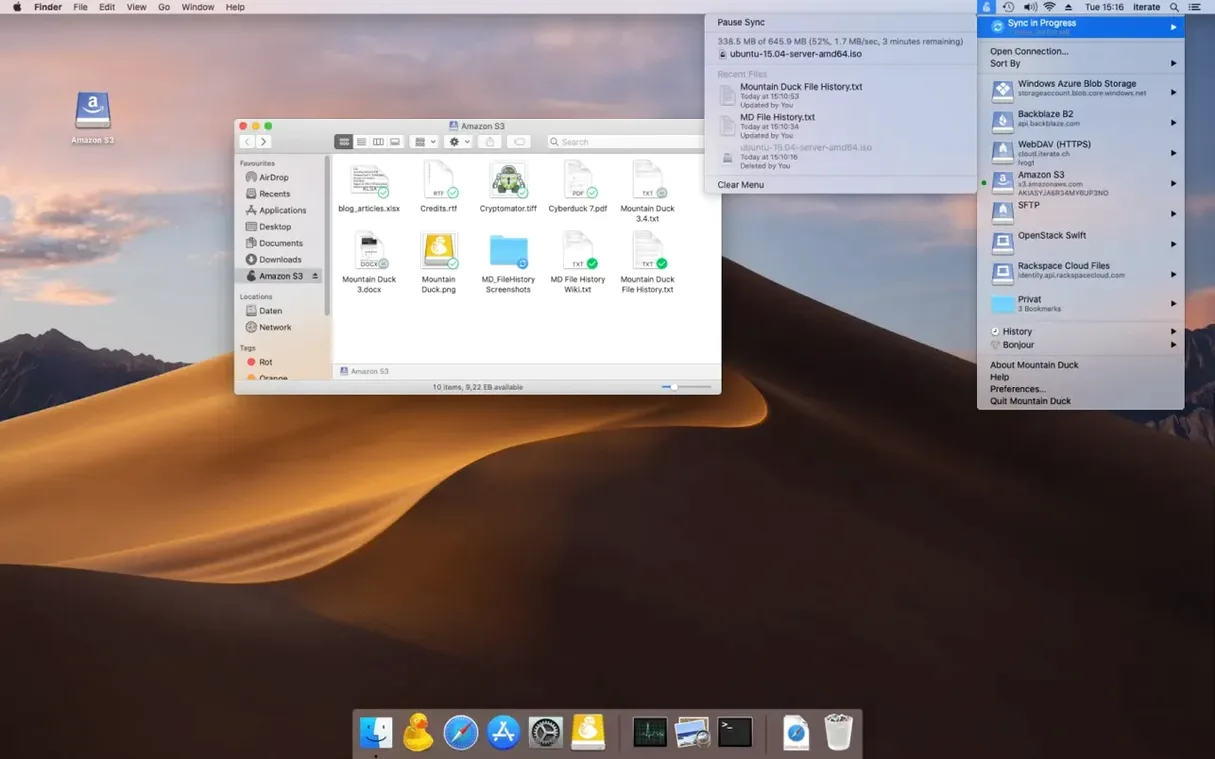
Cloud storage is great until you need to edit a file that lives on a server three time zones away. You wind up downloading, opening, re-uploading, and eventually losing track of which copy is the real one. Mountain Duck sidesteps that entire dance.
Here's the workflow in four steps:
- Add a bookmark. Pick your server or cloud service—Dropbox, Google Drive, an SFTP server, Amazon S3, Backblaze B2, whatever you use. If Cyberduck is already on your Mac, your existing bookmarks show up right away.
- Connect. Mountain Duck mounts the storage as a plain disk in Finder. No separate interface to learn, just a volume that appears like any external drive.
- Work as usual. Double-click a file to open it in any application. Smart Synchronization downloads it on demand, so you aren't waiting for a full sync before you start. When you save, changes go straight back to the server.
- Mark what stays offline. Got a folder you need on a flight? Flag it for offline use and Mountain Duck keeps a local copy, no extra steps.
Version 5 brought Integrated Connect Mode, which smooths out how the system sees mounted volumes. Encryption at rest is supported too, using Cryptomator vaults on the remote end. The app speaks over thirty languages and runs natively on Apple Silicon and Intel Macs running macOS 13 or later. If you spend your day reaching into remote file stores and want them to feel local, Mountain Duck is worth a look.
SMB connections no longer choke on deep folder trees
If you've been using Mountain Duck since the early version 5 days, the jump to 5.3 isn't flashy on the surface — but a handful of changes make daily mounting noticeably less fussy. The SMB support that arrived with version 5 has settled into something more predictable. Connecting to a Windows share on the local network now behaves the way you'd expect from a native Mac volume, with fewer authentication prompts interrupting the flow.
File locking during concurrent access got quieter attention. When you're in a folder that a colleague has open elsewhere, Mountain Duck handles the lock without throwing up cryptic errors that send you hunting through logs. The Finder integration itself feels snappier on Apple Silicon Macs; large directories with thousands of files populate in the column view without the half-second lag that used to make you wonder if the connection dropped.
Versioning, introduced as a storage-independent feature in version 5, picked up reliability fixes in the point releases. Rolling back a file you accidentally overwrote works the same whether your bucket is on S3, Backblaze B2, or Google Cloud Storage — no need to remember which service calls it "versioning" and which calls it "file history."
Menu bar menu reveals every mount with one click
Some of Mountain Duck's best features hide in plain sight. The menu bar icon, for instance, isn't just a status dot. Click it while a volume is mounted and you get a quick list of every connection, plus a one-click path to unmount or bookmark a server. Right-click a mounted volume in Finder and the contextual menu includes an option to keep the entire folder tree offline — faster than digging through preferences.
Keyboard users will appreciate that Cmd+K in Finder still opens the native "Connect to Server" dialog, but Mountain Duck bookmarks show up there as saved destinations. If you share bookmarks with Cyberduck, editing a bookmark's path or credentials in either app syncs to the other without a restart. That shared bookmark file lives in ~/Library/Application Support/Cyberduck/, and backing it up means you never have to rebuild your server list on a fresh Mac.
One workflow that's easy to overlook: drag a file from a Mountain Duck volume straight into a Mail compose window, and the attachment links to the remote copy rather than ballooning your recipient's inbox. The file downloads on their end only when they click it, provided the server permissions allow public access.
Open raw photos straight from a mounted S3 bucket
Photographers and videographers who shuttle raw files between a MacBook and a NAS or cloud bucket notice the change immediately. Instead of juggling Lightroom catalogs across local and remote storage, they open images directly from a mounted S3 volume and let Smart Synchronization pull in the full file when editing begins. The offline flagging feature means a shoot folder can be locked to the internal SSD before a long flight, then synced back when Wi-Fi returns.
Developers working with remote SFTP servers treat the mount as a local project directory. That means git diff and npm install run against files that live on a staging server, with no manual deployment step between saving a file and testing the change. The background upload keeps the remote copy current without interrupting the edit-save-refresh loop.
Anyone who splits time between a desktop and a laptop gets a subtler benefit. Because Mountain Duck shares bookmarks with Cyberduck, the same server list follows you across machines if you carry the bookmark file. Combined with Cryptomator encryption on the remote store, you have a setup where sensitive documents stay unreadable to the cloud provider but mount like a local drive on every Mac you use. If you've ever searched for mountain duck mac hoping to skip the download-shuffle-upload routine, the appeal is exactly that: one mount, no ceremony.
- macOS 13 or later
- Works on Apple Silicon and Intel Macs
Porch talk 0
Come in or pull up a chair to leave a comment.
Nobody has pulled up a chair yet. If you used it on a real Saturday, say what the hour was.
More for the same hour
Everything in Mac Apps Motionvfx - mTitle Cinematic
Mac Apps
5 MB
Motionvfx - mTitle Cinematic
Mac Apps
5 MB

 MouseBoost Pro
5.3.0 Mac Apps
Updated 17 MB
MouseBoost Pro
5.3.0 Mac Apps
Updated 17 MB
 MotionVFX mModules
Mac Apps
5 MB
MotionVFX mModules
Mac Apps
5 MB

 Movavi Screen Recorder
23.1.1 Mac Apps
110 MB
Movavi Screen Recorder
23.1.1 Mac Apps
110 MB

 Movavi Video Converter
22.5.0 Mac Apps
79 MB
Movavi Video Converter
22.5.0 Mac Apps
79 MB
 MotionVFX - mLowers Universal for FCP
Mac Apps
71 MB
MotionVFX - mLowers Universal for FCP
Mac Apps
71 MB

 Movavi Video Editor
22.4.1 Mac Apps
126 MB
Movavi Video Editor
22.4.1 Mac Apps
126 MB
 MotionVFX mKBHD
Mac Apps
12 MB
MotionVFX mKBHD
Mac Apps
12 MB