

You've pulled a moody landscape shot off your memory card, but the sky is a flat, washed-out white. Back at your desk, you fire up an editor, not to spend an hour with layers, but to drop in a dramatic sunset in a couple of clicks. That's the scenario Luminar AI is built for—a photo editor from Skylum that leans on machine learning to handle the heavy lifting.
One-Slider Accent AI for Color and Light
- A one-slider approach to color and lighting with Accent AI.
- Replacing a dull sky automatically via Sky AI.
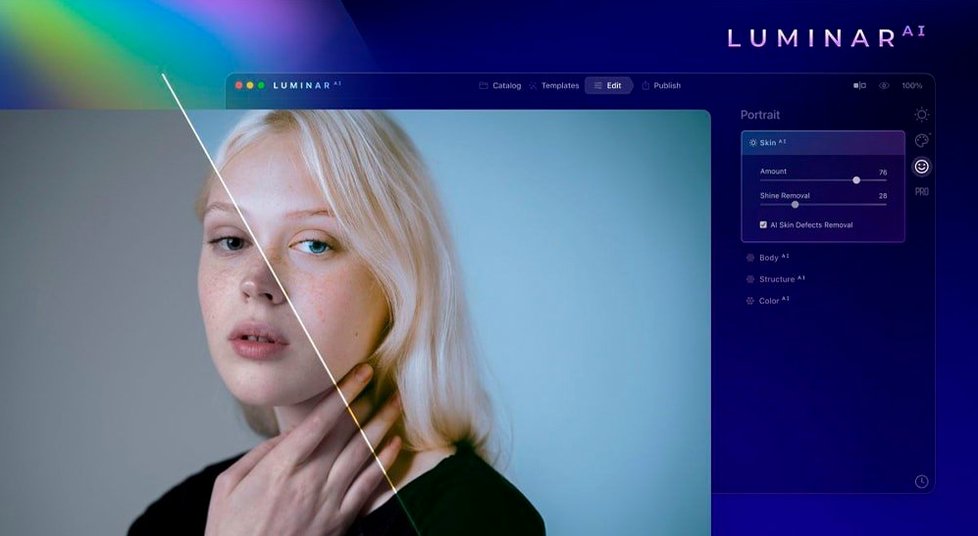
- Cleaning up portraits while keeping skin texture natural with Skin AI.
- Adding realistic background blur to any shot with Bokeh AI.
- Running natively on both Apple Silicon and Intel Macs.
Runs Standalone or as a Plugin in 10 Languages
- Requires macOS 10.13.6 or later.
- Functions as a standalone app and a plugin for other editors.
- Interface is available in English, German, Spanish, Italian, French, Dutch, Portuguese, Japanese, Korean, and both Traditional and Simplified Chinese.
A full landscape edit, step by step
Most of us don't open a photo editor with a twelve-step plan. We open it because one thing in the frame nags at us. Here's a walk-through that starts with that one thing and builds from there, using the tools Luminar AI puts within easy reach.
You have a raw file of a shoreline at dusk. The foreground rocks have nice texture, the water is calm, but the sky is a pale grey sheet. Drop the image into Luminar AI. The app reads the scene and suggests a template, but skip that for now — you want control.
First move: open Sky AI. The app has already masked the horizon. Pick a sky from the built-in library — a layered orange and magenta one fits the dusk light. The relight slider warms the foreground rocks so they feel lit by the same fake sunset. You mask back a bit of the original reflection on the water's edge with the brush, keeping the scene believable.
Next, Atmosphere AI adds a thin haze near the horizon line where warm air meets cool water. Drop the amount to about 30, just enough to soften the seam between real rocks and inserted sky.
Now Structure AI. Slide the amount up to 45, and the app recognizes the rocks as objects, the water as water. It adds crispness to the stone edges without churning the lake into sandpaper. A human-recognition toggle makes sure any distant figure on the shore doesn't get the crunch treatment.
Finally, a light pass with Accent AI balances the overall exposure. You pull the single slider to about 20, and the shot warms up further, shadows lift just enough to reveal pebble detail, and highlights hold the glow you built. Export as a full-res JPEG. Total time: under four minutes.
Natural-Light Portrait Shooters See Instant Payoff
Luminar AI fits a few distinct crowds, and it's worth knowing which one you're in before you spend an afternoon with it.
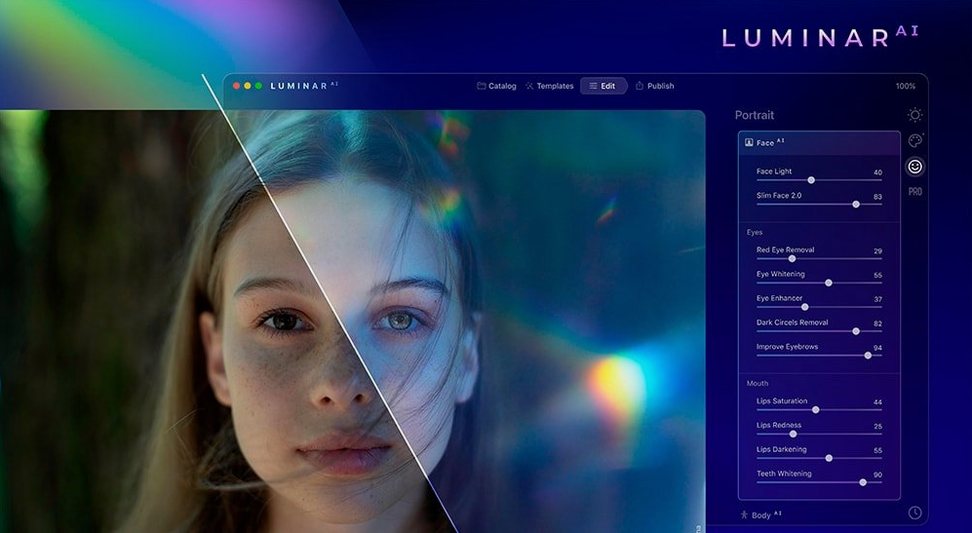
Portrait photographers working with natural light get the most immediate payoff. The Face AI, Skin AI, and Body AI tools address the requests clients make most often — brighten eyes, smooth skin without waxiness, slim a jawline slightly — without a trip into frequency separation layers. A senior portrait session can go from memory card to proof gallery in an evening.
Landscape and travel shooters who don't want to learn luminosity masking find a home here too. Sky replacement and atmosphere effects are the obvious draws, but the real keeper is that these tools work off a single raw file, no round-tripping to a pixel editor for blending.
Hobbyists moving up from phone editing apps appreciate the one-slider logic. If you've been using something like the stock Photos app and find Lightroom's panels overwhelming, Luminar AI bridges that gap. The templates give you a starting point, and the sliders are named after results, not technical parameters.
Lightroom Catalogs Everything, Luminar Skips the Library
Set Luminar AI next to three other Mac photo editors, and the differences come into focus fast.
Adobe Lightroom Classic is the organizer's choice. It catalogs tens of thousands of images, offers deep color grading, and stitches panoramas. But its sky replacement is a manual masking job unless you round-trip to Photoshop. Luminar AI puts sky swaps and portrait retouching on sliders. Lightroom wins on asset management; Luminar AI wins on speed-to-result for single images.
Pixelmator Pro shares the Mac-native, Metal-accelerated DNA. It has machine learning features like automatic layer naming and a color-match tool. Pixelmator Pro can do sky replacement, but it's not as polished — you'll work with multiple layers and refine masks by hand. Where Pixelmator Pro pulls ahead is in illustration and design work: vector shapes, typography, a full painting engine. Luminar AI stays in photography's lane and goes deeper there.
ON1 Photo RAW is the closest competitor in spirit. It has AI sky replacement, AI portrait tools, and works as a standalone app or plugin. ON1 leans harder into the Lightroom alternative role, with a built-in catalog and layered editing. Luminar AI skips the catalog entirely — you open a file, edit, export, and move on. If you want one app to organize and edit, ON1 makes a case. If you want to edit fast and keep your files in Finder folders, Luminar AI is the lighter touch.
An afternoon in a real-estate photographer's workflow
Marcus shoots short-term rental properties around Savannah. His turnaround is tight: a three-bedroom Victorian shot by noon, edits delivered by four. The listing agent wants bright, airy interiors that still look like the actual house, not a render.
He brings 140 bracketed raw files into Luminar AI, not to batch-process, but to pick eight hero shots. For the living room, the window views are blown out. He drops in a soft blue sky with Sky AI, dials the relight slider back so the interior lamps still look like they're on, and adds a whisper of Atmosphere AI as a gentle glow through the sheers. For the kitchen, Composition AI suggests a tighter crop that centers the island and corrects a slight tilt — one click, and the verticals are true. A pass of Structure AI at 25 gives the granite countertops definition without making the backsplash tile look crunchy.
He exports the eight selects as high-quality JPEGs and uploads them to the listing platform before three o'clock. The agent comments that the place looks "lived-in but polished," which is exactly the line Marcus aims for. For his kind of volume and pace, Luminar AI works the way a fast prime lens does — it gets out of the way and lets you keep working.
- macOS 10.13.6 or later
- Supports Apple Silicon and Intel 64-bit Macs
Questions I actually get
Does Luminar AI run on Apple Silicon Macs?
Yes, it's a universal binary that runs natively on both ARM-based Macs and 64-bit Intel processors.
What operating system does Luminar AI need?
It supports macOS 10.13.6 High Sierra or any later version of macOS.
Porch talk 0
Come in or pull up a chair to leave a comment.
Nobody has pulled up a chair yet. If you used it on a real Saturday, say what the hour was.