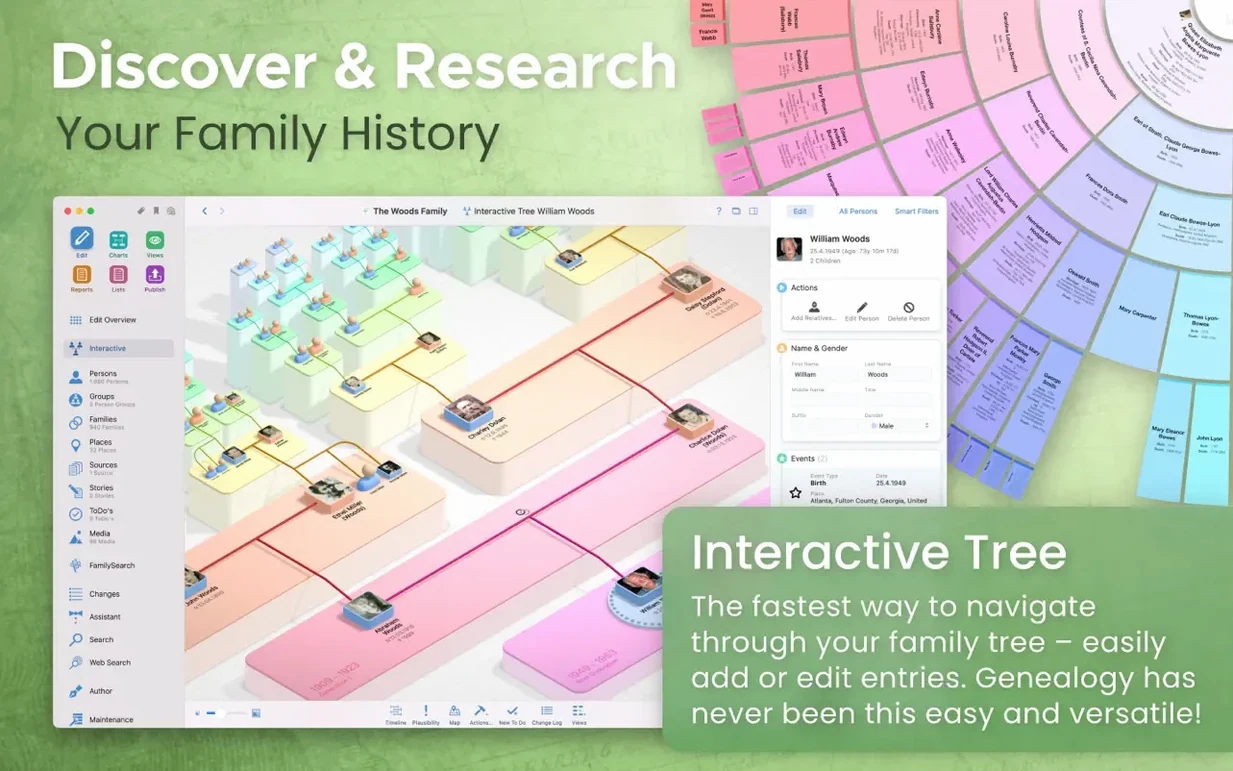
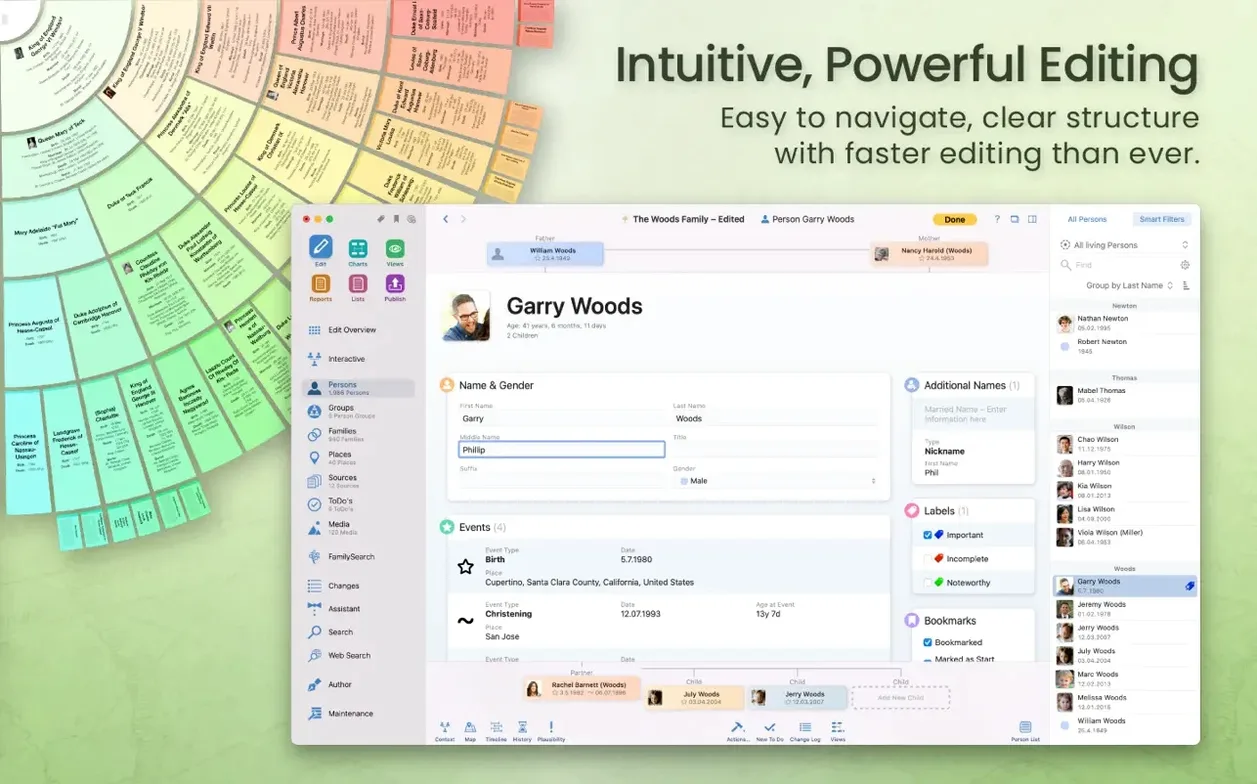
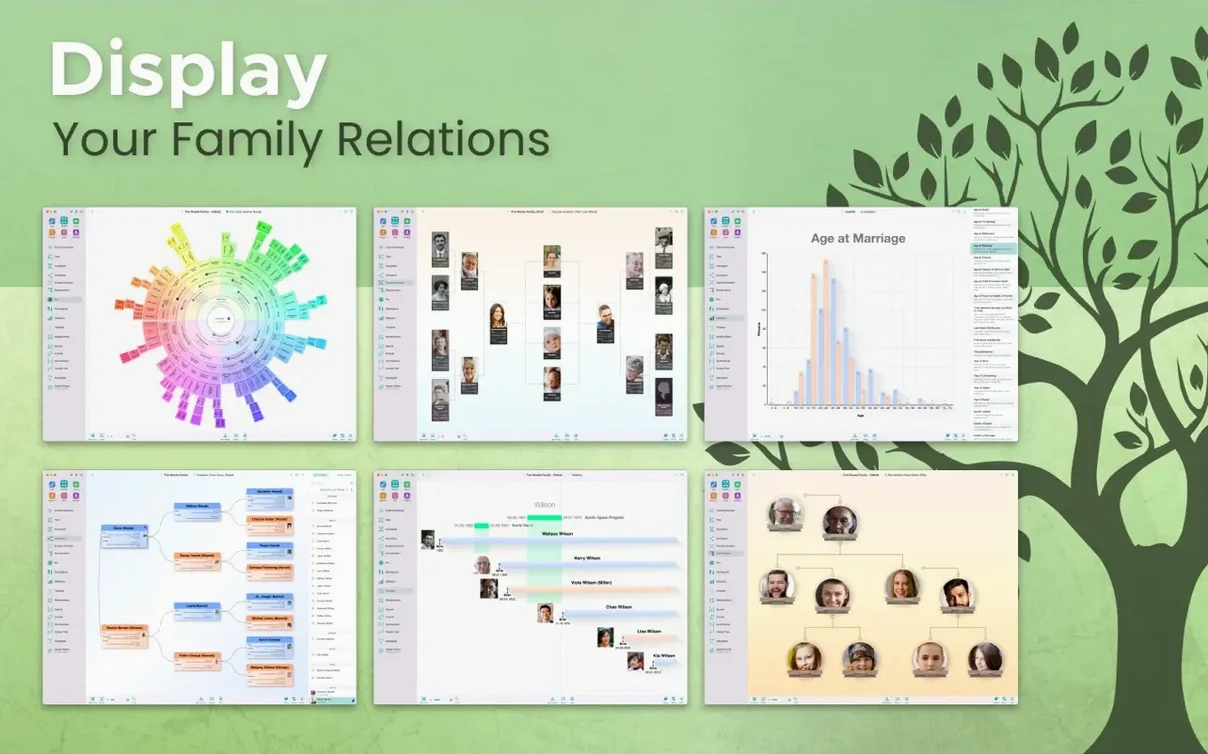
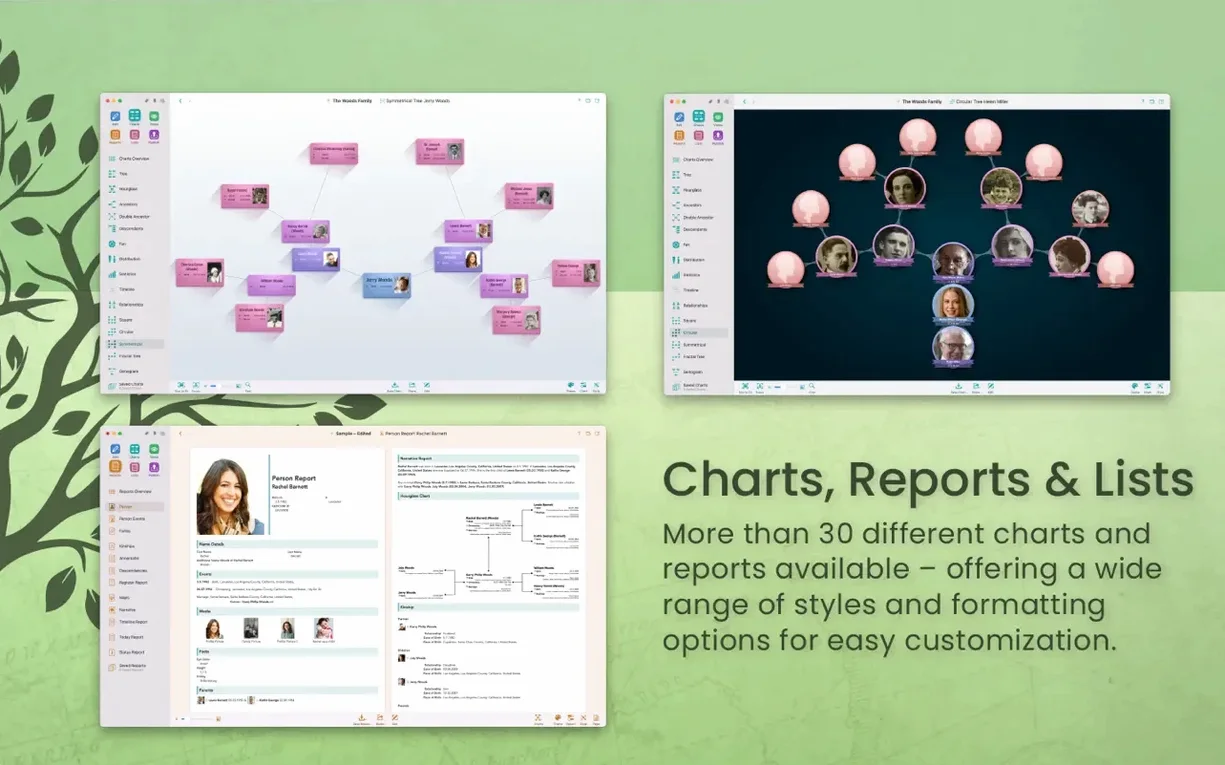
Version 11.3.2 landed with a round of stability fixes, keeping things smooth for the long haul. If you’ve been sitting on a pile of old photos and handwritten notes, this is the nudge to finally piece them together.
Build Your Tree Visually
The canvas is where it all comes together—drag in relatives, attach photos, and watch connections form. There’s a virtual 3D view that turns your data into a tree you can spin and explore, which makes spotting gaps surprisingly intuitive.
Dig Into the Details
When you need more than names and dates, the reporting engine delivers. You can generate narrative books, descendant charts, source reports, and credibility assessments that turn raw facts into a story worth keeping.
Share Without Giving Everything Away
You control what leaves your desk. The app can publish a website directly to MacFamilyTree.com, and you can hide living relatives or sensitive records from any export. Keep your main file locally or encrypted in iCloud, with MobileFamilyTree ready for on-the-go edits.
From a Name and Photo to a Mapped Immigration Story
You have a name, a rough date, and a yellowed photo. That is enough to start. Here is how the pieces come together inside MacFamilyTree from first search to a shareable map.
Open the person’s entry and switch to the Events tab. Add a “Departure” event with whatever you know—maybe just a year and a port you heard mentioned at family gatherings. Then add an “Arrival” event on the other side. The timeline chart shows you the gap immediately, and that gap tells you where to look next.
With the person still selected, tap the FamilySearch button in the toolbar. The app searches census rolls, passenger lists, and naturalization records without you typing a single URL. When a matching manifest turns up, you can merge the new facts—ship name, exact date, fellow passengers—right into the existing events. The source citation attaches itself. No copy-and-paste scramble.
Now the fun part: open the Virtual Globe chart. Every location you have attached to that person lights up as a pin. You see the departure port in Hamburg, the arrival in Ellis Island, and the eventual street address in Chicago all linked by arcs. Grab the globe and spin it; the spatial story clicks in a way a spreadsheet never could.
To wrap up, select the person and choose the Narrative Report. The app weaves the timeline, events, and notes into readable prose. You can trim sections you do not want to share, hide living relatives from the export, and post the result as a private webpage. One ancestor’s journey, from hunch to documented history, in less than an hour.
Bringing in Your GEDCOM Without Leaving Work Behind
Can I pull in a GEDCOM file from another program? Yes. MacFamilyTree reads and writes GEDCOM 5.5.1, so your years of work in another desktop app do not get stranded. Import the file, review the merge suggestions, and the app flags conflicts instead of silently overwriting your data. Exports work the same way if you ever need to hand a copy to a relative using different software.
Will this run on a Mac with Apple Silicon? Version 11.3.2 is built universal, so it runs natively on both Apple Silicon and Intel 64-bit Macs. The 3D tree view stays responsive even on base-model machines, and the app asks for macOS 12 Monterey or newer.
Do I need an internet connection? Only for specific features. FamilySearch queries, CloudTree syncing, and website publishing need a connection. Everything else—data entry, chart generation, reports, the 3D tree—works completely offline with your local database.
What happens to my data if I switch devices? CloudTree Sync & Share keeps your tree current across a Mac running MacFamilyTree and an iPhone or iPad with MobileFamilyTree. The sync uses iCloud encryption, and you can store the main file there or keep it on your local drive.
Some folks hunting for a MacFamilyTree torrent or a MacFamilyTree 11 crack end up here first, curious whether the app fits their research style. The feature set is generous, and the installer from the downloaded disk image is straightforward: drag the app to Applications, launch it, and start typing names. No activation hurdles.
Make Every New Fact Ask for Its Source
Before you add a hundred relatives, tweak these preferences. They shape how the app behaves for every tree you create.
Turn on automatic source citations. Under the Sources preferences, enable “Ask to create a source for new data.” Every time you type a birth date or attach a census record, the app prompts you to note where it came from. A month later you will not wonder whether you found that date in a parish register or your aunt’s email.
Set your preferred name format. The app defaults to “Last, First” for sorting, but you can swap to “First Last” or include maiden names in parentheses under the Name Display settings. Pick one style now and the entire tree stays consistent.
Adjust the privacy defaults for living people. In the Privacy tab, you can tell the app to automatically flag anyone born after a certain year as “Living” and exclude them from exports and web publishing by default. You can override it person by person, but the global guard saves you from an accidental overshare.
Configure CloudTree sync early. Sign into iCloud in the CloudTree preferences, even if you only have one Mac today. The habit of syncing means your data lands safely off-site, and adding an iPhone later does not require a manual migration.
The big item this time around is macOS Sonoma compatibility — if you've already updated your Mac, version 11.3.4 settles in without a fuss.
- macOS 12 or later
- Apple Silicon or Intel 64-bit Mac
Porch talk 0
Come in or pull up a chair to leave a comment.
Nobody has pulled up a chair yet. If you used it on a real Saturday, say what the hour was.