
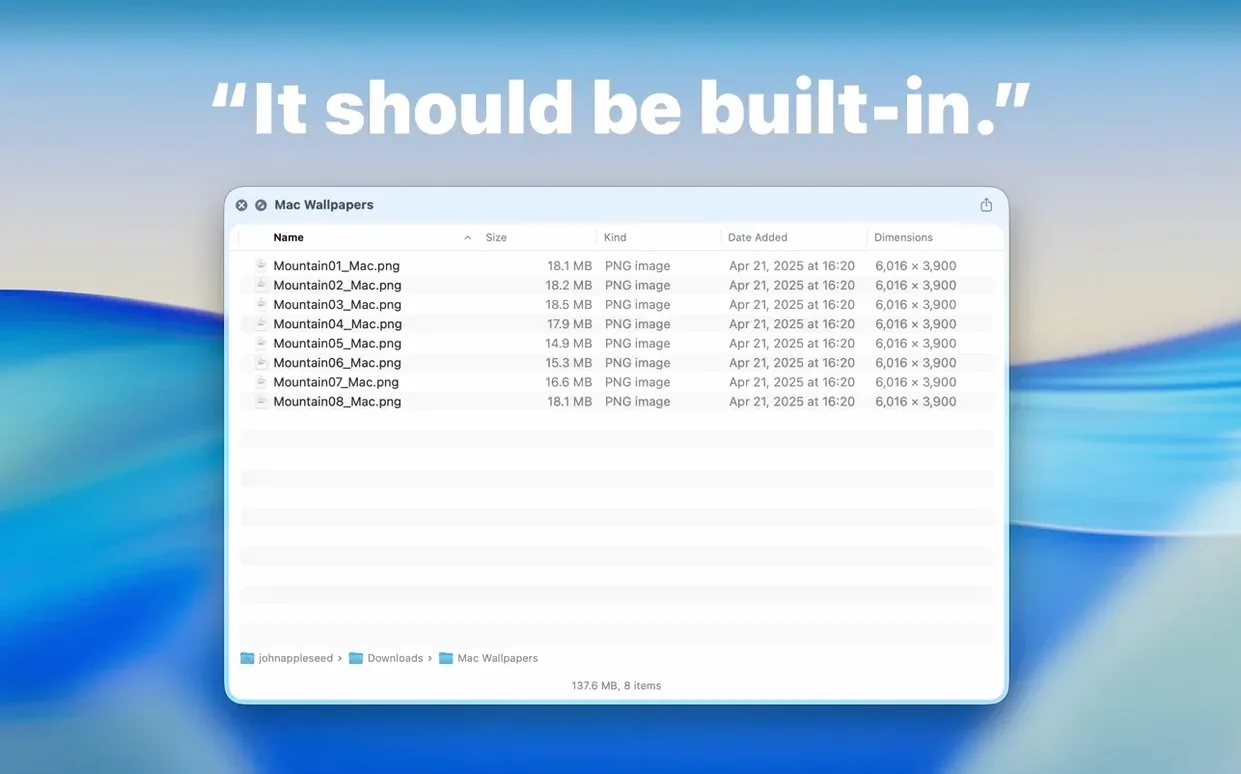
Photographers sorting through a day's shoot and project managers wrangling asset folders share a common frustration: Finder shows a generic folder icon when you hit the spacebar. You have to open the thing just to see what's inside. Folder Preview Pro fixes that at the OS level, feeding Quick Look the details it should have shown all along.
What to expect after installing
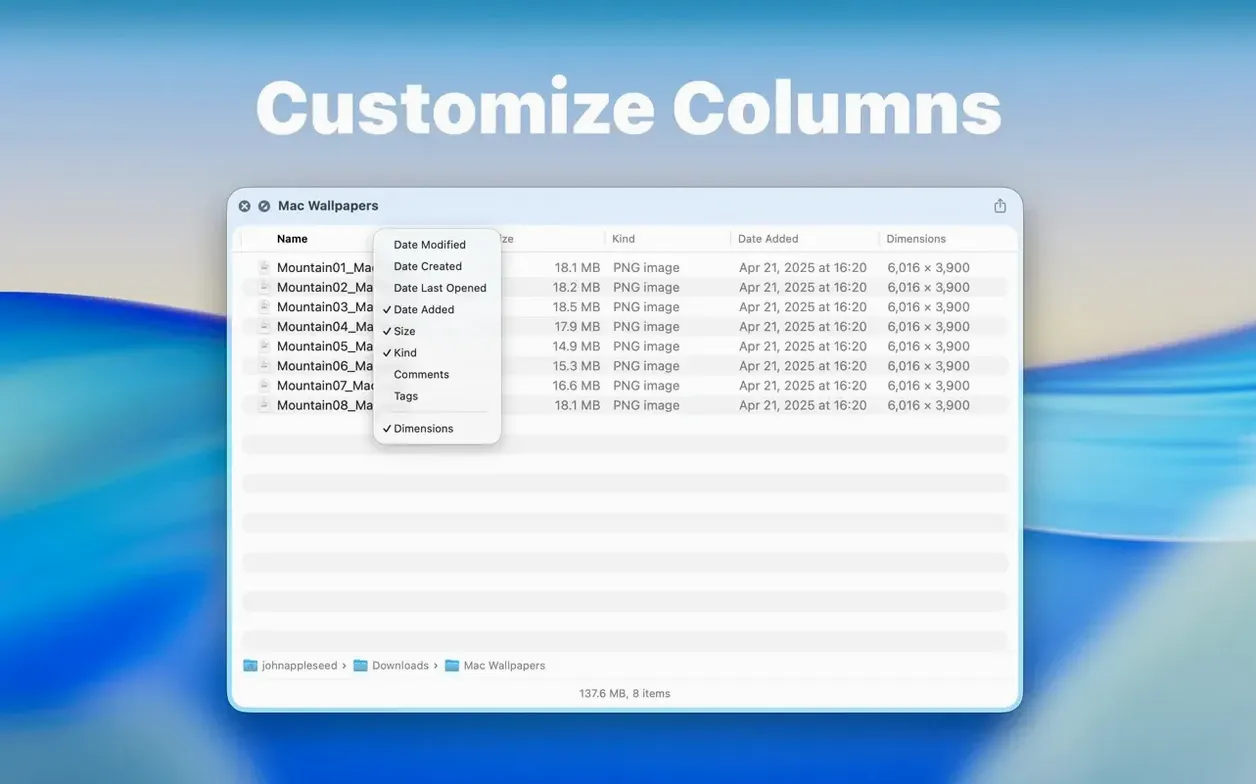
- Press spacebar on any folder. Instead of a blank icon, you see file names, dates, sizes, and dimensions — right in the Quick Look popover. Right-click the column headers to show or hide exactly the metadata you care about.
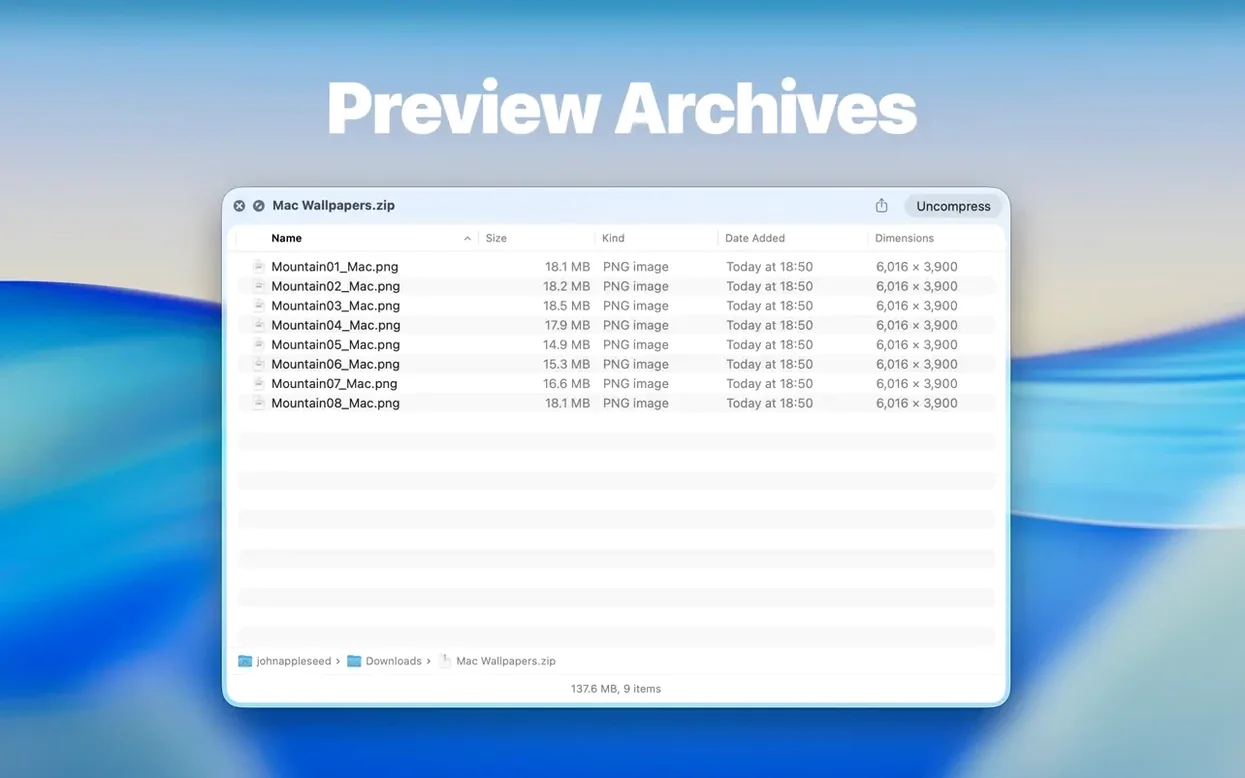
- Browse without opening. Version 3.1 adds a Contents item in the context menu. Click through a folder level by level while staying inside the preview. ZIP, TAR, GZ, 7z, and RAR archives work the same way — no unzipping required.
- Grab what you need. The new drag-and-drop support in list and icon views lets you pull a file straight out of the preview and onto your desktop or into an email. The Dual Columns view, also new, helps when you're comparing two folders side by side.
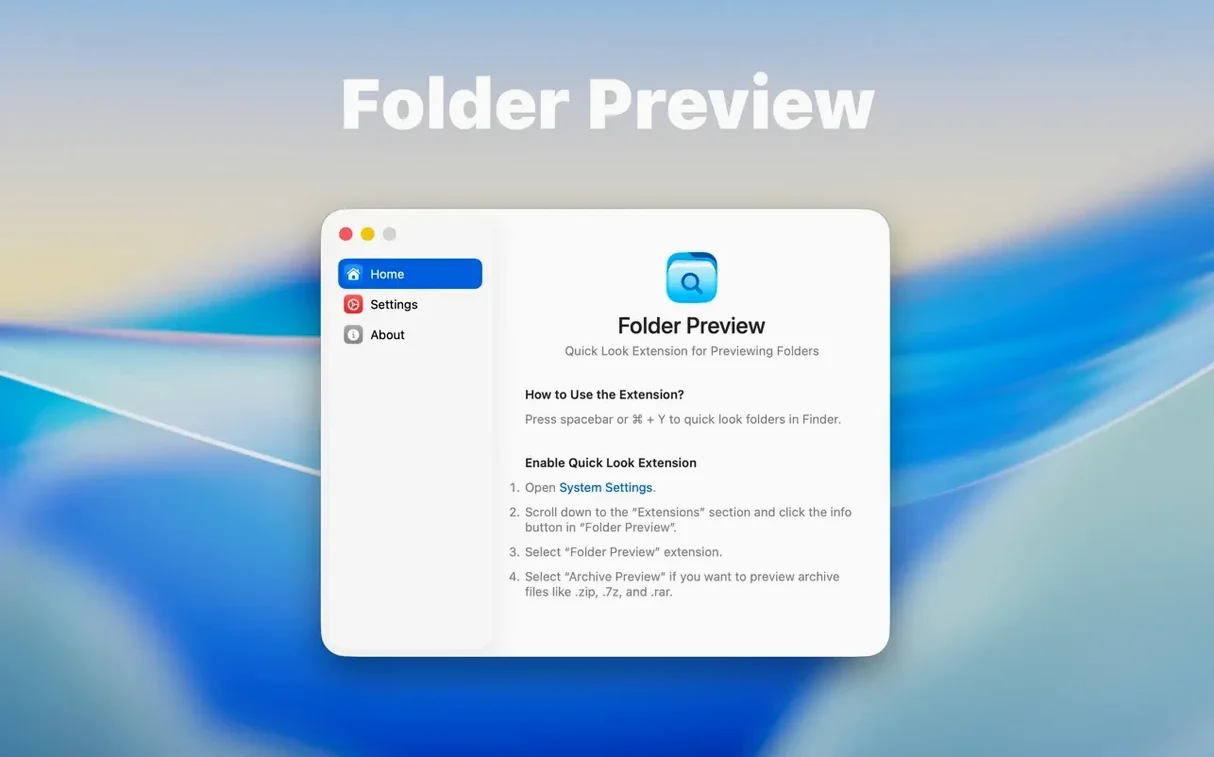
The app asks for macOS 13 or later and runs natively on both Intel and Apple Silicon Macs. Once you've dragged it into Applications and launched it from Launchpad, it sits quietly as a system extension — no dock icon, no daily check-ins. If you find yourself opening folders just to peek at their contents a dozen times a day, this is the kind of utility that earns its keep within the first hour.
Version 3.1 quietly rethinks how you move through folders in a preview. The Dual Columns view is the headline addition, and it changes the rhythm of comparing project folders or image libraries. Hit spacebar on a folder, and both panes populate at once. You can scroll through one side while the other stays put, or jump into the Contents menu to drill deeper without losing your place. For anyone who keeps a "Selects" folder next to a "Raw" folder, this turns a back-and-forth chore into a single glance.
File extraction got a practical lift too. In previous releases, seeing a file in the Quick Look popover meant you still had to open the folder to use it. Now you drag a JPEG, a PDF, or a font file straight out of the preview and drop it onto a Photoshop canvas, a Mail message, or a Slack thread. List view and icon view both support it. The archive size limit options — 5 GB and 10 GB — give you breathing room when a folder preview free or folder preview pro user cracks open a large ZIP, and you can keep things running smoothly by adjusting the cache location to a drive with plenty of free space. The toolbar also moved folder size information up under the folder name, so you spot a 40 GB video project before you decide to drag it anywhere.
Extends Quick Look, not your file manager
Folder Preview Pro doesn't compete with file managers; it extends the one you already use. After a folder preview mac crack install (or the standard drag-and-drop from the disk image), the app registers as a Quick Look generator. That means it works with every app that calls the system preview panel — Mail attachments, Spotlight results, and Open dialogs all show folder contents the same way Finder does. If you lean on tags, the preview respects your color labels and tag names. Smart Folders in the sidebar preview just like regular folders. For archive-heavy workflows, the app reads ZIP, TAR, GZ, 7z, and RAR natively, so you can check a client delivery without unpacking it.
Spotlight integration deserves a mention. When you search for a folder by name and hit spacebar on the result, you get the full Quick Look panel instead of a dead icon. Combined with the Dual Columns view, you can compare a search result folder against another location in the same window — something Finder's column view can't do as fluidly.
Photo selects straight into an email
Photographers sorting a wedding gallery get the most obvious win. A folder full of edited JPEGs previews with dimensions and file sizes visible, and the drag-and-drop support lets you pull selects directly into an email without opening the folder. Video editors working with proxy folders and final renders can use the Dual Columns view to verify matching file counts and naming conventions at a glance.
Developers and designers appreciate the quiet power for asset folders. A folder preview mac torrent download full of icon sets or UI kits previews with column headers you can customize — hide the date modified column and keep only name and size visible. The Contents browsing feature, introduced in 3.1, lets you walk through deeply nested folders without losing your context or flooding your screen with Finder windows. Archivists and researchers working with downloaded ZIP collections from library databases can check contents across multiple archive formats without unzipping a thing, and the new 10 GB size limit handles large corpora that used to force a trip to the command line.
If you live in Finder and resent every trip you make into a folder just to see what's there, Folder Preview Pro fills a gap Apple hasn't addressed. The folder preview torrent crowd got version 3.1 fast, but the app's real audience is anyone who opens a folder fifteen times before lunch and wishes Quick Look would just show the contents already.
Version 3.1 brings three workflow improvements that make the preview feel more like a real Finder window.
- Dual Columns view — compare two folders side by side from within Quick Look.
- Contents menu item — drill down through folder levels without ever opening a new window.
- Drag-and-drop — pull files straight out of list or icon previews onto the desktop or into other apps.
- macOS 13 (Ventura) or later
- Intel or Apple Silicon Mac
Questions I actually get
Does this work with compressed archives?
Yes, you can preview ZIP, TAR, GZ, 7z, and RAR archives the same way you preview folders — no extraction needed.
Can I rearrange which columns appear in the preview?
Right-click any column header in the Quick Look window to show or hide columns like date modified, file size, and dimensions.
What Mac does this need?
Folder Preview Pro requires macOS 13 (Ventura) or later and runs on both Intel-based and Apple Silicon Macs.
Porch talk 0
Come in or pull up a chair to leave a comment.
Nobody has pulled up a chair yet. If you used it on a real Saturday, say what the hour was.