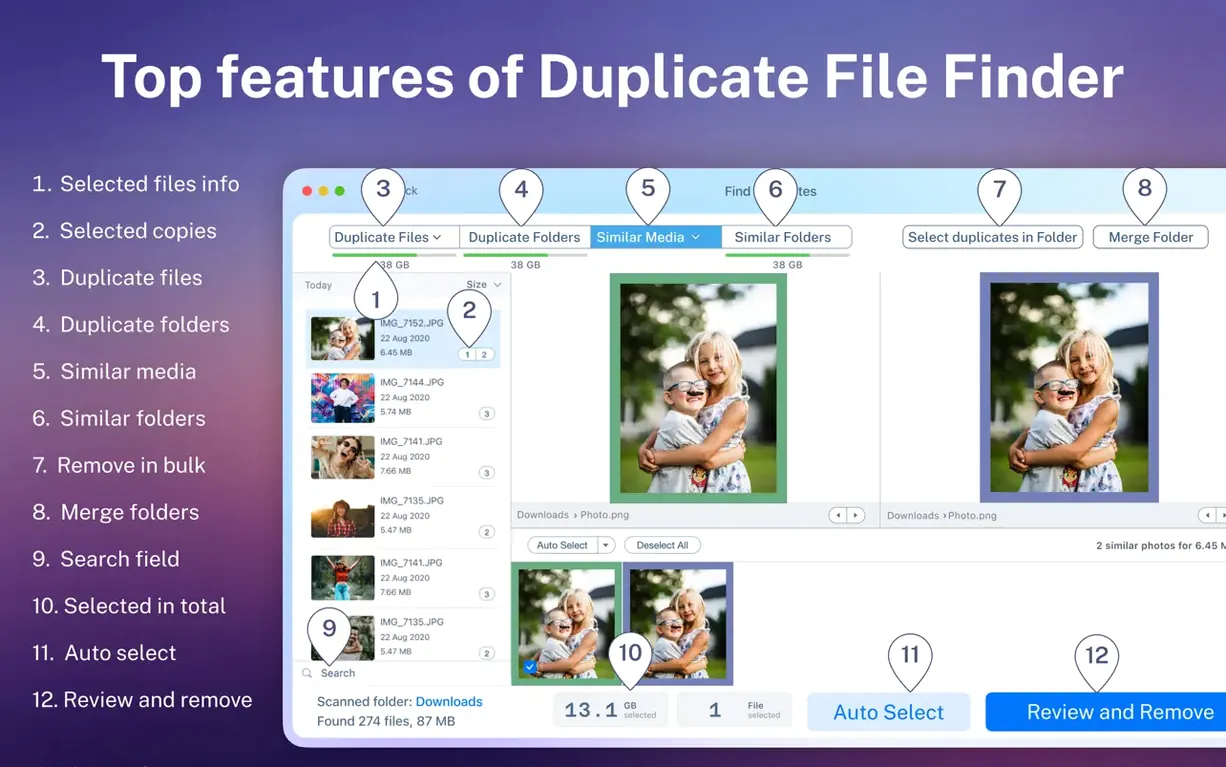
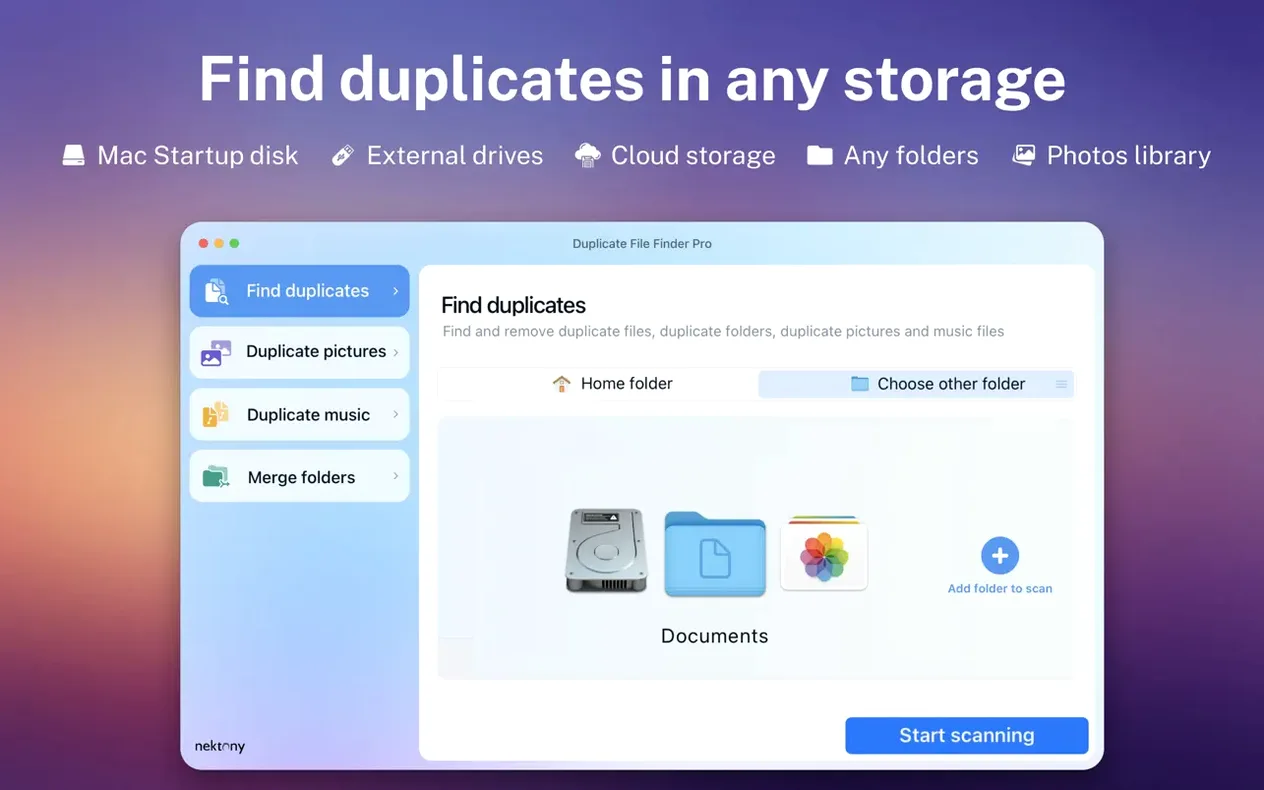
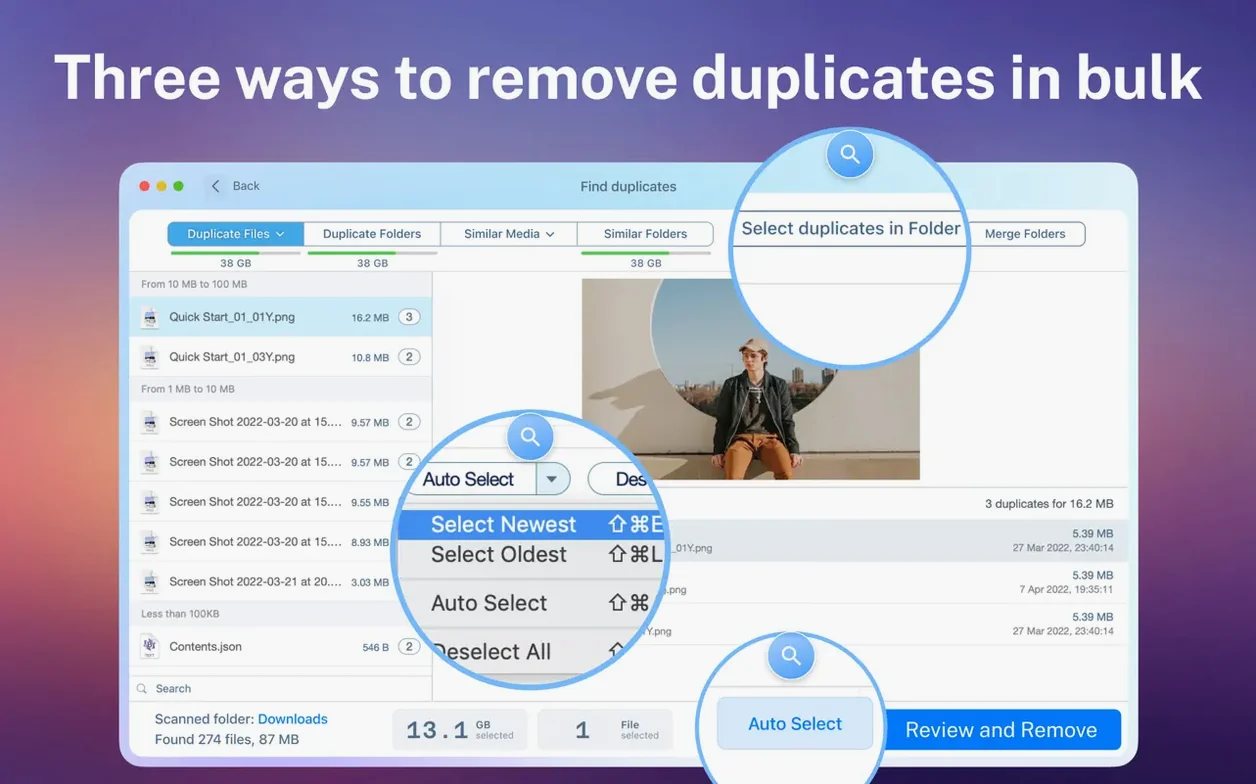
When the Select Duplicates button lights up after a scan, you can mark whole groups of files in one click instead of ticking checkboxes for twenty minutes. That one-button selection logic has been in the tool for a while, and it still does the heavy lifting in version 8.5.2.
Scan what you can't see
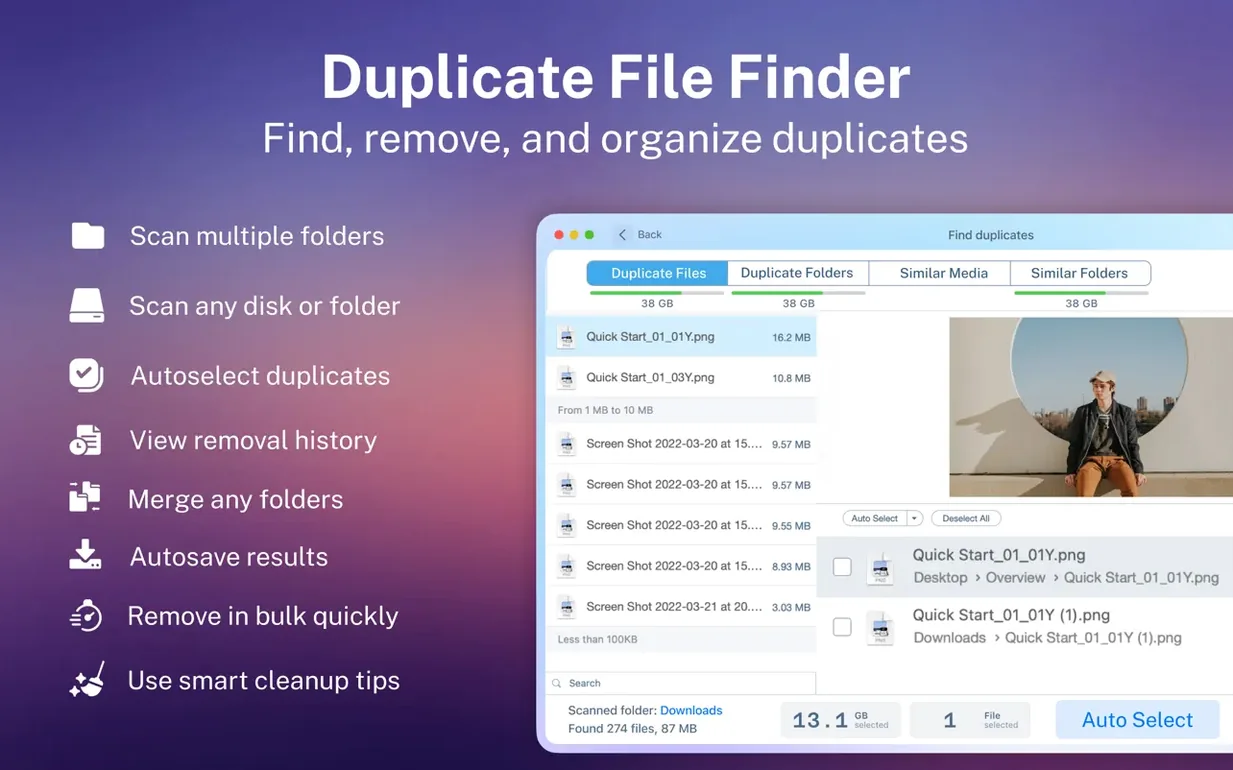
Hidden folders often hold forgotten copies from old backups or app caches. The scan reaches into those tucked-away directories, so the duplicate file list you see is more complete than what a quick glance at a finder window would suggest.
Folders need cleaning too
Beyond individual files, the app identifies similar folders and can merge their contents. It's the kind of cleanup that suits photo libraries and project directories where things have spread across multiple locations over time.
Decide before you delete
A built-in preview lets you peek at a file before sending it to the Trash or removing it permanently. If you change your mind, restored duplicates come back from the bin without fuss.
Outperforms Gemini 2 beyond media files
Plenty of Mac users reach for Gemini 2 first because it comes from a well-known developer and feels polished. Gemini is quick with photos and music, but it leans heavily on that media-first mindset. Duplicate File Finder Pro pulls ahead when you need to scan network folders or external drives without the app fussing about where the files live. It also handles archives, documents, and hidden folders without asking you to flip extra switches.
Then there's dupeGuru, which runs on everything and costs nothing. It offers a fuzzy-matching algorithm that catches similar images, and that earns it fans. The trade-off is that dupeGuru looks and acts like a cross-platform tool from a decade ago. Duplicate File Finder Pro gives you a visual scan report, a proper preview pane, and folder merging — things dupeGuru simply doesn't do. If you want a single-purpose scanner and don't mind rough edges, dupeGuru works. If you want folder-level cleanup and the ability to restore removed duplicates without digging through the Trash manually, this is the smoother ride.
CCleaner's duplicate finder sits inside a larger maintenance suite, so it feels like an add-on rather than the main event. It finds duplicates competently but lacks smart selection, folder comparison, and merging. Duplicate File Finder Pro treats the job as its whole identity, and the scan categories and selection logic reflect that focus.
Deleting the wrong copy from a photo library
The most common stumble is deleting duplicates from a photo library without checking which folder the app flagged as the original. The smart selection feature defaults to keeping the file in the most central location, but if you've organized your photos into albums that reference specific file paths, a blind delete can break those links. Take thirty seconds to glance at the folder column before you click Remove.
Another mistake is rushing the scan scope. People drag their entire home folder into the scan, walk away, and come back to a results list that feels overwhelming. Start with two or three specific folders where duplicates are likely hiding — your Downloads stack, an old backup directory, and the desktop. You'll get a manageable list and learn how the categories and sorting work before tackling the whole drive.
Ignoring the similar-folders feature entirely is also common. Users treat the app as a file-by-file sweeper and never scroll down to the folder comparison section. That's where you catch whole project directories copied to different drives and left to rot. Merging them from inside the app saves you from dragging files around in a finder window and second-guessing what belongs where.
Enable hidden folder scanning before you start
Open Preferences and check one box right away: Scan hidden folders. It's not on by default, and skipping it means the app leaves old .Trashes directories and system-level caches out of the results. For anyone adding dropbox to finder on mac workflows, hidden folders inside the Dropbox directory tree sometimes hold conflict copies that a surface scan misses.
Next, adjust the Minimum file size slider. The default tends to be small enough that you'll see hundreds of tiny cache files and plist fragments. Bumping the floor to 100 KB filters out the noise and keeps the duplicate list focused on actual documents, photos, and media. You can always lower it later for a forensic pass.
In the Scan categories section, uncheck any file type you're not ready to touch. If you're only hunting for stray video files eating space, deselect images, music, and archives. The scan runs faster and the visual report isn't cluttered with results you'll ignore. The categories also control which previews load, so a narrower scan means snappier browsing through the duplicate list.
Anyone who has been meaning to tidy up a sprawling drive and wants folder-aware tools alongside standard duplicate detection should give this a look.
Duplicate File Finder 9.2.1 arrives as a maintenance refresh, ironing out a few rough edges from the previous release.
- macOS 10.13 or later
- Apple Silicon or Intel 64‑bit Mac
Questions I actually get
Can Duplicate File Finder Pro merge folders that are not exact copies?
The app can find similar folders, not just identical ones, and gives you the option to merge their contents into a single location.
What happens if I accidentally delete a file I need?
Removed duplicates can be restored. The app supports moving files to the Trash, so you can recover them before emptying it.
Porch talk 0
Come in or pull up a chair to leave a comment.
Nobody has pulled up a chair yet. If you used it on a real Saturday, say what the hour was.