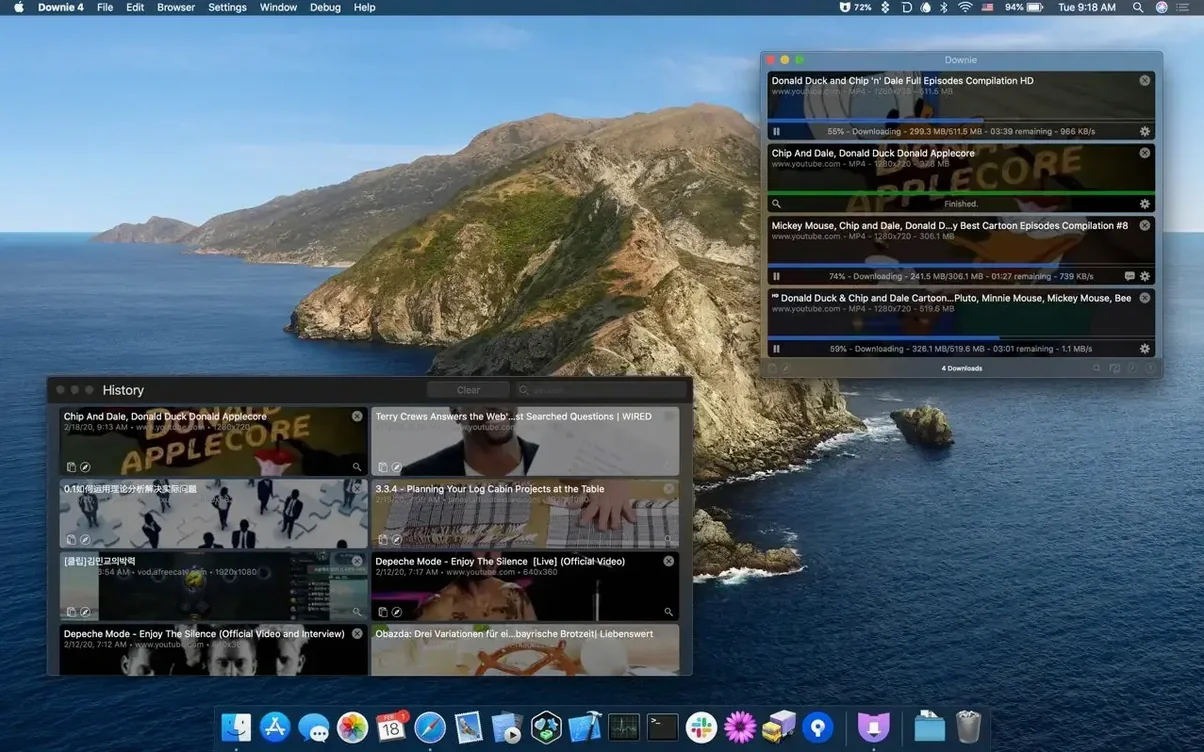
You're watching a tutorial on YouTube and wish you could keep it for a long flight, or maybe an Instagram cooking clip you want to reference later without hunting for it. Grabbing online video feels like it should be simpler, and Downie makes it just that.
Paste a Link and Go
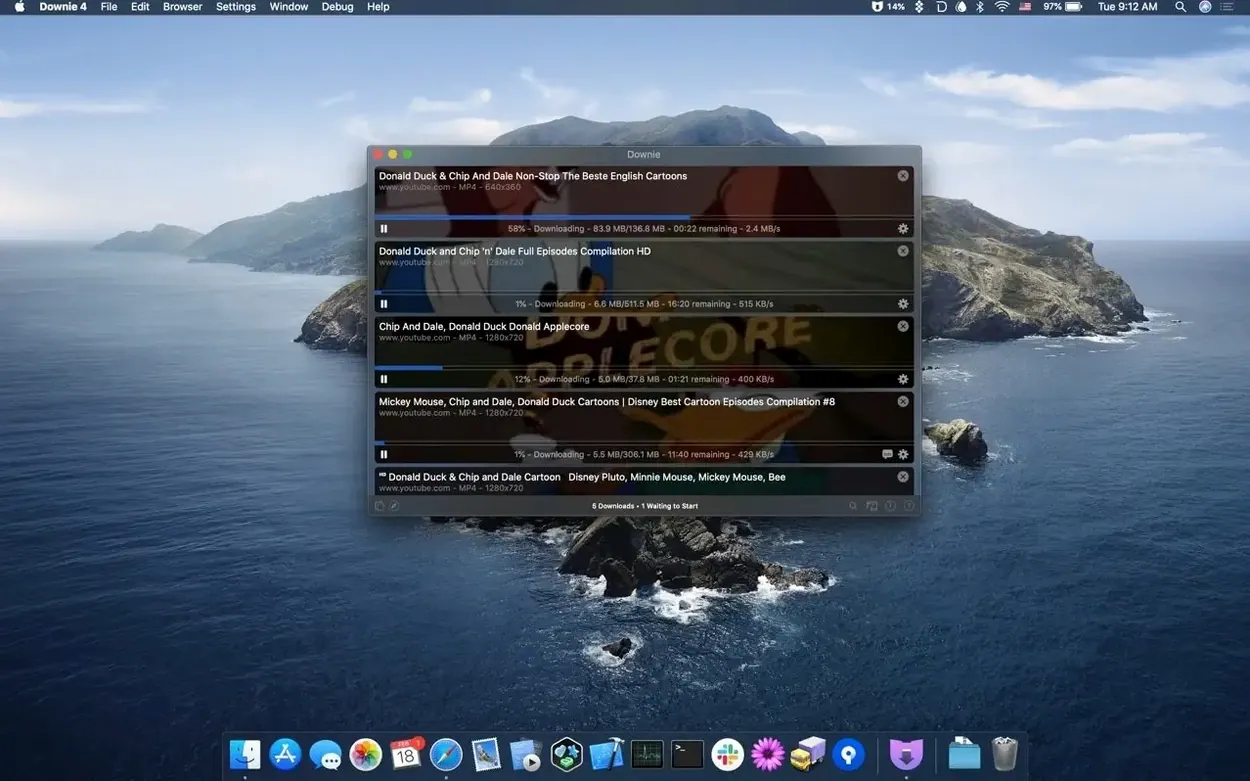
Copy any video URL from your browser, switch to Downie, and the download starts. You can also drag a link right into the app window or its Dock icon.
Pick Your Quality
Before the file lands on your Mac, you can choose the resolution you want. The app handles everything up to 4K on YouTube, so you're not stuck with a tiny version of a beautifully shot video.
Send It to Permute
If you need the video in a different format or want to merge multi-part downloads, Downie talks directly to Permute. One click hands the file off for conversion without extra steps.
YouTube Playlists Now Extract More Reliably
If you've had Downie installed for a while, the jump to version 4.13.1 brought small but welcome shifts in how the download flow feels day to day. The extraction engine got a refresh that handles YouTube playlist structures more reliably, especially those long multi-hour collections where earlier builds would occasionally stall on the fifth or sixth item. The app's internal parser for Vimeo and a handful of European broadcast sites also gained better support for subtitles embedded inside the stream, so language learners pulling down news segments get the captions alongside the video without extra fiddling.
On the convenience side, the clipboard watcher grew a little smarter. It now ignores more false positives — plain text snippets that happened to contain a URL-like string but weren't actually video links — which means fewer unnecessary pop-ups interrupting your work. The browser extensions for Safari and Firefox received small maintenance tweaks that keep them aligned with site changes on Instagram and Facebook, where video page structures shift more often than most people realize.
Under the hood, Charlie Monroe tightened the integration handshake with Permute, cutting the occasional delay when sending a freshly downloaded 4K file over for conversion. If you use both apps together, you might have noticed the handoff feels more like a single motion than two separate steps now.
Offline Clips for Classrooms and Conference Talks
Downie isn't a one-size-fits-all utility, and the people who get the most mileage out of it tend to fall into a few clear camps. Educators and presenters who need offline copies of demonstration clips for classrooms or conference talks are obvious winners — dodgy hotel Wi-Fi stops being a problem when the video already sits on the desktop. Language learners who pull down short news segments or interviews and replay them at half speed with subtitles visible find the repeatability priceless.
Audio-focused users should pay attention too. The option to save only the audio track turns a lecture, a podcast posted as a video, or a live performance recording into something you can drop into a music player or voice memo workflow. Music producers and DJs who dig through YouTube for rare live sets quietly lean on this feature to build a reference library without carrying around gigabytes of unnecessary video data.
Folks who archive research material — journalists, grad students, documentary filmmakers — often accumulate dozens of clips from disparate sources. The CSV import feature gives them a way to batch-process a whole list of URLs with custom filenames, saving an afternoon of tedious copy-paste. If you keep a spreadsheet of sources, you already have the raw material for a bulk download session.
An Archivist's Saturday Morning
Imagine a documentary researcher preparing for a project on mid-century industrial design. Over the past week she's bookmarked seventeen videos across YouTube, the Internet Archive, and a European museum's streaming portal. Saturday morning she opens her text file of URLs, copies the whole block, and switches to Downie. The app parses the list and starts pulling down each file — some in 4K for the high-quality archival footage, a few as audio-only because she only needs the narration track.
While the downloads run, she renames each item in the queue with a descriptive title that matches her project outline. Two videos are multi-part uploads; she flags them for Permute to join after downloading completes. By the time she finishes her coffee, the folder on her desktop holds organized, properly named media files ready to import into her editing timeline. No browser tabs left open, no worrying about whether those museum streams will still be online next month.
Toggle Clipboard Monitoring from the Menu Bar
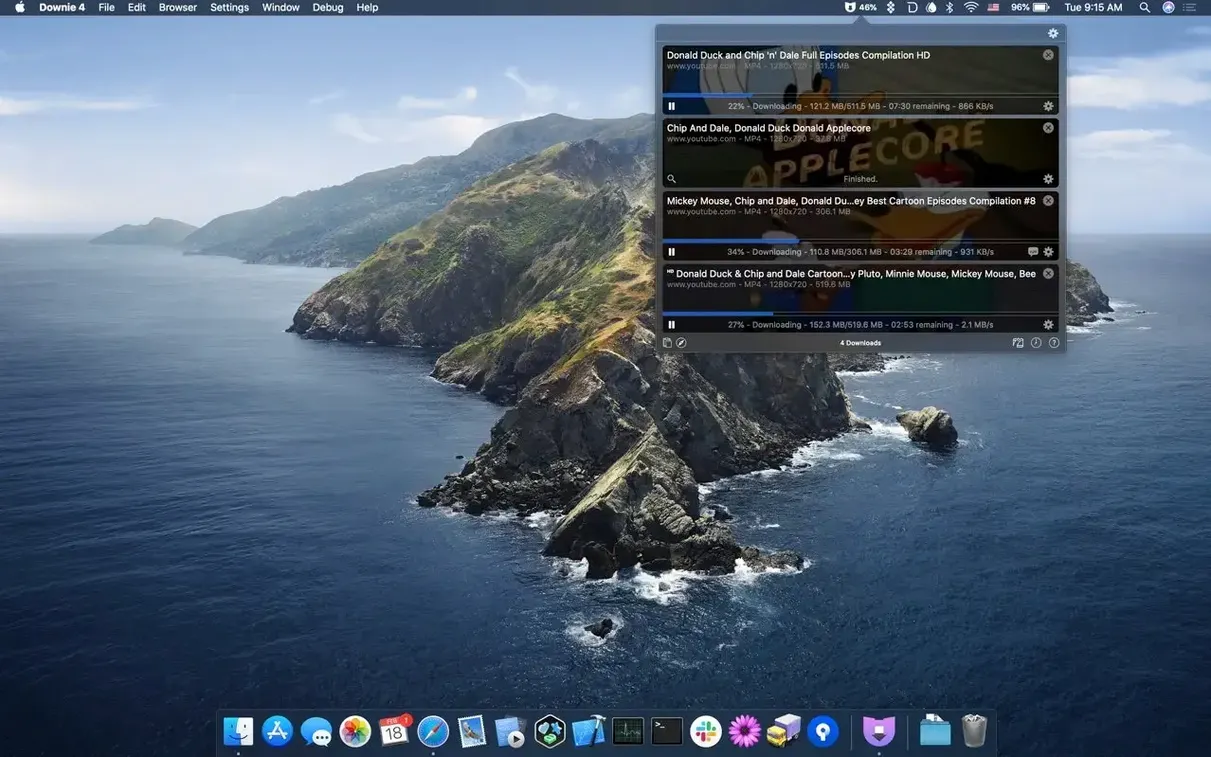
A few touches in Downie are easy to overlook on first pass but change how the app fits into a routine. The menu bar icon holds a shortcut to toggle clipboard monitoring on or off without opening the main window — handy when you're deep in a research session and want to pause the pop-ups temporarily, then resume with a single click.
Dragging a video link onto the Downie dock icon while holding the Option key skips the quality selection dialog and grabs the highest available resolution immediately. If you trust the source and just want the best version fast, that small modifier saves a click every time.
For anyone who juggles downloads from region-locked content, Downie respects the system proxy settings configured in macOS network preferences. No separate configuration inside the app; it simply follows the routing your Mac already uses. Users behind a VPN for accessing international streaming libraries can set it and forget it.
The post-processing preferences pane includes a quiet but powerful checkbox: "Automatically send to Permute." With Permute installed, ticking that box means every completed download passes straight into conversion without manual handoff. Combined with Permute's own preset system, you can build a pipeline where YouTube videos automatically land on your Mac as MP3 files in a specific folder, with zero interaction after the initial paste.
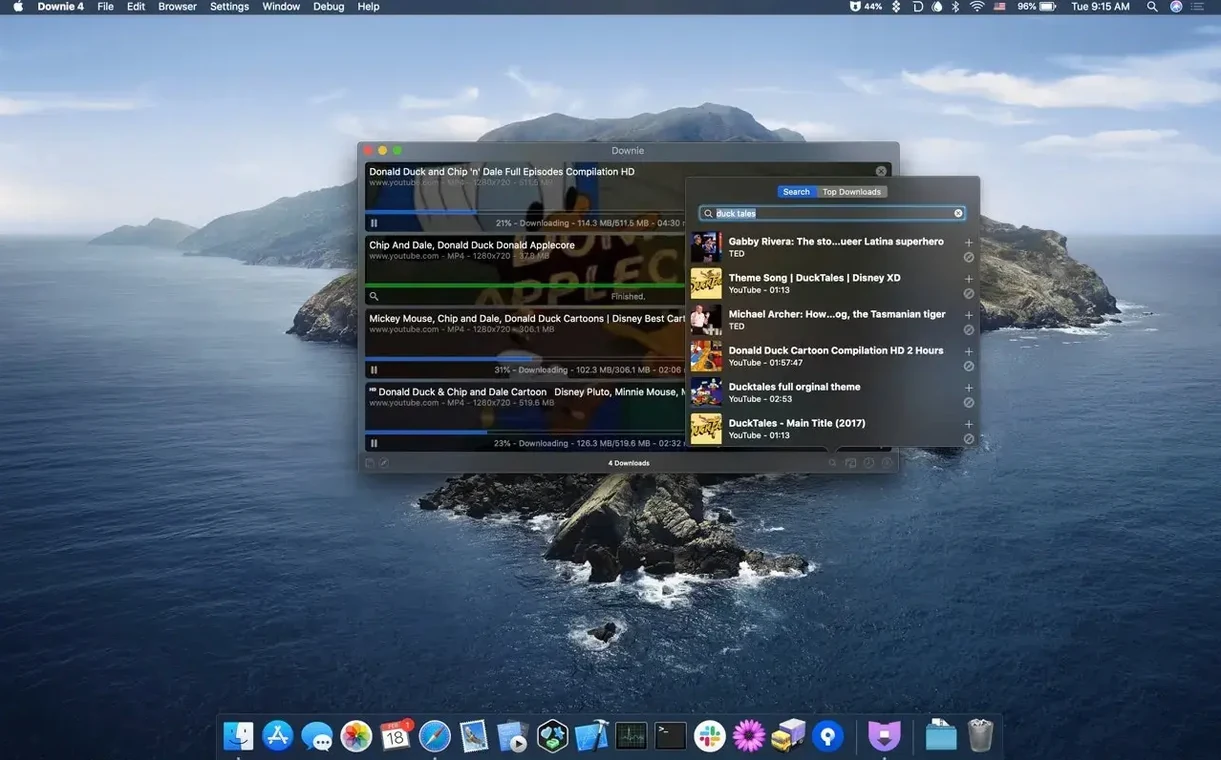
Searching for videos inside the app itself — rather than through a browser — feels like a small feature until you realize it keeps your watch history and recommendations out of the equation. The in-app search goes straight to the source, pulls the video data, and begins downloading without loading a single ad or triggering an algorithm update. For privacy-minded users who still need to grab reference material, that separation matters more than it seems at first glance.
- macOS 11 or newer
- Works on both Apple Silicon and Intel Macs
Questions I actually get
Which sites does it work with?
Downie supports YouTube, Vimeo, Facebook, Instagram, and more than 1,200 other websites.
Does it support 4K video?
Yes, you can save YouTube videos in up to 4K resolution when the source provides it.
How do I start a download?
Just paste or drag a video URL into the app, and the download will begin automatically.
Porch talk 0
Come in or pull up a chair to leave a comment.
Nobody has pulled up a chair yet. If you used it on a real Saturday, say what the hour was.