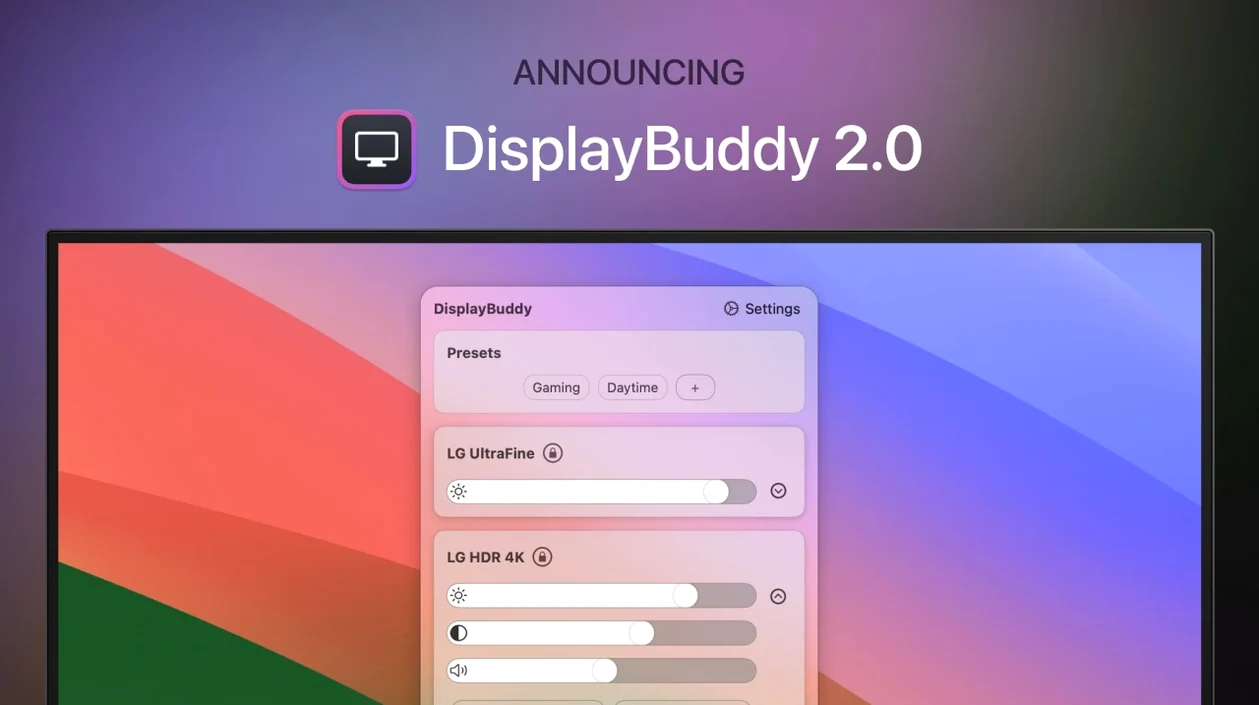
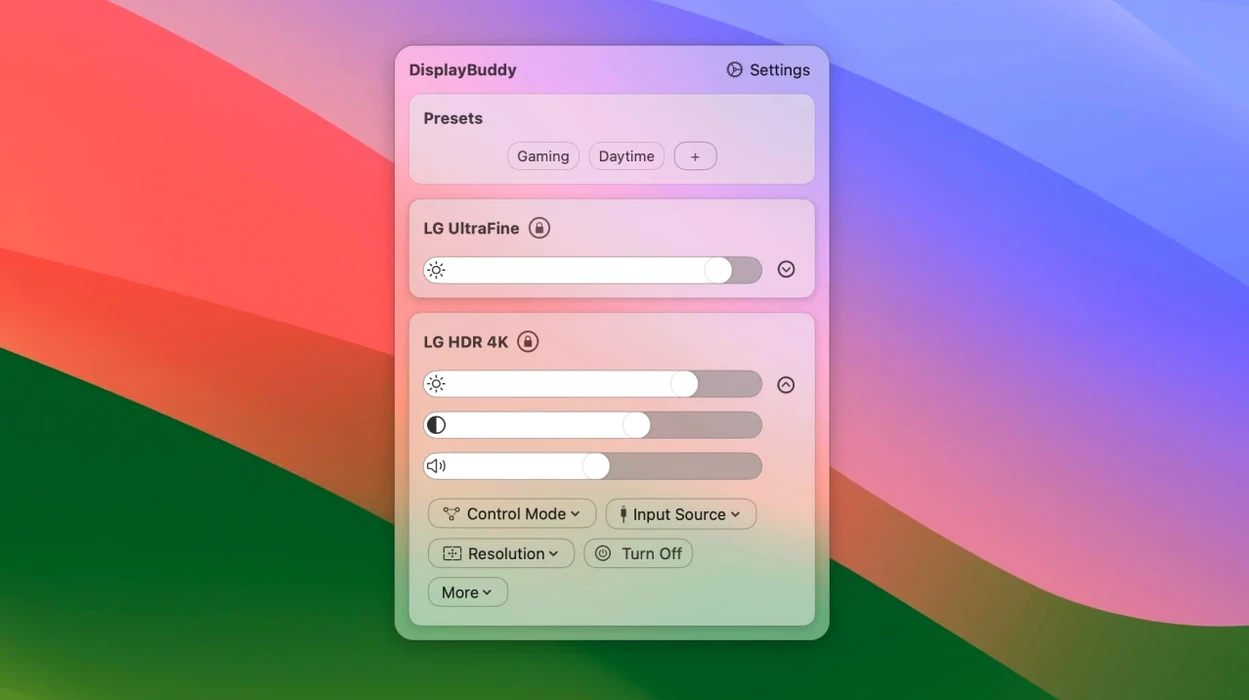
If you've ever used the brightness and volume keys on a MacBook, you know the convenience of hardware controls that just work. DisplayBuddy brings that same immediacy to every external monitor on your desk. Instead of fumbling with the tiny buttons on the edge of a display, you adjust brightness, contrast, and volume right from the menu bar — or by repurposing your Mac's own keyboard keys.
| Detail | Info |
|---|---|
| Developer | Lisa Figas |
| Current version | 3.9.6 |
| Mac support | Intel & Apple Silicon (M1–M3) |
The app talks to your displays over DDC, so it handles multiple monitors from a single place without installing extra drivers. The standout feature is how it maps your Mac's brightness and volume keys to external screens — a small change that removes a daily friction point. For MacBook Pro owners, there's also UltraBright, which pushes panel brightness past the usual ceiling on sunny days. Version 3.9.6 tightens up the experience further with smoother Dark Mode, Night Shift, and True Tone toggling, plus the ability to switch color profiles and macOS Display Presets directly from the menu. Anyone juggling two or three monitors will feel the difference within the first hour.
Menu-Bar Access to Photo and Night Profiles
The color profile and Display Preset picker is the kind of addition you don't realize you needed until it's sitting in the menu bar. If you switch between a photography workflow that demands a calibrated Adobe RGB profile and an evening setup with a warmer white point, you can now do it without opening System Settings. The preset menu clipping fix from this release is small on paper but noticeable if you have four or five saved configurations — the list stays fully visible now instead of cutting off awkwardly.
Dark Mode, Night Shift, and True Tone controls feel snappier. Where earlier builds could hesitate for a beat when toggling, version 3.9.6 responds within a fraction of a second. The volume slider bug that hid itself on certain DDC displays is also gone, so adjusting speaker levels from the menu bar works reliably across more monitor brands.
Negligible CPU While Idling
DisplayBuddy lives quietly in the menu bar and uses negligible CPU while idling — typically under half a percent on an Apple Silicon machine. Memory sits around 35–50 MB, which is modest for an app that maintains active DDC communication with two or three screens. When you drag a brightness slider or tap a keyboard shortcut, the change transmits almost instantly. The only perceptible lag I've seen is on older HDMI-connected displays where DDC handshaking itself is the bottleneck, not the app.
Stability has been solid across Monterey, Ventura, and Sonoma. There is no kernel extension or low-level driver to trip over during macOS updates; the app uses standard DDC/CI protocols over the existing display connection. If you're looking to download DisplayBuddy for Mac and keep it running all day, it is the sort of utility you forget is there until you need it.
Presets and Input Switching Beyond MonitorControl
Next to MonitorControl, which is a well-known open-source alternative, DisplayBuddy feels more polished in the areas that matter for daily use. Both apps handle DDC brightness and volume, but DisplayBuddy adds preset management, input source switching, and the UltraBright override in a single cohesive interface. MonitorControl requires separate tools or workarounds for those extras.
Compared with Lunar, the difference is philosophical. Lunar offers deep customization — adaptive brightness curves, sensor-based adjustments, and a dashboard full of sliders. DisplayBuddy takes the opposite approach: fewer knobs, quicker setup, and a menu bar layout that mimics what Apple should have built. If you want fine-grained control of every nit, Lunar rewards that. If you want your keyboard brightness keys to control an external monitor and to save a few presets, DisplayBuddy is the more direct path. Some users search for a DisplayBuddy torrent or crack to try before buying, and that’s a great way to discover how well the app fits into a streamlined workspace right away.
Against BetterDisplay, which leans heavily into HiDPI resolution management and virtual display mirroring, DisplayBuddy stays focused on physical display controls. BetterDisplay is the right pick if your main concern is scaling and resolution trickery. DisplayBuddy is for the person who wants brightness, contrast, volume, and input switching from the menu bar with as little configuration as possible.
Version 3.9.6 lands with a handful of fixes that make daily use feel snappier. Here's what changed:
- You can now pick a color profile or a macOS Display Preset for compatible screens right from the menu.
- Dark Mode, Night Shift, and True Tone controls respond more quickly than before.
- A bug where the volume slider disappeared on certain DDC displays has been squashed.
- Preset menus no longer clip at the edge of the screen.
- macOS 10.13 or later
- Runs on Intel and Apple Silicon Macs
- English interface
Questions I actually get
Can DisplayBuddy control brightness on monitors that don't support DDC?
No, the app relies on DDC communication to adjust hardware settings like brightness, contrast, and volume on external displays. Most modern monitors support DDC, but some older or specialty displays may not.
Porch talk 0
Come in or pull up a chair to leave a comment.
Nobody has pulled up a chair yet. If you used it on a real Saturday, say what the hour was.