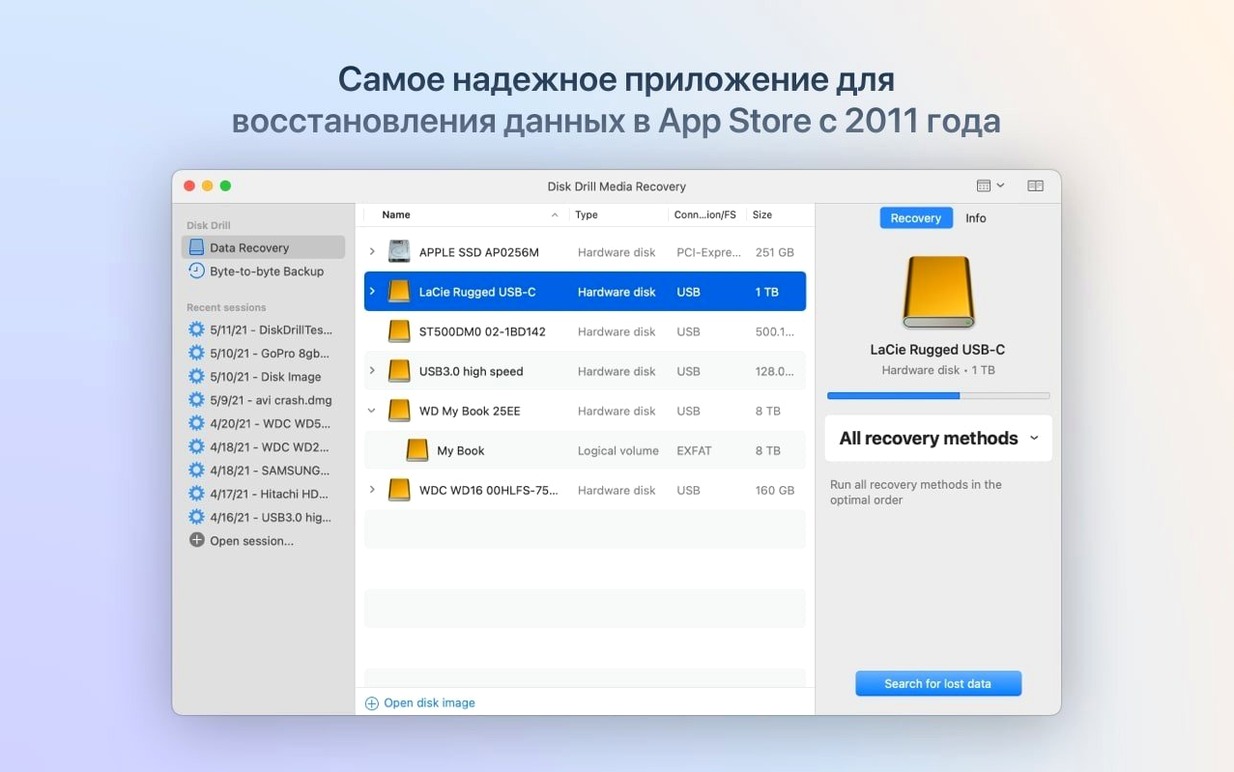
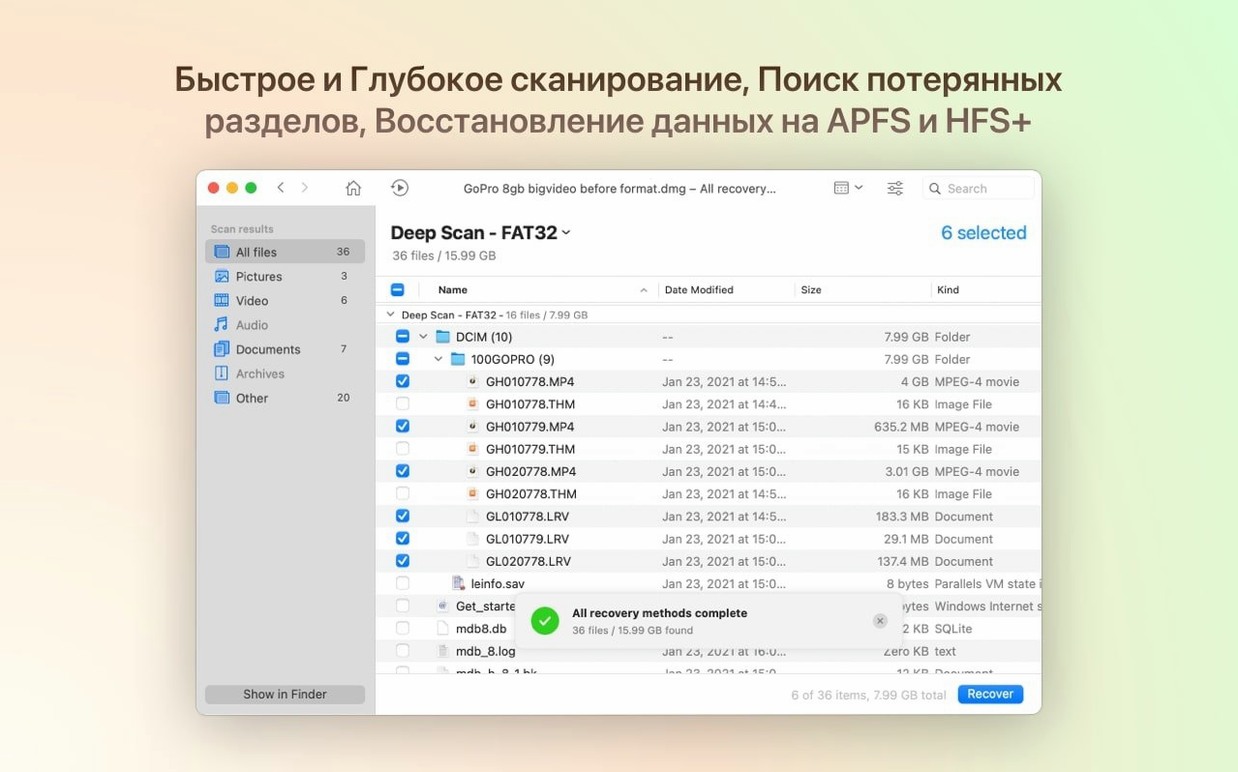
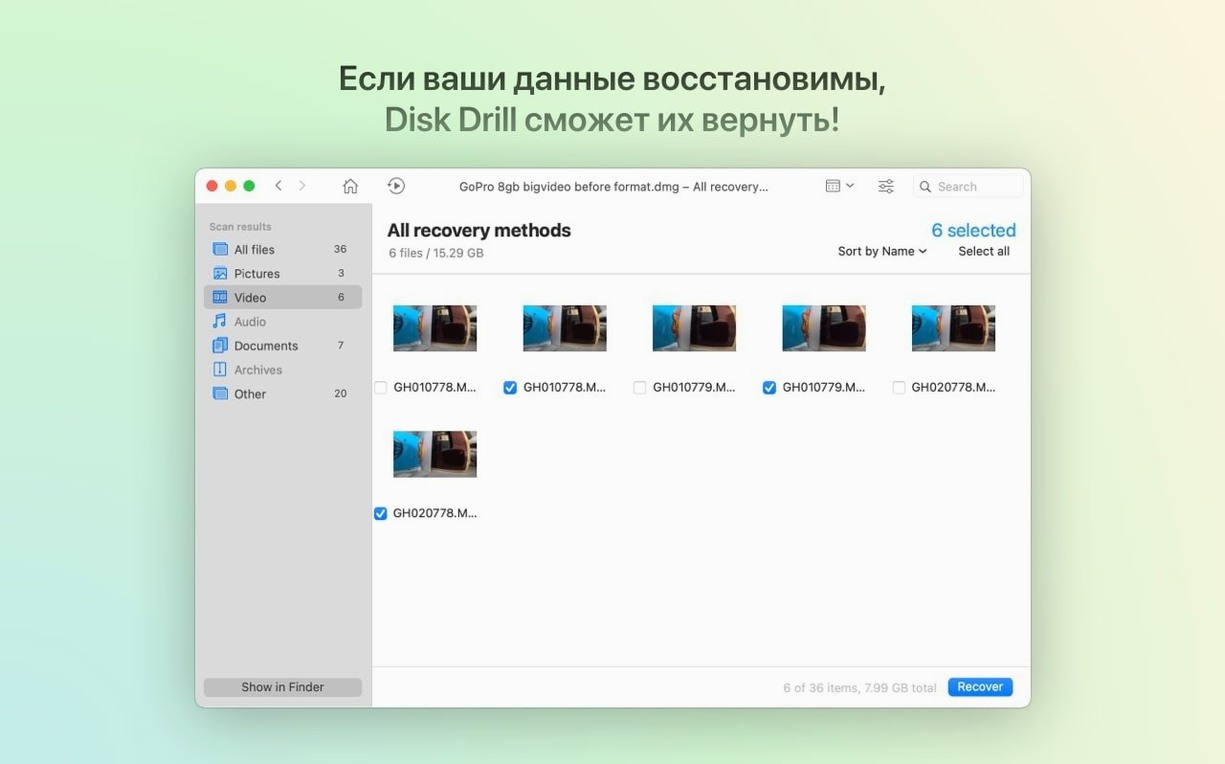
The latest update to Disk Drill 6 brings detection for lost BitLocker partitions into the mix, alongside smoother handling of encrypted APFS volumes. It's a recovery toolkit that sits in your menu bar, ready to scan just about anything you plug into your Mac—from a camera SD card you formatted by accident to an aging external drive that no longer mounts. The interface walks you through a scan, then lets you sift through what it finds before you commit to pulling files back out.
- Recovers deleted files, lost partitions, and data from damaged or unreadable drives
- Scans internal and external hard drives, USB flash drives, and memory cards
- Works with iPhones, iPads, Android devices, cameras, and even Kindle readers
- Lets you preview photos, documents, and other files before recovery
- Handles encrypted APFS partitions and newly supported BitLocker volumes
- Runs on macOS 10.15.7 and later, with native Apple Silicon support
If you’ve emptied the Trash too soon or a drive has started clicking, Disk Drill gives you a straightforward way to see what’s still reachable. It’s a good fit for photographers chasing missing .dng files and anyone who wants a clear, guided recovery path without diving into terminal commands.
The Quiet Fixes in Version 6.3 That Prevent Scan Hang-Ups
Version 6.3.2326 didn't overhaul the interface, but it quietly fixed a handful of things that people bump into during real recovery jobs. If you've been using Disk Drill for a while, the changes show up in moments where a scan would have previously come up empty or stalled partway through.
The big one is BitLocker partition detection. Plug in a Windows-formatted external drive that uses BitLocker encryption, and Disk Drill now recognizes the partition structure instead of showing a grayed-out block. You still need the recovery key to pull files out, but the scan actually finds the volume now—something that used to require workarounds in older builds.
Encrypted APFS handling got a quiet improvement too. Macs with FileVault turned on, or external SSDs formatted as encrypted APFS, now scan more reliably without the app getting stuck on certain sector blocks. The progress bar moves smoother on those volumes, and the preview pane loads thumbnails for more files before you commit to recovery.
For photographers, the .dng detection fix matters. Earlier builds would occasionally skip raw files from older Pentax or Leica bodies during deep scans. That's been sorted, and the ACR module now picks up .rwl files from Leica cameras alongside the .m4a audio support for voice memos recorded on Nikons and other bodies that save sound alongside raw stills.
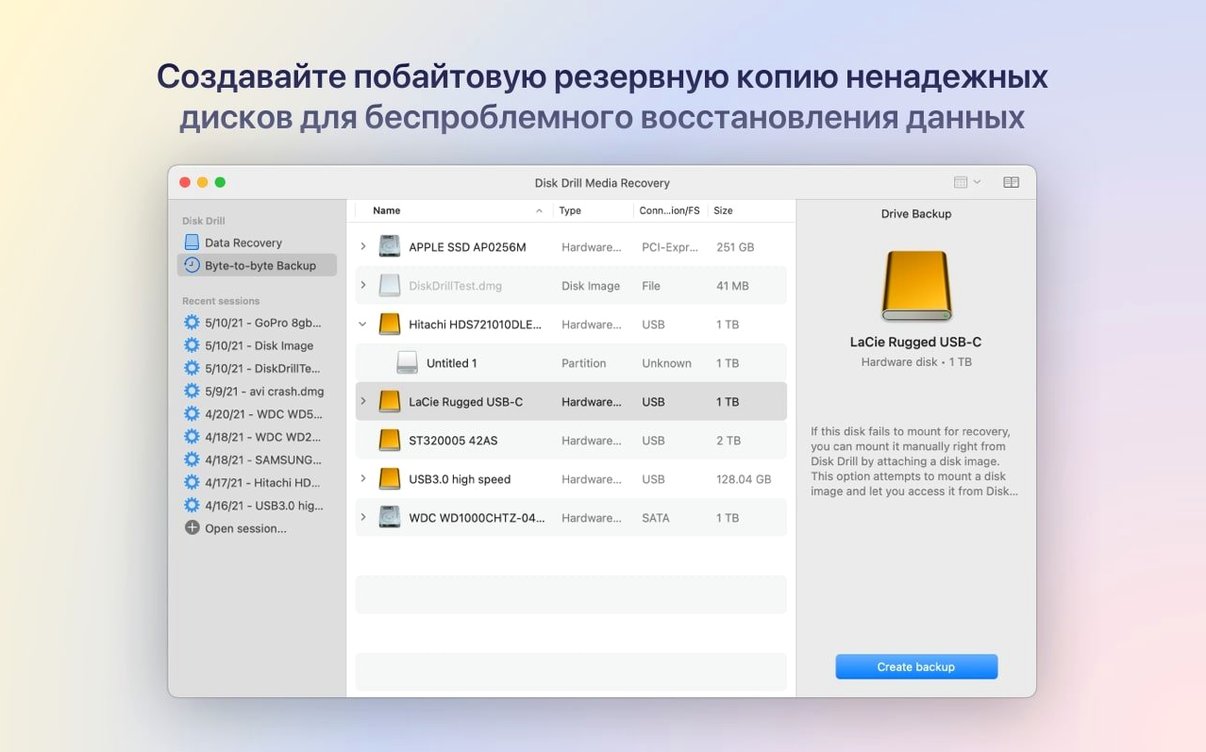
The byte-to-byte DMG scanning fix is more niche, but if you've ever tried to create a disk image of a failing drive and then scan that image later, the process no longer errors out on certain image formats. It's the kind of fix you appreciate when a drive is too far gone to scan directly and you need to work from a clone.
When the Scan Button Stays Gray on a Visible Drive
Some hiccups show up often enough that they're worth calling out before you run into them yourself.
A drive shows up but the scan button stays gray. This usually means the volume is unmounted but still visible to the system. Open Disk Utility, right-click the drive, and mount it temporarily. If it won't mount at all, Disk Drill should still offer a deep scan on the physical device—just click past the volume and select the parent disk name instead.
The scan finds thousands of files with garbled names. This is normal after a deep scan on a reformatted drive. The file system metadata that held proper names and folder structures is gone, so Disk Drill falls back on raw file signatures. Sort results by file type instead of name, and use the preview pane to identify what you need. Renaming happens after recovery.
iPhone photos show up grouped oddly. Version 6.3.2326 specifically fixed poor grouping performance for iPhone photos and videos in the ACR module, but if you're scanning an iOS device and the preview thumbnails look scrambled, let the scan finish completely before browsing. Jumping into results while the scan is still running can cause the grouping to lag. Canceling and restarting the scan after a full pass usually cleans it up.
A recovered file won't open. This sometimes happens with video files or large PSDs. The file signature was recognized, but sector-level damage left gaps. Disk Drill's recovery is a best-effort read; for critical files, try recovering to a different physical drive, then run the file through a format-specific repair tool. The .p8 and .pfx support added in this version helps with certificate files that used to come out corrupted.
The Sidebar Index That Tracks Deleted Files Silently
Disk Drill packs a few extras that don't announce themselves loudly but save time once you know they're there.
- Recovery Vault. Tucked in the sidebar, this keeps a lightweight index of deleted files on your internal drive. It won't protect against a formatted disk, but for everyday Trash mishaps, it makes recovery nearly instant—no scan required.
- Session management. You can pause a long scan, close the app, and resume later. The session file saves to your Documents folder automatically. If a scan on a 4TB external drive is going to take four hours, you don't have to babysit it.
- Filter by signature. After a deep scan, the filter bar above the results list lets you type things like
.cr2or.pagesto narrow thousands of hits down to the format you actually care about. Way faster than scrolling. - Byte-to-byte backup from the context menu. Right-click any drive in the main window and you can create a full sector-level DMG before running recovery. It's a safety net for dying drives, and the recent DMG scanning fix makes working from those images more reliable.
Turn On Recovery Vault Before Your First Scan
If you've just grabbed the disk drill mac download and installed it, a few habits will make the first week smoother.
Turn on Recovery Vault for your main drive right away. It takes a few minutes to index and uses negligible background resources, but it saves you from running a full scan the next time you accidentally delete a folder of documents. You'll find the toggle under the drive name in the main window.
Set your default recovery destination to an external drive or a secondary internal volume. Recovering files to the same drive you're scanning can overwrite the very data you're trying to pull out. The app warns you, but setting a default in preferences removes the chance of clicking through the warning absentmindedly.
Get comfortable with the preview pane. Before you hit recover on a list of 200 files, click through a handful of them to confirm they're intact. A JPEG thumbnail that looks fine in preview usually recovers cleanly; a video file that shows a black preview frame might be partially corrupted. Spot-checking saves you from filling up your destination drive with duds.
If you're coming from an older version or trying a diskdrill torrent build, run a quick scan on a USB stick you don't care about first. Delete a file from it, scan, and recover. It gives you a feel for the scan types and the interface before you're under pressure with a drive that matters.
Recovering a Drive That Finder Can’t See
Let's walk through how a recovery actually plays out, because the screenshots make it look tidier than real life.
You plug in a portable hard drive that a friend handed you. It spins up, but Finder doesn't show it. Disk Drill does. The drive appears in the sidebar with an orange icon and a size reading, even though macOS hasn't mounted a volume. You click the drive, not the missing volume under it, and choose Deep Scan.
The scan window opens and the elapsed timer starts climbing. You see a stream of file signatures populating the results pane as the scanner moves across sectors—JPEGs first, then a wave of CR2 raw files, then scattered PDFs and Word documents. You let it run while you make coffee. Forty minutes later, the bar is at 87% and you've already spotted the folder of vacation photos your friend was panicking about.
You click the filter icon, type .cr2, and the results narrow to 340 raw files. You select the lot, hit the preview button on the first one, and arrow-key through a dozen to confirm they're not corrupted. The thumbnails load fast—dogs, sunsets, kids at a beach. Good. You highlight everything, click Recover, and point the destination to a folder on your desktop. Two minutes later, the files are back.
While that's copying, you notice the drive also has a grayed-out volume with an exclamation mark. Disk Drill identifies it as a lost partition with a recoverable file tree. You kick off a quick scan on that partition while the deep scan results are still exporting. The quick scan finishes in under a minute and shows a folder structure from an old Time Machine backup. You didn't even know that partition existed, but the files are there, and the preview confirms a few are intact.
By the time you eject the drive, you've pulled two batches of files from two different problems using the same scan session. It's not always that smooth—some drives throw up read errors that slow the scan to a crawl—but when the hardware cooperates, Disk Drill gives you multiple angles on the same device without making you start over each time.
If you're the person friends call when a drive stops working, the disk drill pro torrent build puts enough tools in one window that you can usually give them good news before you run out of patience. It's worth learning the recovery session workflow early, because the day you actually need it, you won't have time to read the manual.
Version 6.3.2326 sharpens a few recovery edges and expands what the scanner can recognize.
- Detects and recovers lost BitLocker partitions
- Adds support for .p8 and .pfx certificate files
- Brings .m4a recognition into the ACR module
- Improves handling of encrypted APFS partitions
- Fixes a byte-to-byte DMG scanning bug
- Resolves a failure to detect .dng raw photo files
- macOS 10.15.7 or later
- Apple Silicon and Intel Macs supported
Questions I actually get
Can Disk Drill recover files from an iPhone or Android phone?
Yes, it can scan and recover data from iPhones, iPads, iPods, and many Android devices when connected to your Mac.
Does Disk Drill work with encrypted Mac partitions?
Version 6.3.2326 includes improved processing for encrypted APFS partitions and adds detection for lost BitLocker volumes.
What kind of storage can Disk Drill scan?
It scans internal and external hard drives, USB flash drives, memory cards, cameras, and even Kindle devices.
Porch talk 0
Come in or pull up a chair to leave a comment.
Nobody has pulled up a chair yet. If you used it on a real Saturday, say what the hour was.