Your Mac is in Do Not Disturb. A message lands in Slack, but the screen stays dark and silent. You glance over and catch a quiet, steady blinking from the camera LED — that's your cue to check in. attn LED 1.0 repurposes that tiny green light as a gentle notification nudge.
Limit alerts to Slack and Mail first
Once the app is running, the LED becomes a physical alert for incoming notifications. A few things to try right away:
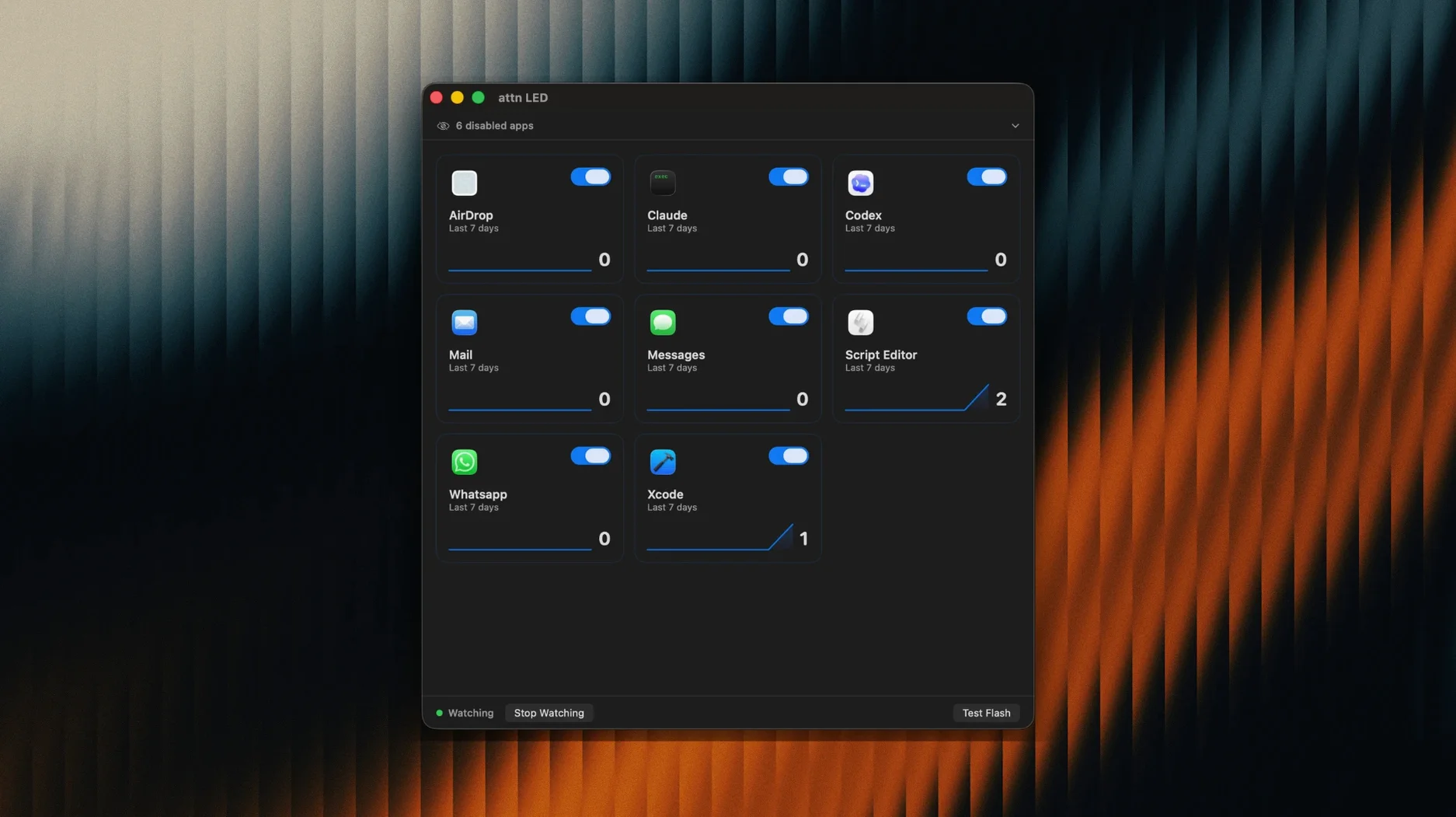
- Narrow the watch list. Head into preferences and limit alerts to the apps that matter — Slack, Mail, Messages, or whatever keeps you tethered. The LED stays dark for everything else.
- Pair it with a Focus mode. When macOS silences banners and sounds, the light keeps doing its job. It monitors the notification database directly, so it works around the usual Focus Mode limits.
- Jump on a video call. The app pauses blinking during FaceTime and other video conferences, so the light behaves normally when the camera is in use.
- Let it lead you back. The LED keeps blinking until you open the app that triggered it — a persistent trail to what you missed.
A light that fits the flow
There are no sounds, no pop-ups, just a small blinking light. For anyone who keeps Focus or Do Not Disturb on for long stretches, it's a way to stay reachable without breaking the quiet. The app reads the macOS notification stream through FSEvents, so it catches what the system normally hides. On any MacBook with a camera indicator LED — which Apple documents as a system status light — attn LED turns a hardware quirk into something useful.
Auto-detection for newly installed apps
Most people install attn LED, pick a couple of apps, and move on. A few details underneath deserve a closer look because they change how the light fits into a workday.
- Auto-detection of new apps. When you install something like Telegram or Teams later, attn LED notices the first notification it sends and adds it to the candidate list without you lifting a finger. You still decide whether to enable it, but the app saves you from digging through preferences every time.
- Room-wide visibility. The camera LED sits above the screen, visible from across a studio apartment or open-plan office. You can step away to refill coffee and still catch the blink when you glance back. No need to be within reading distance of a banner.
- Zero configuration for calls. The pause during FaceTime and video conferences is automatic — no whitelist, no manual toggle. It checks whether the camera is already claimed by another process and steps aside. The moment the call ends, monitoring resumes.
- Persistent but not pushy. The blink rate is slow enough to ignore during a coding sprint, yet regular enough that you notice it within a minute or two. It strikes a balance between notification and wallpaper.
Don’t turn on every app at once
A few habits tend to surface in the first week. None of them break the app, but they can make the LED feel less reliable than it actually is.
Turning on every app at once. The impulse is understandable — you want to catch everything. In practice, a blinking LED loses meaning when it fires for newsletter confirmations and calendar reminders alongside urgent Slack pings. Start with two or three apps and add slowly. The light works best when you trust that it only blinks for what matters.
Forgetting the LED is hardware. On older MacBook models with a slightly recessed light, a webcam cover or thick privacy slider can partially block it. If the blink seems faint, check whether anything is sitting on top of the camera housing. A sticker overlapping the LED edge is enough to mute it.
Expecting the light to identify which app triggered it. The LED blinks for any enabled app — it is a single indicator, not a coded pattern. The way to tell what is waiting is to glance at the Dock or open the app you suspect. The blink stops the moment you bring the right window forward. Think of it as a doorbell, not caller ID.
No, the camera isn’t always on
People tend to ask a handful of the same things when they first hear about attn LED. Here is what matters most.
Does it keep the camera on all the time? No. The app only checks the notification database — it never activates the camera sensor or streams video. The LED is controlled independently, and the camera stays off unless another application requests it. The pause during video calls proves the point: attn LED gives the light back the moment the camera is genuinely needed.
Will it drain the battery? Monitoring FSEvents and toggling the LED is a lightweight task. On Apple Silicon MacBooks, the energy footprint sits near zero in Activity Monitor. There is no background polling loop hammering the disk; it responds to system events as they happen. Most users forget it is running within an hour.
What if someone walks by and sees the blinking? The light only signals that a notification arrived — not who sent it or what it says. For anyone working in a shared space, it is less revealing than a banner preview floating over the screen. And if you step away from the desk, a quick lock of the screen keeps everything private while the LED continues its quiet alert.
attn LED earns its place with restraint. It does not try to replace Notification Center or your Focus settings — it adds a single hardware signal that works when everything else is muted. For anyone curious about weaving the MacBook camera LED into a quieter workflow, the app makes a strong case in a small package.
- macOS 12 or later
- Apple Silicon or Intel Mac with a camera indicator LED
Questions I actually get
Does the LED blink during video calls?
No, attn LED pauses blinking automatically when a video conference app like FaceTime is using the camera.
Will it work with Do Not Disturb turned on?
Yes. It monitors the macOS notifications database directly, so it can show alerts that Focus and Do Not Disturb modes would otherwise suppress.
Can I choose which apps trigger the LED?
Absolutely. You can limit LED notifications to specific apps such as Slack, Mail, Messages, or Teams from within the preferences.
Porch talk 0
Come in or pull up a chair to leave a comment.
Nobody has pulled up a chair yet. If you used it on a real Saturday, say what the hour was.