
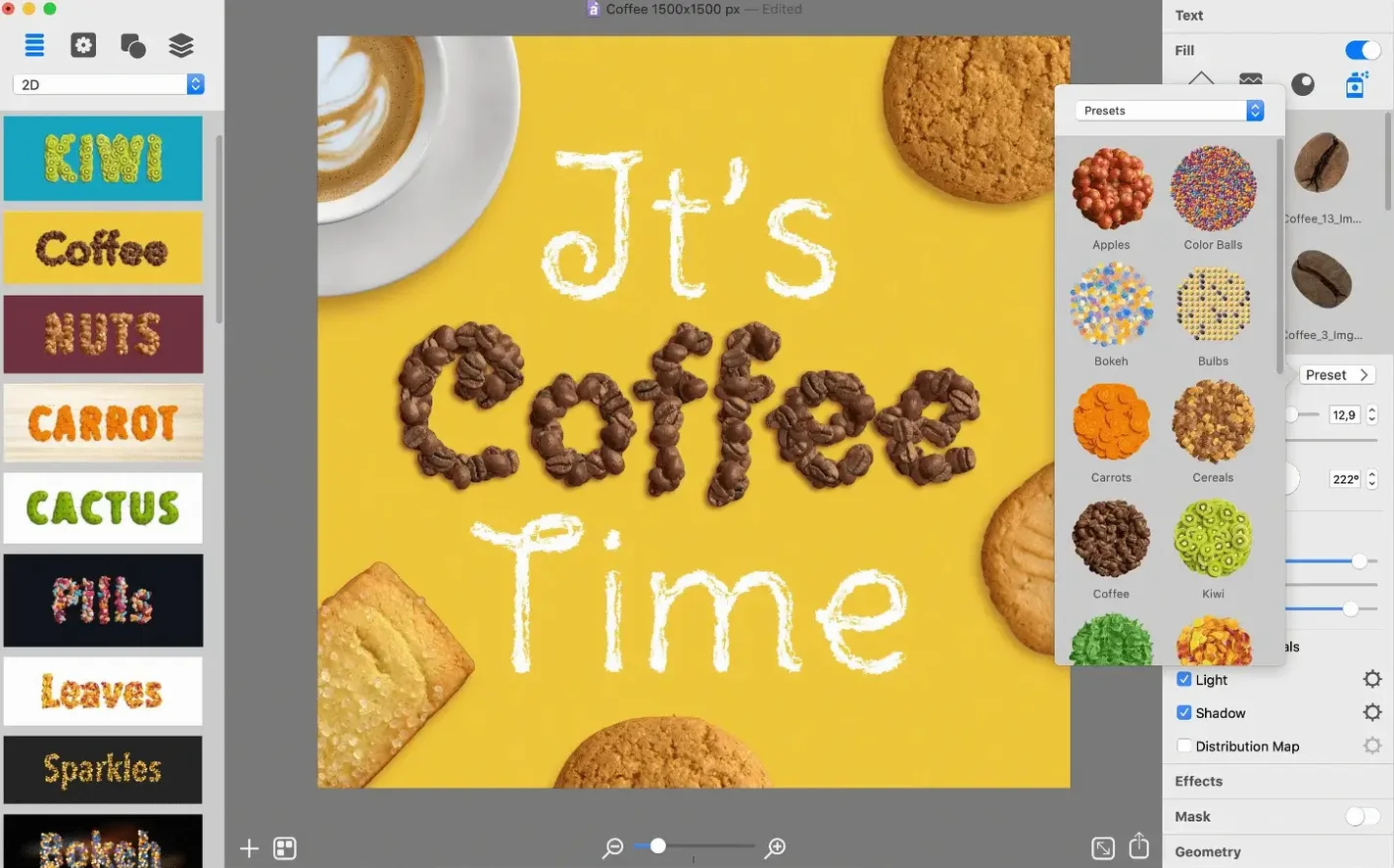
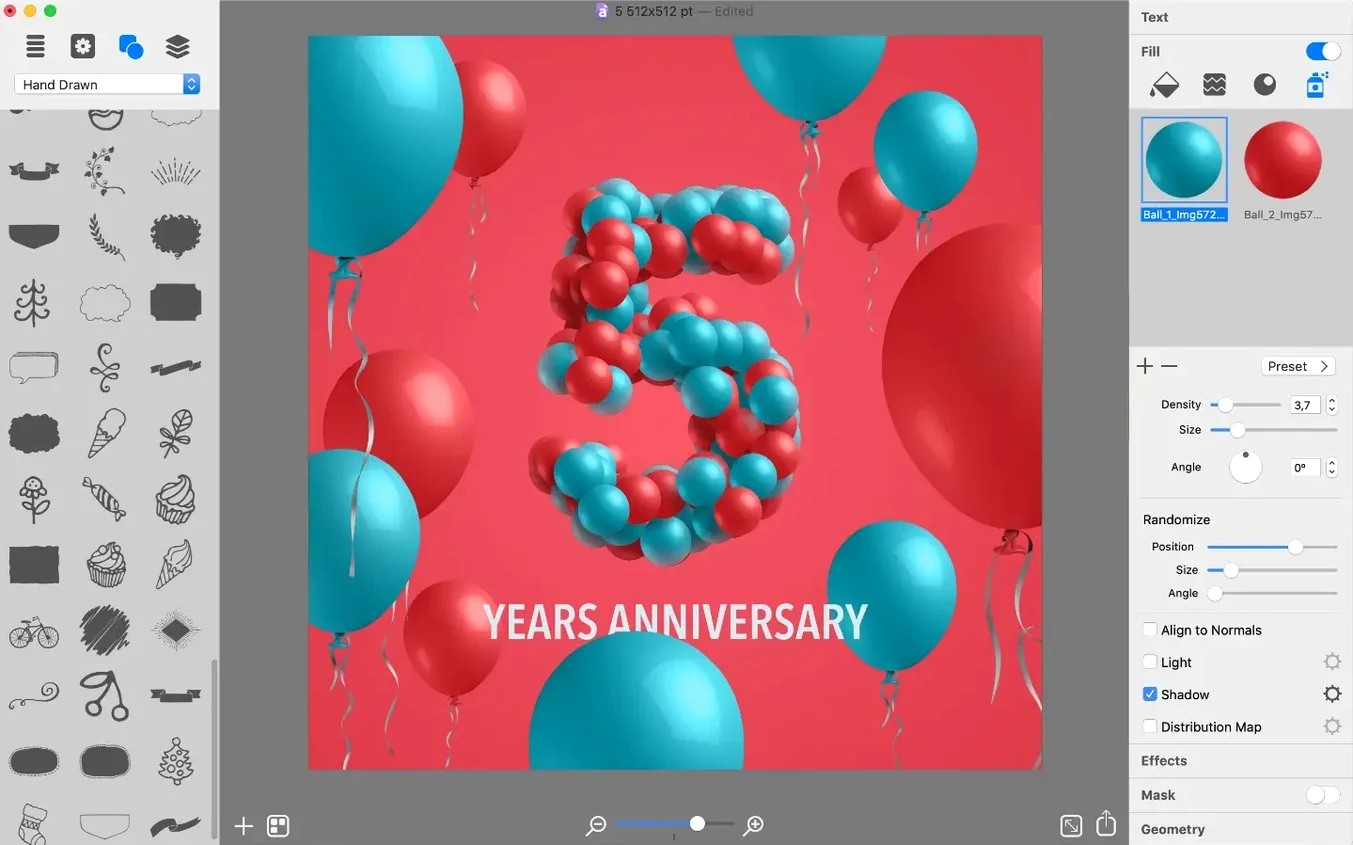
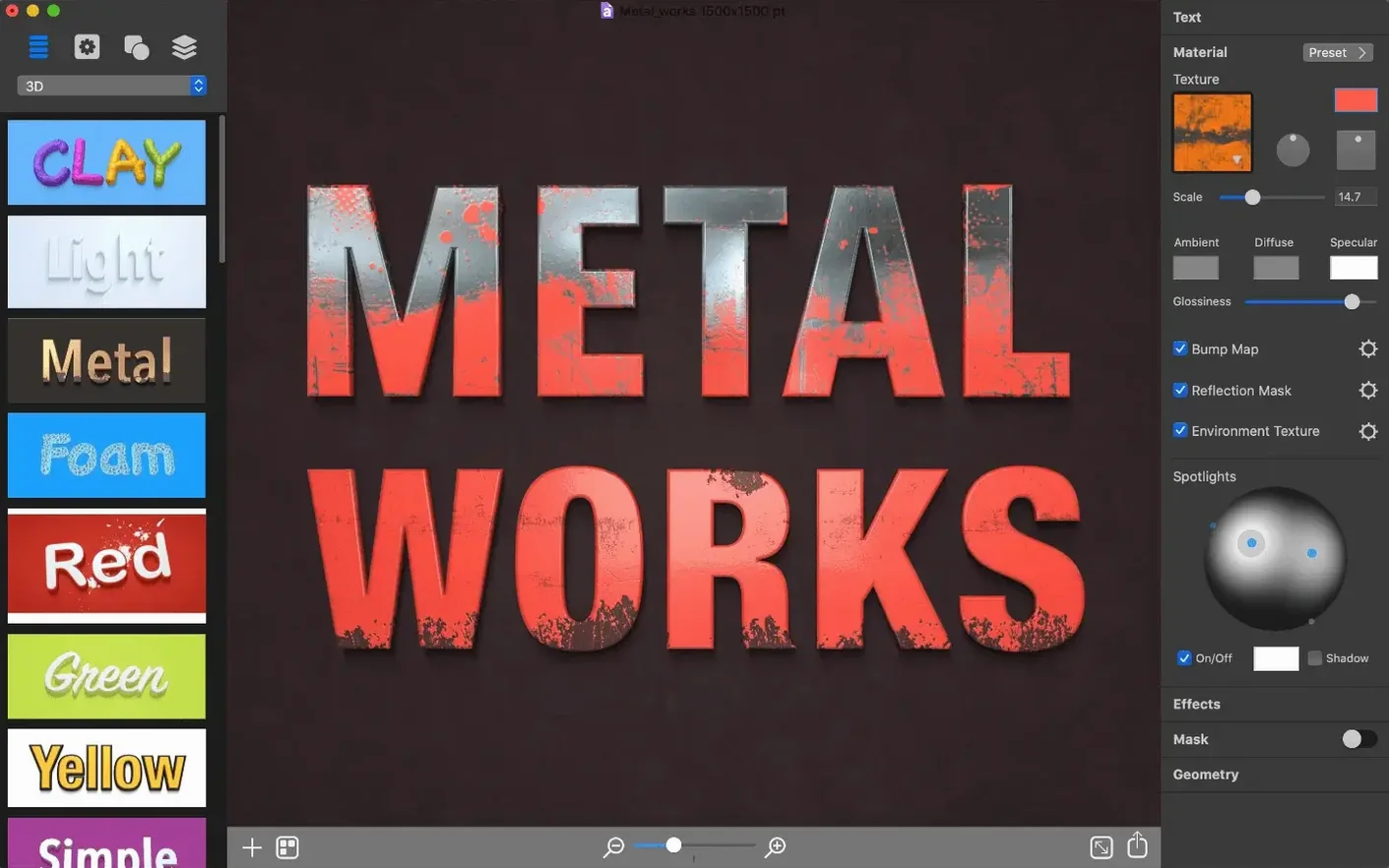
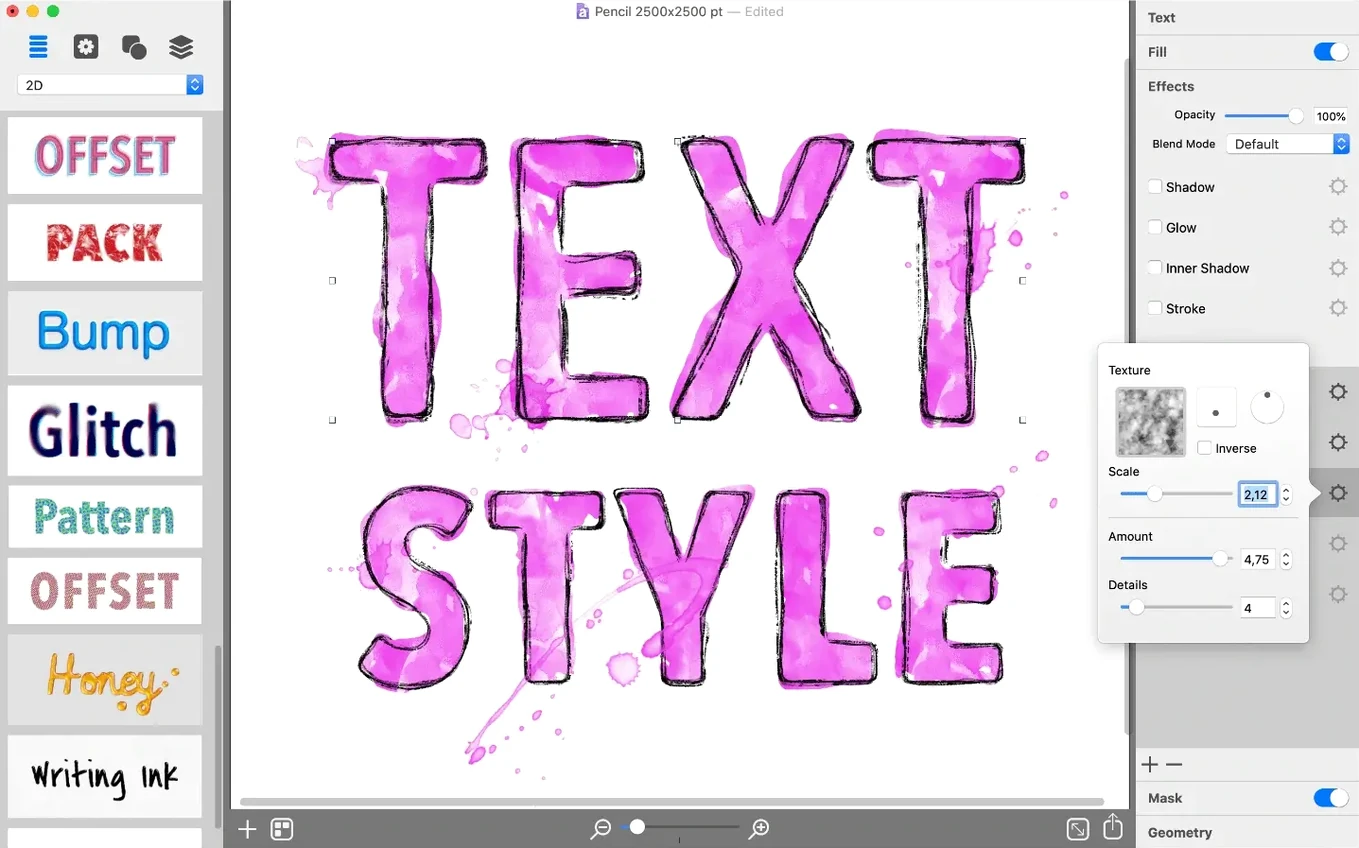
Art Text 4 is a Mac app that builds graphic designs out of letters and words instead of pixels and paths. It takes a line of type and pushes it into textured 3D badges, fluid wordmarks, and social-ready icons, all without leaving a single workspace.
Built Solely for Stylized Type Artwork
- Quick, polished text graphics. The app is built for one task—turning type into finished artwork—and the tools stay focused on that. You pick a style, type your words, and adjust until it looks right.
- Layered, material-rich results. Shading, bevels, glow, and bump maps all live in the same panel. You stack them like physical materials, and the preview updates as you go.
- Multiple export formats. Finished pieces leave the app as TIFF, JPEG, PDF, EPS, GIF, or PNG. That covers print, web, and everything between.
- Native file format. Work in progress saves in the Art Text format, so you can reopen a project later with every layer and effect intact.
Runs Natively on Intel and Apple Silicon
- Intel and Apple Silicon support. The app runs on both 64-bit Intel Macs and ARM-based machines, with macOS 10.14 as the floor.
- Narrow purpose. This is not a page-layout tool or a general image editor. It does text graphics, and it stays in that lane.
Settings to dial in first
Before you get deep into a design, a couple of preferences make the work smoother. Open the app's settings and head to the General tab. Switch the default unit to pixels if you are building for screens—points are fine for print, but most badge and social work benefits from pixel precision. While you are there, bump up the undo count from the default. Text effects involve a lot of small adjustments, and having fifty undos instead of twenty keeps the experimentation flowing without nerve.
Over in the Workspace preferences, set the canvas background to a mid-gray rather than pure white. It sounds like a small thing, but glow effects and light-colored materials read far more accurately against gray. You spot overexposed highlights before they leave the app. Also, if you work with dark interface elements elsewhere on your Mac, the app follows your system appearance setting—no separate toggle needed, just a consistent look.
Crafting a Twitter Header in 30 Minutes
Picture a typical thirty-minute session. You open Art Text 4 and pick a blank document at 1200 by 630 pixels—a Twitter header size. The workspace shows a flat text block with placeholder words. You swap in the project name, then browse the preset library on the left. One of the material-heavy styles catches your eye: a brushed-metal look with recessed shadows.
You apply it, and the text transforms immediately. The Layers panel now shows a stack of effects: a base fill, two shadow layers at different angles, a bevel with a custom curve, and a subtle noise texture on top. You click into the bevel settings and reduce the depth a little—the default was too chunky for the thin typeface you chose. The preview redraws in under a second. Next, you open the icon library, search for a circular badge shape, and drop it behind the text. You tweak its gradient to match the metallic feel, then group the layers. Export as PNG at 2x resolution takes about three seconds. The file lands on your desktop, ready to upload.
Real-Time Preview With Stacked Effect Layers
On both Apple Silicon and older Intel machines, the app stays light. The interface draws quickly, even with six or seven effect layers stacked. Preview updates happen fast enough that you work in real time—there is no render button to hit, no progress bar between you and the result. The app idles at around 180 megabytes of memory with a moderate project open, which leaves plenty of headroom if you are also running a browser and a layout tool alongside it.
Stability has been uneventful, which is the best kind. Through multiple sessions of swapping typefaces, stacking deformations, and exporting batches, crashes are rare. The one thing worth knowing: if you load a very large custom texture file—say, a 6000-pixel photo for a bump map—the preview can hitch for a beat. Stick to texture sizes close to your canvas dimensions, and the app hums along. Those who grab an Art Text 4 Mac torrent often wonder about performance on patched systems, and the word is consistent: the app behaves the same way it does on clean installs, no extra baggage.
Version 4.5.10 brings a handful of small under-the-hood fixes along with the new AI Bundle 3 offer inside the app.
- macOS 10.14 or newer
- Runs on Apple Silicon and 64-bit Intel Macs
Questions I actually get
What file formats can Art Text 4 export?
You can export designs as TIFF, JPEG, PDF, EPS, GIF, or PNG—a set that covers both print and screen use.
Does Art Text 4 work on Apple Silicon Macs?
Yes, version 4.5.10 supports both ARM-based Macs and 64-bit Intel machines, and it requires macOS 10.14 or later.
What is Art Text 4 used for?
It is a typography app for creating text-based graphics, from 3D word art and logos to social media badges and web headings.
Porch talk 0
Come in or pull up a chair to leave a comment.
Nobody has pulled up a chair yet. If you used it on a real Saturday, say what the hour was.
More for the same hour
Everything in Mac Apps
 ArchiCAD
29.2.1 Mac Apps
5.1 GB
ArchiCAD
29.2.1 Mac Apps
5.1 GB

 Artlantis
9.5.2.32853 Mac Apps
370 MB
Artlantis
9.5.2.32853 Mac Apps
370 MB
 Apple Remote Desktop
3.10 Mac Apps
16 MB
Apple Remote Desktop
3.10 Mac Apps
16 MB
 Apple Keynote
15.3.1 Mac Apps
356 MB
Apple Keynote
15.3.1 Mac Apps
356 MB
 AppKiller
4.4.0 Mac Apps
Updated 7 MB
AppKiller
4.4.0 Mac Apps
Updated 7 MB
 AnyTrans for iOS
8.9.14 Mac Apps
398 MB
AnyTrans for iOS
8.9.14 Mac Apps
398 MB

 Antivirus Zap - Virus Scanner
3.25.1 Mac Apps
Updated 49 MB
Antivirus Zap - Virus Scanner
3.25.1 Mac Apps
Updated 49 MB
 AmpliTube
5.8.2 Mac Apps
3.1 GB
AmpliTube
5.8.2 Mac Apps
3.1 GB