

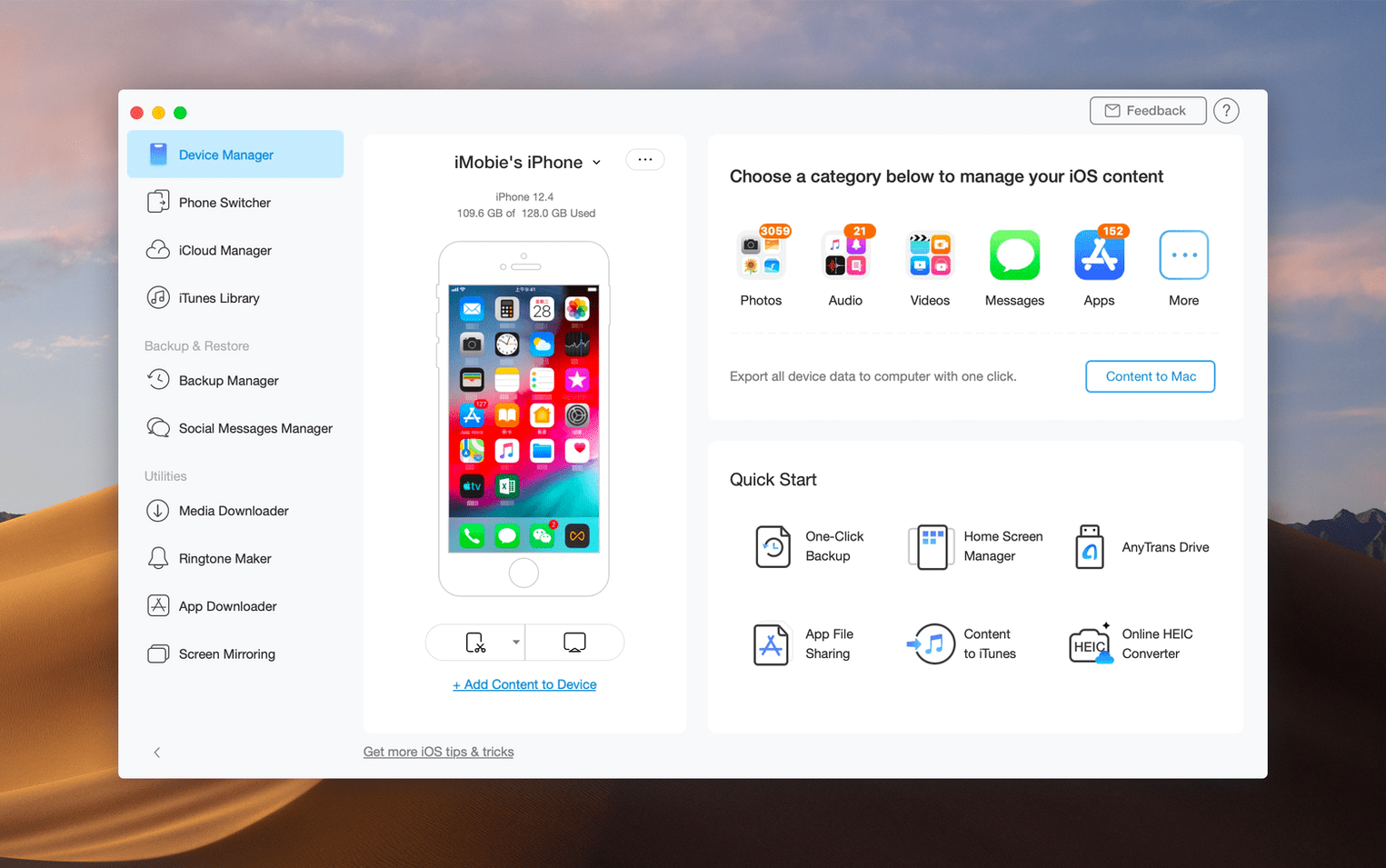
iCloud stores your files, but it doesn't make it easy to pull a copy onto your Mac as a plain folder. AnyTrans for Mac starts there and then goes further, acting as a single window into what's on your iPhone, iPad, iPod, iTunes, and iCloud.
Pulling music out of iTunes and onto your iPhone
- Alongside iTunes – grabs music from an old iTunes library and sends it to an iPhone or straight to your Mac's drive.
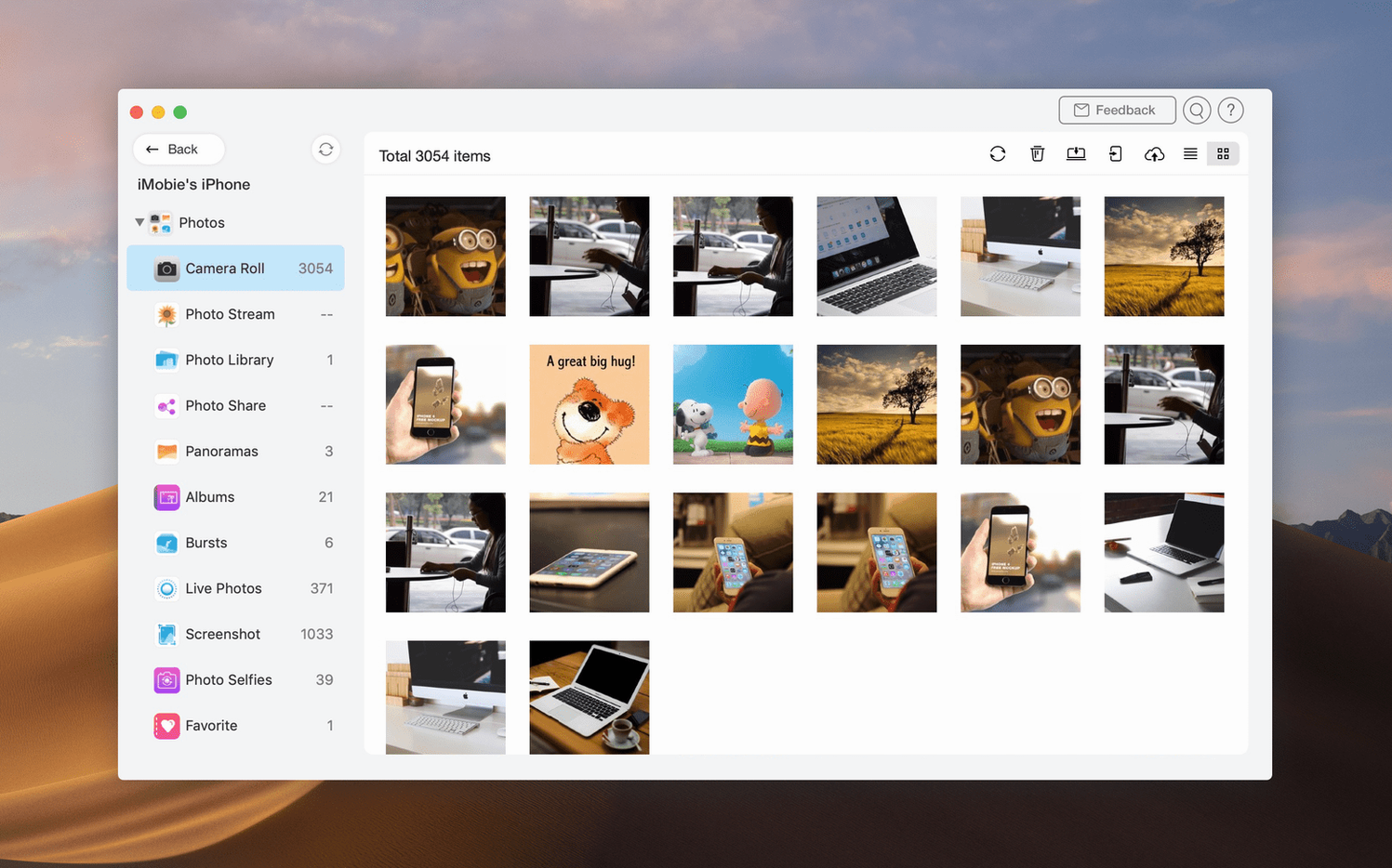
- Beside the Finder – transfers files by category over USB, so you see photos, messages, or music as tidy groups instead of a single backup blob.
- Between iCloud accounts – moves content from one iCloud account to another, a task Apple's apps won't touch.
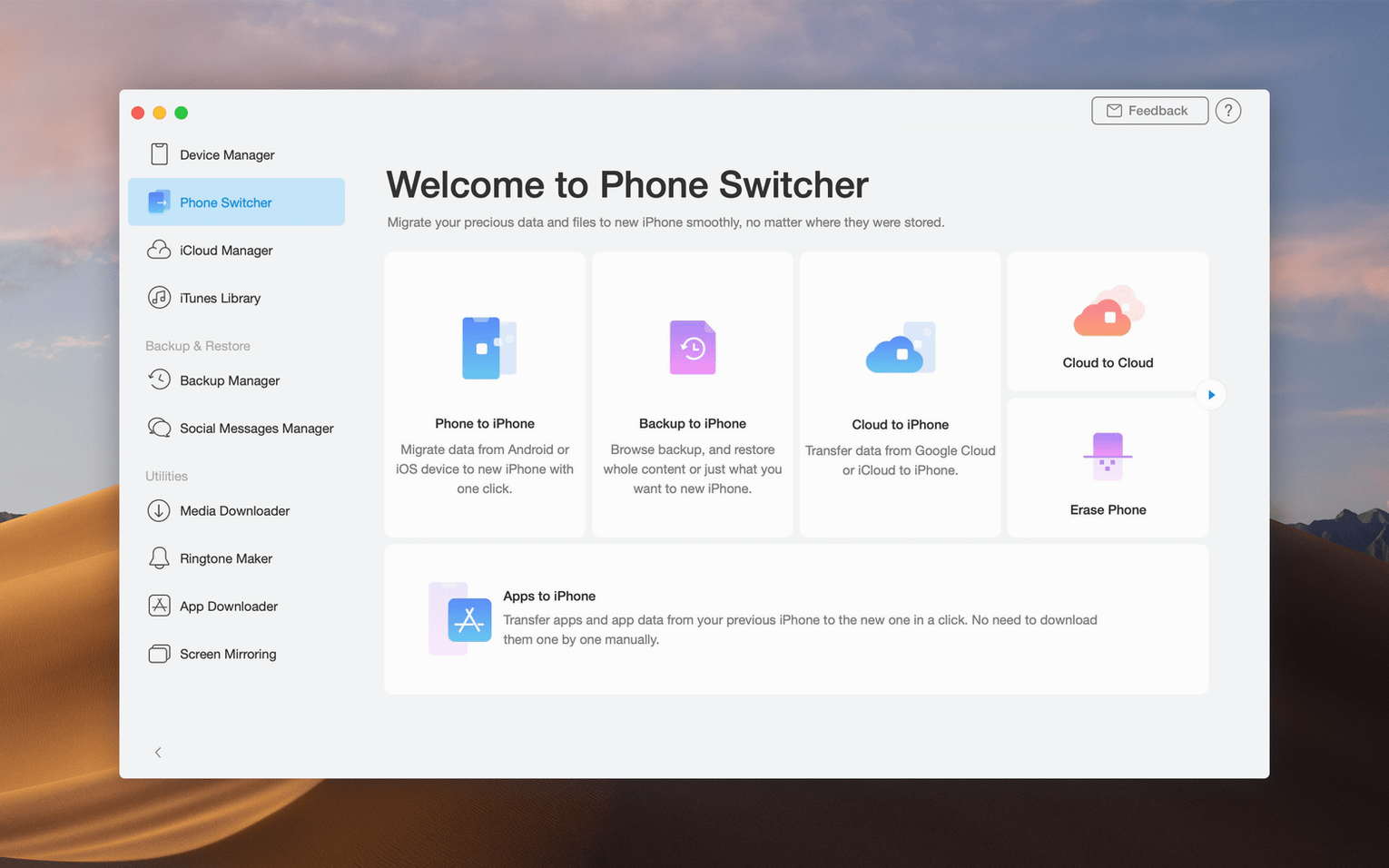
- When switching phones – pulls data from an Android or older iOS device onto a new iPhone without requiring a full restore.
A gentle bridge for your files
The app stitches together devices that usually stay in their own lanes. You can save iCloud files locally on your Mac, drag media from one iOS device to another, or pull an old iTunes library into your current phone. Anyone juggling a mix of Apple hardware and cloud storage will find it fills the gaps left by the built-in tools.
Your existing iTunes library stays completely untouched
People usually ask whether AnyTrans messes with an existing iTunes library. It doesn't. The app reads what's already there and adds a parallel set of controls, leaving your library untouched unless you tell it to move something. You can treat it as a second pair of hands that reaches into iTunes, grabs a playlist, and drops it onto a different iPhone without rewriting metadata or duplicating tracks.
Another common worry is iCloud access. AnyTrans signs into your account through Apple's own authentication, not some third-party middleman. Once connected, it shows your iCloud files in a flat browser. You drag a folder to the desktop and it lands as ordinary files — no wrapper, no proprietary format. The same goes for pulling photos out of an iCloud backup; they arrive as standard JPEG or HEIC files that Preview and Photos can open immediately.
People also wonder whether a USB transfer is slow or flaky. Speeds depend on your cable and port, but category-by-category transfers over USB tend to feel snappier than waiting for a full iTunes sync. If you only want messages and voice memos from an old iPad, you select those two categories and walk away. Twenty minutes later, they sit in a folder on your Mac, not buried inside a monolithic backup archive.
One last question that surfaces in forums: does the app handle the jump from Android? Yes, and it's surprisingly uneventful. You install a small helper on the Android phone, connect both devices to the Mac, and pick what to bring over — contacts, photos, music, calendar events. The transfer runs directly, no cloud relay involved, so your data doesn't take a detour through Google or iCloud servers mid-move.
A Saturday afternoon with a photographer's iPad
Imagine a weekend photographer who shoots raw files on a DSLR, imports them into an iPad for culling at a coffee shop, and then wants the selects on a Mac for Lightroom. The official workflow involves iCloud Photo Library or AirDrop, both of which can choke on a hundred 45-megabyte raw files. With AnyTrans, she plugs the iPad into the Mac, opens the Photos category, sorts by date added, and drags the morning's shoot onto the desktop. The files keep their original naming and folder structure. No compression, no sync delay, no "your iCloud storage is full" notification halfway through. She can also pull over just the flagged images if she marked them in the iOS Photos app, because the category browser respects albums and smart filters already set up on the iPad.
Where media downloading splits from iMazing
iMazing shares a lot of DNA with AnyTrans — both browse iOS backups, both extract messages and call histories, both offer a USB-based device manager. Where they diverge is media downloading. iMazing keeps its focus tight on device management and backup inspection. AnyTrans tacks on a downloader that grabs audio and video from over 900 websites, which gives it a second life as a light media collector. If you already own a dedicated downloader, that feature may not sway you. If you don't, it means one fewer app to keep updated.
SyncBird is the leaner cousin. It handles music and playlist transfers between iPhone, iPad, and iTunes with a stripped-back interface. It doesn't touch iCloud accounts, won't move data between iCloud accounts, and skips the Android-to-iPhone migration path. SyncBird works well when your only goal is tidying an iTunes library and refreshing what lands on your phone. AnyTrans covers that same ground but then keeps walking into cloud territory and cross-platform transfers.
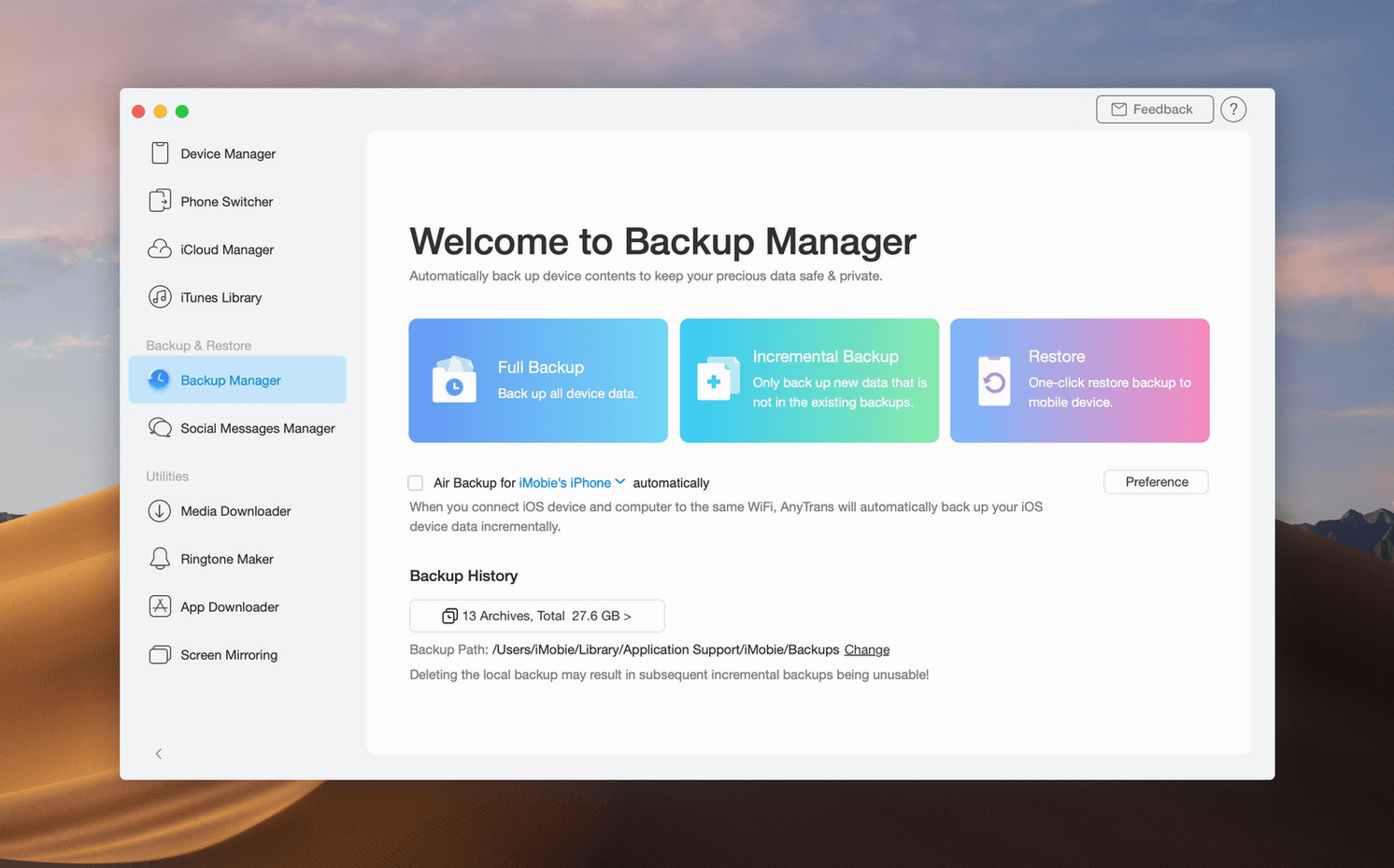
DearMob iPhone Manager encrypts local backups and puts a heavy emphasis on privacy, which matters if you regularly handle sensitive client data on an iPhone. Its photo management tools include HEIC-to-JPEG conversion during transfer. AnyTrans doesn't layer on extra encryption, but it matches DearMob's photo handling and adds the iCloud account switcher plus the media downloader. The choice often comes down to whether encryption during backup is non-negotiable or whether broader cloud and download features matter more day to day.
- macOS 10.13 High Sierra or newer
- Intel-based Mac
Porch talk 0
Come in or pull up a chair to leave a comment.
Nobody has pulled up a chair yet. If you used it on a real Saturday, say what the hour was.
More for the same hour
Everything in Mac Apps
 Antivirus Zap - Virus Scanner
3.25.1 Mac Apps
Updated 49 MB
Antivirus Zap - Virus Scanner
3.25.1 Mac Apps
Updated 49 MB

 AppKiller
4.4.0 Mac Apps
Updated 7 MB
AppKiller
4.4.0 Mac Apps
Updated 7 MB

 Apple Keynote
15.3.1 Mac Apps
356 MB
Apple Keynote
15.3.1 Mac Apps
356 MB
 Apple Remote Desktop
3.10 Mac Apps
16 MB
Apple Remote Desktop
3.10 Mac Apps
16 MB
 AmpliTube
5.8.2 Mac Apps
3.1 GB
AmpliTube
5.8.2 Mac Apps
3.1 GB

 ArchiCAD
29.2.1 Mac Apps
5.1 GB
ArchiCAD
29.2.1 Mac Apps
5.1 GB

 Art Text 4
4.5.10 Mac Apps
750 MB
Art Text 4
4.5.10 Mac Apps
750 MB

 Amadine
1.8.3 Mac Apps
56 MB
Amadine
1.8.3 Mac Apps
56 MB