

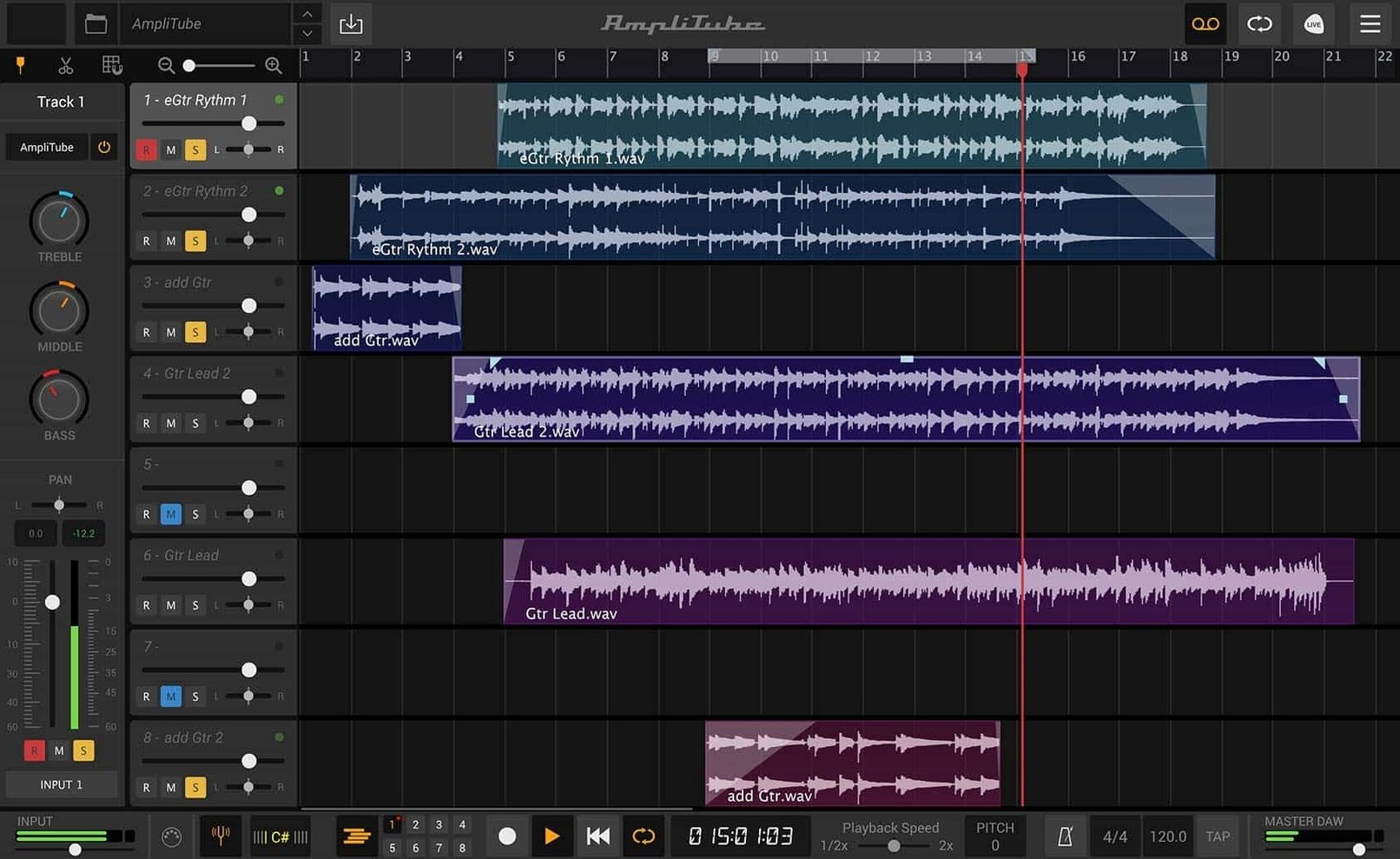
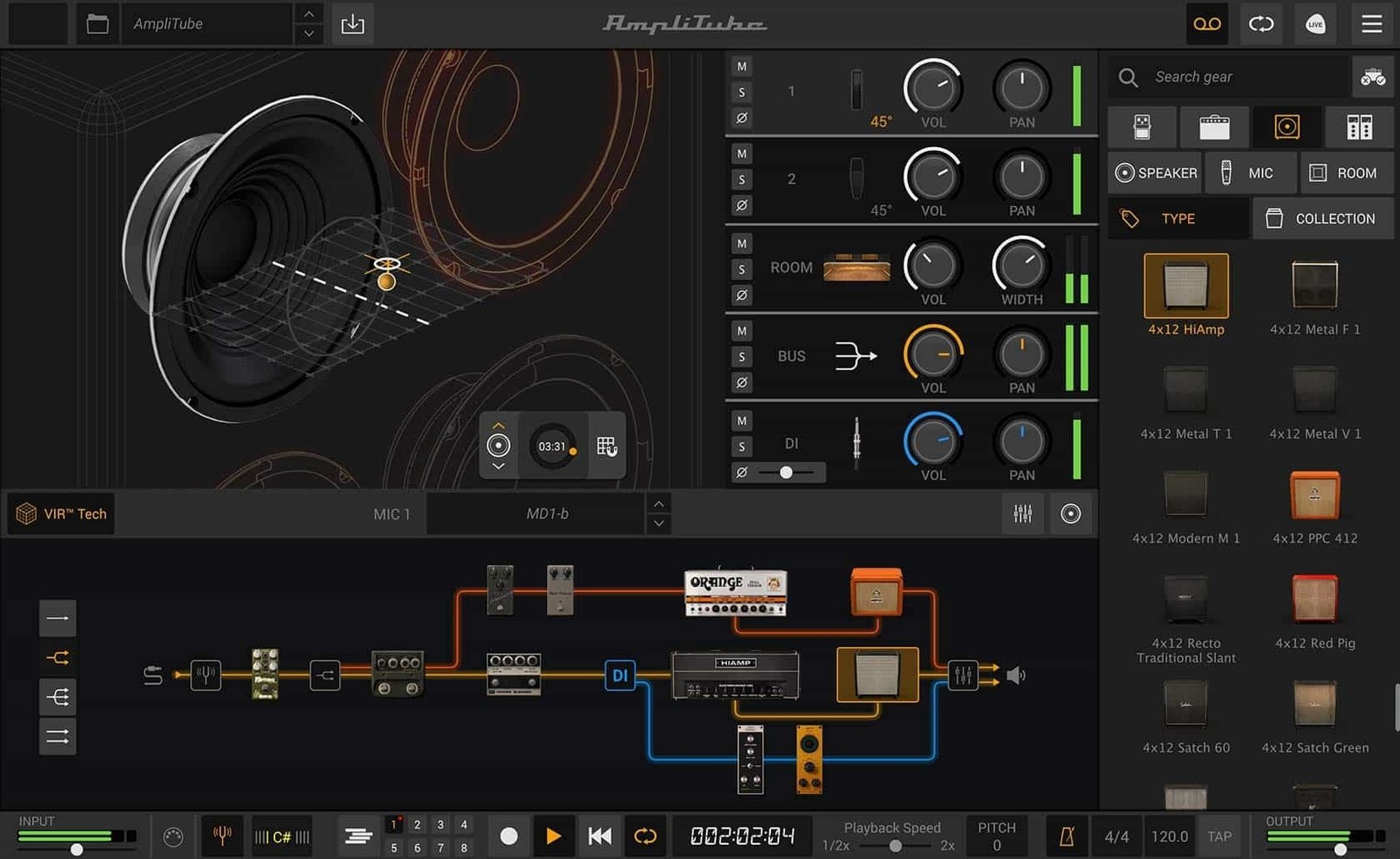
Before you download the disk image and run the installer, it's good to know the ground is solid under your feet. AmpliTube 5 is a 64-bit application that runs on macOS 10.15 or later, and it's comfortable on both Intel machines and Apple Silicon Macs.
Rearrange the signal chain
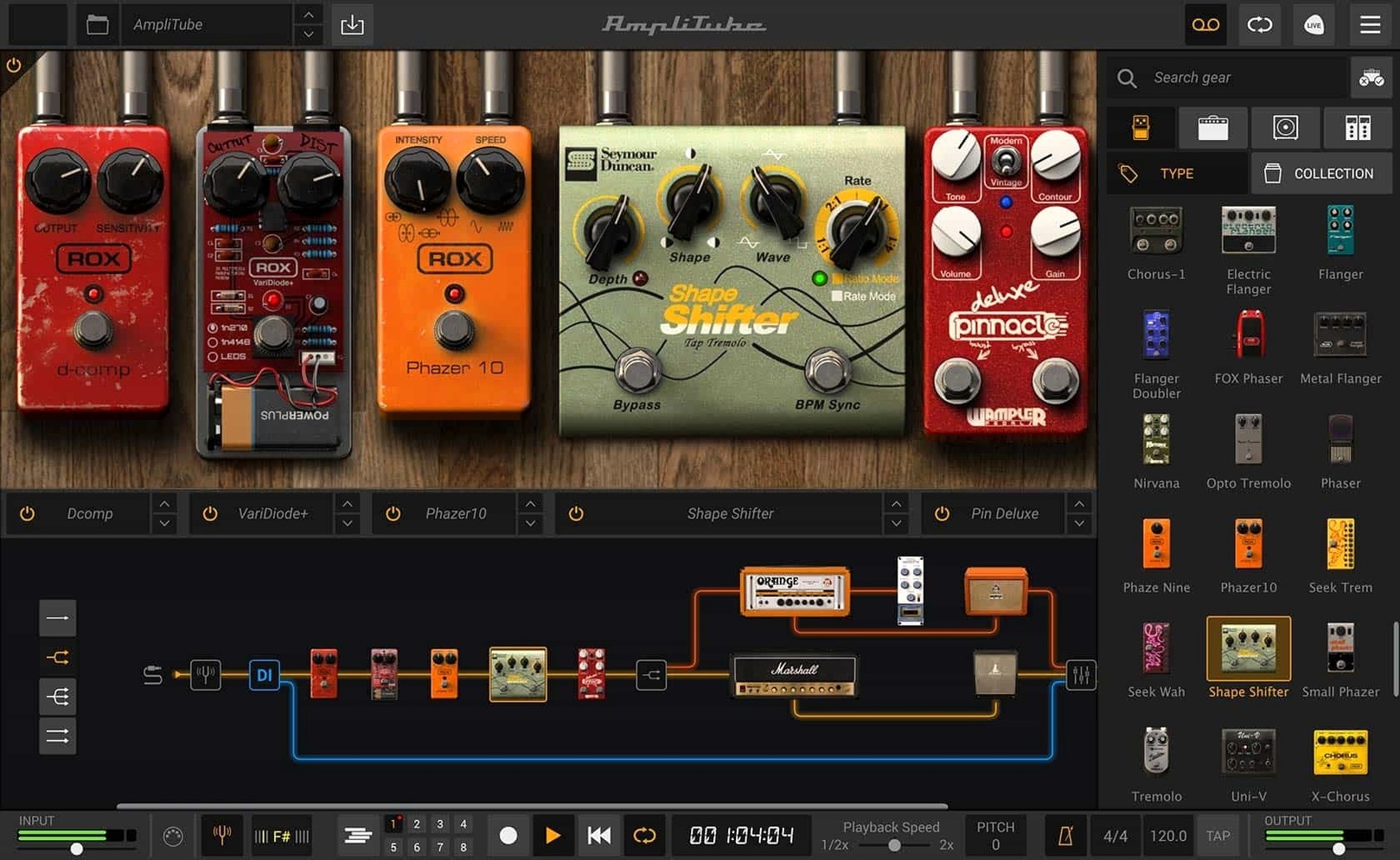
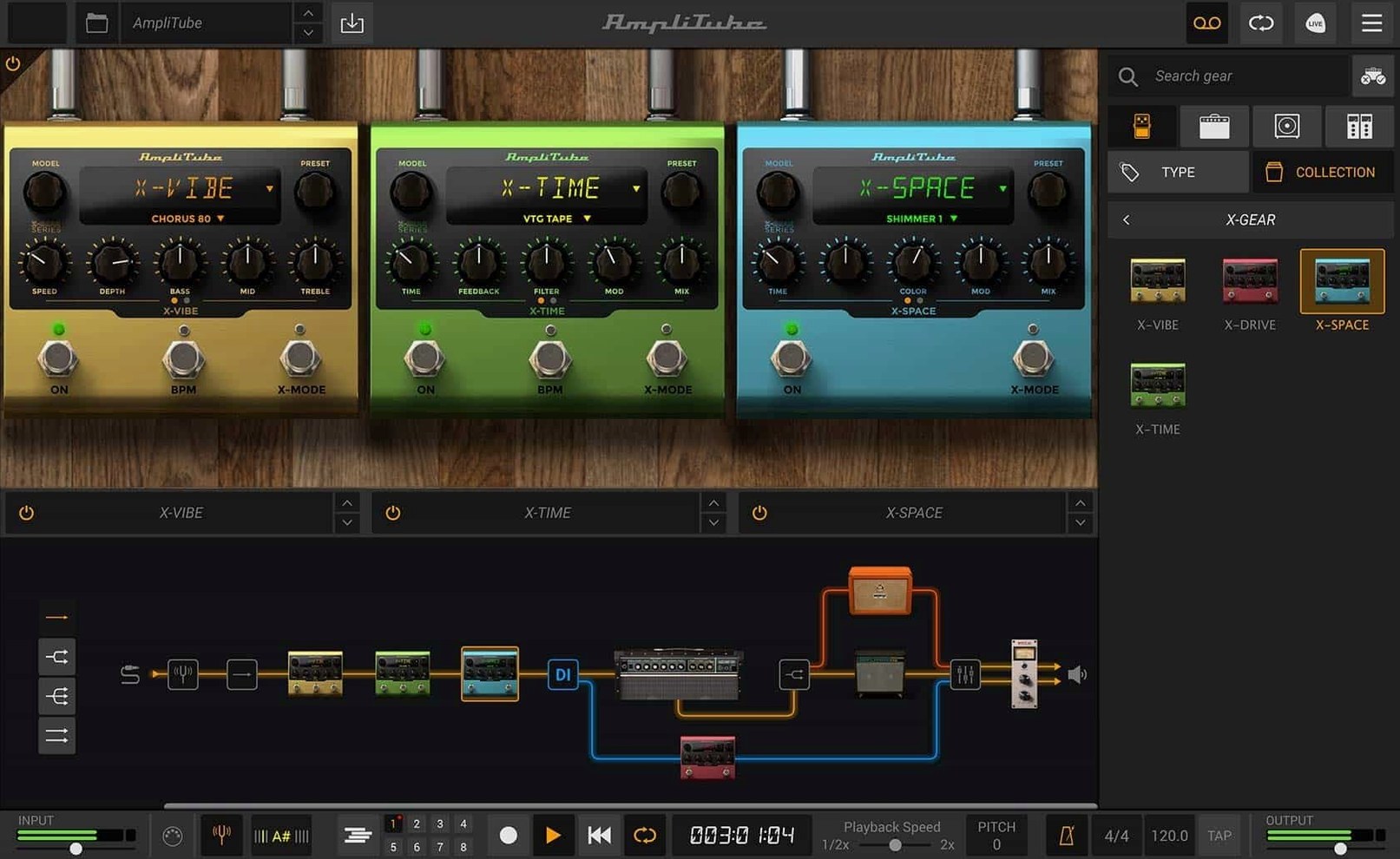
Open up the new drag-and-drop routing and move a pedal in front of the amp or slide a rack effect somewhere unexpected. The series and parallel routing lets you hear how a simple reorder changes the whole feel, and it's the quickest way to understand why the signal path matters.
Swap a cabinet with VIR technology
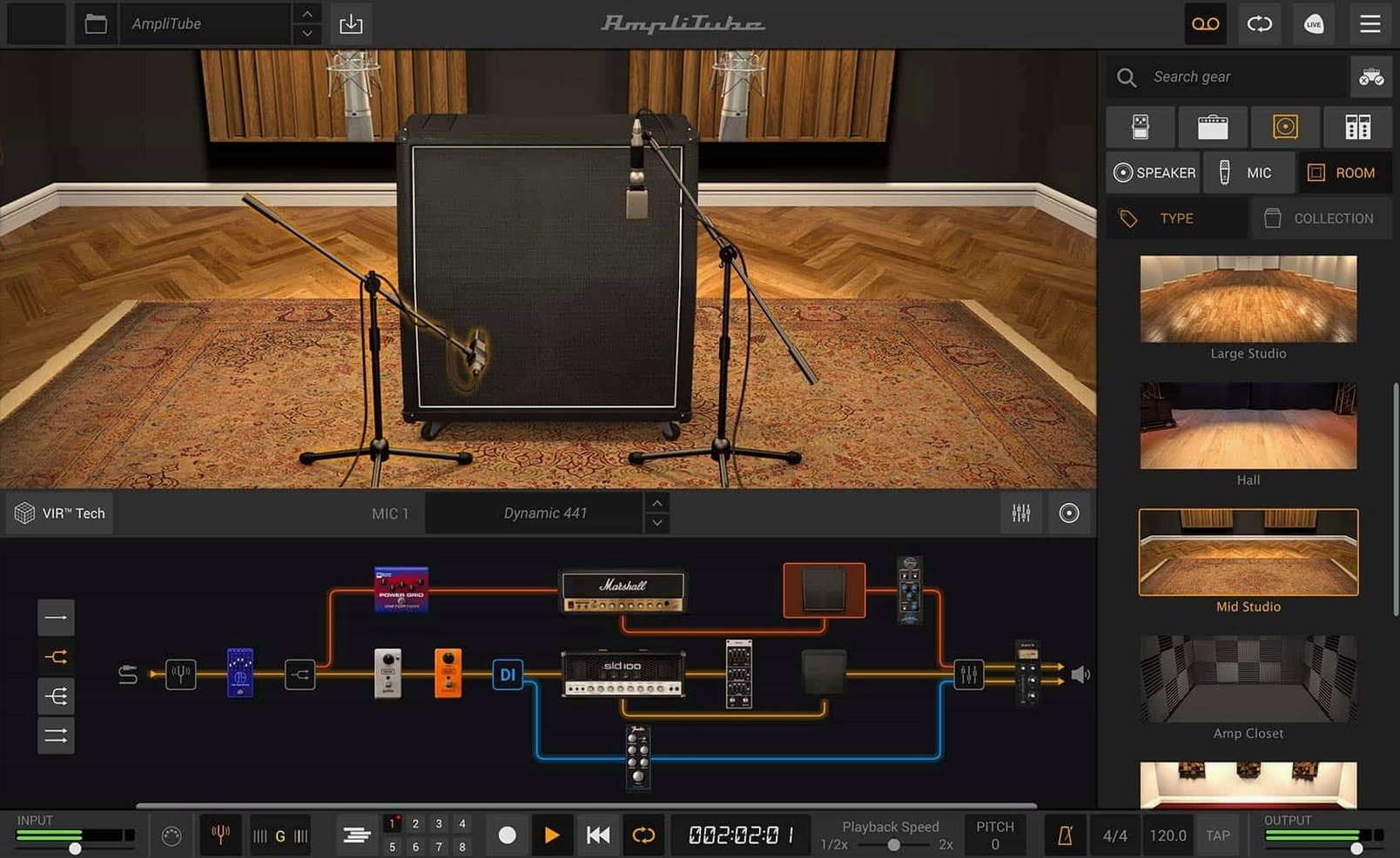
Head into the cabinet section and cycle through a few of the new rooms. The VIR tech shifts more than just the mic placement—it reshapes the space the speaker lives in, and that's where a preset starts to sound like your own rig.
Blend in a rack effect
Pull up the redesigned mixer and tuck one of the 23 new rack effects onto a parallel channel. Blending a subtle chorus or delay behind a dry amp signal is a forgiving way to explore the new models without drowning in knobs, and the built-in mixer effects keep everything glued together.
How AmpliTube stacks up against a few familiar neighbors
Fire up any online forum where guitarists trade recording tips and you'll spot the same three names circling around AmpliTube: Guitar Rig, Bias FX, and Helix Native. Nobody needs a spreadsheet to pick a favorite, but knowing where each one aims its light helps you settle into the right tool faster.
Guitar Rig leans toward the experimental side. Its routing grid feels like a pedalboard wired by a synth player—modulation, pitch shifting, and rhythmic gates sit right next to the amp models, and the whole thing encourages happy accidents. AmpliTube spends more time nailing the amp-in-a-room experience. The VIR cabinet section alone gives you a sense of physical space that Guitar Rig's cab emulation doesn't chase in quite the same way. If you want a plate reverb that sounds like a 1980s rack unit, Guitar Rig hands it over quickly. If you want to hear what a 4x12 sounds like in a treated studio versus a concrete basement, AmpliTube is where you'll end up.
Bias FX packs a lively set of amp models and an interface that rewards drag-and-drop tinkering, but its strongest card is the cloud-based ToneCloud preset library. Dialing up someone else's patch and tweaking it to taste is genuinely quick. AmpliTube's preset ecosystem is less of a social network and more of a curated shelf: the artist and brand collections are focused, not endless, and the starting point often sounds closer to a finished record tone. Where Bias FX encourages browsing, AmpliTube encourages building.
Helix Native came from a hardware lineage, and it shows. The models are precise, the DSP load stays predictable, and the UI is a direct translation of the floorboard experience. It is a workhorse built for live setlists and session recall. AmpliTube brings more visual personality to the table—the modeled gear faces, the rack units, the glowing tubes—and the standalone app makes it comfortable to open without a DAW. For a weekend photographer who just wants to plug in and hear something inspiring while coffee brews, AmpliTube's immediacy wins.
Judging Tones Against Demo Videos
A fresh install of any amp modeler comes with a quiet hazard: everything sounds good in the demo video, and your first strum in the default preset feels thin by comparison. The most common misstep is judging the software by its untouched startup patch. That preset is a blank stage, not a finished mix. Spend two minutes swapping the cabinet, nudging the mic blend, and rolling back the gain a notch before you decide whether the engine suits you.
Another trap hides in the input gain. AmpliTube expects a clean, healthy signal, and a weak interface preamp will starve the models before they ever reach the cabinet section. Check your audio interface's input level first—peak around -12 dB to -6 dB—and then dial in the software's input trim. Overdriving the input too early is like sending a muddy photograph to the darkroom and blaming the enlarger. The same caution applies to loading custom IR files: a third-party impulse response dropped into the cab slot without checking its level can clip the mixer bus or push the cabinet resonance into harsh territory. Listen to the IR at unity volume first, then blend.
Beginners also tend to stack too many pedals before the amp, chasing a saturated tone that fights the cabinet's natural compression. A single overdrive into a well-tuned amp model—with the cabinet's VIR settings adjusted to taste—often yields a more musical result than five gain stages fighting each other. Start lean, then add.
Standalone Tuesday-Night Rig Workflow
Picture a Tuesday evening in a small Atlanta apartment. The work laptop is closed, a Telecaster leans against the desk, and a two-channel interface blinks its ready light. AmpliTube 5 opens as a standalone app, bypassing the DAW for a headphone-friendly hour.
First step: the input meter. A quick strum confirms the signal hovers around -10 dB. Good. The default preset loads, and it's immediately swapped for an empty rack—no amp, no pedals, just a blank canvas. From the amp browser, a mid-gain British head drops into the signal chain. The cabinet section opens below it, and the VIR panel shows a 4x12 with a dynamic mic placed an inch off the grille. Dragging the mic toward the edge of the cone softens the bite just enough.
Next, a compressor pedal slides in before the amp. The threshold comes down until the attack feels even, not squashed. A spring reverb from the new rack effects lands after the cabinet, set to a short decay. The mixer stays in series for now—no parallel blending yet—and the built-in channel EQ dips a little mud around 300 Hz.
Ten minutes in, the tone is warm but polite. Time for a second path. A parallel split appears in the routing view, and a cleaner American-style amp occupies the new lane. Its cabinet gets a ribbon mic pulled back three feet in one of the new rooms—a medium-sized studio space with wood floors. The two amps panned slightly apart create a stereo image that makes headphones feel wider than they should.
Now the fun part: a custom IR replaces the British amp's cabinet entirely. A folder of favorite speaker impulses sits on the desktop, and one click loads a greenback-loaded 2x12 captured in a friend's project studio. The difference is immediate—tighter lows, more midrange character. The blend knob between the two parallel paths settles around 60/40, favoring the American amp for clean articulation and the British IR for growl.
By the end of the hour, the preset gets saved with a descriptive name: "Tuesday Tele Parallel." No recording happened. No mix decisions were made. But the patch is ready for Saturday morning when the DAW opens and a rhythm track needs personality without a dozen plug-in windows open.
Blending Processed Amp and Direct DI Feeds
The shift to version 5 brought more than a fresh coat of paint. The signal chain became a visual drag-and-drop affair, and mixed DI signals arrived—meaning you can blend a processed amp tone with a direct, unprocessed feed inside the same routing window. That single addition turned AmpliTube into a re-amping tool without leaving the plug-in.
The cabinet section received VIR technology, which is IK Multimedia's way of modeling the interaction between speaker, mic, and room with far more resolution than static impulse responses. The redesigned mixer with built-in effects meant rack units and channel strips no longer needed a separate DAW bus to feel cohesive. These three changes—routing, cabinets, mixer—shifted the everyday workflow from "pick a preset and tweak" to "build a signal path from scratch and let it evolve," and that difference is what makes the newer versions feel less like a preset player and more like a workshop.
Mic Distance and Room Reflections First
Give the VIR cabinet section your full attention before you reach for extra pedals. Cycle through the room models with the mic distance pulled back and listen to how the reflections change. A room you dismiss on a solo guitar might become the glue in a busy mix, so save a few blank amp-and-cab templates labeled by room type.
Resist the urge to test every one of the 130-plus new models in a single sitting. Pick one amp family—say, the classic American clean circuit—and build three presets around it with different cabinets and rack effects. You will learn the model's headroom, its breakup point, and which overdrive pedal pushes it in a way you like. That knowledge carries over to every other amp in the collection.
Set up a parallel path early, even if you don't think you need one. A clean DI signal blended subtly underneath a heavily processed tone restores articulation that gets lost in high-gain presets, and the mixed DI feature makes this trivially easy. The blend knob in the mixer is your friend.
If you hunt down an amplitube mac download to get started, the free CS version comes with 42 gear models—enough to test the routing, the VIR cabinets, and the mixer before you explore the larger collections. The same installer works for both Intel and Apple Silicon Macs, so the first launch will feel native regardless of your machine.
Finally, trust your ears over the graphic of the modeled gear. A pedal that looks like a vintage fuzz might sound better with the tone knob rolled back than the screen suggests, and the cabinet's mic placement graph is a starting point, not a rulebook. Move the mic, blend two different ones, and let the room do some of the work.
- macOS 10.15 or later
- Intel or Apple Silicon Mac
- 64-bit application
Questions I actually get
How many new gear models are in AmpliTube 5?
AmpliTube 5 adds more than 130 new models, including 2 new pedals and 23 new rack effects. The MAX edition expands that to over 400 gear models across 11 brand and artist collections.
Porch talk 0
Come in or pull up a chair to leave a comment.
Nobody has pulled up a chair yet. If you used it on a real Saturday, say what the hour was.
More for the same hour
Everything in Mac Apps
 Amadine
1.8.3 Mac Apps
56 MB
Amadine
1.8.3 Mac Apps
56 MB

 Antivirus Zap - Virus Scanner
3.25.1 Mac Apps
Updated 49 MB
Antivirus Zap - Virus Scanner
3.25.1 Mac Apps
Updated 49 MB
 AnyTrans for iOS
8.9.14 Mac Apps
398 MB
AnyTrans for iOS
8.9.14 Mac Apps
398 MB

 AltTab Pro
11.10.0 Mac Apps
Updated 11 MB
AltTab Pro
11.10.0 Mac Apps
Updated 11 MB

 AppKiller
4.4.0 Mac Apps
Updated 7 MB
AppKiller
4.4.0 Mac Apps
Updated 7 MB

 Apple Keynote
15.3.1 Mac Apps
356 MB
Apple Keynote
15.3.1 Mac Apps
356 MB

 Alfred 5 Powerpack
5.8.1 Mac Apps
6 MB
Alfred 5 Powerpack
5.8.1 Mac Apps
6 MB

 AlDente
1.39.4 Mac Apps
12 MB
AlDente
1.39.4 Mac Apps
12 MB