

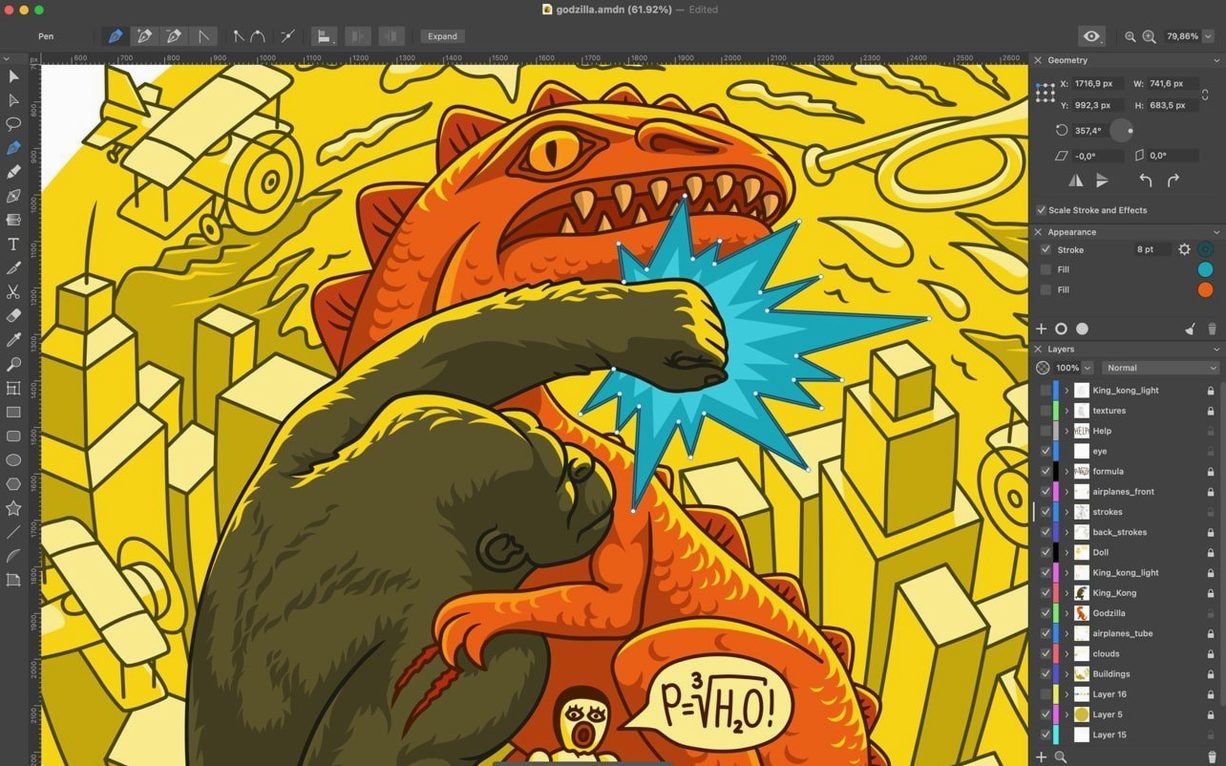
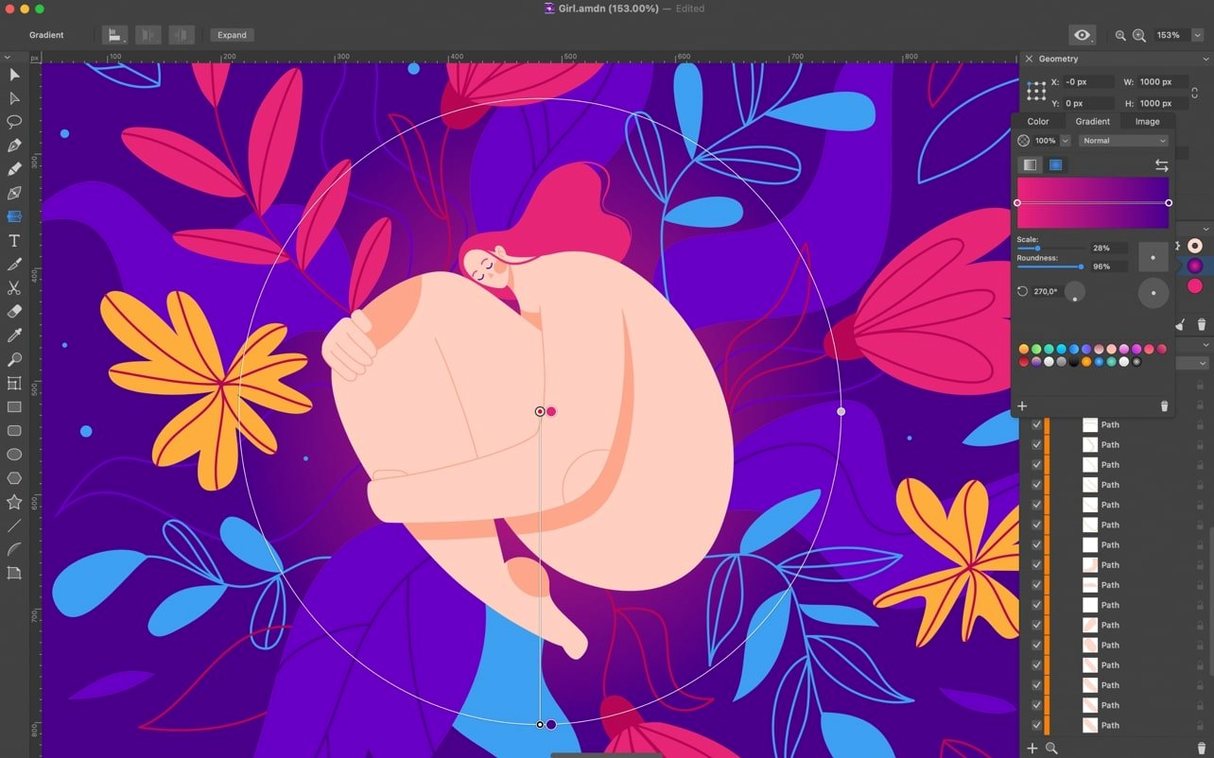
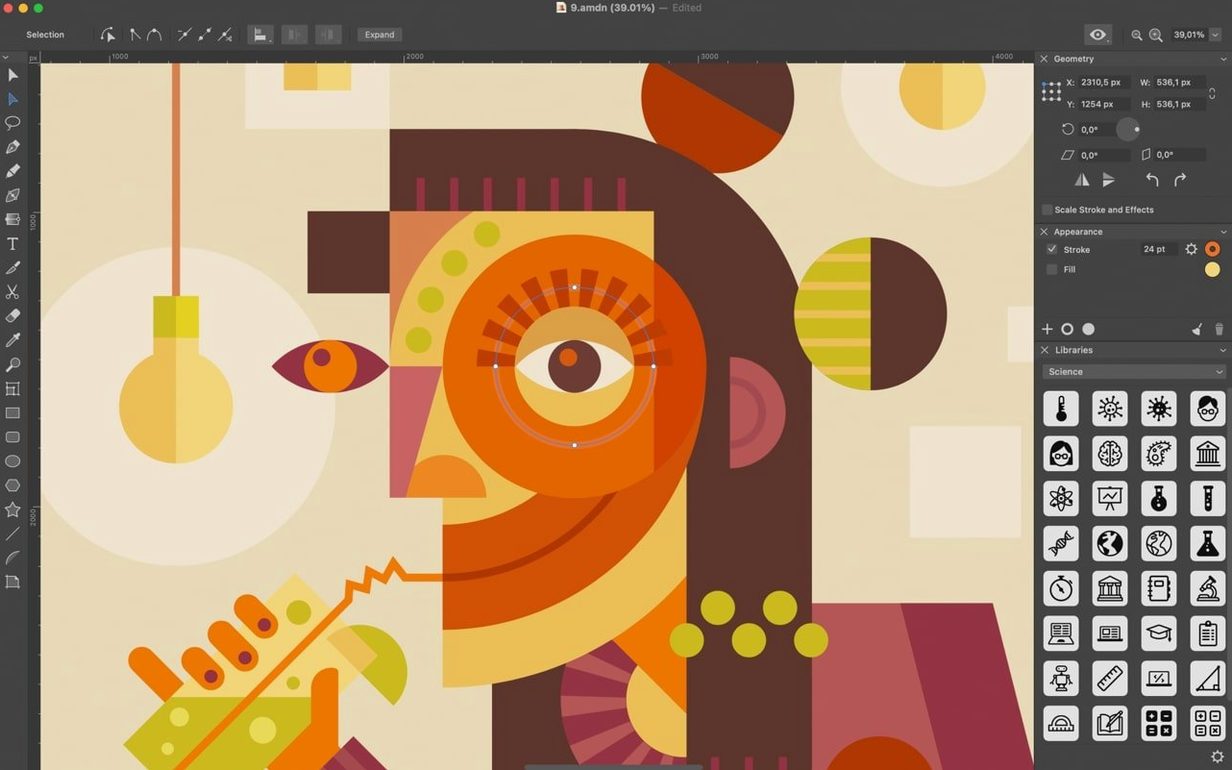
If you've spent time in something like Illustrator, you know the moment when a drawing outgrows simple shapes and you start thinking in anchor points and stroke weights. Amadine lands in that same territory without the noise. It's a vector drawing program where the deeper toolset feels like it was built for someone who already knows what a smooth point should do and just wants it to work.
Where it shines is in the details a casual user might never touch. You aren't limited to a single fill and stroke per object—you can stack multiple fills and strokes on one shape, opening up all sorts of layered typography and illustration tricks. Anchor points can be flipped between smooth and corner types on the fly, and you can add or remove them without breaking your flow. Text sits inside any shape or rides along a path you've drawn, which makes custom layouts feel immediate rather than like a multi-step workaround.
Documents can hold an unlimited number of layers, so there's no penalty for keeping every sketch variant and color study in one file. When it's time to get work out, you can export the whole document, a single artboard, or just a selection, with support for JPEG, TIFF, EPS, PNG, PDF, and SVG. The recent 1.8.3 update also sharpened the Offset Path tool and added an image vectorization feature, which makes pulling a bitmap into your vector workflow a lot less painful.
Put Amadine next to something like Affinity Designer and the difference comes down to how much interface you want around your canvas. Designer gives you personas—separate modes for vector, pixel, and export work—that a production artist might live in all day. Amadine doesn't split your attention that way. Every tool lives in a single workspace, so you reach for the Knife or the Path Width tool without switching contexts. For someone doing focused illustration or logo studies, that flat layout means less hunting and more drawing.
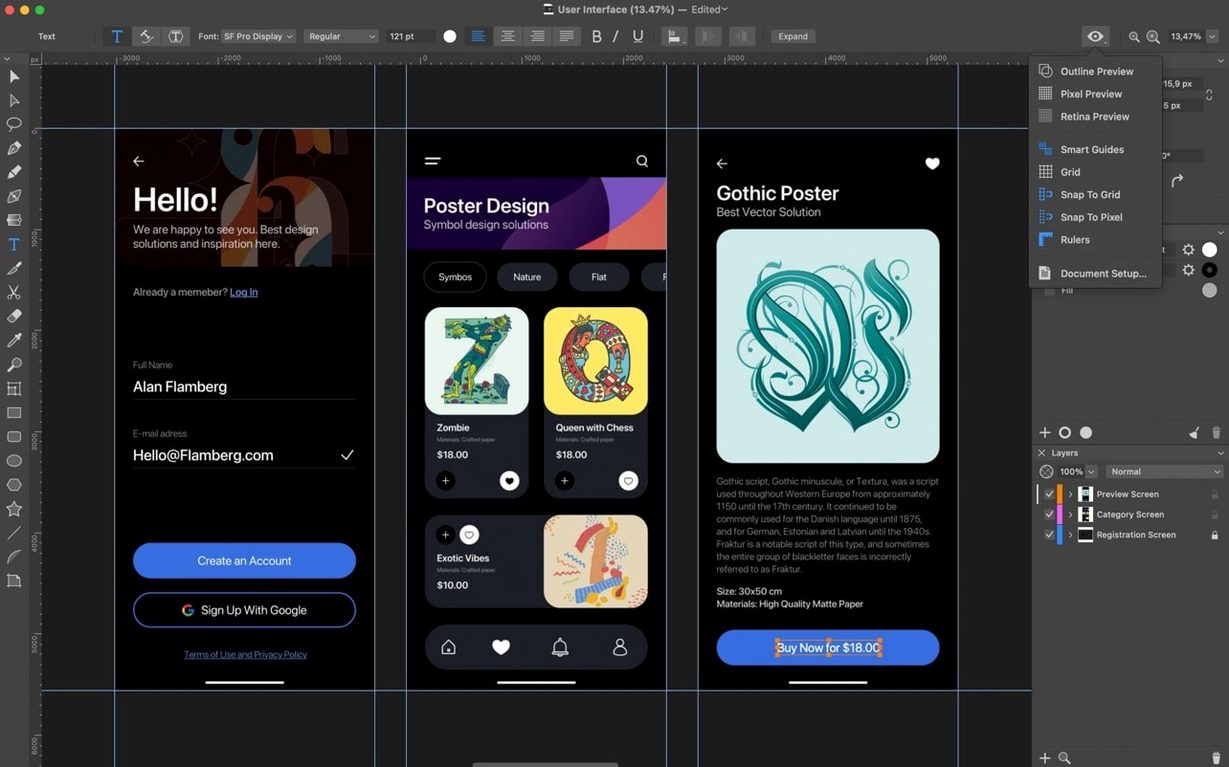
Compared to Sketch, the gap widens. Sketch grew into a UI design platform with symbols, libraries, and a plugin ecosystem that a mobile app designer would struggle without. Amadine doesn't chase that. It skips the prototyping connectors and the developer handoff panels and stays close to the canvas: multiple fills and strokes, compound shapes that boolean together cleanly, and a draw-and-refine workflow that feels closer to a pen-on-paper rhythm. If you're mocking up a six-screen app flow, you'll feel the missing pieces. If you're building a wordmark or an illustration with custom stroke profiles, you probably won't.
Next to Inkscape, the story is about polish. Inkscape covers an enormous feature list, but its macOS build has always felt like a visitor from another platform. Amadine respects Mac conventions—Quick Look, iCloud handoff to the iPad version, and a drawing engine that doesn't stutter on Apple Silicon. You give up some of Inkscape's deep SVG editing and community extensions, and you gain a daily driver that doesn't fight the operating system.
Assuming Bitmap-Like Stroke Order
A few habits trip up people coming from bitmap editors. The first is ignoring the stacking order inside a single object. When you add multiple strokes to a shape, the topmost stroke in the Appearance panel paints last, meaning it sits on the outside edge. A beginner will often stack them backwards and wonder why a thin inner line disappeared behind a thicker outer one. Dragging the stroke order into the right sequence usually fixes it in seconds.
Another is treating the Knife tool like a scalpel when it's really a freehand cutter. New users click precisely on a path edge, expecting a surgical split, then get frustrated when nothing happens. The tool needs a drag across the shape, not a tap. Once you learn to slice through with a continuous motion, it behaves exactly as expected.
The last one is forgetting that artboards can be any size but their backgrounds, by default, are opaque white. Someone exporting a logo with a transparent expectation will export a white rectangle instead until they open the sheet settings and switch the background to transparent. The 1.8.3 update made that option more visible, but it's still an easy setting to miss on a first project.
If you're the type who has strong opinions about how your Pen tool behaves and your layers are named, this is worth a look.
Version 1.8.3 brings a few workflow refinements that experienced hands will appreciate. The Offset Path tool got smarter, and you can now vectorize bitmap images right inside the app. The Simplify dialog reports point counts more accurately now, the Eraser tool leaves a cleaner result, and text handling is more stable overall. They also added the option for transparent sheet backgrounds.
- macOS 11 or newer
- Works on both Intel and Apple Silicon Macs
Questions I actually get
Can I use Amadine on my iPad as well?
Yes, a mobile version for iPad and iPhone is available, with support for Apple Pencil so you can move between the Mac and a tablet when the idea strikes.
What export formats does Amadine support?
It can export entire documents, individual artboards, or selected objects as JPEG, TIFF, EPS, PNG, PDF, and SVG.
Porch talk 0
Come in or pull up a chair to leave a comment.
Nobody has pulled up a chair yet. If you used it on a real Saturday, say what the hour was.
More for the same hour
Everything in Mac Apps
 AltTab Pro
11.10.0 Mac Apps
Updated 11 MB
AltTab Pro
11.10.0 Mac Apps
Updated 11 MB
 AmpliTube
5.8.2 Mac Apps
3.1 GB
AmpliTube
5.8.2 Mac Apps
3.1 GB

 Alfred 5 Powerpack
5.8.1 Mac Apps
6 MB
Alfred 5 Powerpack
5.8.1 Mac Apps
6 MB

 AlDente
1.39.4 Mac Apps
12 MB
AlDente
1.39.4 Mac Apps
12 MB
 Alcove
1.7.9 Mac Apps
14 MB
Alcove
1.7.9 Mac Apps
14 MB

 Antivirus Zap - Virus Scanner
3.25.1 Mac Apps
Updated 49 MB
Antivirus Zap - Virus Scanner
3.25.1 Mac Apps
Updated 49 MB
 AnyTrans for iOS
8.9.14 Mac Apps
398 MB
AnyTrans for iOS
8.9.14 Mac Apps
398 MB

 Airflow
3.3.10 Mac Apps
69 MB
Airflow
3.3.10 Mac Apps
69 MB