
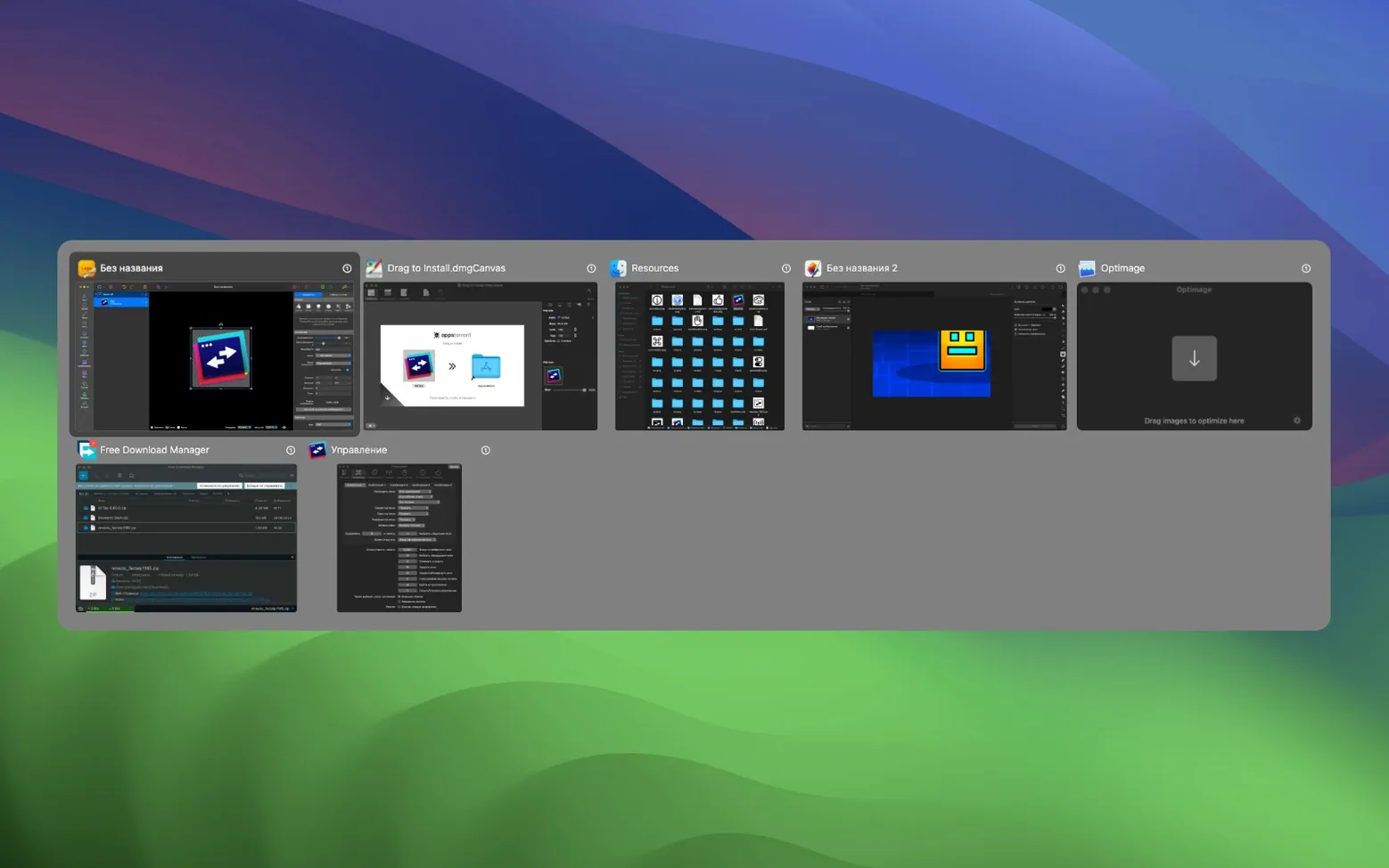
The thumbnail previews are what sold me on AltTab Pro. Holding a hotkey—usually the trusty Option-Tab combo you set up on day one—brings up a grid of every open window, not just app icons. You can see the live content inside each one before you switch. It’s the Windows-style Alt-Tab experience tuned for macOS, minus the guesswork.
- Switch focus to any window instantly, whether it’s on the current desktop or tucked away in another Space.
- Drag items over thumbnails to share files between windows without clicking back and forth.
- Minimize, close, or open windows directly from the switcher overlay—no need to hunt down the right window first.
- Full-screen window support means even apps running in their own Space show up in the list.
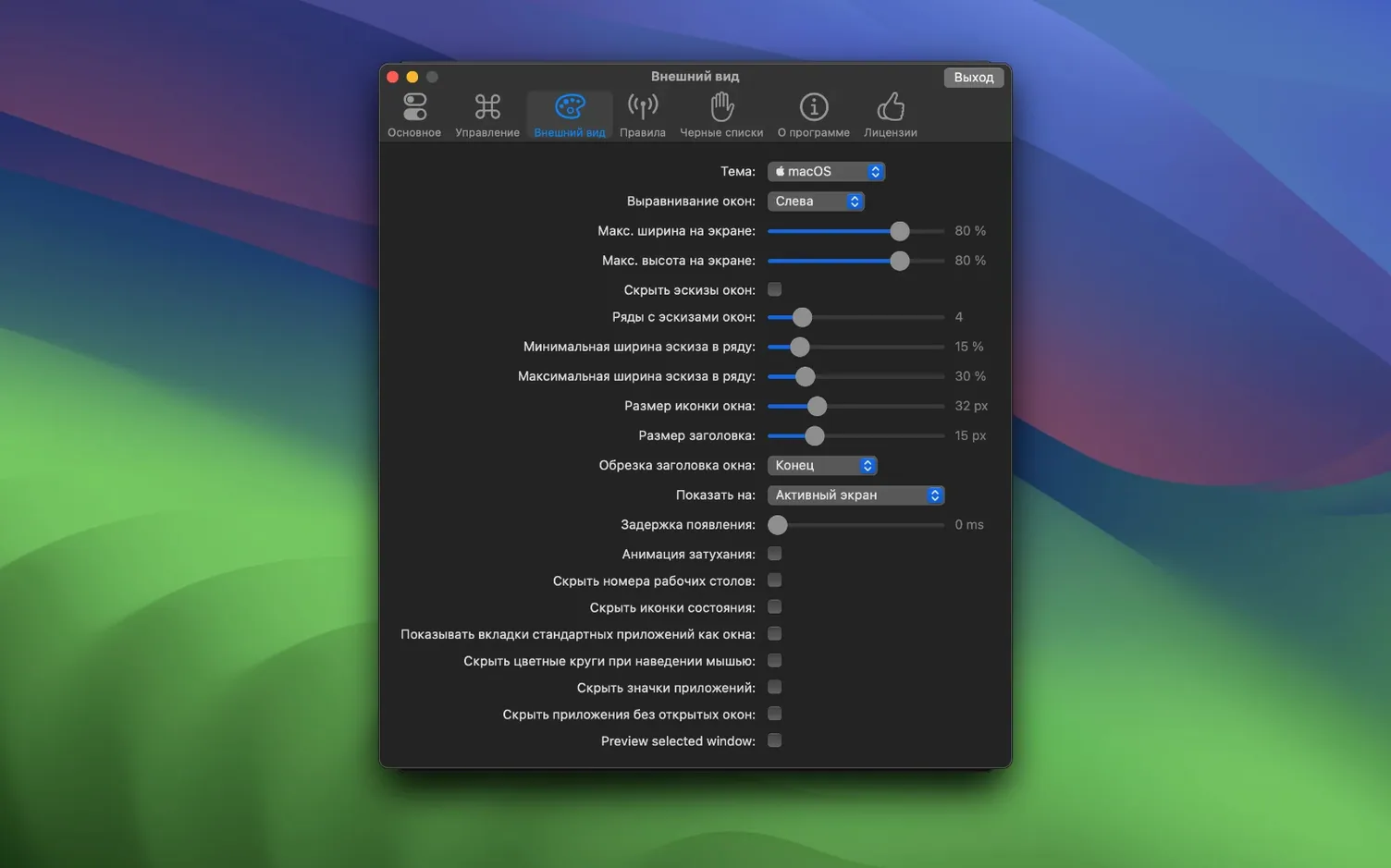
- Customize the look by tweaking app icon size, zoom level, thumbnail scale, and title font size until the overlay feels like yours.
- Works in 35+ interface languages, including English, German, Japanese, and Simplified Chinese, so you can keep the UI in your native tongue.
If you live in a dozen open windows and muscle memory keeps reaching for a Windows-style switcher, AltTab Pro slots right into that habit. It’s a small utility that makes hopping between documents, browsers, and tools feel as quick as it should.
A typical working session with AltTab Pro starts quietly. You launch Safari, Notes, and a Finder window, then open a Pixelmator project to tweak a few weekend shots. Seven windows in, you hold Option-Tab with your left hand and the overlay rises—thumbnails arranged in a grid, each one showing the actual document, not a generic icon. You tap Tab once to shift the highlight to Notes, glance at the preview to confirm it's the right checklist, and release. The switch is instant. A few minutes later you need to close the Finder window you left buried behind everything else. You hold Option-Tab, use the arrow keys to land on it, and press ⌘W without ever lifting your fingers from the keyboard. The Finder window disappears. You never touched the mouse. That rhythm—summon, scan, act—becomes second nature within an afternoon.
Option Key Tames Mac Muscle Memory
Out of the box, AltTab Pro works with the standard Alt-Tab chord, but a few quick adjustments make it feel like it was built for your setup.
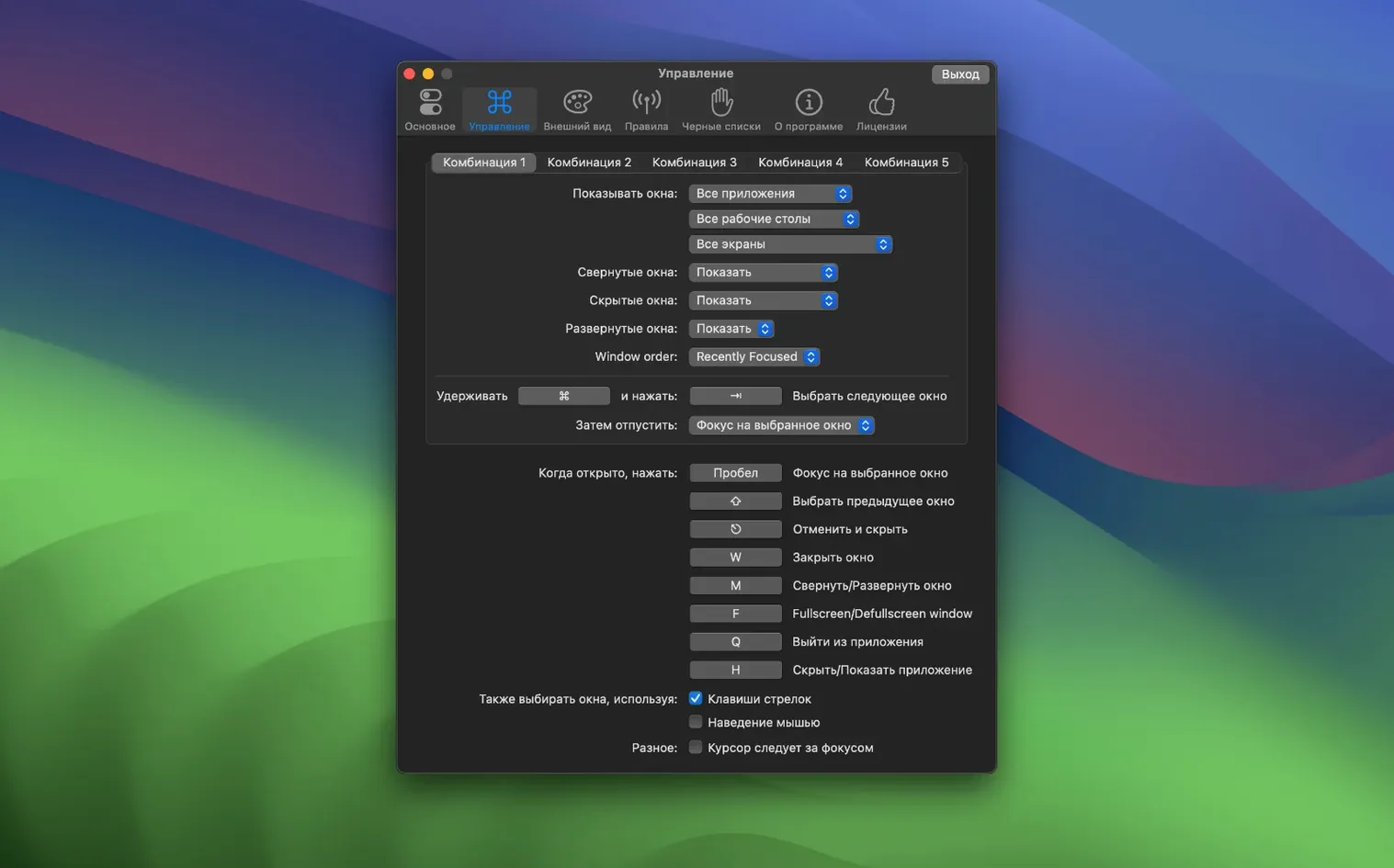
- Switch the trigger key to Option if you're coming from macOS muscle memory—it keeps the Command key free for app-internal shortcuts and avoids collisions.
- Set the preview size to large and turn off the app icon overlay if you prefer a cleaner grid. You'll recognize windows by their content faster than by a tiny icon.
- Enable “Show windows from all Spaces” so nothing hides when you're working across desktops. This is off by default, and turning it on changes how the switcher behaves in multi-monitor setups.
- Reduce the delay slider to zero. The default pause before the overlay appears is short, but removing it entirely makes the switcher feel snappier.
- Review the blacklist under the Filters tab. Drop any utility you never switch to—menu bar tools, background helpers—and they won't clutter the thumbnail grid.
A start-to-finish workflow: gathering research into a single document
Here's a task where alttab pro macos really earns its keep. You're pulling notes from three sources—a PDF in Preview, a web article in Safari, and a spreadsheet in Numbers—into a single Pages document.
You open all four windows and arrange them across two desktops. In the first desktop, you bring up the switcher with Option-Tab and jump straight to Preview. You select a passage, copy it, then hold Option-Tab again—this time releasing over the Pages thumbnail. Paste. You do the same for a Safari quote, but instead of switching back, you drag the selected text from Safari over the Pages thumbnail in the overlay. The app brings Pages forward and accepts the drop. When you need a figure from Numbers, you switch to the second desktop with Mission Control, then use the switcher to pull Numbers into focus. You copy the cell range, invoke AltTab Pro, and land on Pages. The whole sequence—collect, switch, drop—never sends you to the Dock or requires squinting at tiny tabs. By the time the document is assembled, you've used the switcher so often that the Option key feels like an extension of your thumb.
Version 11.10.0 is here with the developer's latest fixes and improvements. The full release notes are posted over on the AltTab site if you want the fine print.
- macOS 10.12 or later
- Apple Silicon and Intel 64-bit Macs
Questions I actually get
Does AltTab Pro work with full-screen apps?
Yes, it can see and switch to windows running in full-screen mode, so they appear in the switcher alongside everything else.
Can I drag files between windows using AltTab Pro?
Absolutely. You can pick up a file, trigger the switcher, and drop it onto any window thumbnail to share or attach it.
What macOS version do I need for version 11.7.1?
Version 11.7.1 requires macOS 12.0 or later and runs natively on both Intel and Apple Silicon Macs.
Porch talk 0
Come in or pull up a chair to leave a comment.
Nobody has pulled up a chair yet. If you used it on a real Saturday, say what the hour was.