It runs on any Mac you likely have on your desk — both Apple Silicon and Intel machines are welcome, as long as you're on macOS 14.6 or later. No cloud account, no internet tether. Just an app that stays local.
Turn a voice memo into text
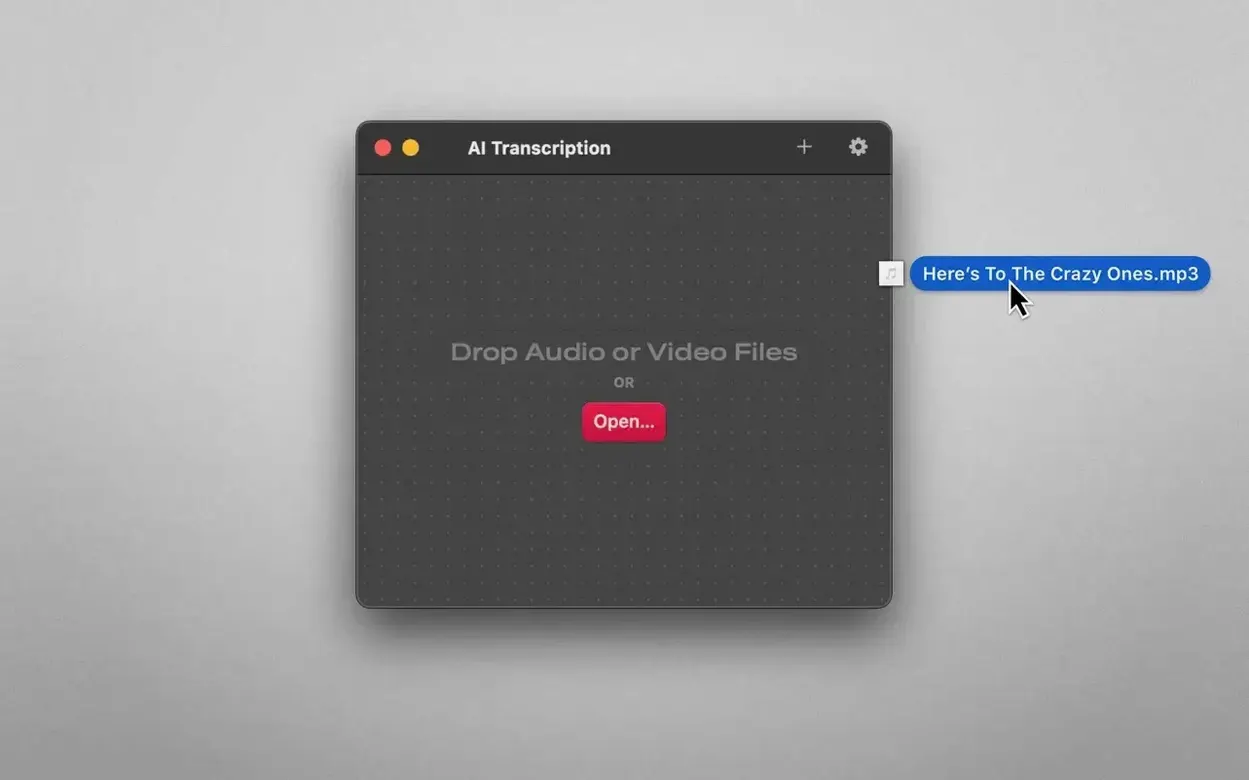
You drag an M4A from your phone's voice recordings, drop it in, and the app gets to work. MP3, WAV, CAF, AIFC, and MP4 video files work the same way.
Transcribe an interview without sending it anywhere
Everything happens on your Mac. The app leans on OpenAI Whisper and Apple Speech Recognition, so the heavy lifting stays right where the file lives.
Work in a language you're comfortable with
Beyond English, the interface speaks German, Spanish, Italian, French, Portuguese, Korean, Japanese, and Simplified Chinese. It's a small touch that makes the tool feel less foreign.
Four-hour workshop files can stall the progress bar
Long recordings are where most hiccups show up. A two-hour interview drops in fine, but a four-hour workshop audio can make the progress bar crawl. Closing other memory-hungry apps usually helps, since Whisper likes having room to breathe. If a file simply refuses to transcribe, the format is often the culprit — convert unusual audio to WAV or M4A and try again.
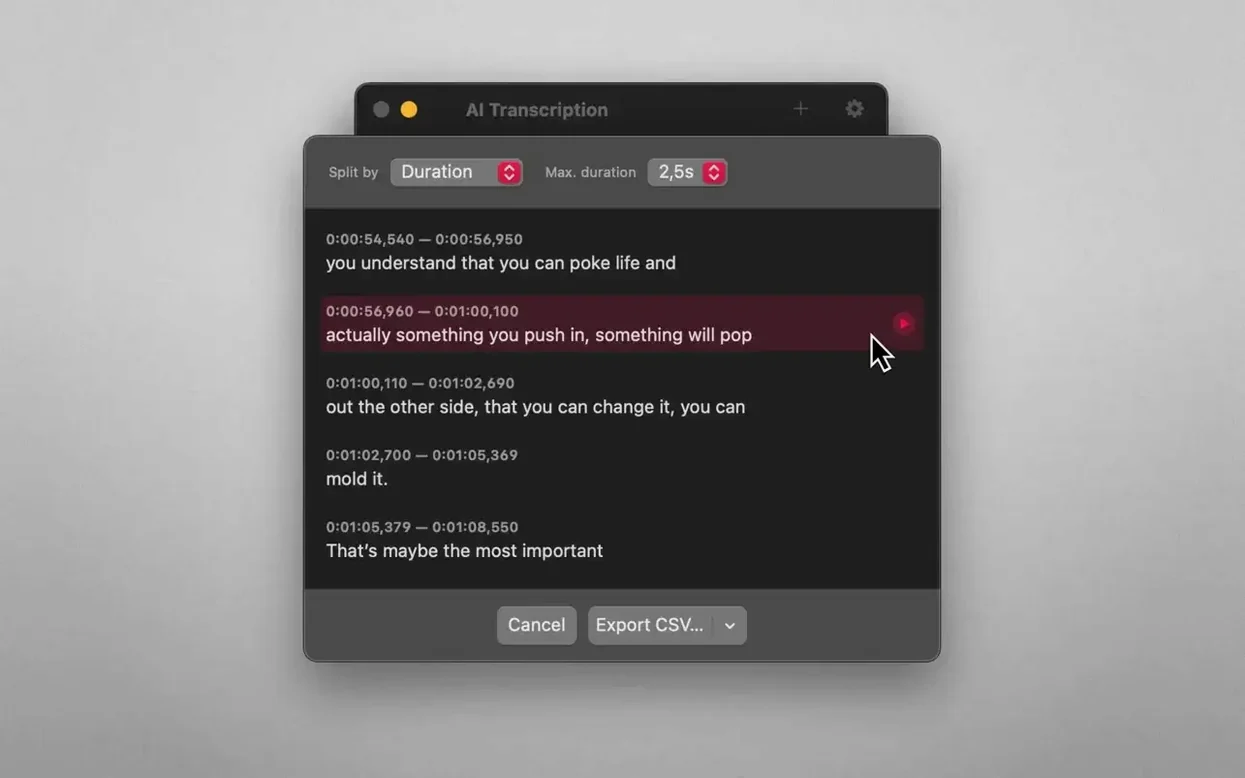
Another snag: transcripts that come out with odd line breaks. That's not a bug so much as the engine guessing where sentences end. Switching the split mode from duration to sentences cleans things up quickly. And if the app feels sluggish after a batch of files, a restart of the Mac clears whatever Whisper left behind in memory.
Fans spin up on Intel Macs during local processing
On an M-series Mac, short clips finish in roughly the time it takes to make a cup of coffee. Longer recordings take proportionally longer, and the fans might wake up on Intel machines — that's expected when Whisper processes locally. The trade-off is worth it: no upload queues, no server timeouts, no waiting on someone else's data center.
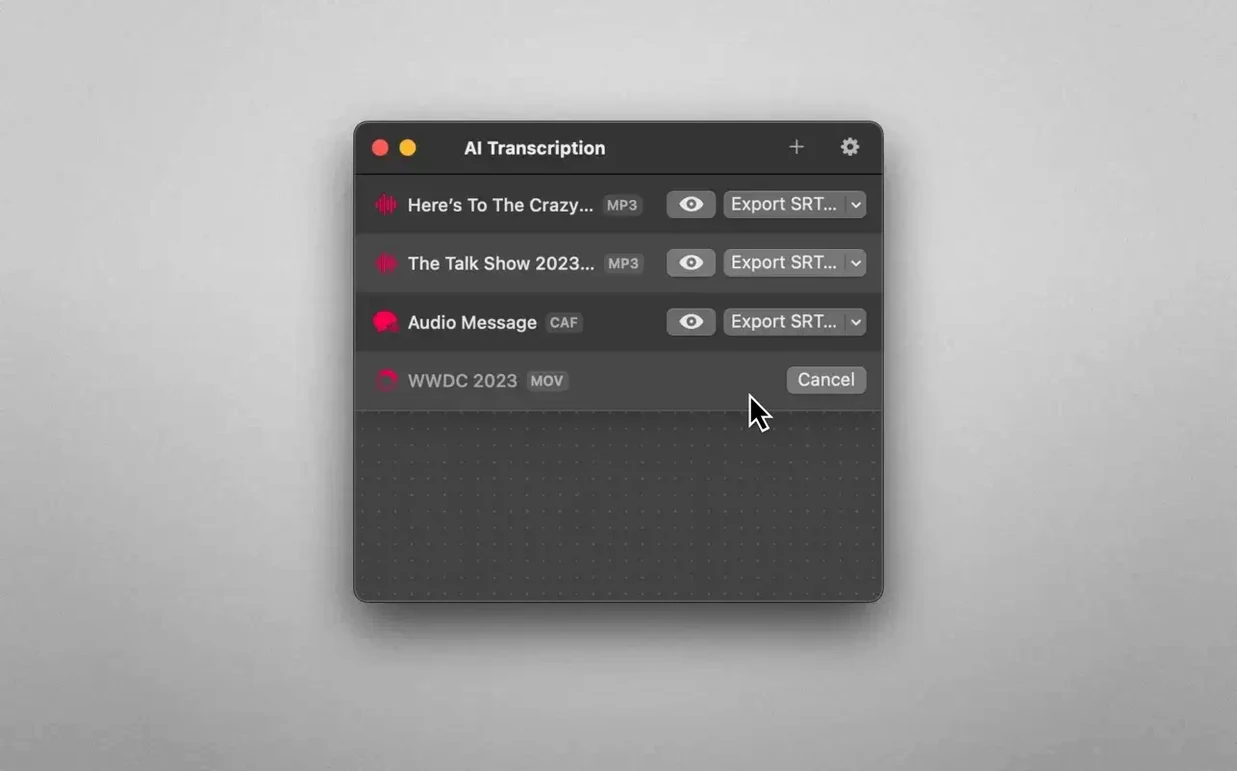
Stability has been steady through daily use. The app doesn't crash when you queue several files, and it holds onto transcripts even if you close the window mid-task. Memory use spikes during transcription, then settles back down. For a tool that leans on two speech engines at once, it stays surprisingly polite about resources.
From phone recording to clean text summary by lunch
Say you recorded a thirty-minute client call on your phone and want a clean text summary on your Mac by lunch.
- AirDrop the M4A from your phone to the Mac, or pull it from iCloud Drive.
- Drag the file into AI Transcription's window and wait for the progress bar to finish.
- Switch the split mode to sentences so the transcript reads like a conversation, not a wall of text.
- Export as plain text and open it in your editor of choice.
- Skim for action items, trim the filler, and paste the useful parts into your notes.
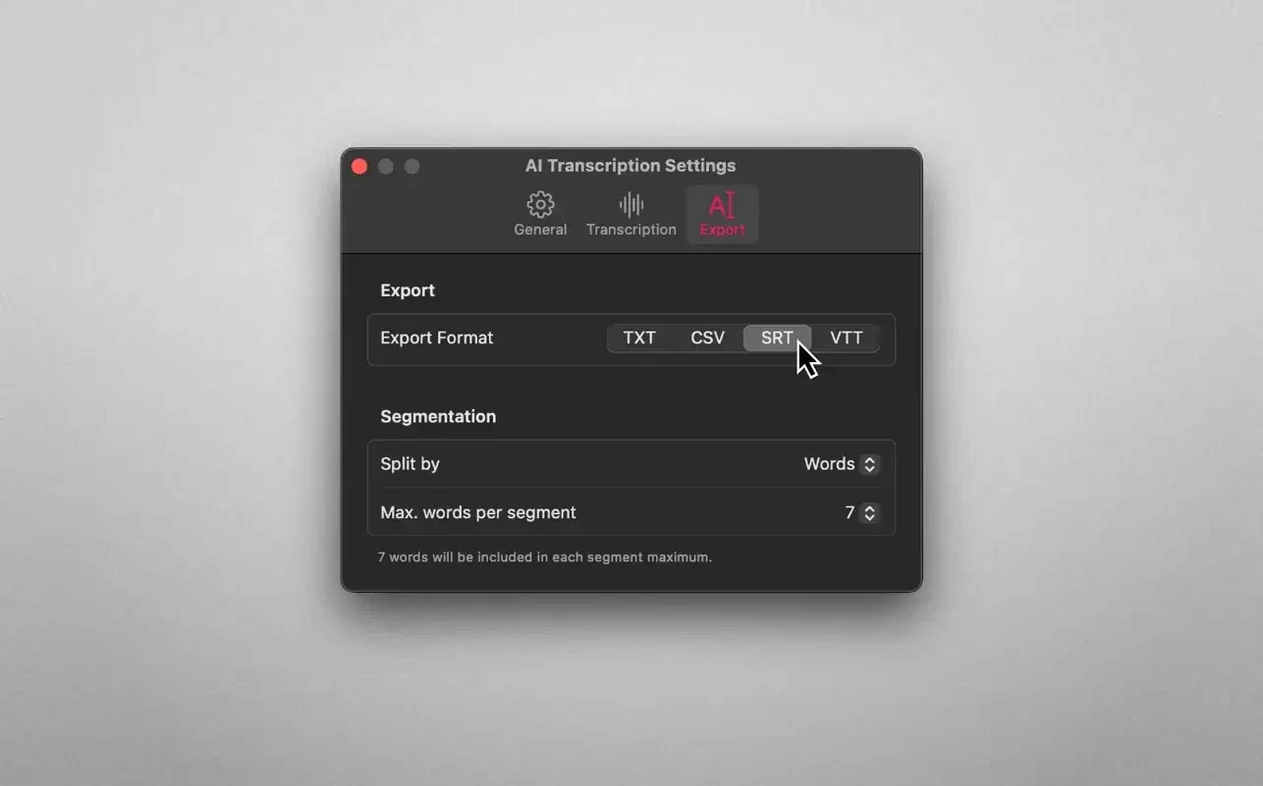
From drop to export, the whole thing stays on your machine. If you need subtitles later, export the same transcript again as SRT and drop it into your video editor — no re-transcription necessary.
- macOS 14.6 or later
- Apple Silicon or Intel 64-bit Mac
Questions I actually get
Does AI Transcription need an internet connection to work?
No, it runs entirely offline on your Mac using on-device speech recognition engines, so your audio files never leave the machine.
Porch talk 0
Come in or pull up a chair to leave a comment.
Nobody has pulled up a chair yet. If you used it on a real Saturday, say what the hour was.