
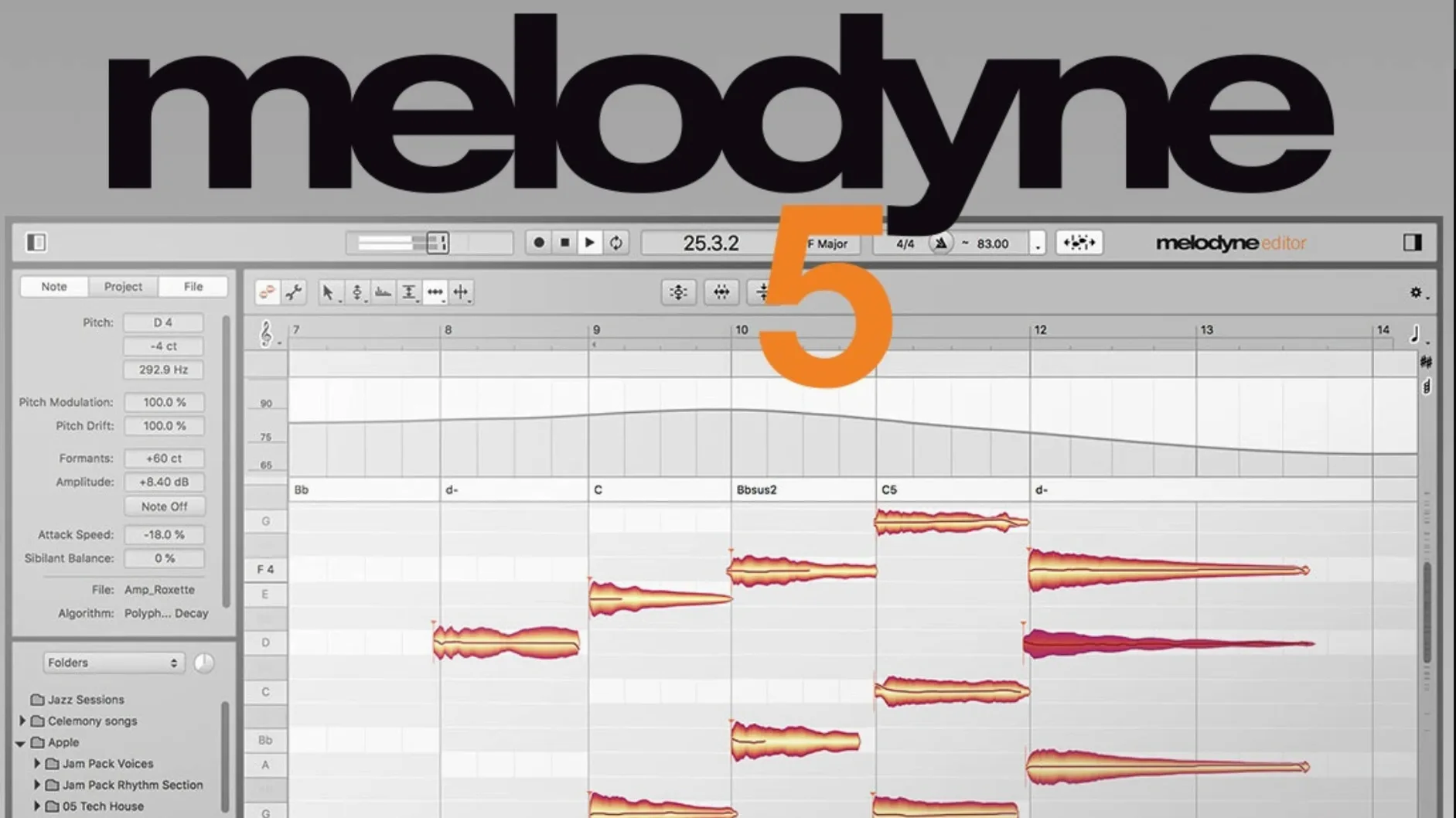
Singers, producers, and post-production folks often open Melodyne when a recording is almost right but needs that final bit of finesse. It analyzes audio note by note, giving you direct control over pitch, timing, vibrato, volume, and even the tonal character of each sound.
Get to know the note detection
Load a vocal track or a guitar part and watch the software map every note onto a familiar piano-roll grid. From there, you can fix a stray flat note, tighten the timing of a phrase, or manually adjust the volume of individual syllables. It also detects chords and can show you the key and tempo of the material, which is handy when you’re matching a sample to the rest of your arrangement.
Shape the details that matter
Once the notes are detected, experiment with the tools that go beyond basic tuning. Tweak sibilants on a vocal, reshape the formant to change a voice’s character without altering pitch, or draw in a more expressive vibrato. Melodyne works as a plug-in right inside your DAW, and with ARA mode, you don’t even need to transfer audio in real time—just open it and start working.
ARM native sessions load in seconds, not minutes
On an Apple Silicon machine, the native ARM binary loads sessions noticeably faster than the Rosetta days, and the analysis pass on a three-minute vocal takes only a few seconds. The interface stays responsive even when you’re zooming into a dense polyphonic recording and tugging individual notes around. RAM usage scales with the length and complexity of the material—a full multitrack transfer can push past a gigabyte—but the application doesn’t leak memory the way earlier 5.x builds occasionally did on Intel Macs.
Trackpad scrolling, once a source of jumpy zoom behavior, feels smooth in the current build. The 5.4.2 update specifically reworked how two-finger gestures behave, so you’re less likely to overshoot a note when pinching to zoom. If your machine runs hot during long editing sessions, it’s usually the DAW and a stack of other plug-ins contributing, not Melodyne alone. The software itself idles quietly when you’re not transferring or editing, and it releases resources cleanly when you close the plug-in window.
Three moves beginners get wrong (and how to fix them)
A new user will often grab the pitch blob and yank it dead center without listening to how the correction sits in the mix. Perfect pitch isn’t always musical pitch. Let your ears decide whether a note needs to land exactly on the grid line or hover a few cents sharp to match the singer’s natural intonation elsewhere in the phrase.
Another common stumble is transferring a full arrangement into Melodyne without separating the instruments first. The algorithm works best when it can focus on a single source. A stereo mix dumped into the plug-in will produce a mess of detected notes across octaves, and editing one element will drag others along with it. Start with isolated tracks—vocals, bass, a lead line—and you’ll save yourself a lot of cleanup.
The third mistake is ignoring the algorithm menu. Melodyne defaults to the standard melodic algorithm, but it ships with a Percussive Pitched mode designed for tabla, 808 kicks with a tonal snap, and plucked strings that don’t sustain. Dropping a melodic algorithm onto a tabla phrase gives you ghost notes and a confused pitch map. Switching to the right mode takes two seconds and cleans up the detection dramatically.
What the latest rounds of updates actually changed
Version 5.4.2 didn’t add splashy new features, but it fixed a crash that could occur when opening the plug-in in certain ARA hosts. Users who ran into a silent quit on project load should find that resolved. The build also includes general optimizations and explicit adaptations for macOS Sequoia, so the windowing and file dialogs behave like a native citizen on the latest OS.
The trackpad scrolling revision deserves a closer look. Before the fix, a quick pinch or a two-finger flick could send the viewport flying past the section you wanted to inspect. Now the acceleration curve matches what you’d expect from a Mac app—gradual zoom in, easy pan, no sudden leaps. It’s a small polish that makes a real difference when you’re editing for hours.
Blank plug-in window after a transfer attempt
The most frequent headache is a transfer that fails silently. You hit play in your DAW, the plug-in window stays blank, and there’s no error message. Nine times out of ten, the culprit is a mismatch between the DAW’s sample rate and the audio device’s clock. Toggle the sample rate once in your DAW settings, restart the transport, and the transfer usually kicks in. If not, check that Melodyne’s input routing inside the DAW is pointed at the correct track.
ARA mode can sometimes lose sync after a tempo change in the project. When notes drift out of alignment, right-click the region and choose “Reanalyze.” Melodyne will rescan the audio against the new tempo map, and the blobs should snap back to the grid. If you’re on an older Intel Mac and the ARA connection feels sluggish, freezing the track before editing frees up CPU headroom and keeps the experience responsive.
Another annoyance crops up when the detected key in the transport bar doesn’t match the song. You can manually set the key from the dropdown, and doing so changes how the pitch grid draws its snapping zones. Without that step, a note bent toward a blues third might get pulled sharp because the algorithm thinks it belongs to a major scale. Set the key, and the corrections become smarter about what counts as “in tune.”
Waves Tune Real-Time corrects live instead of note-by-note
Waves Tune Real-Time sits on the opposite end of the workflow spectrum. It’s a live pitch corrector that operates moment to moment, great for tracking sessions or a quick fix during playback, but it doesn’t give you a note-by-note editor afterward. Melodyne is the tool you reach for once the take is in the can and you want surgical detail. They complement each other; they don’t replace each other.
Antares Auto-Tune Pro has its own graphical mode for manual editing, and it excels at the classic hard-tuned effect. Where Melodyne pulls ahead is in its polyphonic detection and natural-sounding formant handling. If you’re fixing a soprano sax alongside a vocal and want both to sound untouched, Melodyne’s algorithms tend to leave fewer artifacts. Auto-Tune Pro, on the other hand, gives you faster access to that chart-topping robot warble.
iZotope RX focuses on spectral repair—noise reduction, clicks, hum, rebalancing a mix from a stereo print. It doesn’t give you pitch and timing editing on individual notes the way Melodyne does. These two applications often live side by side: clean up the audio in RX first, then bring the polished file into Melodyne for musical editing. They address different stages of the production chain, and neither tries to do the other’s job.
Version 5.4.2 brings the software up to speed with macOS Sequoia and includes a handful of welcome fixes. Trackpad scrolling feels smoother, and a crash that could appear when opening Melodyne in ARA or plug-in mode has been addressed.
- macOS 10.12 or later
- Apple Silicon and Intel native support
- English interface
Porch talk 0
Come in or pull up a chair to leave a comment.
Nobody has pulled up a chair yet. If you used it on a real Saturday, say what the hour was.
More for the same hour
Everything in VST Plugins MeldaProduction MCompleteBundle
2026.07 VST Plugins
1.2 GB
MeldaProduction MCompleteBundle
2026.07 VST Plugins
1.2 GB
 Metric Halo Production Bundle
2025.05 VST Plugins
318 MB
Metric Halo Production Bundle
2025.05 VST Plugins
318 MB
 MiniMeters
1.0.30.358 VST Plugins
103 MB
MiniMeters
1.0.30.358 VST Plugins
103 MB
 Minuit Solstice
1.2.0 VST Plugins
117 MB
Minuit Solstice
1.2.0 VST Plugins
117 MB
 MixWave Manuel Gardner Fernandes
1.0.0 VST Plugins
238 MB
MixWave Manuel Gardner Fernandes
1.0.0 VST Plugins
238 MB
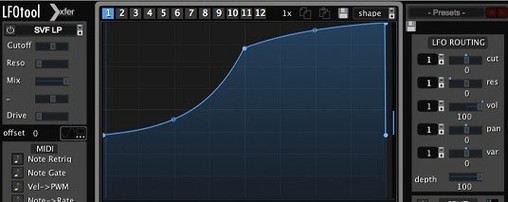 LFOTool
1.768 VST Plugins
7 MB
LFOTool
1.768 VST Plugins
7 MB
 Native Instruments Massive X
1.7.1 VST Plugins
1.6 GB
Native Instruments Massive X
1.7.1 VST Plugins
1.6 GB
 LANDR Vocal Bundle
2025.12 VST Plugins
447 MB
LANDR Vocal Bundle
2025.12 VST Plugins
447 MB