
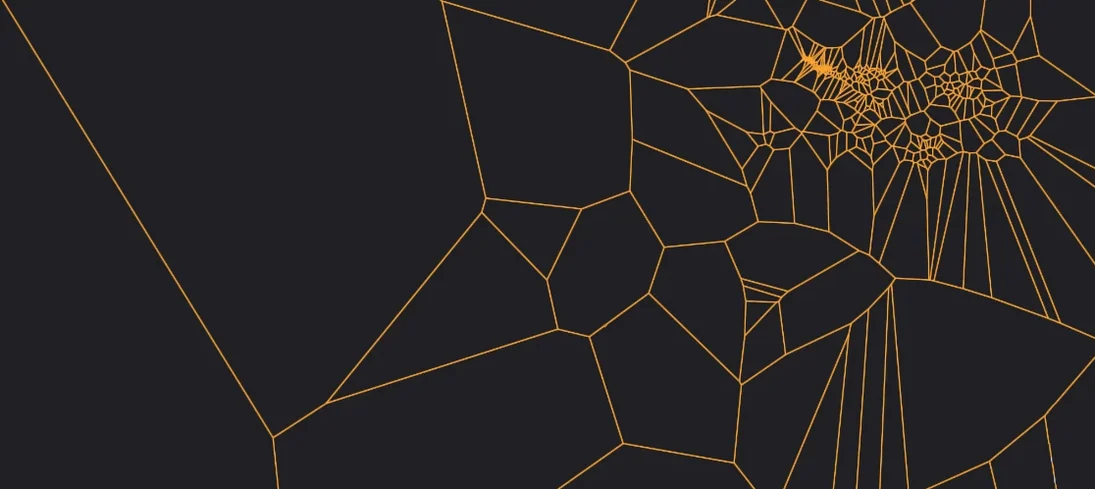
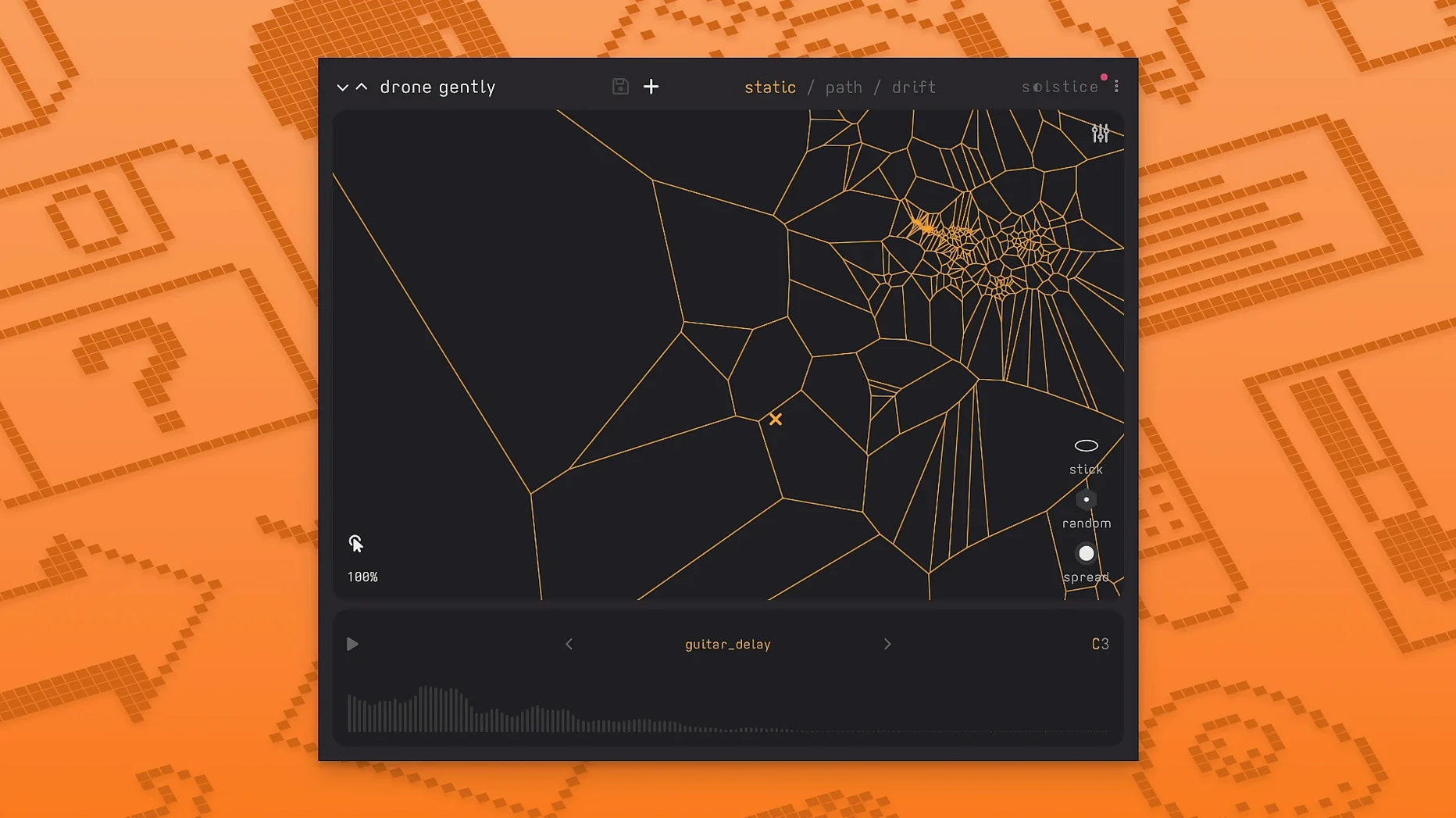
If you’ve ever used a convolution reverb and wished you could freeze that impulse response into a playable instrument, Minuit Solstice scratches a similar itch — only it builds its world from any sample you drop in. It analyzes the audio, finds its sonic fingerprints, and projects everything onto a two-dimensional map where position shapes timbre.
Evolve a single recording into a shifting texture
- Turning a single field recording into a sprawling, playable texture.
- Ambient pads that evolve on their own when you engage the map drift.
- Experimental and aleatoric compositions where unpredictability is the point.
- Discovering hidden timbres — the analysis clusters similar sounds into dense regions you can sweep across.
Ambient-first design expands in version 1.2
- Built for ambient and experimental work; it won’t replace a traditional sampler.
- Version 1.2 adds saturation, glue, and reverb modulation, so the tone-shaping tools are deeper now.
- Auto root note detection is included, which helps when the source material is harmonically ambiguous.
The five new spectral effects — texture, tilt, flutter, stretch, and bloom — push the sound further from the original sample, while basic MPE support means you can shape notes independently with a compatible controller. Solstice feels less like a plugin and more like a darkroom for audio: you expose the sample, watch the image emerge, and decide where to wander.
Right-click to freeze the map cursor
After you've spent a few evenings with the map, a handful of shortcuts start to feel like muscle memory — but only if you stumble across them. Here are a few worth knowing early.
- Right-click to freeze the cursor position. When you've found a sweet spot but your hand isn't steady enough to hold it, a quick right-click locks the playback head in place. Click again to release it.
- Shift-drag for fine positioning. The map can feel jumpy with longer samples. Hold
Shiftwhile dragging and the cursor moves in smaller increments, which is especially useful when navigating dense clusters where a millimeter covers half a dozen timbres. - Scroll wheel over the map zooms. It's not advertised anywhere obvious, but scrolling zooms in and out of the analysis view. Zooming tight on a dense region makes it easier to pick out individual grains.
- Double-click the map background to reset the view. After zooming and panning around, a double-click snaps everything back to the full overview.
- The drift controls remember your last direction. If you set drift angle to something specific — say a slow diagonal — and then disable drift, re-enabling it picks up roughly where you left off rather than defaulting to a straight line.
The saturation and glue controls are also worth a closer look. They're tucked into the output section and easy to overlook, but running a thin, wispy sample through even a touch of saturation gives it enough body to sit in a mix without piling on reverb. Glue works like a soft limiter with a hint of compression, and I've found it particularly helpful when stacking two or three Solstice instances — it keeps the combined output from turning brittle.
Start with a short, harmonically simple sample
The first hour with Solstice can feel disorienting. You load a sample, the map appears, you click around, and everything sounds like a science museum exhibit. That's normal. Here's what helps after installing.
Start with a short, harmonically simple sample. A single piano note, a vibraphone strike, or a clean vocal hum gives the analysis engine something it can parse clearly. The map will show tight, readable clusters. Once you understand what the map is telling you, move on to longer field recordings — rain, traffic, forest ambience — and watch how the clustering behavior changes.
Turn off all five spectral effects on day one. Texture, tilt, flutter, stretch, and bloom are powerful, but they mask the relationship between map position and sound. Spend the first session moving the cursor slowly across the map with effects bypassed so your ears learn what the analysis actually produced. Bring the effects back one at a time on day two.
Test auto root note detection with a few different sources. Drop in a bass drone, a bell hit, and a noisy synth stab, and watch what Solstice guesses. The detection isn't infallible — noisy or atonal samples sometimes confuse it — but when it's right, the pitch shifting snaps into a musical relationship with your project key.
Map a MIDI controller to the X/Y coordinates early. Clicking with a mouse is fine for exploration, but a controller with two assignable knobs or an MPE pad turns the map into something you can perform. Even a basic mod wheel and pitch bend pairing opens up the morphing behavior in a way that feels immediate.
Building a drone bed from a single field recording
Here's a concrete workflow that takes you from an empty DAW track to a finished ambient bed in about fifteen minutes. The goal is a slowly shifting drone that sounds nothing like the original recording.
Load the sample and listen to the map. Drop a field recording — footsteps on gravel, a rainstorm, café chatter — onto Solstice. Wait for the analysis to finish. Click a few scattered points on the map to get a sense of the tonal range. Don't aim for anything musical yet; just learn where the bright and dark regions live.
Find a quiet region and lock it. Look for a part of the map that sounds subdued and unpitched. Right-click to freeze the cursor there. Now turn on the reverb and push the modulation control to about 40%. The sound should start to blur into a wash without losing its texture.
Add slow drift. Enable drift, set the speed low — around 15-20% — and angle the direction so the cursor cuts across a few different clusters over the course of thirty seconds or so. The reverb tail will smooth over the transitions between regions.
Layer in one spectral effect at a time. Start with stretch at a modest depth. It smears the transients and pushes the sound toward a pad. Follow with bloom to introduce a swelling harmonic tail. Keep flutter subtle — no more than 10% — to add a faint wavering without making the drone seasick. Leave tilt and texture bypassed for now.
Shape the tone with saturation and glue. Push the saturation until the drone gains a little harmonic edge, then pull it back just until the edge disappears. Add enough glue to catch the peaks. Hit record in your DAW and let the drift run for two or three minutes. What you capture will be a bed that changes continuously without ever demanding attention — exactly the kind of material that makes a track feel alive underneath everything else.
The same approach works beautifully with the solstice vst free download crowd discovering the plugin for the first time: drop in something ordinary, let the map surprise you, and build outward from one small region.
Version 1.2.0 brings expressive control and deeper sound shaping. What’s new:
- Basic MPE support for per-note expression with compatible controllers.
- MTS-ESP tuning support for microtonal workflows.
- Five spectral effects added: texture, tilt, flutter, stretch, and bloom.
- macOS 12 or later
- Apple Silicon and 64-bit Intel Macs
Porch talk 0
Come in or pull up a chair to leave a comment.
Nobody has pulled up a chair yet. If you used it on a real Saturday, say what the hour was.
More for the same hour
Everything in VST Plugins MiniMeters
1.0.30.358 VST Plugins
103 MB
MiniMeters
1.0.30.358 VST Plugins
103 MB
 MixWave Manuel Gardner Fernandes
1.0.0 VST Plugins
238 MB
MixWave Manuel Gardner Fernandes
1.0.0 VST Plugins
238 MB
 Metric Halo Production Bundle
2025.05 VST Plugins
318 MB
Metric Halo Production Bundle
2025.05 VST Plugins
318 MB
 Melodyne
5.4.2.006 VST Plugins
97 MB
Melodyne
5.4.2.006 VST Plugins
97 MB
 MeldaProduction MCompleteBundle
2026.07 VST Plugins
1.2 GB
MeldaProduction MCompleteBundle
2026.07 VST Plugins
1.2 GB
 Native Instruments Massive X
1.7.1 VST Plugins
1.6 GB
Native Instruments Massive X
1.7.1 VST Plugins
1.6 GB
 Neural DSP Archetype Petrucci
1.0.0 VST Plugins
745 MB
Neural DSP Archetype Petrucci
1.0.0 VST Plugins
745 MB
 Neural DSP Archetype Rabea X
1.0.1 VST Plugins
742 MB
Neural DSP Archetype Rabea X
1.0.1 VST Plugins
742 MB