
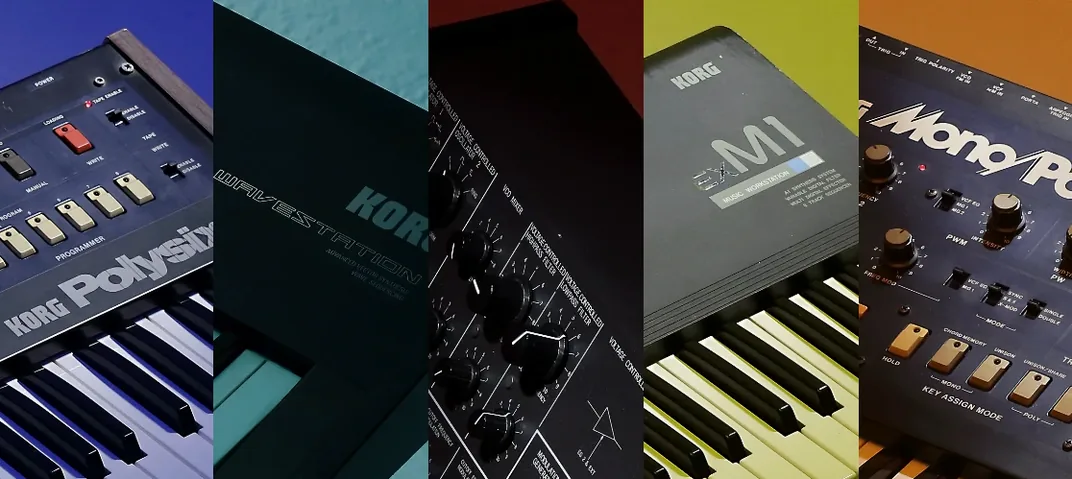
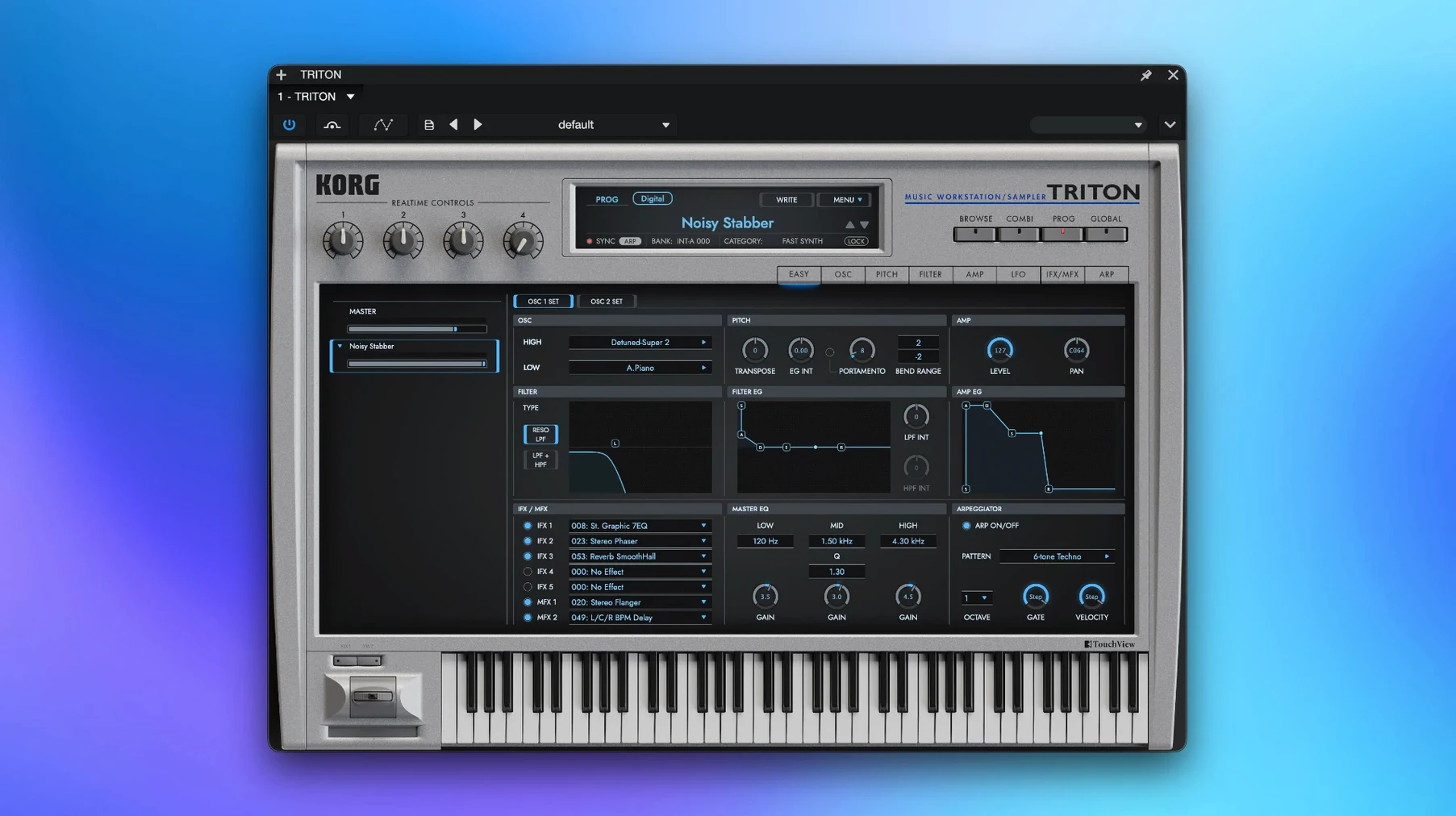
The KORG TRITON is a software recreation of the classic TRITON workstation synthesizer, built around the HI synthesis system. If you have a Mac running macOS 11 or later, it runs as a plug-in inside your DAW or as a standalone instrument.
Start in Combination Mode for Instant Layers
- Install the KORG Collection software instrument suite on your Mac.
- Open your host and load the TRITON as a VST or AU instrument, or launch the standalone app.
- Start with Combination mode, where up to eight multi-timbral parts can play at once — the same layering trick the original hardware used.
- Shape the tone with the two filter types, then place up to five insert effects on individual sounds.
- Glue the mix with the two master effects before you bounce anything down.
The interface stays in English, which keeps patch names and parameters easy to read. The eight-part combis are where this instrument earns its keep: you can stack a piano against a pad and a moving bass line without leaving a single patch. It is a workstation way of thinking that still translates well to a modern session. If you like building layered sounds and want that early-2000s KORG character without hunting down the hardware, this is a comfortable place to work.
Built for Producers Who Stack Sounds
This is not a plug-in for people who want one perfect grand piano or a single analog bass patch and nothing else. The TRITON rewards producers who think in stacks. If you build hip-hop beats and need a thick pad under a punchy keyboard stab, the combi mode gives you eight lanes to spread ideas across. Keyboard players who grew up with the original hardware will recognize the patch names and the way the filters bite, but newer producers who missed the 1999 launch still get something useful: a huge preset library that covers strings, brass, synth leads, and drum kits without scrolling through a thousand options you will never use.
Sound designers who enjoy tweaking insert effects per part tend to stick around. Having five insert slots on individual sounds inside a combi, plus two master effects and a master EQ, means you can dirty up a bass line while keeping a pad clean — all inside one instance. It also suits anyone working on a Mac with Apple Silicon who wants a native plug-in that does not need Rosetta.
Turning a Thin Verse Into a Layered Hook
Imagine you are starting a beat and the verse feels thin. You open the TRITON as a VST instrument in your DAW and load Combination mode. You pick a factory combi — say, a piano layered with a slow-attack string pad — and mute the parts you do not need right away. You set part one to a punchy clav sound, part two to a sub bass that sits under the chords, and leave the pad on part three for width.
Now you shape each part separately. The clav gets a compressor and a bit of tube overdrive from two of the five insert effects. The sub bass stays dry except for a touch of master EQ to keep it from fighting the kick. The pad runs through a phaser and a delay, both inserted on its own lane. You adjust the filter cutoff on the pad to open up slowly across the verse, using one of the two filter types that the original HI synthesis engine offered.
Once the layers sit right, you nudge the master effects — a reverb and a multi-band compressor — to glue everything. You record a four-bar MIDI loop, drag it across the song, and bounce the audio. The whole stack plays as one instance, which keeps your session tidy. When the chorus hits, you copy the combi to a second instance, swap the clav for a brass patch, and the hook lands harder without rebuilding the whole sound from scratch.
A Workstation Mindset, Not a Preset Browser
Next to Arturia Analog Lab, the TRITON feels more like a workstation and less like a preset browser. Analog Lab gives you thousands of sounds from Arturia's modeling engines, but the editing is shallow unless you own the full V Collection. The TRITON puts the filters, effects, and combi routing up front. If you want to tweak rather than browse, KORG's approach holds up better.
Against Roland Zenology, the difference comes down to character. Zenology models Roland's PCM and synth engines with deep editing in the paid version, and the sound leans clean and modern. The TRITON carries a grittier, early-2000s texture — partly from the 48 kHz sample set, partly from the way the insert effects saturate. Producers chasing a nostalgic R&B or early trap vibe often find the TRITON slots in faster, while Zenology suits those who want a broader palette with less obvious era markers.
Compared to IK Multimedia SampleTank, which covers a wide range of acoustic and synthetic sources, the TRITON is narrower in scope but more cohesive. SampleTank spreads across dozens of libraries, and the experience can feel scattered. KORG's instrument gives you a single synth engine with a clear identity. If you already know the TRITON sound and want it in software form, SampleTank will not replace it — and vice versa.
Missing Key File Silences the Plug-in
The most common hiccup is missing the activation instructions in the package. The TRITON expects a specific key file placement, and skipping that step leaves the plug-in silent in your DAW. The fix is straightforward: follow the included installation and activation notes, and check that the license file sits in the folder the installer expects. A quick relaunch of the host usually picks it up.
Another snag: loading a combi and hearing only one part play. This happens when a DAW track sends MIDI on a single channel, but the combi expects eight channels across the parts. The solution is to set the track's MIDI output to channel 1 and enable the combi's global channel setting, or route multiple MIDI tracks to the same plug-in instance on different channels. Either way works; the first is faster for quick layering, the second gives full control over each part's MIDI data.
On Apple Silicon Macs, a few hosts scan the plug-in as Intel-only if the DAW runs under Rosetta. The TRITON has native ARM support, so make sure your DAW launches natively. If the plug-in still does not appear, rescan the VST folder from the host's plug-in manager. In standalone mode, the same ARM-native build opens without a DAW, which is a quick way to verify the installation works before troubleshooting the plug-in side.
Finally, some users notice that certain patches hit the CPU harder — especially combis with five insert effects per part and two master effects running. Freeze or bounce the track early, or reduce the insert count on parts that do not need heavy processing. The original hardware forced the same kind of choices, and the software version keeps that old-school constraint alive in a useful way.
- macOS 11 or later
- Apple Silicon and Intel Macs
- Interface language: English
Questions I actually get
Can I use the KORG TRITON without a DAW?
Yes. The TRITON supports standalone use on macOS 11 and later, so you can play and layer its eight-part combis without opening a host.
Porch talk 0
Come in or pull up a chair to leave a comment.
Nobody has pulled up a chair yet. If you used it on a real Saturday, say what the hour was.
More for the same hour
Everything in VST Plugins LANDR Vocal Bundle
2025.12 VST Plugins
447 MB
LANDR Vocal Bundle
2025.12 VST Plugins
447 MB
 KORG Collection
1.0.3 VST Plugins
175 MB
KORG Collection
1.0.3 VST Plugins
175 MB
 Komplete Kontrol
3.5.4 VST Plugins
785 MB
Komplete Kontrol
3.5.4 VST Plugins
785 MB
 Komplete FX Bundle
2026.1 VST Plugins
3.2 GB
Komplete FX Bundle
2026.1 VST Plugins
3.2 GB
 LFOTool
1.768 VST Plugins
7 MB
LFOTool
1.768 VST Plugins
7 MB
 Kalifornia Dynamic KD Alkane
1.0.17.0 VST Plugins
270 MB
Kalifornia Dynamic KD Alkane
1.0.17.0 VST Plugins
270 MB
 iZotope Tonal Balance Control
3.0.0 VST Plugins
264 MB
iZotope Tonal Balance Control
3.0.0 VST Plugins
264 MB
 iZotope RX
12.1.0 VST Plugins
Updated 3.6 GB
iZotope RX
12.1.0 VST Plugins
Updated 3.6 GB