
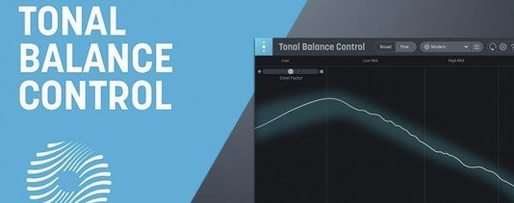
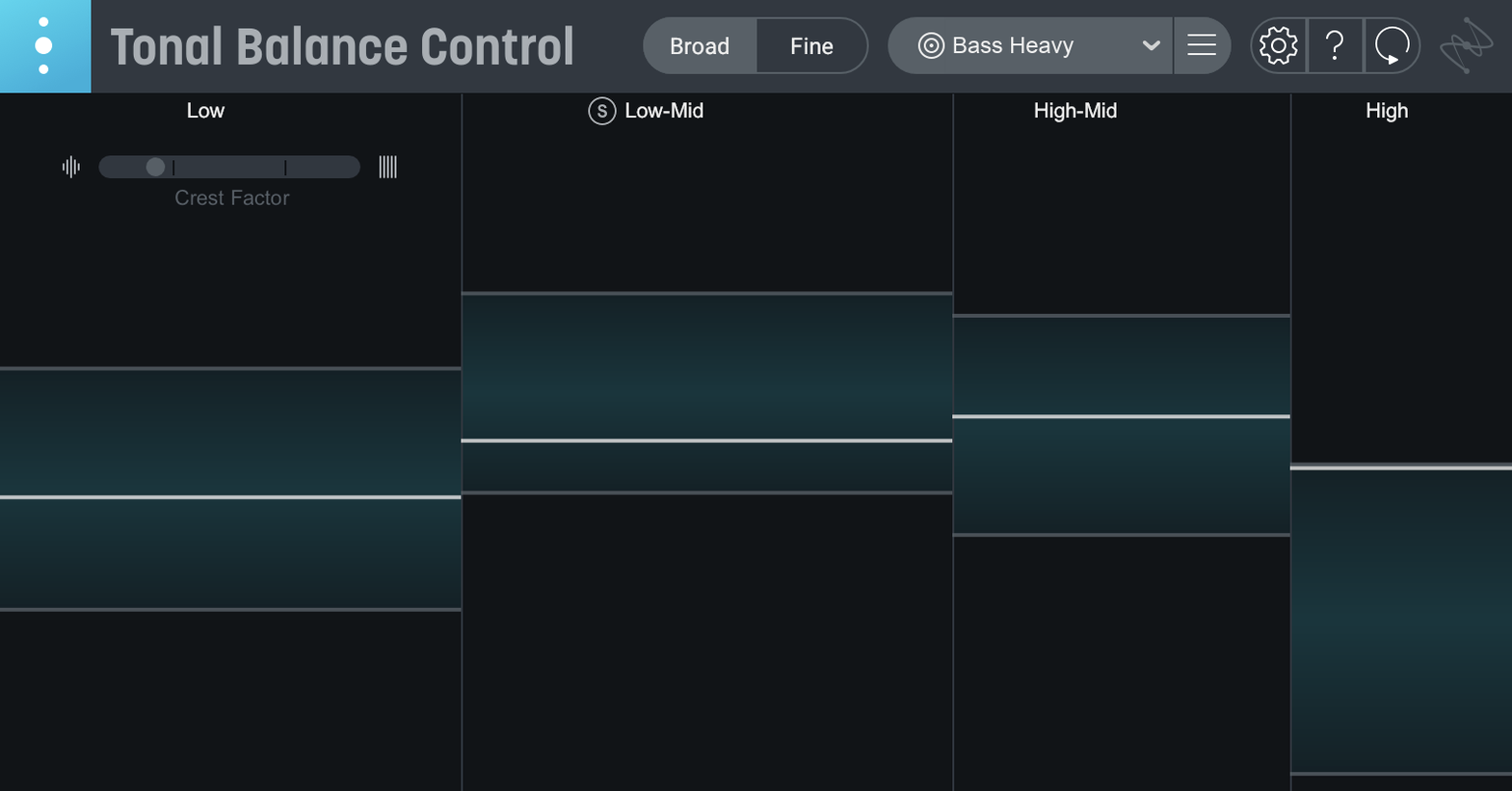
Open the plugin on a busy rock mix and the first thing you see is a rolling waveform with a white target line cutting through it—flat, then sloping gently down from the bass region. That line is the genre reference curve. As the track plays, colored bars grow and dip, showing how much energy lives in each frequency band compared to the target. A bar poking above the line means the bass is getting heavy relative to the reference; a dip in the highs suggests the cymbals could use a little more air. The readout isn't just right or wrong—it invites small, musical decisions.
| Detail | Info |
|---|---|
| Current version | 3.0.0 |
| Format | VST, AU, AAX; standalone app |
| Reference types | Built-in genre curves, custom audio file |
| iZotope integration | Opens Ozone and Neutron EQs from inside the plugin |
Next to the main display, version 3 adds three smaller meter columns for vocal balance, dynamics, and stereo width. The vocal meter helps catch a lead that's poking out or getting swallowed, and the width meter gives a quick read on how far the mix spreads. If something feels off, the built-in hybrid EQ lets you adjust a couple of broad bands right there, and you can open a full Ozone or Neutron equalizer from inside the interface for deeper corrections. Dragging an instrumental version of a favorite track onto the window creates a custom reference curve from that file, which is a quiet way to learn why a mix you admire hangs together so well. Anyone wrestling with a mix that sounds great in the studio but falls apart in the car should give this a try.
How Tonal Balance Control Sits Among Similar Mac Plugins
Put Tonal Balance Control next to something like ADPTR Audio Metric AB and the approach is visibly different. Metric AB leans heavily into A/B referencing against loaded tracks, with level matching, filtering, and detailed metering across a couple dozen parameters. It's thorough but dense—a Swiss Army knife for the mastering chain. Tonal Balance Control narrows the focus to the frequency curve and keeps a calmer, more approachable layout. You're not tabbing through ten readouts; you're watching one main display evolve in real time.
Mastering The Mix LEVELS also overlaps, particularly with its loudness and dynamics targets, but it doesn't offer the same interactive equalizer hook. With Tonal Balance Control, spotting a bulge in the low mids means you can reach for the built-in EQ or call up Neutron without leaving the window. That tight loop between diagnosis and fix is what separates it from meters that simply report problems and leave you to hunt down the solution elsewhere.
Then there's Voxengo SPAN Plus, a favorite among engineers who like to shape their own reference curves and inspect spectral detail with surgical precision. SPAN is deeply configurable, but it doesn't come with a curated set of genre targets or the vocal balance and stereo width meters that version 3 adds. You trade some of SPAN's raw flexibility for a faster, opinionated workflow where the plugin gently nudges you toward a balanced result.
Drag any audio in for an instant custom curve
One quiet pleasure is dragging an audio file straight onto the interface to build a custom reference curve. It works with full mixes, instrumental stems, even rough bounces you pulled from a phone recording. The curve updates immediately—no import dialog, no file format fuss. If you've got a folder of reference tracks you admire, you can pull them in one after another and watch how the target line shifts.
Relay, the companion utility included with the plugin, is worth mentioning even though it often gets overlooked. It lives on individual tracks and lets you adjust gain, pan, and stereo width before the signal reaches the master bus. The real trick is using Relay to nudge a problematic bass or vocal channel while watching the Tonal Balance display react—a kind of satellite control that feels like trimming a sail while watching the horizon.
Another detail: double-clicking a meter in the vocal, dynamics, or width columns resets its range to a comfortable default view. It's a small thing, but when you've been squinting at a pinched dynamic range for twenty minutes, that quick reset clears the head.
Settings Worth Visiting First
Out of the box, the plugin picks a broad pop curve, but switching to a genre target that actually matches your material is the single most useful first move. The Reference Curve menu holds twelve options—rock, hip-hop, orchestral, EDM, and others—and the difference between the hip-hop curve and the acoustic curve is dramatic enough that using the wrong one will send you chasing ghosts in the low end.
Head into the preferences and enable Peak Hold on the main display. By default, the bars move fluidly with the music, but a brief peak hold line leaves a ghost of the loudest moment, which helps spot transients that spike a narrow band and vanish before you can catch them. It's off by default, and turning it on makes the display considerably more useful during a first pass.
The Meter Response slider controls how quickly the bars react. A slower setting smooths out nervous movement and gives a clearer picture of the overall tonal shape; a faster setting reveals short-term bumps from snare hits or synth stabs. For a static mix check, pull it slower. When hunting a specific problem frequency, speed it up and solo the suspect band.
Finally, if you work with Ozone or Neutron, confirm that the Inter-plugin communication setting is active. It's what lets the interface talk to those equalizers directly, and without it, the "Open in Ozone" button does nothing. The toggle is easy to miss during setup, but once it's on, the whole feedback loop between meter and EQ sharpens considerably.
Tonal Balance Control 3 arrives as a major rework.
- New standalone desktop app.
- Extra metering columns for vocal balance, dynamics, and stereo width.
- A built-in hybrid EQ for quick tonal adjustments.
- macOS Sonoma 14.7 or later
- Intel and Apple silicon M-series Macs
- 64-bit ARM and x86 architecture
Porch talk 0
Come in or pull up a chair to leave a comment.
Nobody has pulled up a chair yet. If you used it on a real Saturday, say what the hour was.
More for the same hour
Everything in VST Plugins iZotope RX
12.1.0 VST Plugins
Updated 3.6 GB
iZotope RX
12.1.0 VST Plugins
Updated 3.6 GB

 iZotope Neutron
5.2.0 VST Plugins
928 MB
iZotope Neutron
5.2.0 VST Plugins
928 MB
 Kalifornia Dynamic KD Alkane
1.0.17.0 VST Plugins
270 MB
Kalifornia Dynamic KD Alkane
1.0.17.0 VST Plugins
270 MB
 iZotope Nectar
4.1.0 VST Plugins
545 MB
iZotope Nectar
4.1.0 VST Plugins
545 MB
 iZotope Insight
2.4.0 VST Plugins
iZotope Insight
2.4.0 VST Plugins
 Komplete FX Bundle
2026.1 VST Plugins
3.2 GB
Komplete FX Bundle
2026.1 VST Plugins
3.2 GB
 Komplete Kontrol
3.5.4 VST Plugins
785 MB
Komplete Kontrol
3.5.4 VST Plugins
785 MB
 KORG Collection
1.0.3 VST Plugins
175 MB
KORG Collection
1.0.3 VST Plugins
175 MB