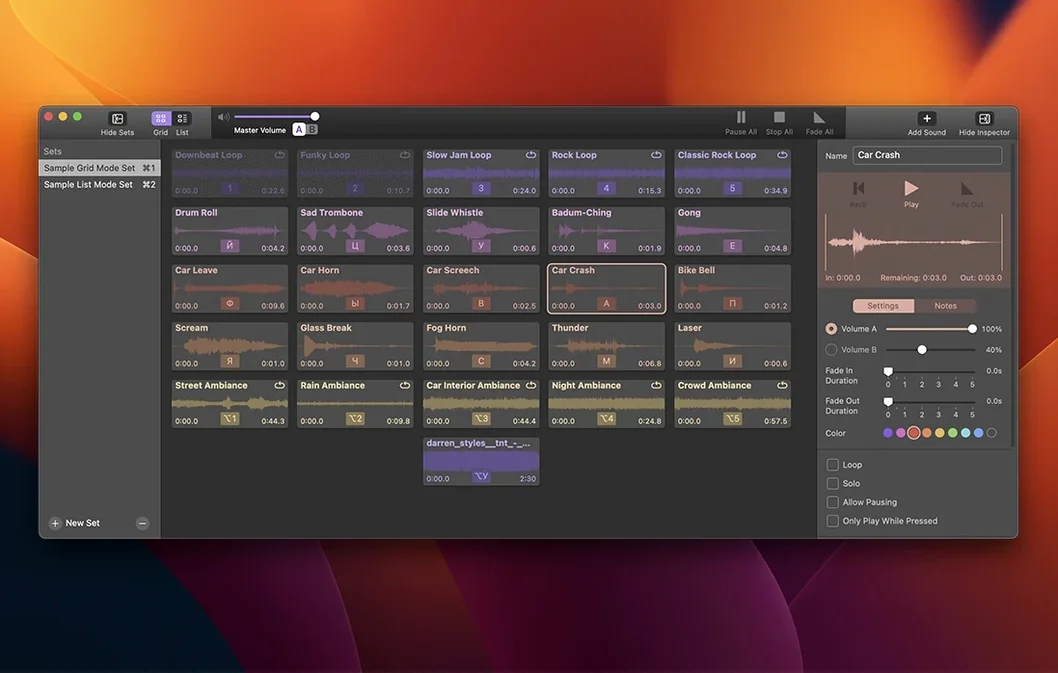
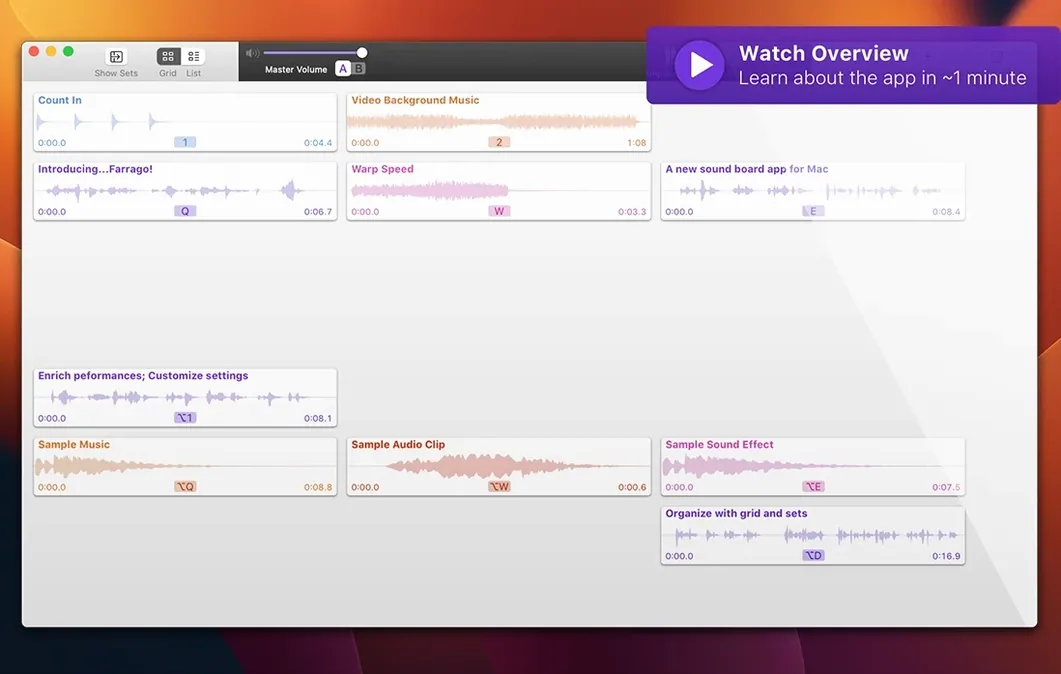
Tile Fade sliders are one of those small touches that make you realize an app was built by people who actually run live sound. Before you even drop in a clip, you can see how a sting or a door creak will breathe in and out of a mix, which matters when you're cueing things in real time. Farrago is Rogue Amoeba's soundboard for macOS, and it sits comfortably alongside the tools you might already use to shape audio on your Mac.
| What it is | Best for |
|---|---|
| Mac soundboard & audio clip launcher | Podcasts, live radio, theater, tabletop games, voice chat |
The app gives you a grid of tiles, each holding a sound and sporting its own name, color, and output routing. You can point individual tiles to different devices or feed them into Loopback for more complex setups, then capture everything with Audio Hijack if you need a recording. Global hotkeys mean you never have to leave your script or game board to trigger a laugh track or a transition. It keeps its own copies of the sounds you use, so your original files stay put, and the editor refinements in version 2.2.0 make trimming a clip on the fly feel less like a chore. If you regularly juggle a microphone, a playlist, and a folder of stingers, this is the kind of utility that quietly becomes part of the desk.
Who clicks with Farrago the fastest
Not every Mac user needs a soundboard, but a few groups will wonder how they worked without one. Podcasters who mix interviews with pre-recorded drops tend to adopt it within an episode or two — especially those who have been fumbling with a separate audio player while recording. Live streamers running tabletop RPG sessions get a lot out of the tile grid, loading monster roars, tavern ambience and dice clatters onto a single screen. Theater technicians and radio producers, the crowd Rogue Amoeba clearly had in mind, will appreciate routing individual tiles to different outputs and setting per-sound fade curves that don't step on dialogue.
Anyone who runs voice chat with a splash of chaos — Discord game nights, remote quiz hosting — also fits the profile. If you have ever tried to play a sound effect through a browser tab while unmuted, you know the pain Farrago sidesteps. It is less of a fit for someone who only needs a single alert sound occasionally; that person can stop at the system preferences. But if you reach for three different sound sources in a typical session, a farrago mac setup earns its place on the Dock.
Front-load tile naming and color coding
After you farrago download and launch it, spend your first hour on organization, not playback. Build one well-named set with ten tiles before you touch hotkeys. The tile grid rewards a little front-end tidiness: pick a color scheme that groups sounds by mood or source — blue for ambient loops, orange for stingers — so your eyes find things a beat faster when you are live.
Set in and out points on every clip immediately, even if you think the file is trim. The editor improvements in 2.2.0 make this quick, and it prevents the awkward silence of a trailing three-second gap during a show. Next, map global hotkeys for the three or four sounds you will trigger most often. A farrago macos setup really opens up once your hands stay on the keyboard instead of hunting the grid with a mouse. Finally, go into per-tile output routing and confirm each tile is aimed at the right device or virtual bus, especially if you plan to capture with Audio Hijack later. Doing this upfront means your first real session runs with fewer surprises, and you can focus on timing instead of troubleshooting.
Version 2.2.0 rolls along with support for macOS 27 Golden Gate, tighter Shortcuts integration for automating tile triggers, and a round of editor improvements that make trimming clips a smoother affair.
- macOS 14 Sonoma or later
- Apple Silicon or Intel 64-bit Mac
Porch talk 0
Come in or pull up a chair to leave a comment.
Nobody has pulled up a chair yet. If you used it on a real Saturday, say what the hour was.