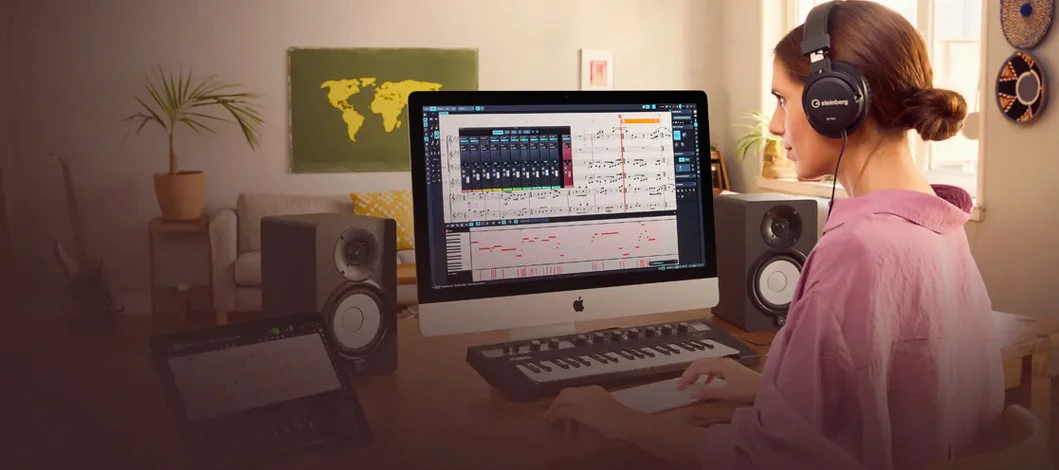
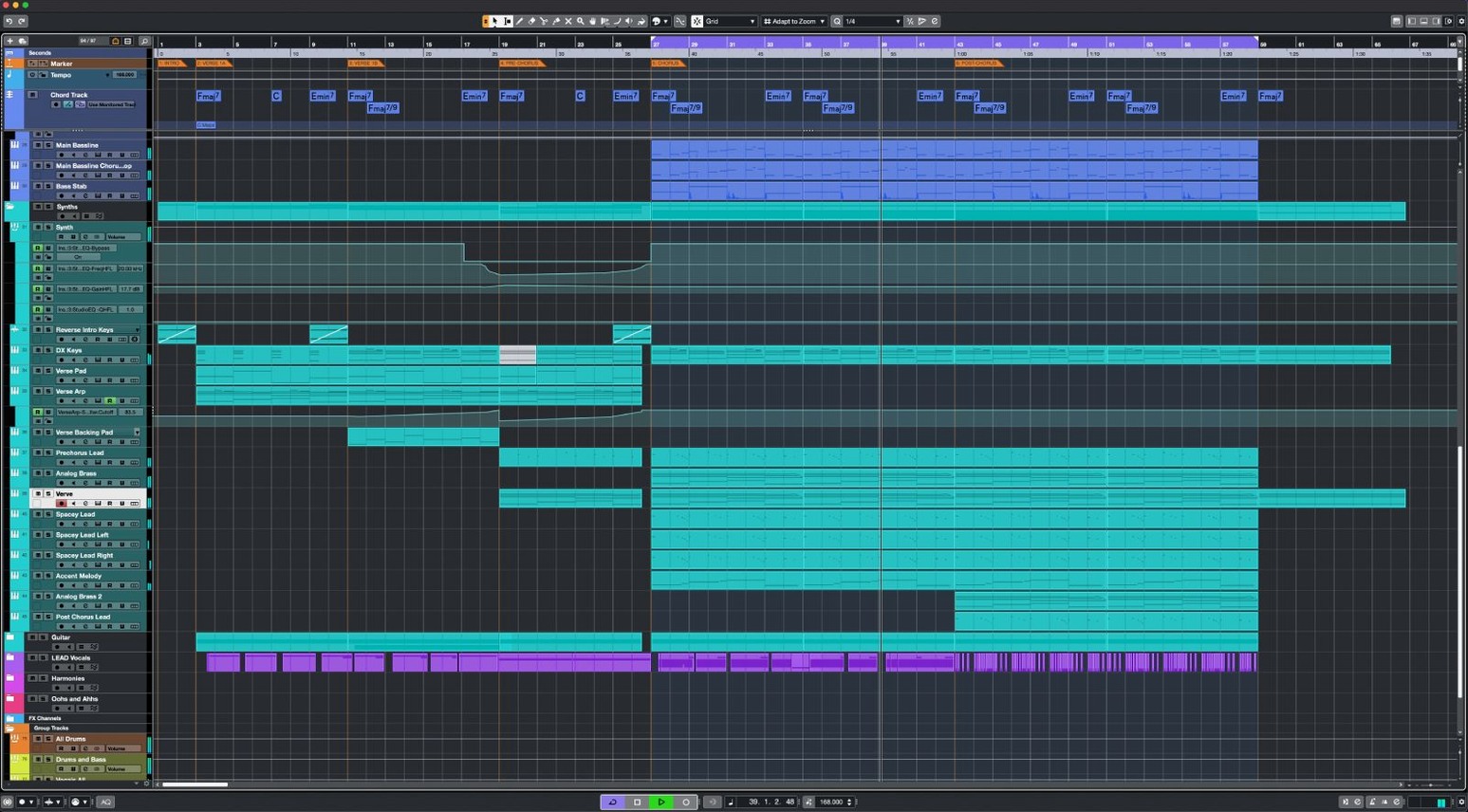
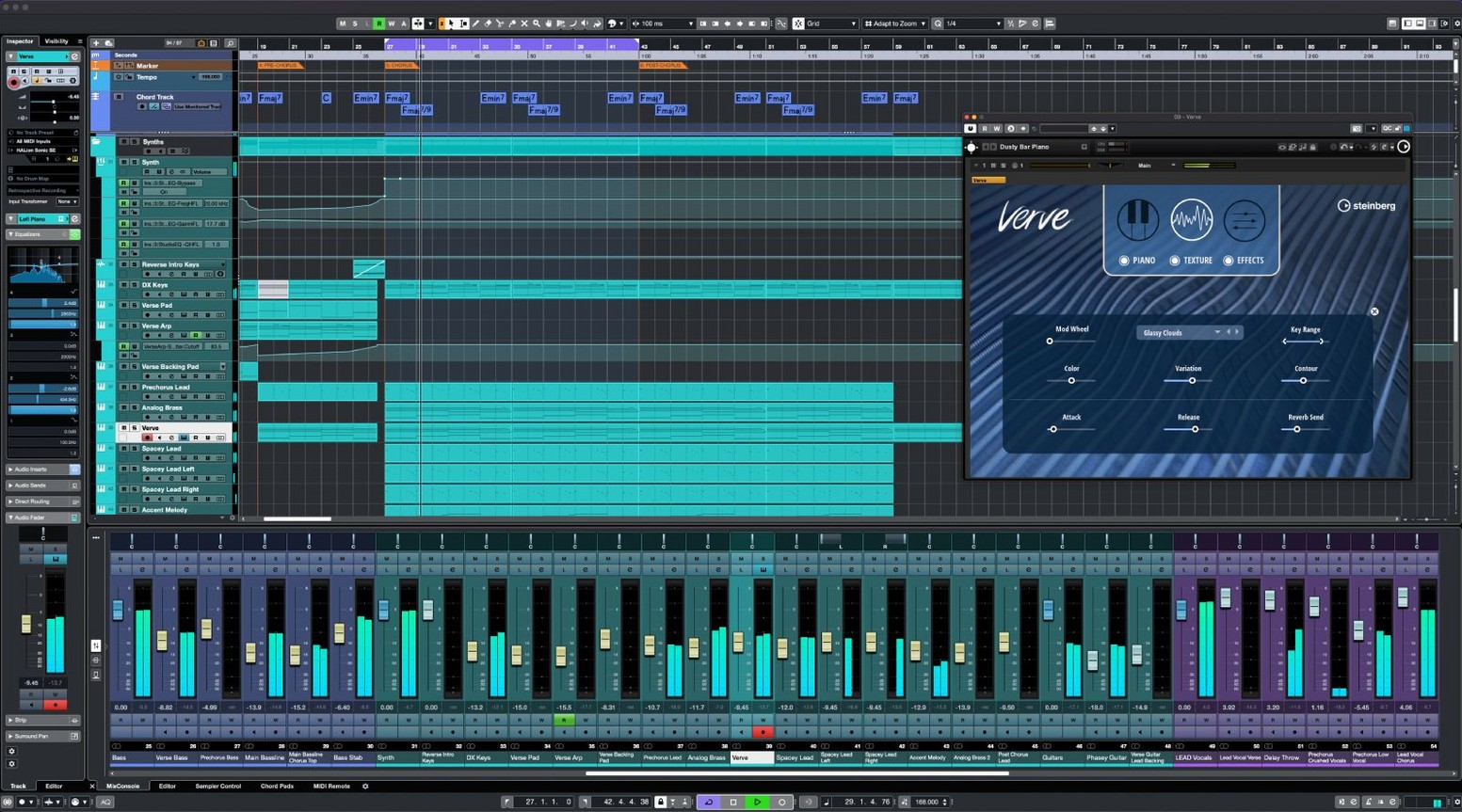
If you've spent time in GarageBand and are starting to feel the walls close in—limited routing, no surround tools, a mixer that tops out too soon—Cubase is often the room next door that people move into. It's a digital audio workstation built for professional producers, composers, and sound engineers who need deep control over every stage of a project, from first take to final mix.
Good fit if you need
- A DAW with support for up to 256 physical inputs and outputs for large studio setups.
- Scale Assistant with preset scales, so you can lock a MIDI part to a key without editing individual notes.
- Up to 16 insert effects per channel and 256 group channels for elaborate mixing chains.
- FX Modulator to generate complex, evolving textures by combining multiple effects.
- Dolby Atmos tools for mixing and delivering surround sound projects.
- 64 VST instrument slots and a customizable keyboard shortcut system.
Professional workflows assume you know the DAW
- The application is geared toward professional workflows; the feature set assumes you know your way around a full-scale DAW.
- It requires macOS 13 or later and runs on both Intel and Apple Silicon Macs.
- The interface is available in English, so non-English speakers may face a learning curve.
- Cubase 15 download files are handled through the Steinberg Download Assistant, not a direct web download.
A full vocal production walkthrough
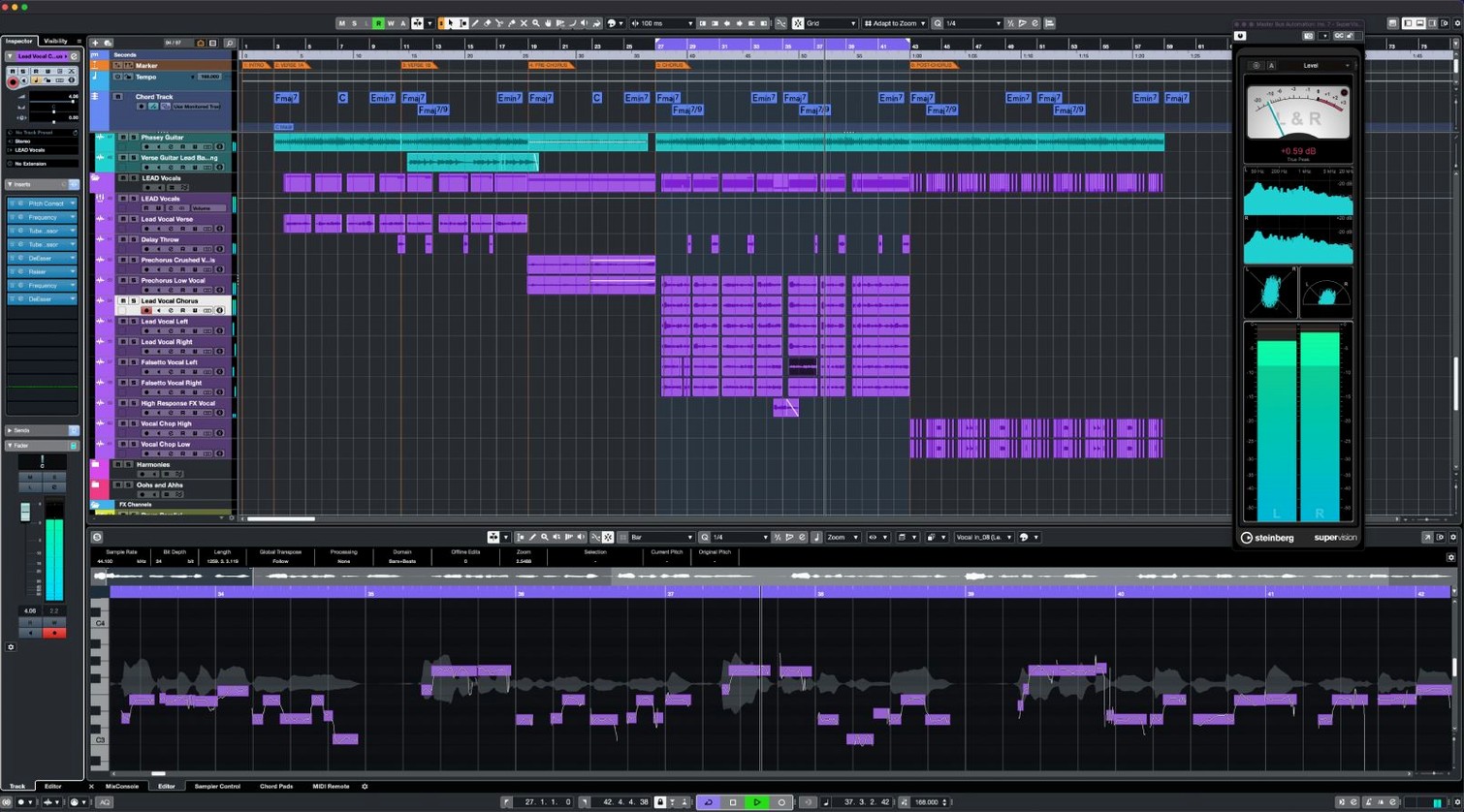
You've tracked a lead vocal and three harmony takes. They're sitting in your project window, comped and roughly trimmed. Now you want to tighten the timing, correct a few pitch wobbles, and shape the tone before it hits the main vocal bus. Here's how that might unfold inside Cubase 15, step by step.
Start by selecting the lead vocal event and opening the AudioWarp panel. Set the algorithm to Solo - Musical for a voice recording — it tends to handle sibilance better than the polyphonic modes. Tap the audition button and listen for the transient markers Cubase placed automatically. Drag a few that landed on breath sounds back to the actual note onset. With the project tempo set correctly, hit Quantize and set a strength around 70%. Full quantization on a vocal almost always sounds robotic; backing it off keeps the performance human while pulling the rushed phrases into place.
Next, duplicate the track for VariAudio. Right-click the audio event and choose Edit VariAudio. The piano-roll-style view opens with each detected pitch segment color-coded. Scan for segments that stray flat on sustained notes — lifting the segment slightly with the pitch adjustment handle usually does the job. If you hear an unnatural warble, widen the segment boundaries a touch so the correction curve breathes across the full syllable. For the harmony takes, group them in the VariAudio editor and activate Scale Assistant. Select the song's key — say, E minor — and the harmonies snap to scale degrees without individually nudging each voice.
Now for the insert chain. On the lead vocal channel, slot in Raiser first. Set the threshold so it catches only the loudest peaks, dial the release to medium, and leave Makeup Gain at zero. Raiser's strength is adding density without squashing the transient detail that gives a vocal its consonants. Next, insert a stock EQ for a gentle high-pass around 80 Hz and a narrow dip wherever the room resonance lives — often somewhere between 300 and 500 Hz. After the EQ, drop in FX Modulator. Load a preset called something like Vocal Air Spread and pull the mix knob back to 25%. It adds a shimmer that moves around the stereo field without pulling the vocal out of center focus.
Route all four vocal tracks to a group channel. On that group, add a compressor with a 2:1 ratio for glue, then a subtle room reverb on a send. Assign the group output to your main mix bus rather than sending them individually — it keeps your master fader from turning into a traffic jam. Finally, solo the group, loop the chorus, and toggle Raiser on and off. You'll hear the difference: the treated vocal sits in the pocket without the listener ever noticing the mechanics behind it.
Where Cubase fits among your other tools
Most producers don't live inside a single application. Cubase sits comfortably alongside third-party plug-ins, external hardware, and macOS features without demanding a complete overhaul of your existing setup.
If you use a MIDI controller with deep integration needs, the updated MIDI Remote API 1.3 in version 15.0.30 means automatic surface mapping has gotten more reliable. Connect a Novation Launch Control Series 3 and Cubase detects it; faders, pots, and pads map to mixer channels, transport, and track controls with minimal manual assignment. Beyond Novation hardware, the MIDI Remote system lets you build custom mapping pages for any controller that sends standard MIDI. You can save those mappings per project, so a podcast template might put transport and markers on the first page of knobs, while a scoring template reveals expression maps and articulation switching instead.
On the macOS side, Audio MIDI Setup remains the hub where Cubase sees your interfaces. If you're running an aggregate device — combining a Thunderbolt interface with the Mac's built-in output for quick headphone checks — Cubase respects that configuration at launch. The media bay window also reads Apple Loops and AIFF files tagged in Finder, so a sample library organized with tags in the Music app stays searchable directly inside the DAW.
For beatmakers who start ideas in other environments, Cubase imports MIDI files dragged straight from the desktop. A chord progression sketched on an iPad app lands on a Cubase instrument track and immediately responds to Scale Assistant, so the harmonic structure stays intact while you audition different voicings in the key. If you've built a collection of VST3 presets across multiple hosts, Cubase reads them without translation — the plug-in manager scans your system folders and categorizes everything by developer.
macOS 13 minimum blocks older Macs
A few things people want to know before they set aside an afternoon to install Cubase and start migrating projects.
Does it really need macOS 13 or later? Yes. The installer checks the operating system version, and Cubase 15 relies on frameworks that aren't available in Monterey or earlier releases. Both Intel and Apple Silicon Macs are supported from the same download, so you don't need to pick a separate installer for an M1 machine versus an older Intel Mac Pro.
Will my third-party plug-ins survive the move? Cubase 15 scans VST3, VST2 (with a compatibility warning), and AU plug-ins on first launch. Most plug-in developers updated for Apple Silicon a couple of years ago, so Rosetta 2 rarely comes into play unless you're holding onto a discontinued reverb from 2017. If a plug-in fails validation, Cubase quarantines it and lists the reason in the plug-in manager — you can manually re-enable anything you trust.
How large is the download, really? The macOS package sits just under 1.3 GB, but with all the included instruments, loops, and content packs, the full installation footprint lands north of 30 GB. The Steinberg Download Assistant lets you deselect content you won't use — a reasonable move if you're on a MacBook with limited internal storage.
Is the learning curve as steep as it looks? The interface presents a lot of panels at once, but it's modular. You can close the Control Room, the Media Bay, and the right-zone inspector and work in a window that's no more intimidating than Logic Pro. The keyboard shortcut system is fully customizable, so if you've developed muscle memory in another DAW, you can remap Cubase to match. Expect to spend a week on basic recording and editing before the advanced routing features start to feel natural.
Novation Launch Control Series 3 now maps automatically
The June 2026 update didn't add flashy new modules, but it tightened several things you encounter every session. The most immediately noticeable is hardware integration: the Novation Launch Control Series 3 support means a popular, affordable controller family now maps without manual MIDI learn for every knob. Plug it in, open a project, and the faders follow your channel levels. The MIDI Remote API 1.3 update also improved response time — there's less of that half-second lag between twisting a physical encoder and seeing the on-screen parameter move, especially on larger projects where older versions sometimes choked on dense automation.
Under the hood, Steinberg targeted stability fixes in areas users had been reporting: clip gain handles no longer reset when you duplicate tracks, and the audio engine recovers faster after a sample rate mismatch between an interface and a project. Neither of these makes for a dramatic headline, but they're the kind of fixes that keep a late-night mixing session from derailing when you're three hours in.
One installer covers all Cubase 15 editions, which simplifies version management. The license you hold determines which features unlock — Elements, Artist, or Pro — so you can upgrade your license later without reinstalling. If you're exploring options like cubase 14 pro mac setups from earlier versions, the jump to 15 consolidates everything under a single file that runs natively on current macOS builds.
Hover on event corners for instant fade handles
Some features hide in plain sight. Here are a few that speed up daily work once you know where to look.
- Event fade handles. Hover over the upper corners of any audio event and a fade triangle appears. Drag inward for a quick fade-in or fade-out without opening a separate editor. Hold Control while dragging to change the curve shape from linear to logarithmic.
- Channel strip reorder. In the mixer, drag insert slots vertically to reorder effects. The signal flows top to bottom, so swapping a compressor above an EQ versus below it changes the sound entirely — and you can audition both arrangements without reloading plug-ins.
- Range selection copy. The Range Selection tool (keyboard shortcut 2) selects a time range across all tracks. Copy that range and paste it into a blank area to duplicate an entire song section, automation and all, in one move.
- MixConsole snapshots. In the MixConsole, the camera icon saves a snapshot of all fader positions, pan settings, and insert bypass states. Save one before you experiment with a radical mix change; one click restores everything.
- Zoom presets. Assign three zoom levels to keyboard shortcuts under Edit > Key Commands — one for a full project overview, one for bar-level editing, and one for sample-level detail. Toggling between them with a single keypress beats scrolling endlessly.
- MediaBay tagging. Tag your own sample library inside the MediaBay with attributes like kick, snare, 808, or foley. Cubase remembers these across sessions, so finding the right layer sound for a busy arrangement takes seconds instead of a Finder search.
Version 15.0.30, updated June 3, 2026, is a maintenance release that also folds in a few new controller capabilities.
- General fixes and performance enhancements across the application.
- Added support for the Novation Launch Control Series 3.
- Cubase now supports MIDI Remote API 1.3.
- macOS 13 or later
- Intel or Apple Silicon Mac
Questions I actually get
Does Cubase 15 come with tools for working with musical scales?
Yes, Scale Assistant is included and provides preset scales to keep MIDI parts in key.
How many VST instruments can I load at once?
Cubase supports up to 64 VST instrument slots for building layered arrangements.
Porch talk 0
Come in or pull up a chair to leave a comment.
Nobody has pulled up a chair yet. If you used it on a real Saturday, say what the hour was.