
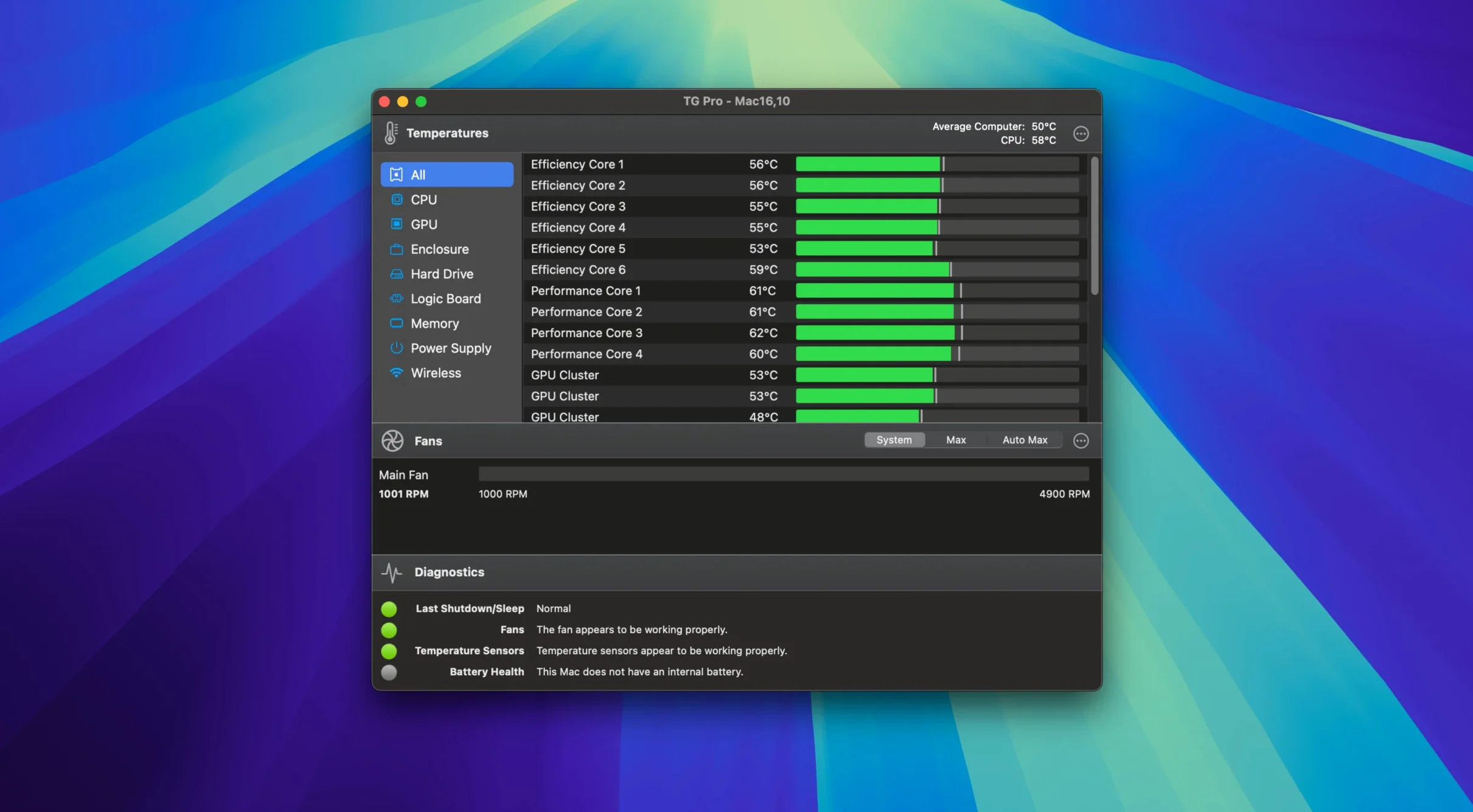
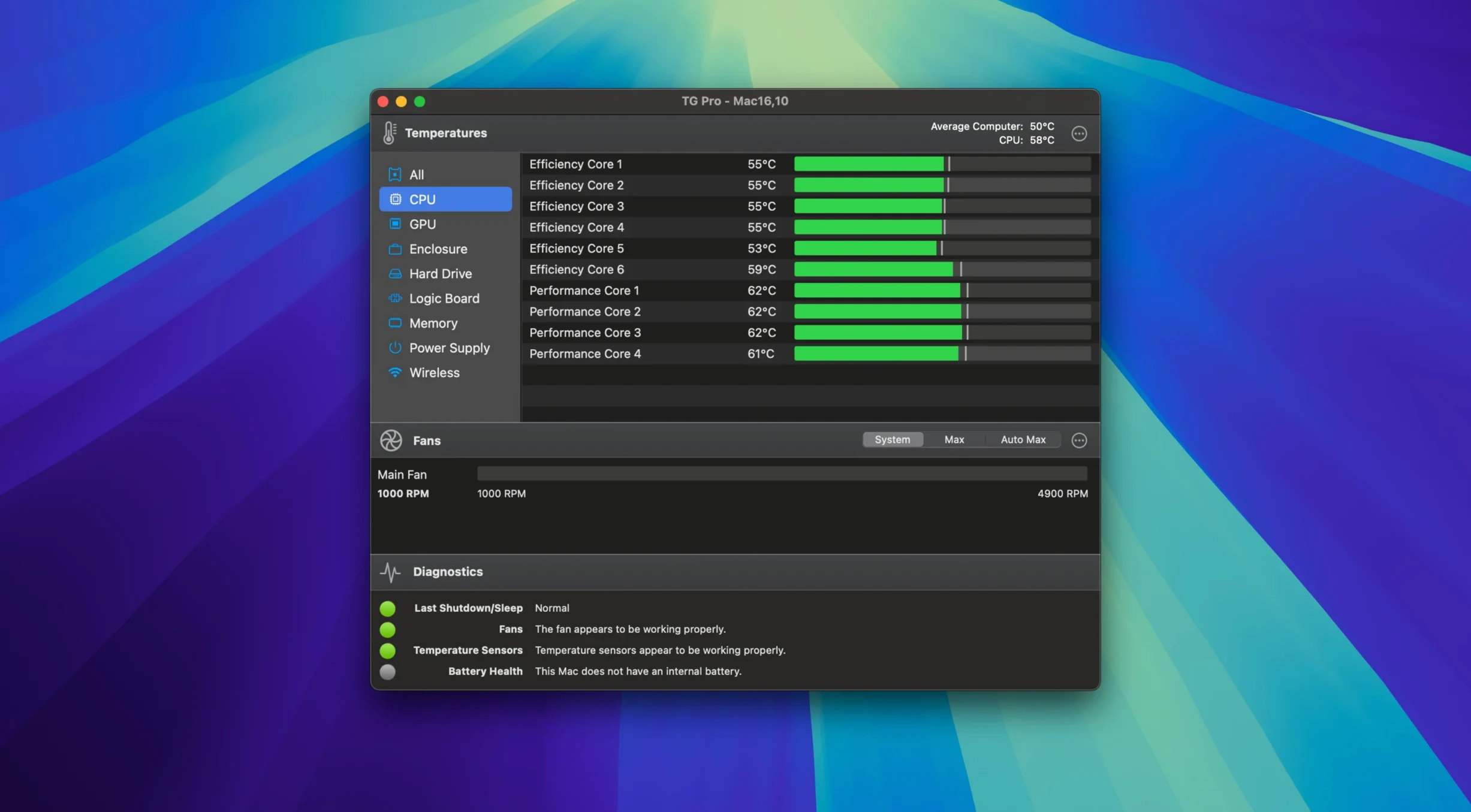
The latest update to TG Pro brings full fan control to M4, M4 Pro, and M4 Max Macs, squashes a bug where Auto Boost rules could trip up when switching power sources, and makes sure your fan speeds don't get stuck after using Siri or voice dictation. It's a maintenance release that keeps the utility feeling current on Apple's newest silicon.
Diagnostics that go beyond temperatures
You can run a full diagnostic scan that checks every sensor the app can see — CPU, GPU, logic board, memory, Wi‑Fi chip, drives, and the battery on laptops — and flags anything running outside normal range. It's a quick health report for your Mac's internals, and it works on both Apple Silicon and Intel 64-bit machines, including Hackintosh builds with a dedicated preference toggle.
Fan rules you build around real sensors
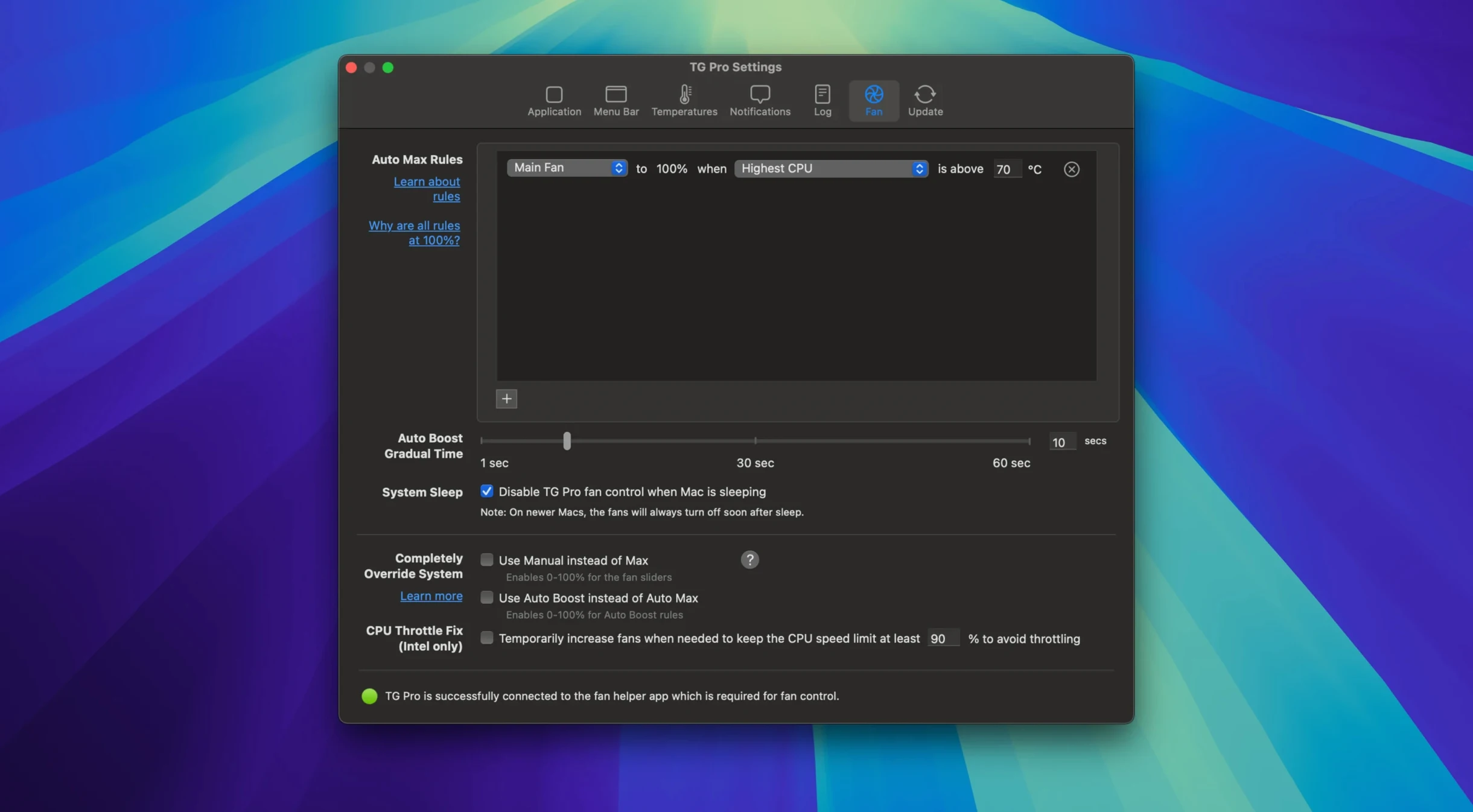
Instead of a single slider, you get to create custom fan curves tied to any temperature sensor in your system. When the SSD controller starts cooking, you can ramp up a specific fan before the whole chassis heats up. The rules stay active in the background, and the current version properly restores your hand-tuned speeds after dictation sessions end, so the machine stays quiet exactly when you want it to and breathes harder only when it needs to.
Untangling the macOS permission prompt and other first-run sticking points
A new utility that talks directly to the SMC can feel a little intimidating, and a few sticking points show up more often than others. The first thing to check is the permissions prompt macOS throws at you when TG Pro launches. If you dismiss it without reading, the app won't see fan speeds or temperatures. You fix it by quitting the app, opening System Settings, heading to Privacy & Security, and making sure TG Pro has the green light under Accessibility. On Apple Silicon Macs, you also need to allow the system extension during the first cold launch — a full restart usually clears that hurdle if it got skipped.
Hackintosh users occasionally report sensors that read zero or fans that refuse to respond. The toggle in Preferences labeled Hackintosh mode tells the app to use a wider net when scanning the SMC, and flipping it on resolves most missing-sensor cases on non-Apple hardware. Another common hiccup: custom fan rules that seem to ignore your curve. The culprit is almost always a second rule targeting the same fan but tied to a different sensor that's running hotter. TG Pro picks the higher speed request, which is the safer behavior, so the fix is consolidating rules or raising the threshold on the aggressive one. If fan speeds lock after a FaceTime call or a Siri command, version 2.103 already patches that, so a quick update sorts it.
A full work week with the menu bar readout staying responsive
After leaving it running through a full work week — photo edits, Xcode builds, and the usual tab explosion — the menu bar readout stays responsive without ever becoming the thing you blame for a sluggish cursor. CPU time hovers around half a percent on an M1 Pro, and memory sits under 90 MB even with logging turned on. It's the kind of footprint you forget about until a temperature alarm chirps.
Stability holds up well. I've seen no kernel panics traced back to the fan driver, and the app recovers cleanly from sleep-wake cycles. The one rough edge: if you run other hardware monitors alongside it, like iStat Menus, you'll see brief sensor-read collisions. TG Pro handles it gracefully — it just retries — but you get cleaner data if you pick one tool for fan control and stick with it. For most people who find a tg pro download and install it, the experience is set-and-forget after the first rule is dialed in.
Playing nice with other apps and macOS
TG Pro slots into the system without fighting Spotlight, Time Machine, or your clipboard manager. The menu bar icon coexists with Bartender and Hidden Bar, and the temperature readout respects dark mode automatically. If you use Shortcuts, you can trigger a diagnostic report by having TG Pro write a log file to a watched folder, then let Hazel or a folder action pick it up — not a built-in integration, but it works.
The app also understands power states. When you pull the MagSafe cable on a MacBook, the Auto Boost rules adjust to the new thermal ceiling without manual intervention, assuming the 2.103 fix for power-source switching is in place. Dictation and Siri no longer hijack fan speeds, so voice workflows and cooling stay independent. If you're working in Logic Pro or DaVinci Resolve and need absolute silence during a take, you can set a rule that locks fans at minimum until the GPU temperature creeps past a defined limit. That kind of interplay makes a tg pro mac setup feel less like a bolt-on utility and more like something Cupertino left out of System Settings.
- macOS 10.13 or later
- Intel 64-bit processor
Porch talk 0
Come in or pull up a chair to leave a comment.
Nobody has pulled up a chair yet. If you used it on a real Saturday, say what the hour was.
More for the same hour
Everything in Mac Apps
 TextSniper
1.13.0 Mac Apps
13 MB
TextSniper
1.13.0 Mac Apps
13 MB

 Termius
9.35.4 Mac Apps
220 MB
Termius
9.35.4 Mac Apps
220 MB

 Tenorshare UltData
9.5.0 Mac Apps
29 MB
Tenorshare UltData
9.5.0 Mac Apps
29 MB

 Techtool Pro
20.1.7 Mac Apps
318 MB
Techtool Pro
20.1.7 Mac Apps
318 MB
 TechSmith Snagit
2026.4.3 Mac Apps
Updated 195 MB
TechSmith Snagit
2026.4.3 Mac Apps
Updated 195 MB

 TablePlus
6.8.0 Mac Apps
91 MB
TablePlus
6.8.0 Mac Apps
91 MB

 SwitchResX
4.14.2 Mac Apps
6 MB
SwitchResX
4.14.2 Mac Apps
6 MB
 Topaz Gigapixel AI
1.4.0 Mac Apps
Updated 372 MB
Topaz Gigapixel AI
1.4.0 Mac Apps
Updated 372 MB