

OpenIn 4 runs on any Mac that meets macOS 15.1 or later, with native support for both Apple Silicon and Intel machines. If you're still on an older macOS release, the developer keeps OpenIn 3 around for those systems.
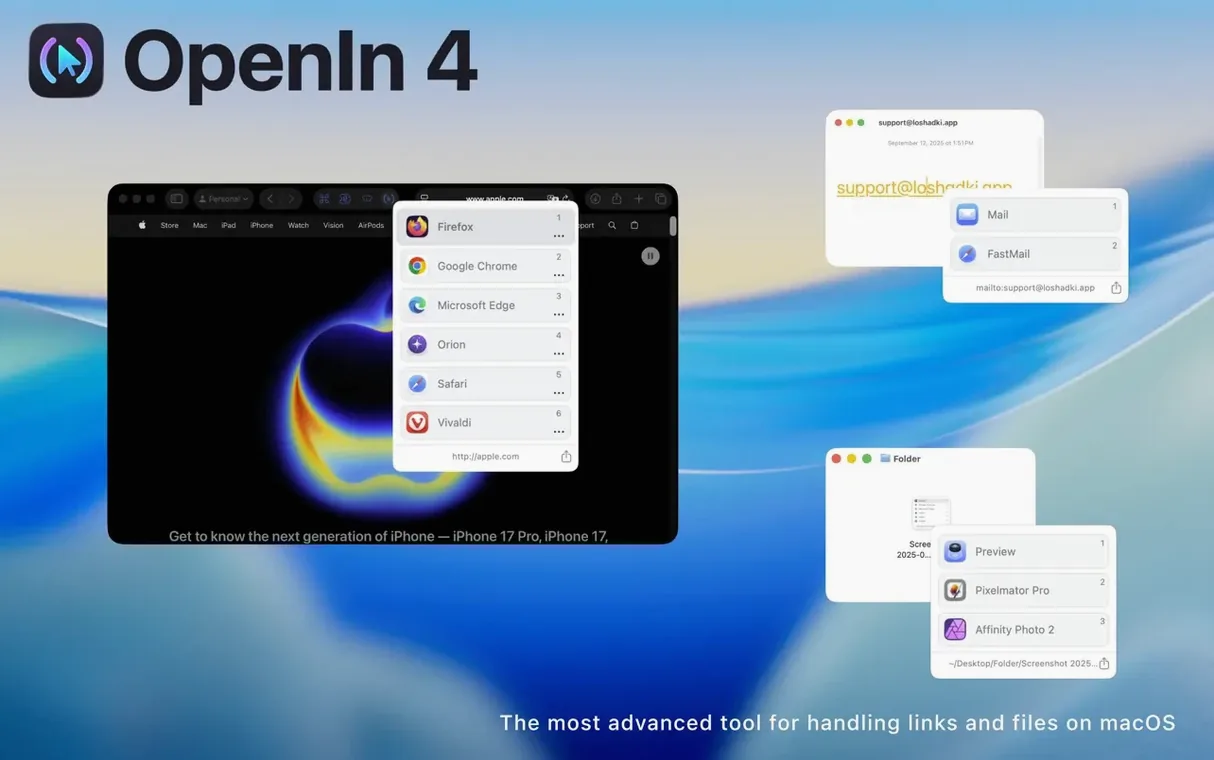
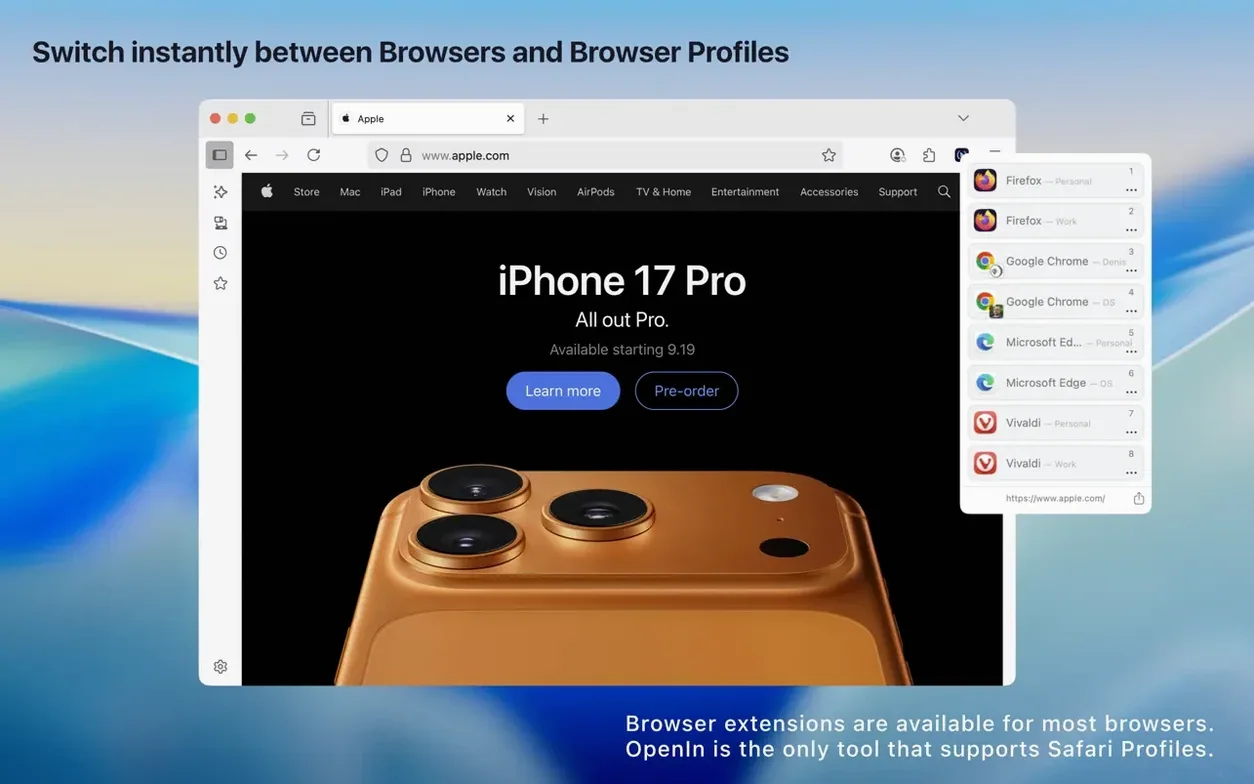
It sits quietly in the background until a link, an email address, or a file needs an app decision. Instead of macOS remembering one default, OpenIn steps in with the choice you actually want right then — a specific browser for work links, a mail client for a certain contact, or a text editor for a config file.
Where it earns its keep next to the tools you already have:
- URL overrides strip tracking query parameters on the way through, so the link that lands in your browser is cleaner than the one you clicked.
- Mail rules let a mailto link open in a desktop client like Apple Mail or head straight to a browser service — Gmail, Outlook, Fastmail, whichever fits the moment.
- Safari Web Apps are treated as first-class targets. A YouTube link can open in its own dedicated web app rather than a tab.
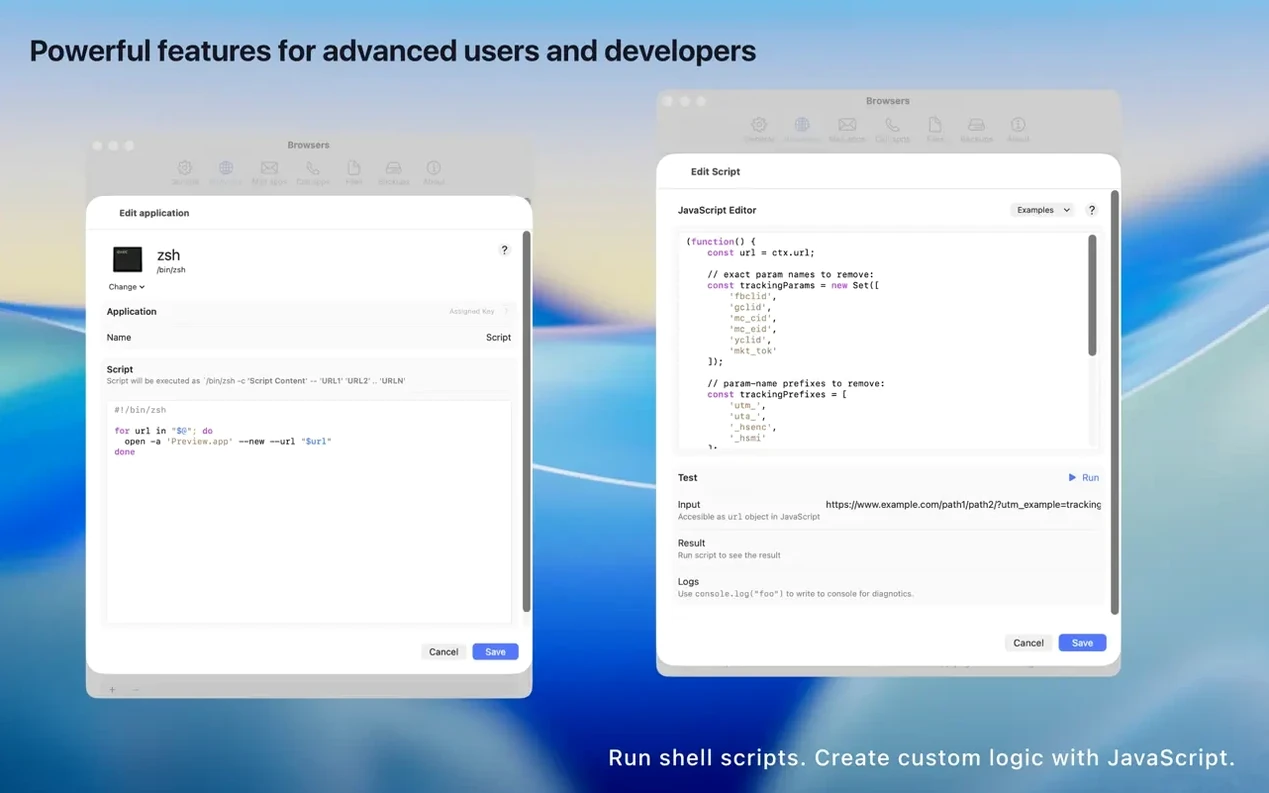
- JavaScript engine for custom rules when the built-in conditions don't cover a specific workflow.
Keep in mind:
- Version 4 requires macOS 15.1 or later; it won't install on older releases.
- The app picker only appears when more than one target matches a rule, so single-target setups stay invisible.
Getting OpenIn to feel like a natural part of the Mac takes a few minutes of tweaking, but the payoff is a system that bends to how you actually work.
Making it the Mac’s default link engine
The first thing to do after dragging the app into Applications is set it as the default browser from the OpenIn preferences pane. Once that's in place, macOS hands off every clicked link the same way it always did — except now OpenIn gets a quiet look at it first. System Settings will show OpenIn as the default web browser, which is correct, even though it isn't a browser at all.
Focus filters tie the whole thing to your Mac's existing Focus modes. A Work focus can route every link through your company's preferred browser, while Personal hours send the same domains somewhere else. The conditions stack: a domain rule inside a Focus rule, plus a modifier key held down, gives you granular routing without building a JavaScript expression. Apple Music and Apple TV links land in their native apps automatically if you've ticked those options, and Zoom meeting links can skip the browser picker entirely and head straight into the Zoom app.
If you've already gone all-in on Safari Web Apps — those standalone, Dock-pinned single-site windows — OpenIn treats each one as its own target. A rule pointing YouTube links to the YouTube web app keeps your main browser free of video tabs, and the same logic works for Slack, Notion, or any site you've saved as a web app.
For people who spend time in openin - advanced link handler for mac free download territory, the local file history is a quiet bonus. Every file the app has routed gets logged, so retracing a document you opened three days ago through a chat client link is a quick scroll away.
Tighter tracking-parameter stripping arrives
The macOS 15.1 requirement was the big shift with OpenIn 4, but the 4.5.0 release tightened several everyday behaviors. URL overrides became more aggressive about catching tracking parameters that slip through with encoded characters — links shared from newsletters and social apps arrive noticeably shorter now. The app picker got faster to appear on Apple Silicon Macs after a cold launch, shaving off a hesitation that was noticeable on M1 machines in earlier 4.x builds. Safari Web App detection also improved: web apps created after updating are picked up without restarting OpenIn, which wasn't always the case before.
When the picker refuses to appear
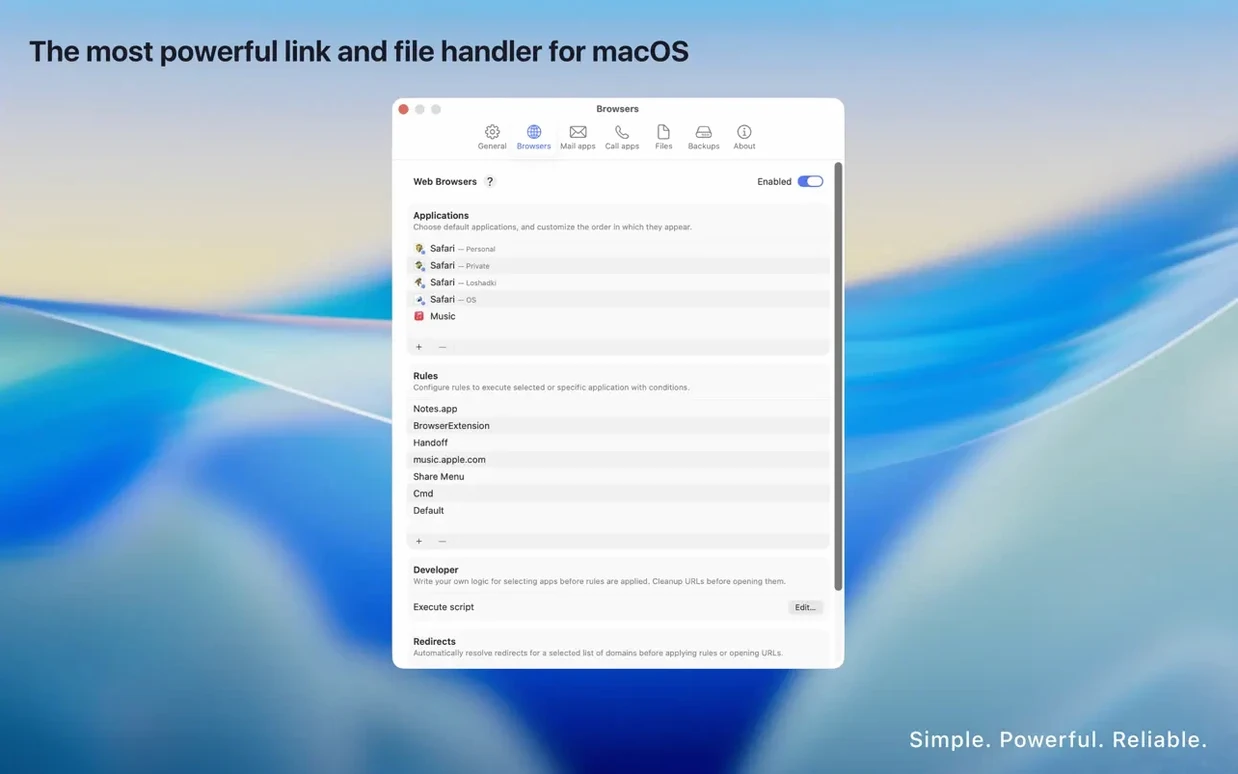
The picker doesn't show up. Nine times out of ten, this means only one app matches the link type. OpenIn's preference window shows every rule and the apps it targets — check that at least two are listed for the condition you're testing. Mail rules need a mail client and at least one browser-based service enabled before the picker appears for mailto links.
A rule works everywhere except one app. Some apps — particularly Electron-based ones like Slack and Discord — intercept clicks internally and don't pass them to the system's default handler. OpenIn can't override that, but you can often copy the link and open it from anywhere else on the Mac to trigger the picker.
URL overrides strip too much. The override list is editable. If a site breaks because a parameter you actually needed got removed, find the domain in OpenIn's URL Overrides settings and delete or adjust the query key that's causing trouble. The changes take effect immediately on the next click.
- macOS 15.1 or later
- Apple Silicon or Intel 64-bit Mac
Questions I actually get
Does OpenIn work with browser-based email services?
Yes. You can route mailto links through desktop mail clients or directly to webmail services like Gmail, Outlook, and Fastmail.
Can I write my own rules beyond the built-in options?
OpenIn includes a JavaScript engine that lets you define custom matching logic for links, files, and email addresses.
Porch talk 0
Come in or pull up a chair to leave a comment.
Nobody has pulled up a chair yet. If you used it on a real Saturday, say what the hour was.
More for the same hour
Everything in Mac Apps
 One Switch
1.35.4 Mac Apps
7 MB
One Switch
1.35.4 Mac Apps
7 MB

 ON1 Photo RAW
2026.5.2 v20.5.2.19304 Mac Apps
1.1 GB
ON1 Photo RAW
2026.5.2 v20.5.2.19304 Mac Apps
1.1 GB

 Pacifist
4.1.4 Mac Apps
38 MB
Pacifist
4.1.4 Mac Apps
38 MB

 OmniPlayer: MKV Video Player Pro
2.1.22 Mac Apps
78 MB
OmniPlayer: MKV Video Player Pro
2.1.22 Mac Apps
78 MB

 Paragon NTFS
LAST Mac Apps
70 MB
Paragon NTFS
LAST Mac Apps
70 MB
 Parallels Desktop
27.0.3-58680 Mac Apps
Updated 186 MB
Parallels Desktop
27.0.3-58680 Mac Apps
Updated 186 MB

 OmniGraffle Pro
7.26 Mac Apps
73 MB
OmniGraffle Pro
7.26 Mac Apps
73 MB

 Paste
6.6.2 Mac Apps
28 MB
Paste
6.6.2 Mac Apps
28 MB