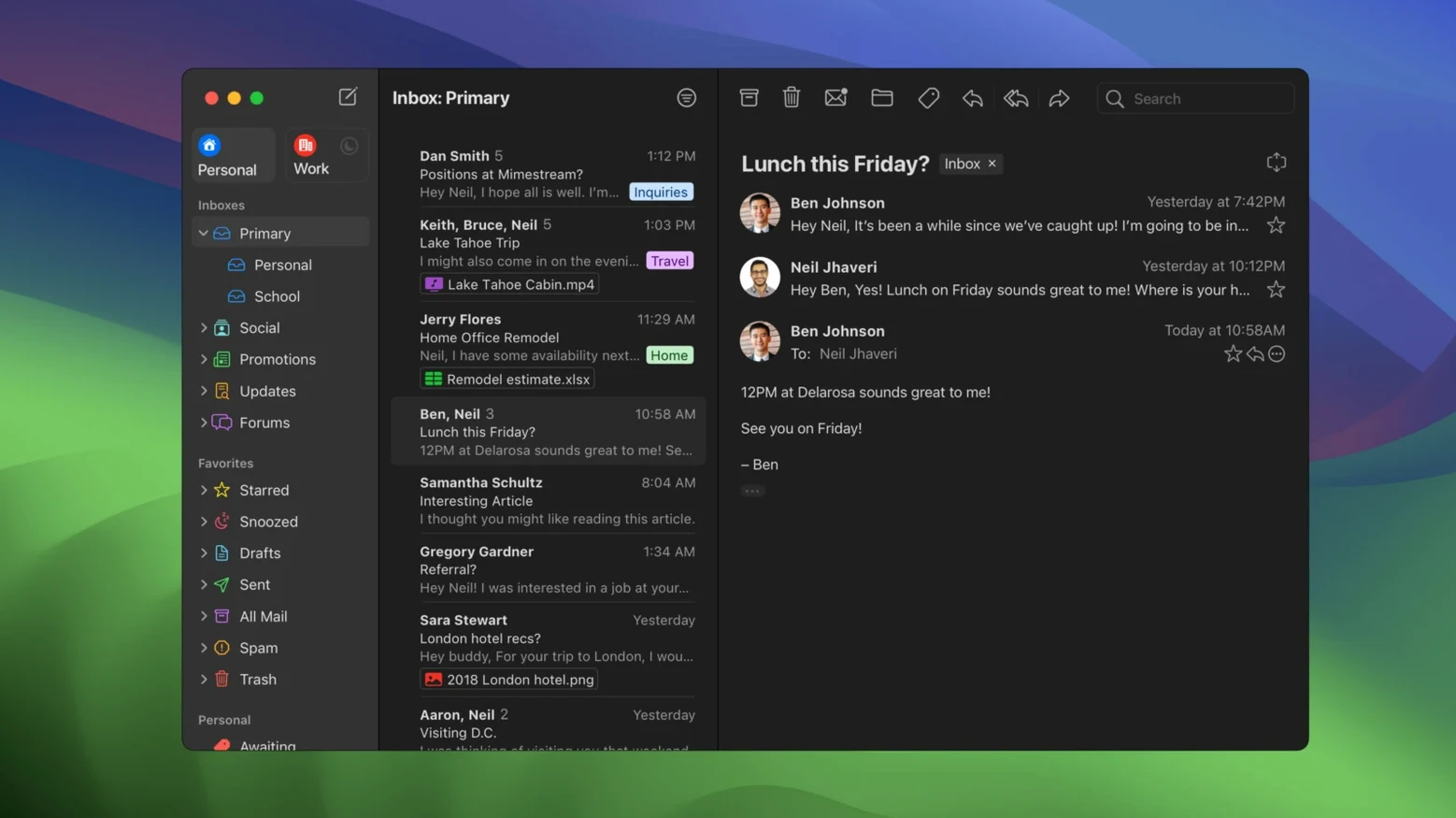
50 tracking services. That is how many Mimestream can quietly block in the background while you read your morning email. It is a small, concrete detail that speaks to what this app is really about: a Gmail experience on your Mac that does not feel like a web browser in a thin disguise. Written in Swift and built on the Gmail API—not the creaky old IMAP protocol—it mirrors your Gmail labels, categories, and inbox organization exactly as Google intended, with none of the sync quirks you might expect from a generic mail client.
Once you have it running, the first thing to try is the swipe. macOS trackpad gestures are wired directly into message sorting and archiving, so you can flick through a cluttered inbox with two fingers the same way you would clean up your desktop. It is also worth pulling the network cable for a minute just to see offline mode in action; recent messages stay fully readable and searchable without a connection, while the app keeps its disk footprint small by caching only what you need.
Another early move: open a message from a newsletter or retailer and glance at the menu bar. If Mimestream stripped out a tracking pixel, you will see a small shield icon and a note about which service got blocked. It handles over fifty of them, and it does so without breaking message layout, which is a tricky balance to get right. After that, head into notifications and set up a custom action or two—reply and archive straight from the banner, for example—so you can handle quick replies without ever opening the main window.
Give it a spin if your Gmail workflow has outgrown a browser tab and you want something that feels like a real Mac app, not a compromise.
Stays Quiet Under a Morning Inbox Load
Open Activity Monitor while Mimestream handles a morning inbox of forty or fifty messages, and it stays surprisingly quiet. On an Apple Silicon Mac it rarely climbs above a few hundred megabytes of RAM, and the CPU graph stays flat once the initial sync finishes its work. Because the app is written in Swift and talks directly to the Gmail API, there is no IMAP polling loop churning in the background every few minutes. New mail arrives through a single efficient connection, and the app leans on macOS system notifications rather than its own always-running helper process.
Stability has been a strong point across the 1.10.x releases. Crashes are rare in daily use, and when they do happen the recovery is clean—reopen the app and your labels, drafts and search history are right where you left them. The offline cache rebuilds incrementally, so you are not waiting on a full resync. One thing to note: if you have a Gmail account with tens of thousands of messages and you enable the optional All profile, the first indexing pass can feel slow. That is the API rate limits at work, not a memory leak. After that initial pass, everything settles into a rhythm.
Your Gmail Labels and Shortcuts Become Native Speed
Mimestream is not for everyone with a Mac. It is for people who live in Gmail and want the desktop to feel like an upgrade, not a translation layer. If you have spent years building filters, labels and keyboard shortcuts inside the web interface, this app respects all of that work instead of asking you to relearn email from scratch.
Power users who rely on Gmail search syntax will feel right at home. You can type label:invoices has:attachment before:2024/12/31 into the search field and get the same results Google would return, with the same operators. That is something no IMAP client can match. Combine that with offline search, and a traveling consultant on patchy WiFi can still pull up a contract signed six months ago without touching a browser.
Keyboard-driven workers are another natural fit. The app ships with both a Gmail shortcut set and an Apple Mail set, so whether your fingers know j and k for navigation or the macOS standard combinations, you can pick the muscle memory you already have. Between that, swipe gestures and notification actions, a fair amount of email triage happens without the mouse.
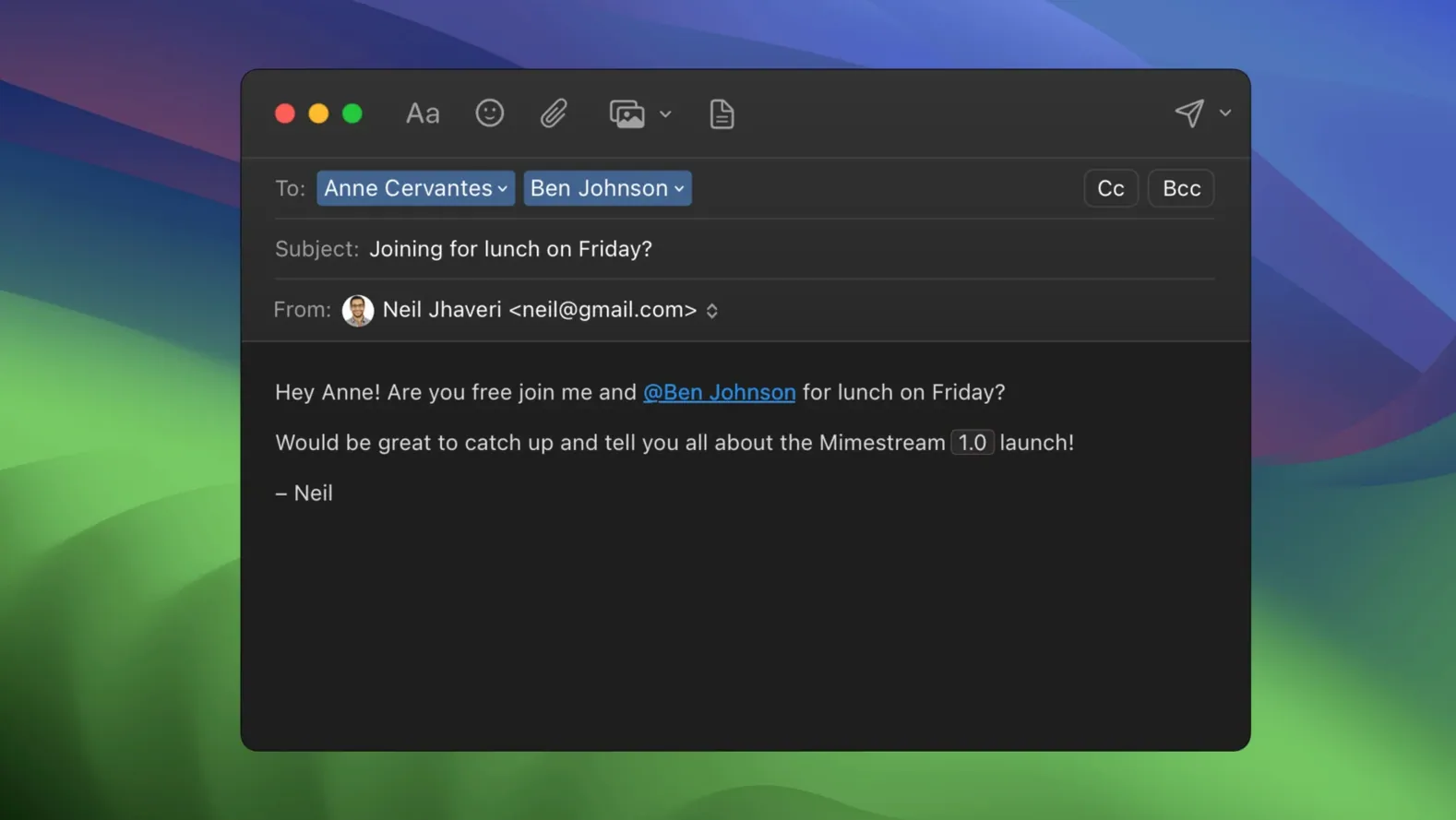
People juggling multiple Gmail aliases also benefit more than they might expect. Aliases and signatures sync automatically with no configuration—add one in Gmail settings and it shows up in the From picker the next time you compose. That alone saves a recurring support headache for anyone managing a handful of role accounts.
Adding a Non-Gmail Account Hits a Wall
The most common stumble is treating Mimestream like a general-purpose mail client. If you add a Gmail account and then try to connect an Outlook or iCloud address, you will hit a wall. The app is Gmail-only by design, and that surprises people who skim the feature list without reading the fine print. Accept that constraint early and the rest makes sense.
Another early misstep: ignoring notification configuration. Out of the box, Private Push notifications are enabled on recent macOS versions, but the per-account actions—reply, archive, mark as read—are not set up until you visit preferences. A beginner who gets fifty notifications and taps each one, only to land in the full message view every time, is doing unnecessary work. Spending five minutes in the notifications pane cuts that down dramatically.
The third pattern is treating offline mode as an afterthought. People who never pull the network cable during setup do not realize which messages are cached and which are stubs until they are on a plane without WiFi. A quick test run at home—disconnect, search for an older thread, open a few attachments—surfaces any gaps while you can still fix them. The app caches recent conversations aggressively, but very old threads may need a manual nudge while you are still online.
- macOS 12 Monterey or newer
- Runs natively on Apple Silicon and Intel Macs
- A Google account is required
Questions I actually get
Does Mimestream work with iCloud or Outlook accounts?
No, Mimestream is built exclusively for Gmail accounts and uses the Gmail API, so it does not support iCloud, Outlook, or other email providers.
Can I read my email without an internet connection?
Yes, it supports full offline access by caching recent messages locally, which remain readable and searchable even when you are disconnected.
Is there an iPhone or iPad version of Mimestream?
Mimestream is a desktop email client for macOS only; there is currently no mobile version for iOS or iPadOS.
Porch talk 0
Come in or pull up a chair to leave a comment.
Nobody has pulled up a chair yet. If you used it on a real Saturday, say what the hour was.