
Version 1.5 brought a trio of features that change how you think about your battery: charging limits with heat protection, per-app energy insights, and health readouts for your iPhone and iPad. If you've just installed the update, those three are where the real fun begins.
Three places to start in version 1.5
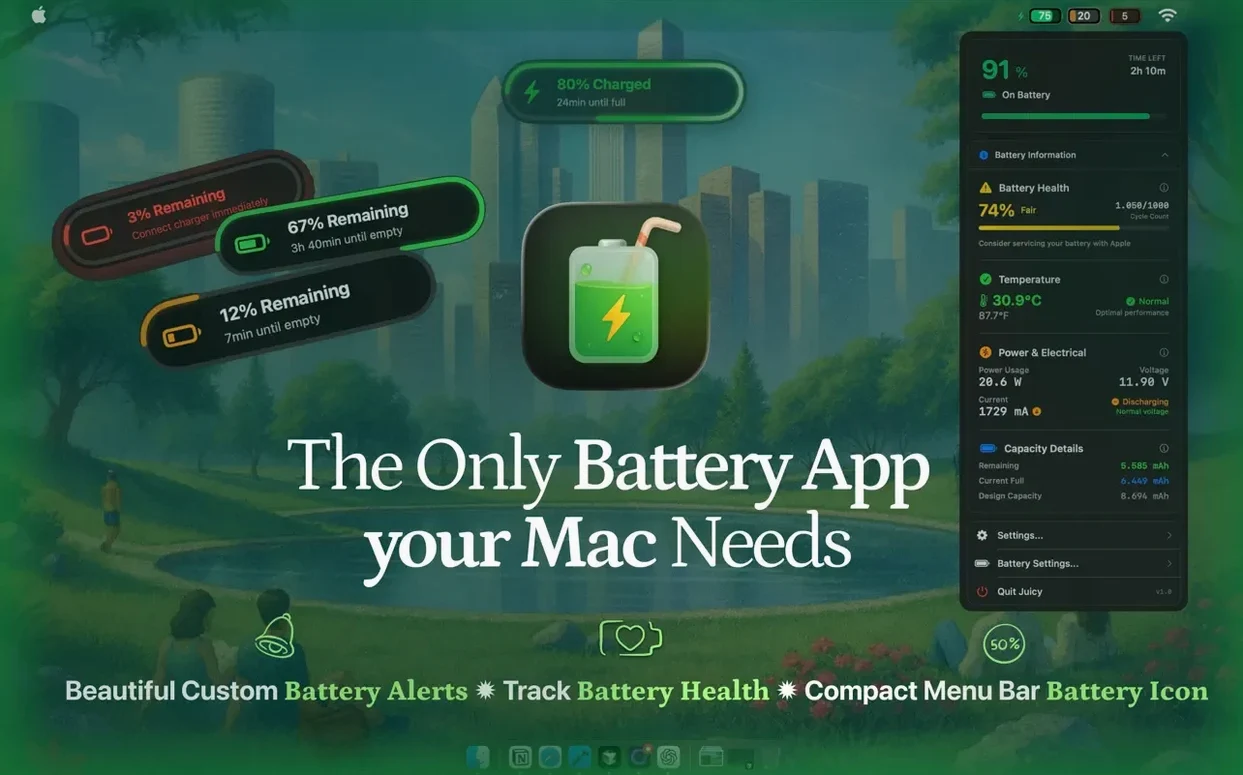
- Set a charging limit and let heat protection do its thing. The app can stop charging before the battery hits full, and if things get too warm, it pauses automatically. You'll find this under preferences — pick a ceiling that makes sense for your day.
- Open the per-app energy breakdown. This shows you which apps are pulling the most power right now, measured in watts. It's a quick way to spot a background process that's draining you faster than expected.
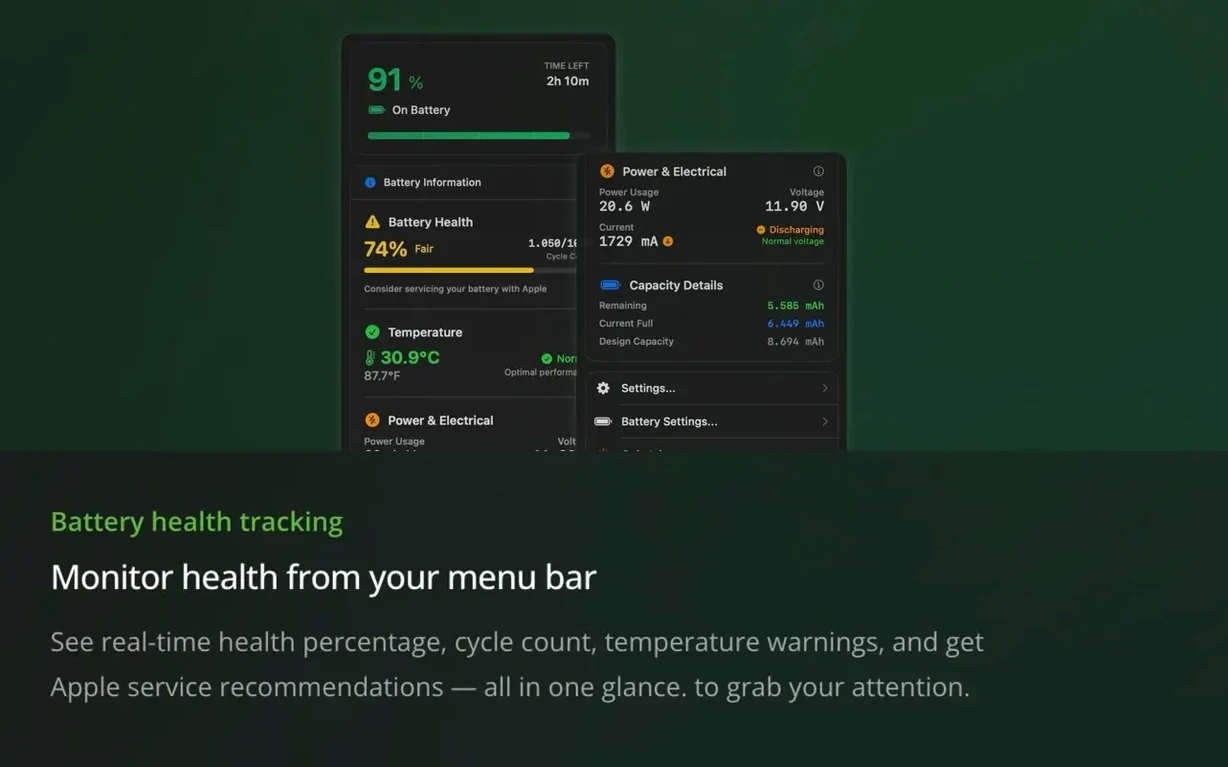
- Connect your iPhone or iPad. With the device nearby, Juicy now reads its battery health percentage and capacity directly, no extra steps needed. The same view works for AirPods, Magic Mouse, and other Bluetooth accessories.
A menu bar that works harder
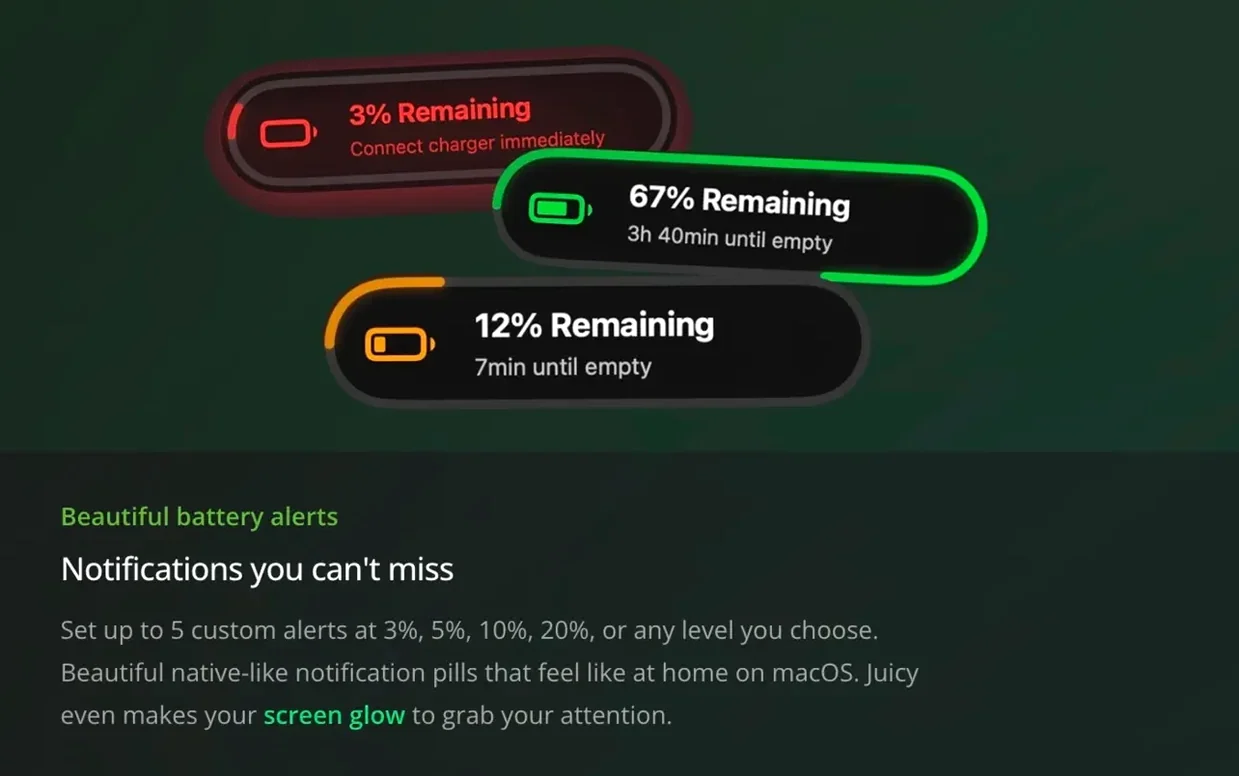
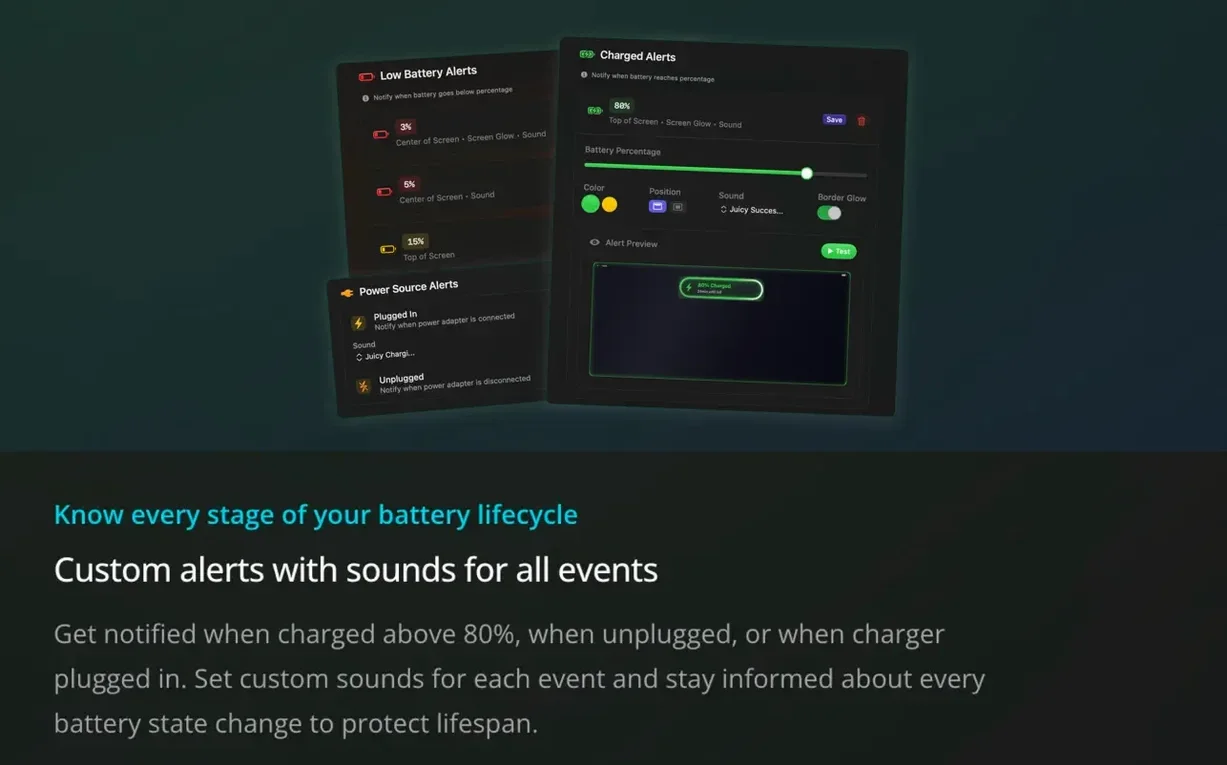
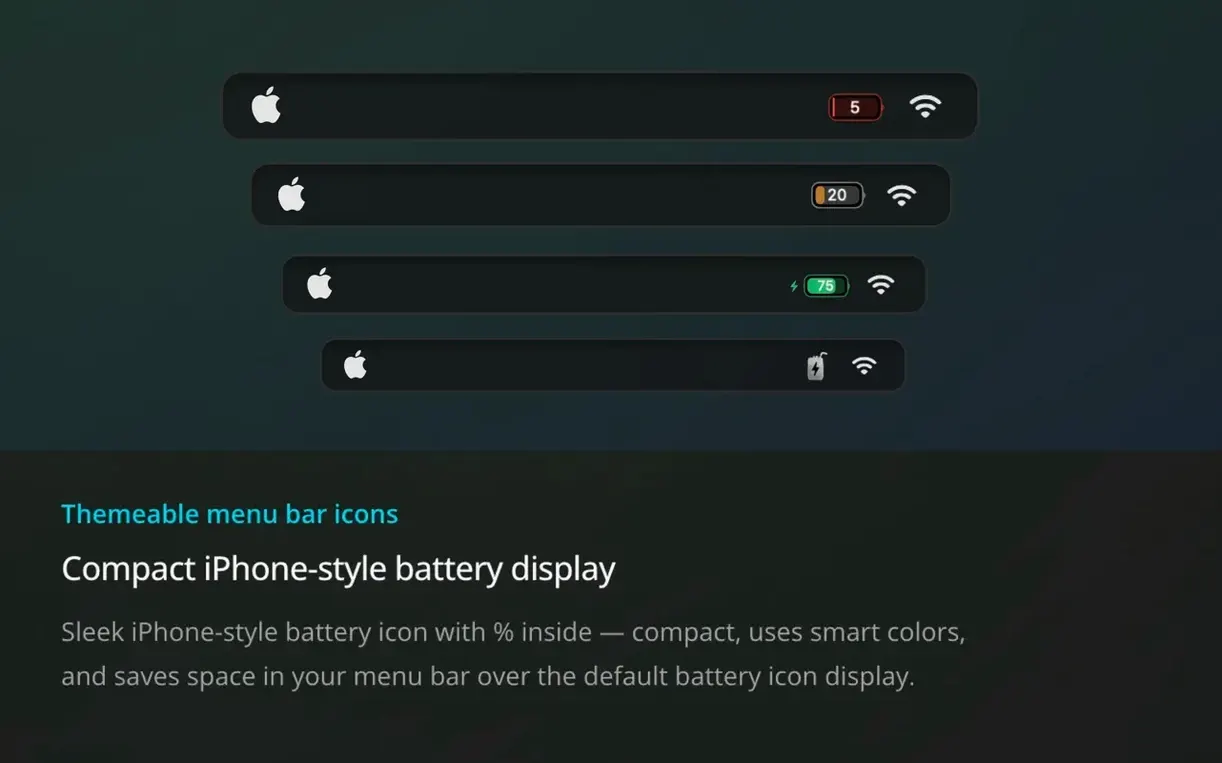
Beyond the new stuff, the core experience is a live menu bar icon that shows your battery status at a glance. You can set low-battery nudges at whatever percentage you like — 10%, 20%, or something more conservative — and get alerts when the power cord comes out or plugs back in. Widgets put the same info on your desktop, and everything runs locally without phoning home.
A real-world workflow: catching a silent drainer
Say it’s a Tuesday morning and you’ve unplugged at 93% after a full night on the charger. By 10:30, you glance up and notice the menu bar reads 74% — way faster than usual for light browsing. That’s where Juicy turns a hunch into something you can act on.
Start by opening the per-app energy panel. Sort by wattage. A browser tab you forgot about, maybe a WebRTC call that never fully hung up, is pulling nearly 8 watts in the background. The temperature reading has crept up a few degrees too. You close the tab, and within a minute the power draw drops to under 3 watts. The slope on the battery percentage steadies out. That’s the whole loop: notice, identify, fix, confirm — all without leaving the menu bar.
You could also take it further: set a one-time alert at 70% so you know whether the fix actually slowed the drain over the next half hour. Between the real-time wattage and a custom notification, you’re not guessing anymore.
Stats Overlap, Different Leans
There are a handful of apps that live in this corner of the Mac world, and they overlap in some spots but lean in different directions. CoconutBattery is the old standby for detailed battery health stats and iOS device readings. It shows capacity, cycle count, and temperature in a clean window, but it doesn’t do alerts or menu bar monitoring — it’s more of a check-in tool than a companion that stays with you. If you want to download juicy battery alerts & health for mac, you’re getting something that talks to you during the day, not just when you open a window.
AlDente focuses almost entirely on charging limits and calibration. It’s great if you keep your MacBook docked most of the time and want fine-grained control over charge thresholds. But it doesn’t track temperature, it doesn’t care about your AirPods or iPad, and it won’t tell you which app is chewing through watts. Battery Monitor (the one by Rocky Sand Studio) lands closer to Juicy’s territory with menu bar info and notifications, though it lacks the per-app energy insights and connected-device battery views that version 1.5 added.
Juicy pulls together the alerting, the health tracking, the accessory battery reads, and the energy attribution in one place. It’s the only one of the bunch that tries to answer both “how’s my battery doing?” and “what’s making it drain right now?” without switching apps. If you’re the kind of person who keeps a menu bar full of tiny utilities, it fits right in. If you’ve ever wondered why your MacBook’s battery sagged by noon on a light day, you’ll probably dig into the energy panel more than you expect.
Version 1.5 brings three substantial additions. Charging limits now include heat protection that pauses charging if temperatures climb. A new per-app energy panel breaks down power draw in watts, helping you spot hungry applications. And iPhone and iPad battery health — percentage and capacity — now appears alongside your Mac's readings.
- Requires macOS 15.6 or later
- Runs on both Intel and Apple Silicon Macs
Questions I actually get
Which connected devices can Juicy show battery info for?
It can display battery information for AirPods, Magic Mouse, Keyboard, Trackpad, Beats devices, iPhone, and iPad when they're connected to your Mac.
Porch talk 0
Come in or pull up a chair to leave a comment.
Nobody has pulled up a chair yet. If you used it on a real Saturday, say what the hour was.