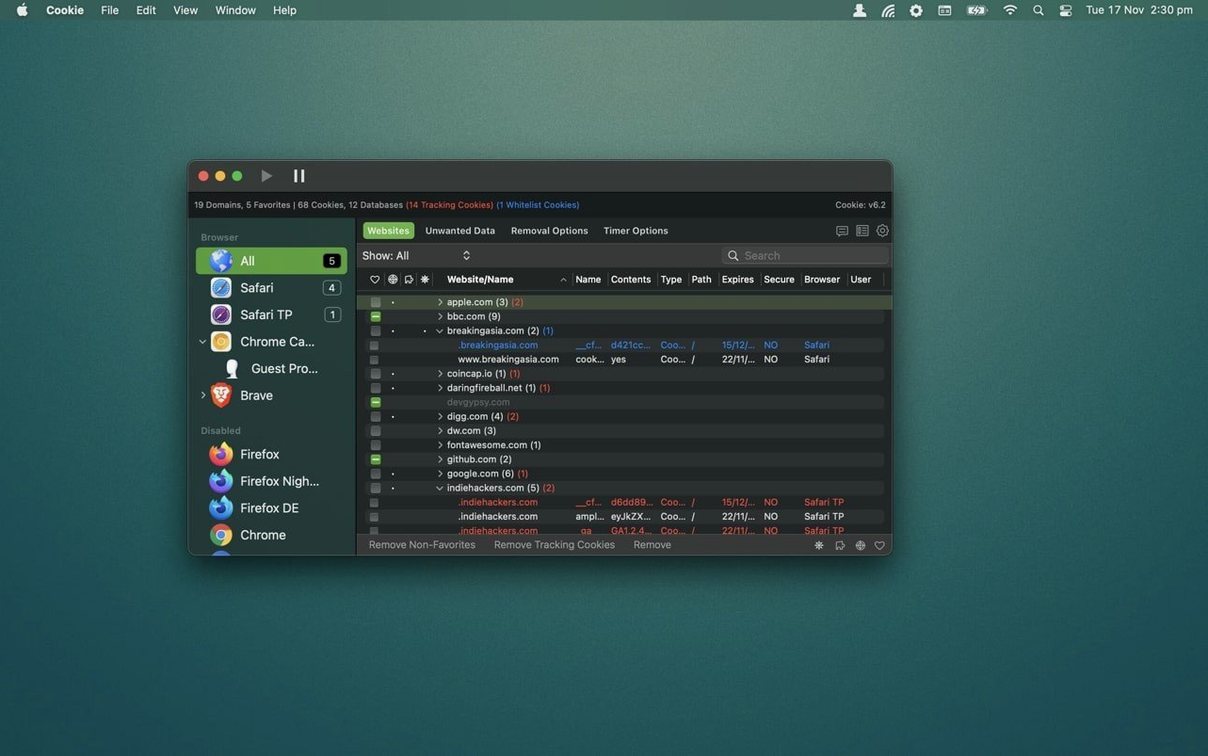
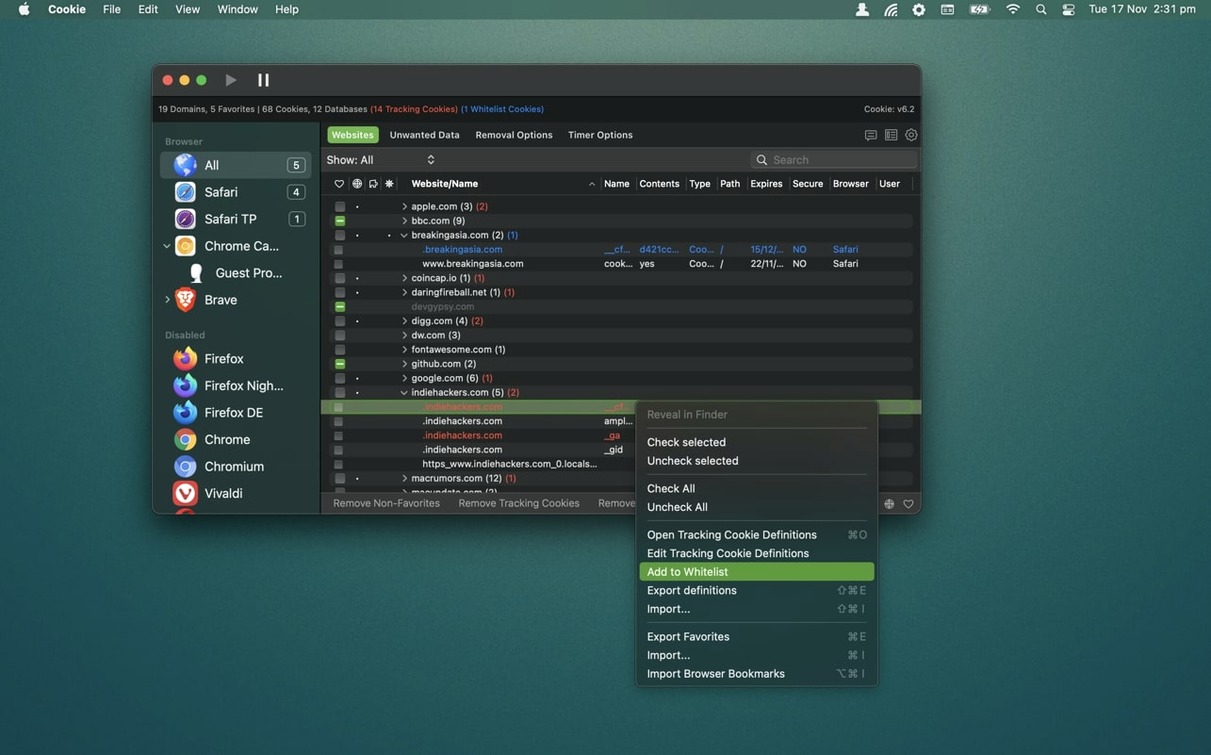
Favorite Cookies is the feature you land on after the first big sweep. You've just removed a mountain of tracking crumbs from three different browsers, and now your newspaper login is gone, your forum keeps asking about cookie preferences, and the weather site forgot your location. That's the moment a whitelist stops being a settings checkbox and starts being the tool that keeps your daily browsing feeling normal while everything else gets cleared on a schedule.
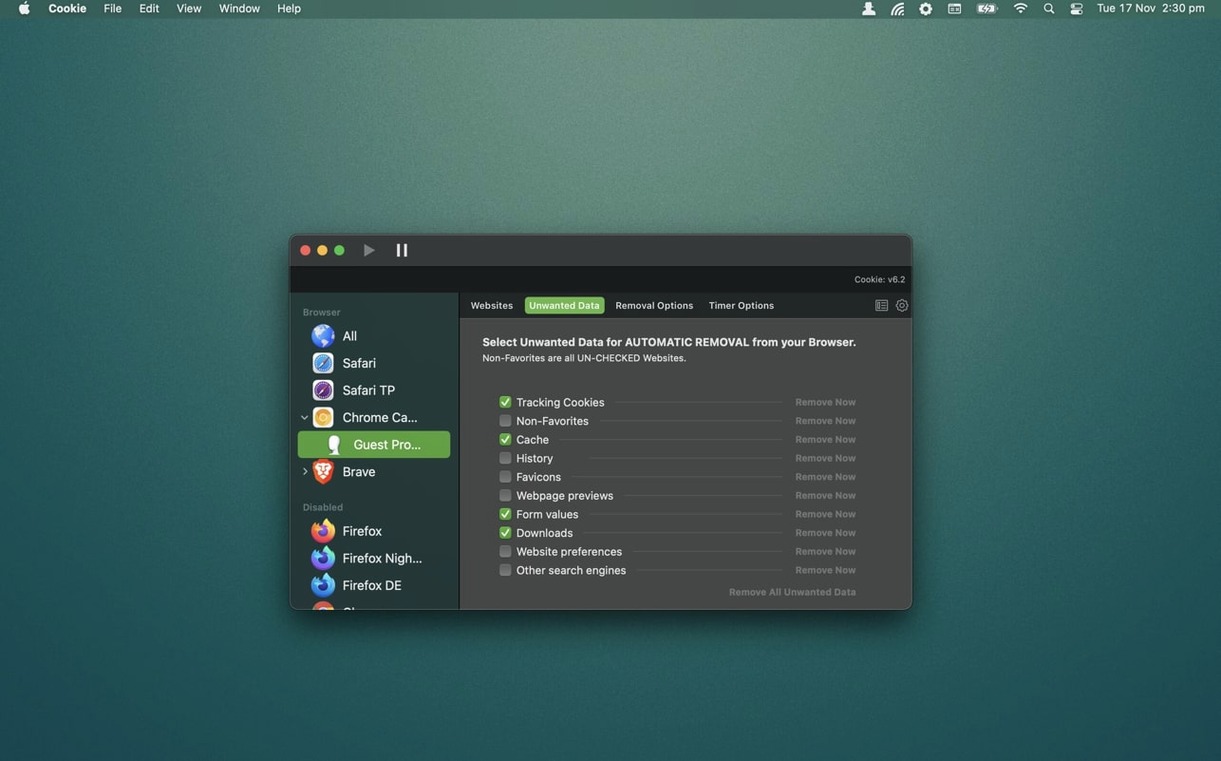
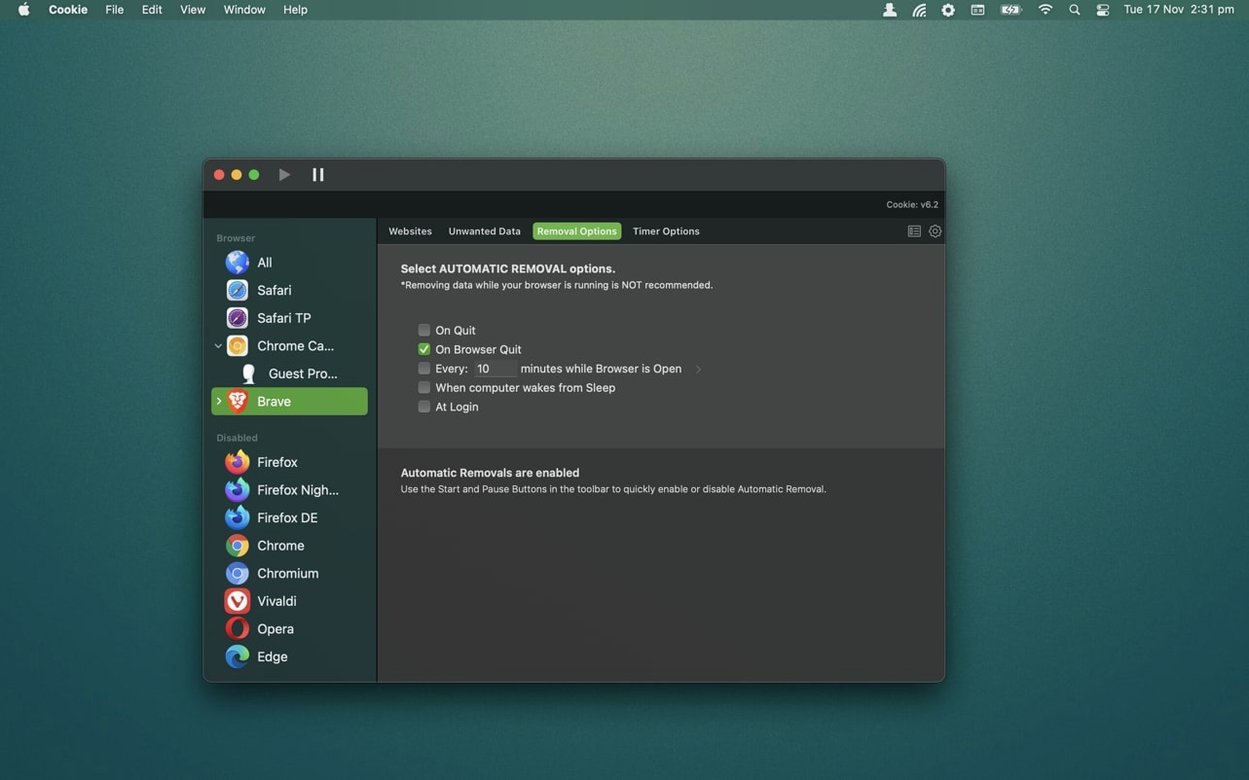
- Per-browser automatic deletion — you can set Chrome to clear on quit, leave Safari untouched, and have Brave wipe everything every hour. Each browser gets its own rules.
- Whitelist by domain or individual cookie — add the whole weather site or just its single login token. Cookie handles both, so your preferences stick while trackers don't.
- Chrome and Chromium per-user settings — if you share a Mac but not a browser profile, deletion rules follow the user, not the machine.
- Simplified and advanced views — one shows a clean list of what's worth keeping; the other gives you the full database-level look when you need it.
The tool extends what a browser's own privacy panel offers by giving you one place to manage cookies, caches, and history across everything you browse with. If you've ever dug through three preference windows to find one stubborn login cookie, Cookie's approach will feel like a shortcut you should've had years ago.
Sometimes the automatic deletion fires and you’re left staring at a blank login screen wondering what just happened. The culprit is usually a domain you meant to protect but never added to the favorites list. Cookie gives you a couple of ways to fix that without undoing all your cleanup work. First, open the app right after a deletion run and check the Cookies tab — it shows everything still alive in your browsers. Spot the site you lost, click it, and hit the star icon to lock it in for next time. If you’re not sure what got wiped, the History view logs recent sweeps so you can trace which browser lost what and at what time.
Another snag shows up when you’ve whitelisted a domain but individual subdomains keep slipping through. Adding example.com won’t automatically cover shop.example.com. You need to either add each subdomain separately or use the advanced view to check what’s actually being stored under variants of the same root. Cookie’s combined view of cookies, localStorage, and Flash data helps here — sometimes the login token you’re trying to keep is tucked into a localStorage entry under a subdomain you never thought to check.
Trigger Cleanups Without Opening the App
A few features sit quietly in the interface until you stumble across them. The hotkey support is one. You can assign a keyboard shortcut to trigger a manual cleanup across all your chosen browsers, so when you finish a banking session you just tap a key combination and walk away. No opening the app, no clicking through menus.
For anyone juggling a cookie for mac routine across multiple machines, the iCloud sync option lets your whitelists and rules follow you between Macs. Set up your favorite domains once on a desktop and they’ll show up on a laptop without exporting anything. And if you’re a fan of tracking-cookie definitions that go beyond the built-in list, Cookie lets you add custom definitions — paste in a domain pattern you’ve spotted and the app will start treating it as a tracker in future sweeps.
The dark and light themes aren’t just cosmetic. If you switch between them based on time of day, Cookie respects your system appearance setting automatically, so the advanced view stays readable during late-night maintenance sessions.
- macOS 12 or later
- Apple Silicon or Intel 64-bit Mac
Questions I actually get
Can I keep cookies for one site while removing everything else automatically?
Yes. You can add a domain or a specific cookie to the whitelist, and configure automatic deletion for each browser without touching those saved items.
Porch talk 0
Come in or pull up a chair to leave a comment.
Nobody has pulled up a chair yet. If you used it on a real Saturday, say what the hour was.