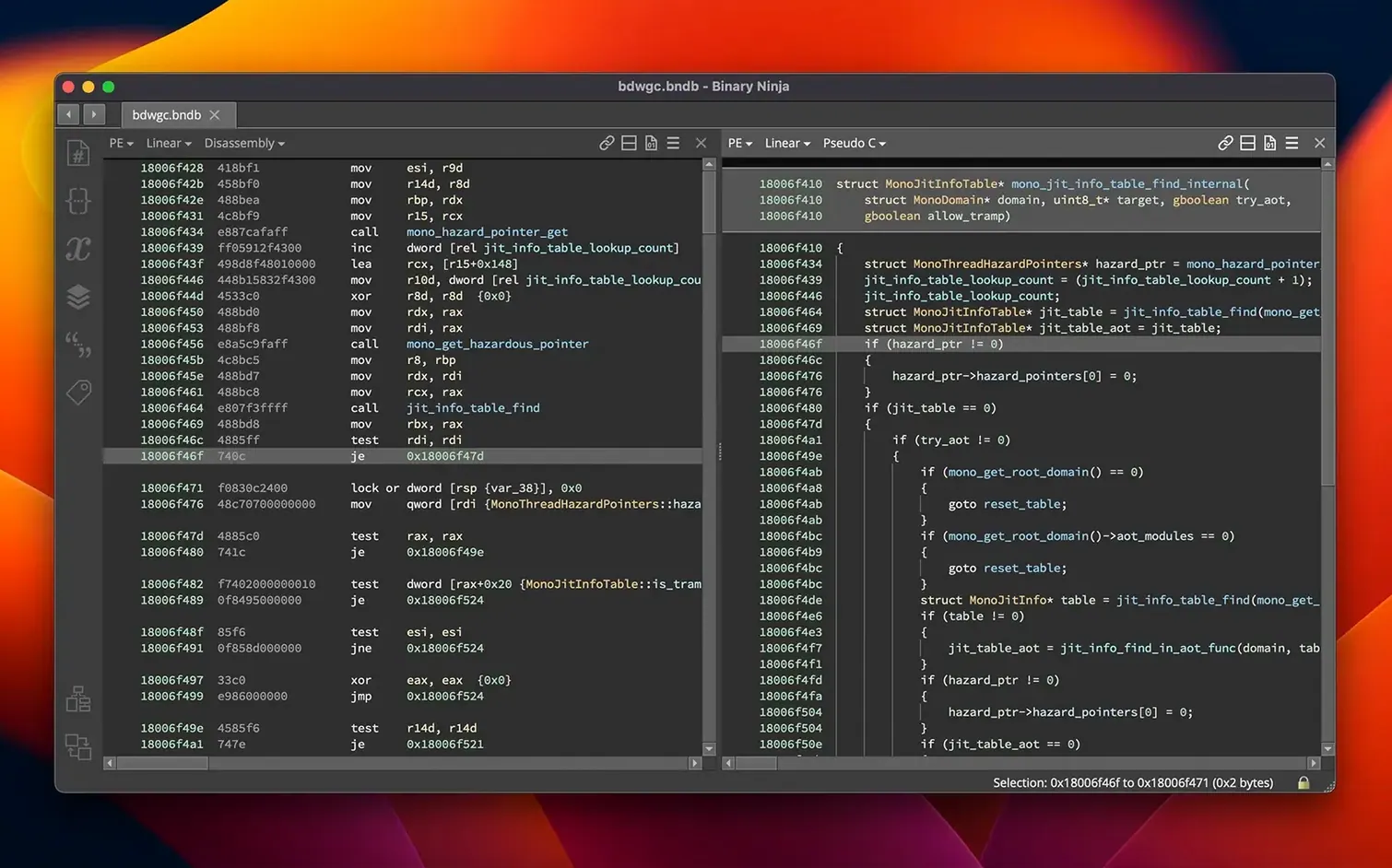
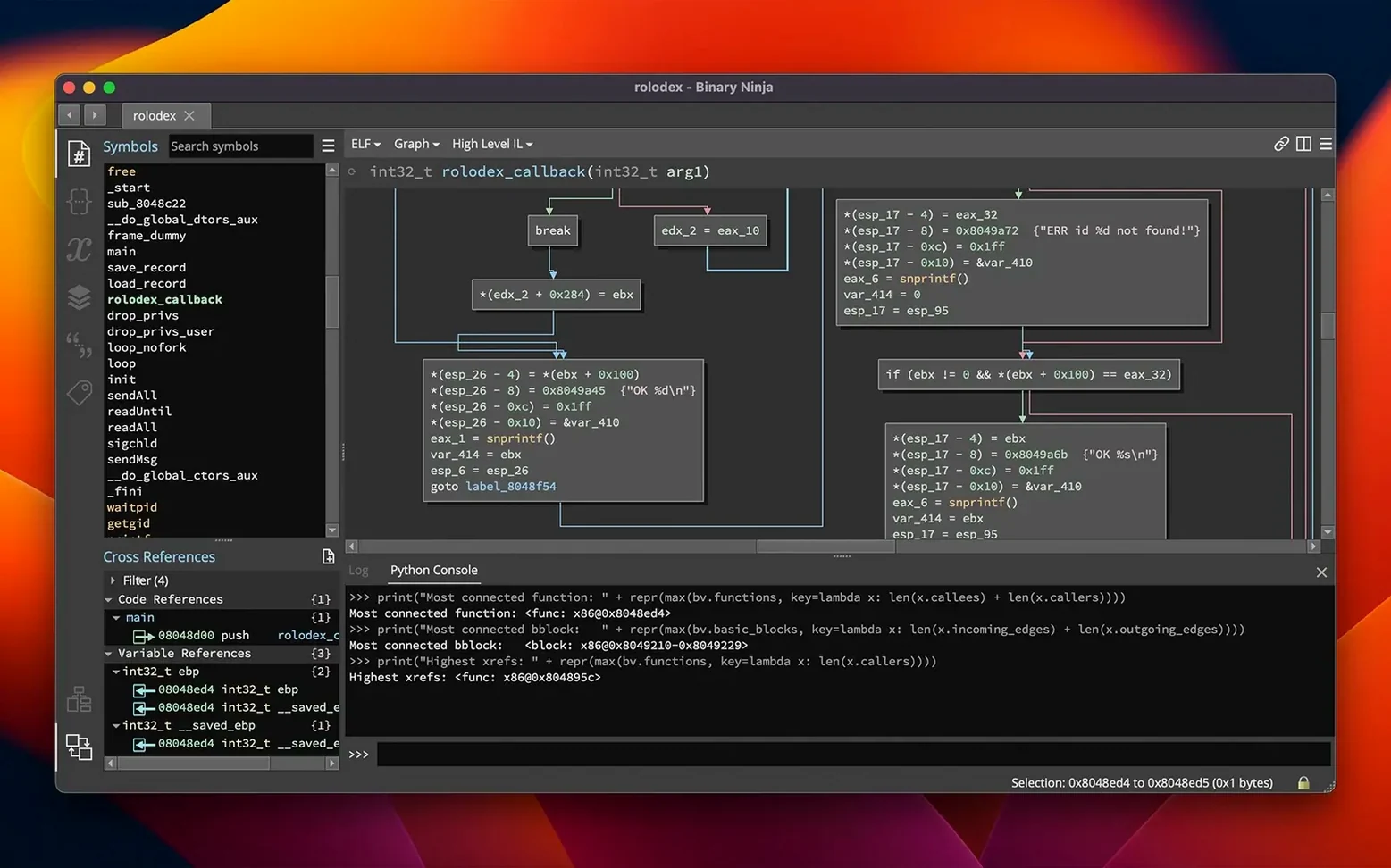
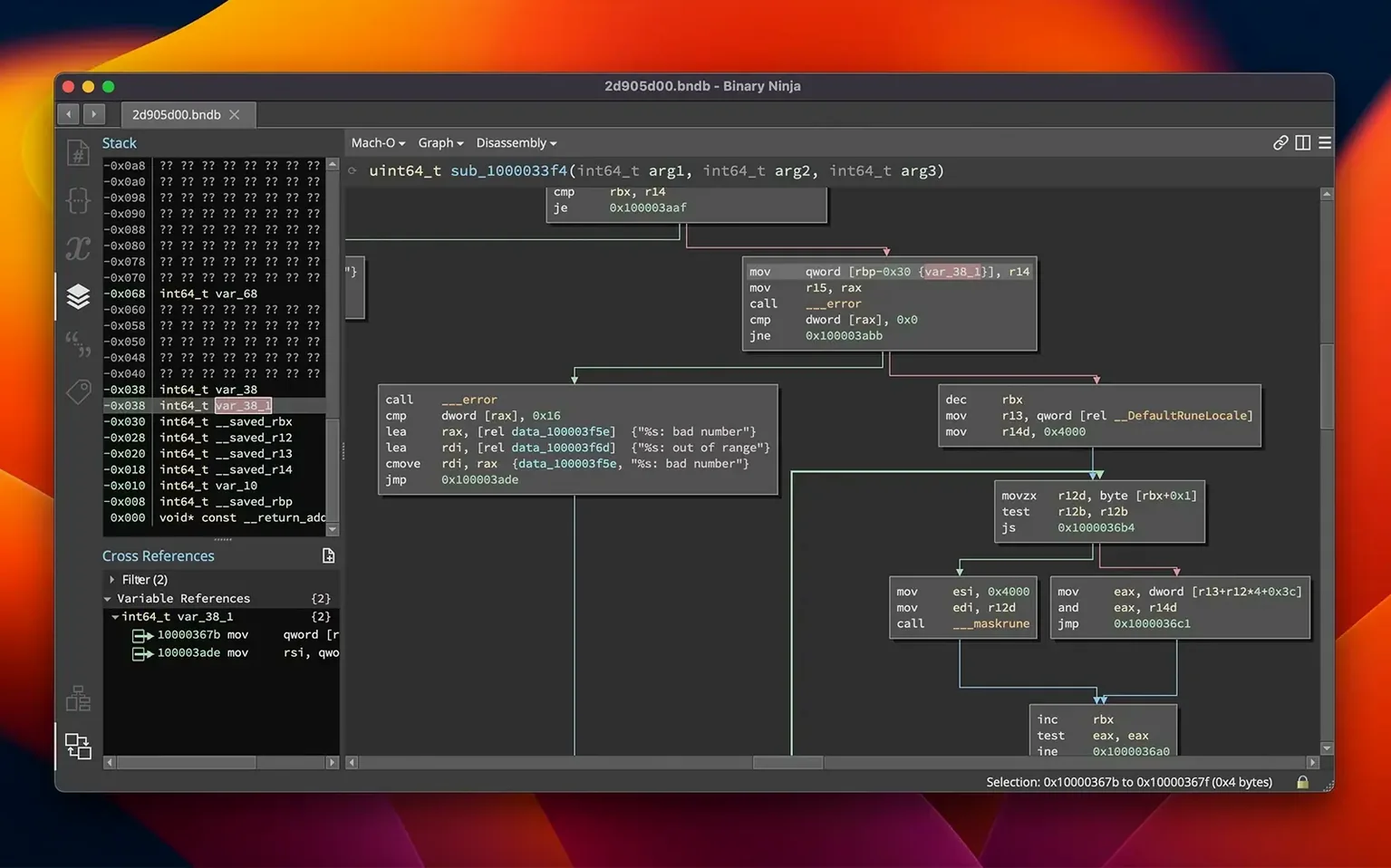
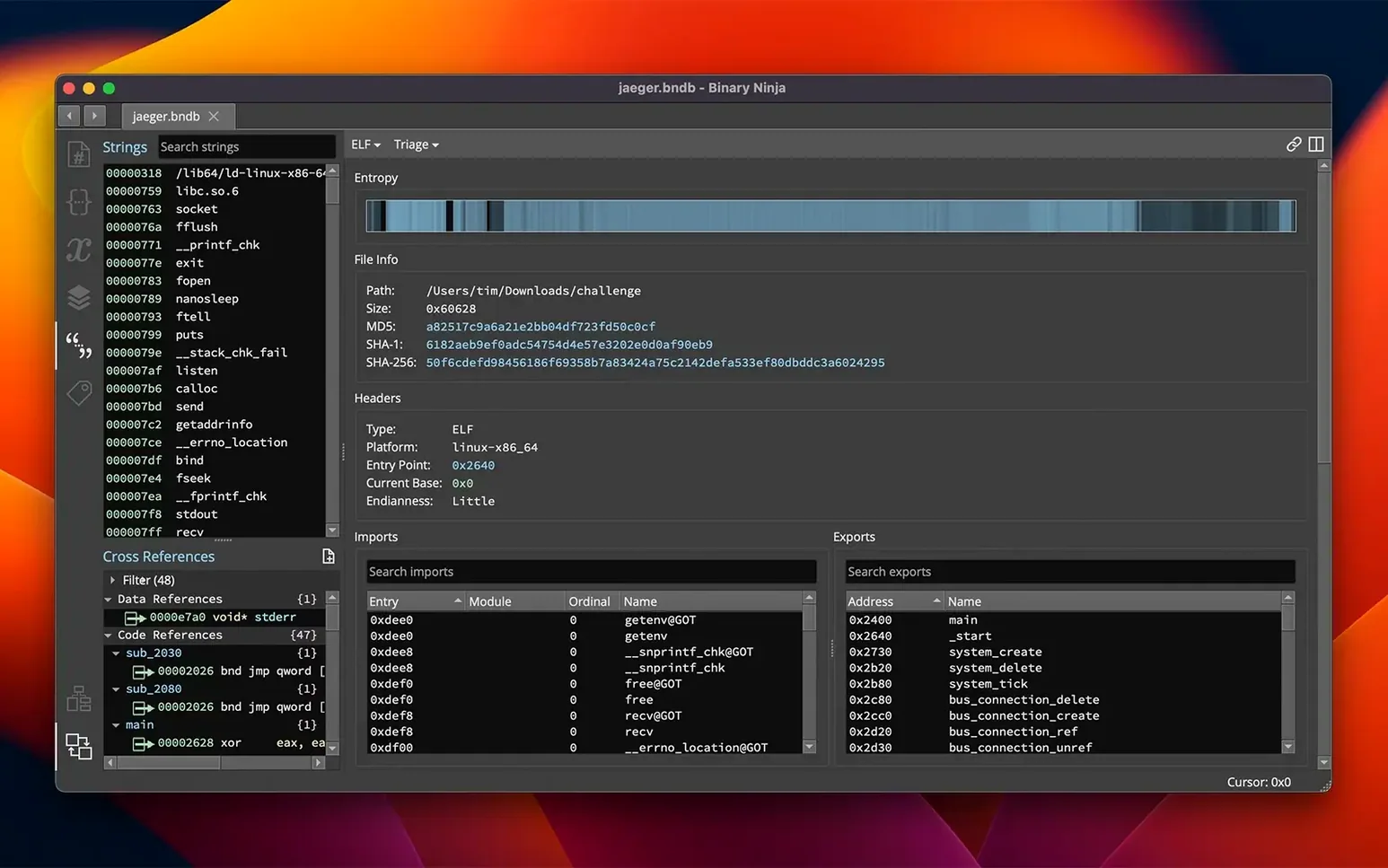
Malware analysts, vulnerability researchers, and curious tinkerers end up here for the same reason: they need to understand what a compiled binary actually does. Binary Ninja gives them an environment where disassembly and decompilation feel approachable, not like deciphering a brick wall.
The platform loads PE, Mach-O, and ELF files without complaining, and the interface stays responsive even when you're picking through a large executable. An entropy graph helps you spot packed or encrypted sections at a glance, and batch processing means you can run the same analysis across a folder of samples while you grab coffee.
When you need to change behavior, the patching tools let you edit assembly instructions, write raw bytes in the hex editor, or drop in C snippets compiled by the built-in SCC compiler. Plugins extend everything further, and the 6.0 release turned the old manager into a cleaner Extension Manager along with a new MCP server and a binary similarity feature.
If you script your own analysis, the C++, Python, and Rust APIs are waiting. It runs on Intel and Apple Silicon Macs with macOS 10.15 or later, and the personal edition keeps things simple while leaving the heavy machinery accessible.
Surviving the Tool Switch Without Losing Your Workflow
Most folks installing Binary Ninja aren't worried about whether it can disassemble x86. They're wondering if their workflow survives the switch from another tool, or whether they'll spend the first week fighting the UI instead of reading disassembly. A few things I hear constantly.
Does it expect me to know every architecture on day one? Not at all. The decompiler lifts code into BNIL, an intermediate language that reads consistently whether you're staring at ARMv7, MIPS, or 6502. You learn one representation, and that knowledge carries across architectures. The platform ships with solid defaults, so you can poke around a Mach-O binary without configuring anything.
Will my Python scripts break every update? The API is stable enough that most scripts survive minor version bumps with zero changes. Vector 35 documents breaking changes clearly, and the migration wizard added in 6.0 walks you through anything that needs updating. If you've got a folder of helper scripts you rely on, they'll likely keep working.
Is the personal edition gimped? It does not limit the disassembler or decompiler. You get the same analysis engine, same API surface, same patching tools. The difference is in commercial and collaborative features, not in what you can reverse-engineer on your own Mac.
Can it handle a binary that someone tried to obfuscate? That depends on the obfuscation, but the entropy graph flags suspicious regions immediately, and the patching tools let you clean things up interactively. You can edit raw bytes, replace instructions, or recompile small sections of C right inside the session.
Missteps That Trip Up New Users
The most common rookie move is trying to analyze an encrypted or packed binary without noticing it is packed. The entropy graph sits right there in the interface, and skipping it means you're reversing a stub loader instead of the actual payload. Check the graph first, every time.
Another one: ignoring types. Beginners often leave everything as raw integers and wonder why the decompiler output looks like gibberish. Taking thirty seconds to apply a structure or mark a function pointer transforms the HLIL output. The platform makes this easy, but you have to reach for it.
People also sleep on the cross-reference pane. Clicking a function and never pressing X to see who calls it is like reading a novel with half the pages glued together. Navigation is the whole point of an interactive disassembler, and xrefs are how you build a mental map of what the binary is doing.
Finally, new users sometimes patch binaries directly in the hex editor without understanding the instruction encoding. It works until it doesn't, and then you get a crash that's hard to trace. Use the assembly editor instead. It recalculates offsets and ensures the patch is valid before you commit it.
From Suspicious Mach-O Callout to Working Patch
Say you're poking at a Mach-O binary that keeps phoning home, and you want to stop that behavior entirely. Here's how the session might go.
Load the binary, let the auto-analysis finish, then open the entropy graph. Nothing looks packed, so you move to the strings view and search for the server domain. The cross-reference on that string leads you to a function near the top of the disassembly. You rename it something memorable, like phone_home, and hit X to see its callers.
One caller sits inside a larger function that runs early in the program's lifecycle. You switch to the decompiler view, and the HLIL output shows a conditional that determines whether phone_home ever fires. The condition checks a configuration flag read from a plist.
Rather than reverse-engineering the entire configuration system, you decide to patch the call site. In the disassembly view, you select the BL instruction that branches to phone_home and open the assembly editor. You replace it with a NOP sled of the same length. The patch tool recalculates offsets automatically, and the preview confirms nothing shifted unexpectedly.
You apply the patch, export the binary, and test it. No more network traffic. The whole process took under fifteen minutes, most of which was reading the decompiler output and confirming you had the right call site.
- macOS 10.15 or later
- Apple Silicon and Intel Macs
Questions I actually get
What file formats can Binary Ninja analyze?
It supports PE, Mach-O, and ELF binaries, covering executables from Windows, macOS, and Linux.
What scripting languages work with the API?
You can write automation and analysis scripts in C++, Python, and Rust.
Porch talk 0
Come in or pull up a chair to leave a comment.
Nobody has pulled up a chair yet. If you used it on a real Saturday, say what the hour was.