

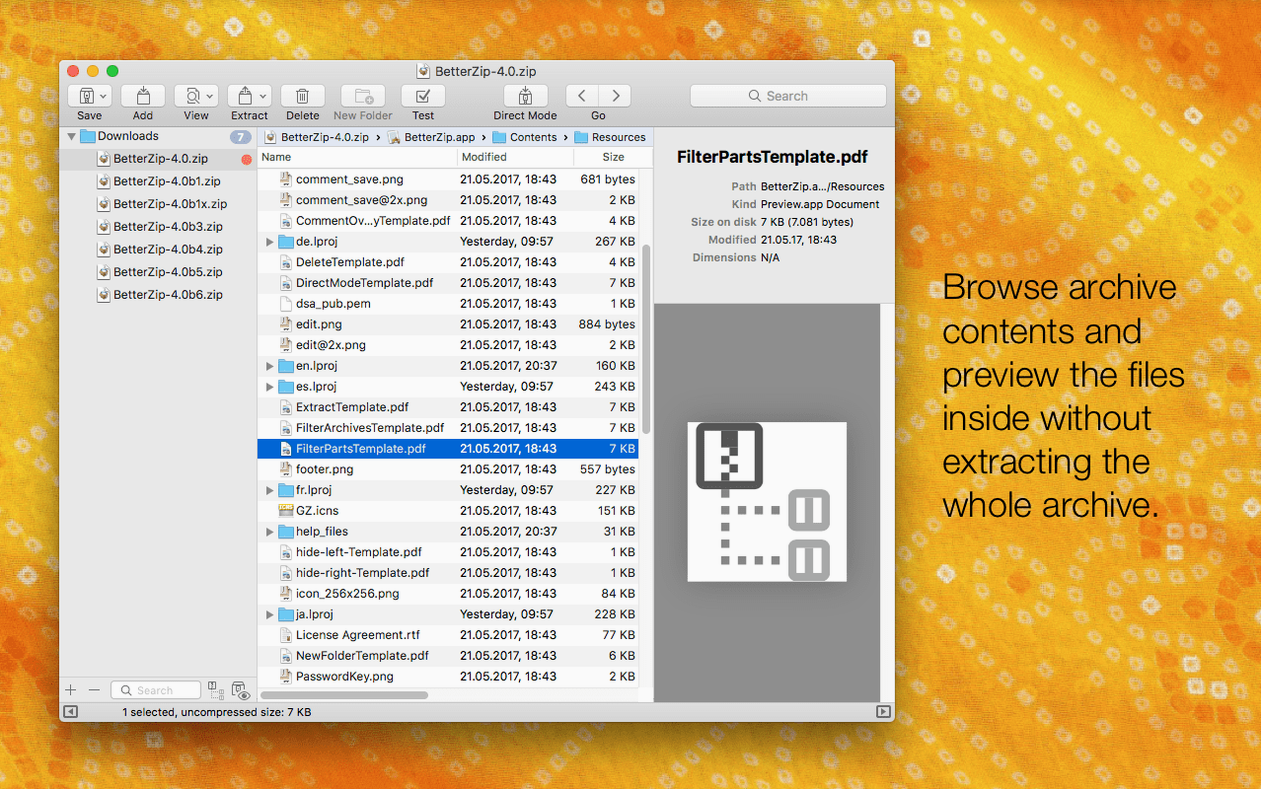
You're staring at a packed 7z file a colleague sent, and you only need three of the forty items inside. That's where the Remove from Archive command earns its keep. You open the archive like a folder, select what you don't want, hit delete, and save. No extracting, pruning, and re-compressing — BetterZip edits the archive in place. That core workflow hasn't changed, and it's still the reason many keep the app in the dock.
Getting into an archive, your way
- Open an archive — zip, rar, 7z, tar, whatever landed on your desktop. BetterZip shows the contents as a browsable list, not a progress bar.
- Use Quick Look on any file inside. Press Space and see the image or read the document without extracting a thing.
- Drag the files you actually need to a Finder window. Or delete the ones you don't, right from the list.
- Add a comment to the zip or rar archive for the next person who opens it — a little sticky note baked into the file.
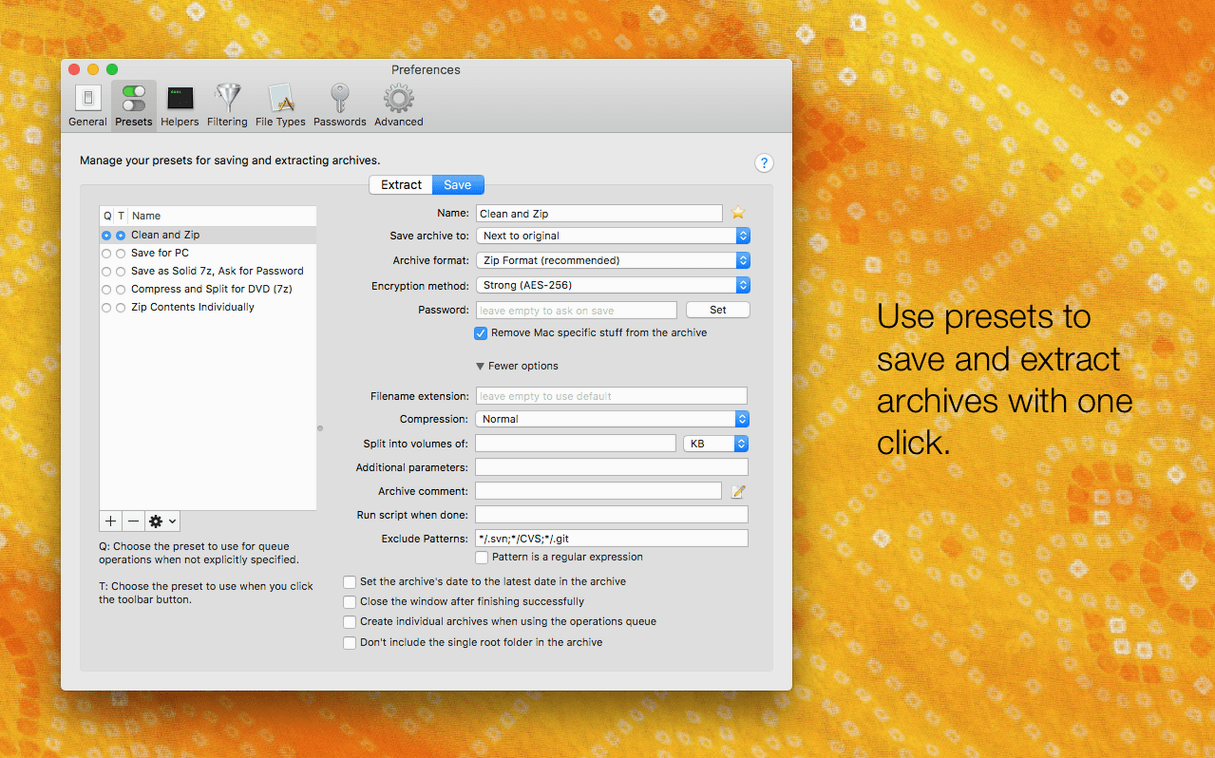
- If you're packing something sensitive, set AES-256 encryption before you save. The Finder extension and right-click menu let you start all this without opening the main window.
Version 6.0.6 is a maintenance refresh that slips in a couple of thoughtful options. You can now tell BetterZip to leave behind the macOS metadata — those invisible ._ files — when you extract, which keeps Windows-bound shares clean. There's also a new language selector, so the app can speak French or Japanese even if your Mac is set to English. The 7z helper got a bump with Apple Silicon optimizations, and a rare crash when talking to external tools got squashed. The AppleScript integration, the comments, the direct editing — all of that remains exactly as it was, quiet and reliable. If you handle archives often enough to resent the extra steps, this update keeps things moving.
Living with version 6.0.6 — the quiet changes
The 6.0.6 update doesn't shout. The unrar library got refreshed, and the bundled zstd and brotli tools are now on newer builds — you won't feel that directly, but archives that used to hiccup on edge-case compression just open. The 7z helper moving to v26.03 with Apple Silicon assembler optimizations is the kind of change you notice when a large 7z file extracts noticeably faster on an M-series Mac. No fanfare, just less waiting.
Two small switches landed in preferences that change everyday behavior. The first: you can now set BetterZip to use a language that isn't your system default. If your Mac speaks English but you think in German when sorting archives, you flip one setting and every menu label follows. The second: an option to skip restoring macOS metadata during extraction. Those dot-underscore ghost files that litter a Windows server or a FAT32 thumb drive? Gone. You toggle it once and forget it. It's the kind of fix you didn't know you needed until you sent a folder to a colleague and got back a confused email about the junk files.
First days with BetterZip installed
The app settles in quietly, but a few moves in the first hour make everything smoother later.
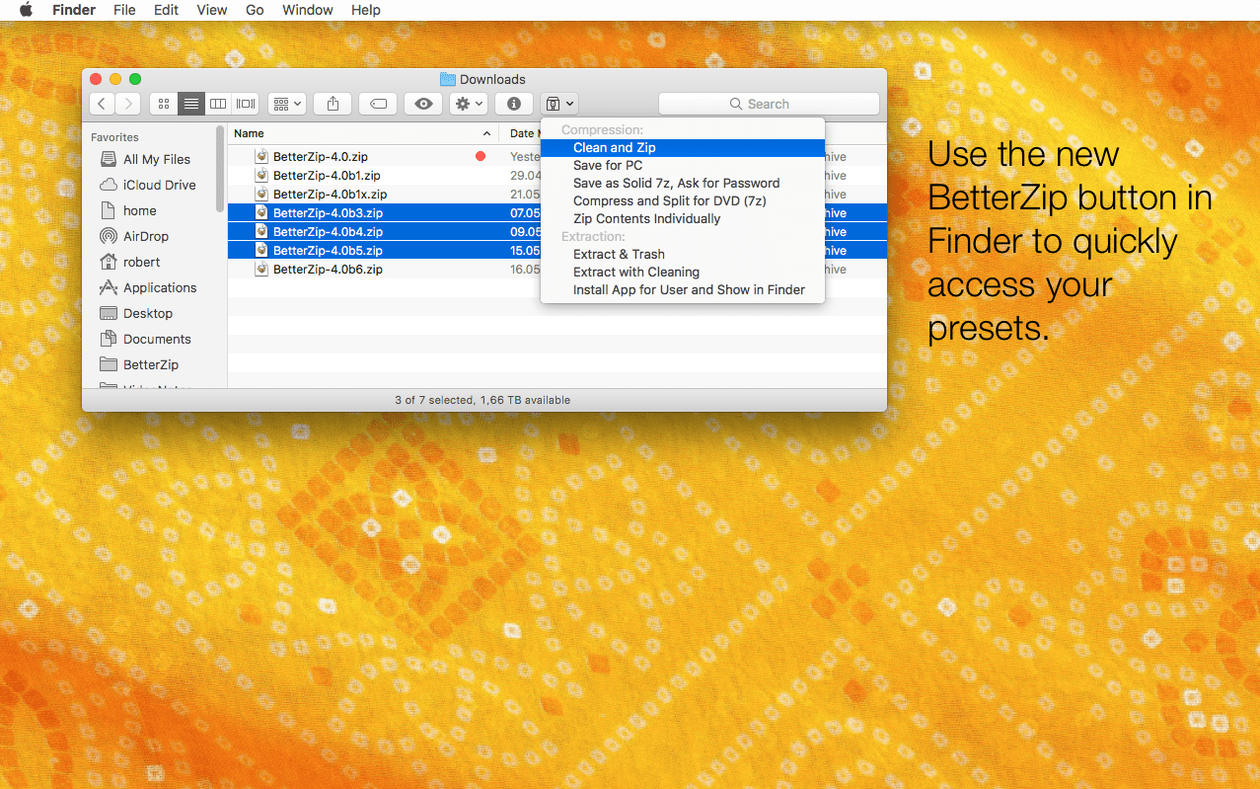
- Turn on the Finder extension right away. Open System Settings, find the Extensions pane under "Added Extensions," and enable BetterZip. You'll get a right-click menu that compresses, extracts, and previews without launching the main window.
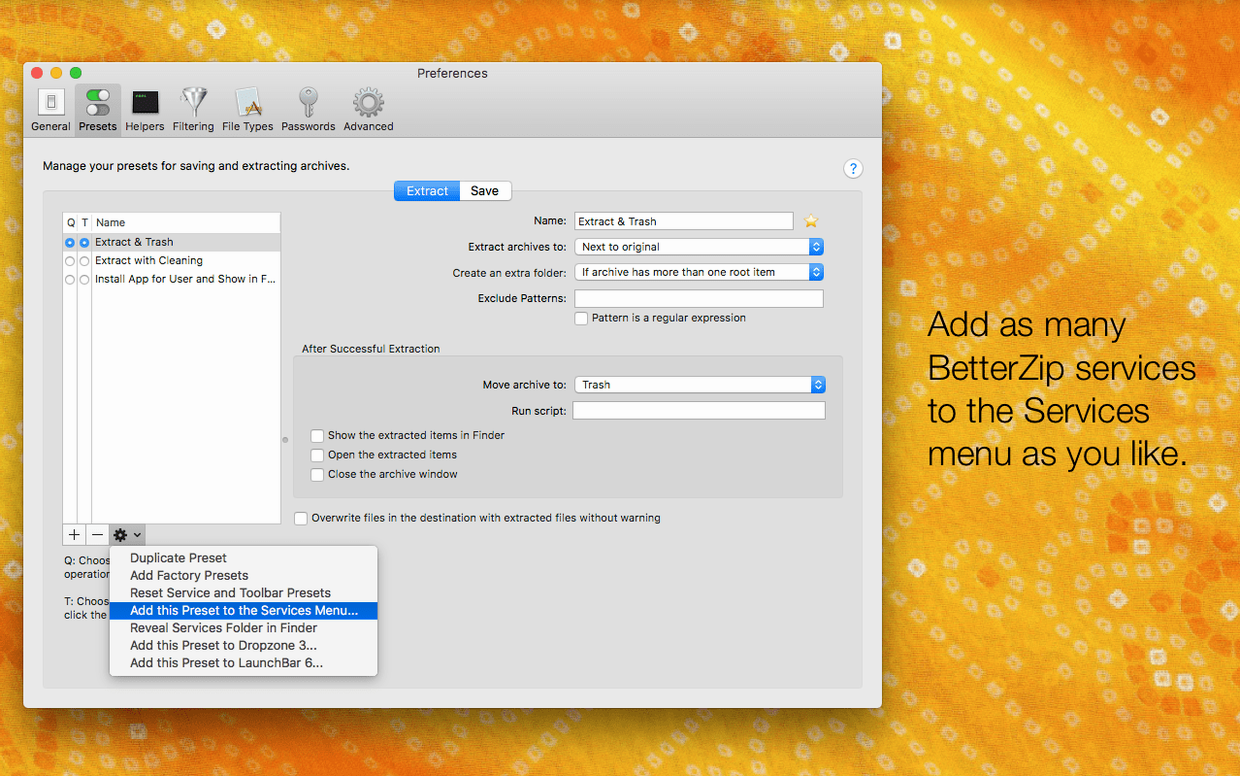
- Set your default extraction folder. In preferences, pick a folder where extractions land — a dedicated "Unpacked" directory on your desktop saves you from hunting through Downloads later.
- Configure Quick Look. BetterZip hooks into macOS Quick Look, so pressing Space on any archive in Finder shows you what's inside. It's already working, but a quick glance at the Quick Look tab in preferences lets you decide how many items to preview and whether to show hidden files.
- Test the queue once. Drop three archives onto the BetterZip dock icon while holding Option. The operations queue pops up and processes them one by one, no dialogs, no interruptions. It's the fastest way to batch-extract a pile of downloads.
- Create a password preset. In the Passwords pane, let BetterZip generate a strong password and save it. When you compress sensitive documents, you pick it from a dropdown instead of typing something guessable.
A session with BetterZip, step by step
You get a folder of project assets — a mix of zipped logo packs, a rar file with old mockups, and a 7z archive of raw photos. You want the logos extracted, two mockups deleted from the rar, and a peek inside the 7z before deciding what to keep.
You right-click the logo zip and choose "Extract Here" from the BetterZip menu. The folder appears next to the archive, metadata-free because you toggled that setting yesterday. No extra steps.
The rar file you double-click. BetterZip opens it as a list. You scroll through, select two outdated mockups, press Delete, and save. The archive shrinks slightly, and the files are gone — no extraction, no repacking, no temporary folders littering your desktop.
The 7z archive is huge, and you don't want to unpack everything. You tap Space in Finder. Quick Look slides open and shows the contents: three folders of raw photos, each with dozens of shots. You scroll through thumbnails, find the folder you need, and drag only that one to your working directory. BetterZip extracts just that folder. The queue handles it in the background while you move on to other things.
Before you send the cleaned-up rar back, you add a comment: "Mockups removed — final logos only." The note sticks to the archive, visible to anyone who opens it with a capable tool. You right-click the photo folder you extracted and choose "Compress with BetterZip." You pick AES-256 encryption, grab a strong password from your saved presets, and the zip is ready to share. The whole session took maybe four minutes.
Version 6.0.6 is a quiet update with a handful of practical changes.
- You can now set BetterZip to use a language different from your Mac's system language.
- An option to skip restoring macOS metadata during extraction (no more ._ files in shared folders).
- The 7z helper moves to v26.03 with Apple Silicon assembler optimizations.
- A rare crash when communicating with external helper tools has been fixed.
- macOS 13.5 or later
- Apple Silicon and Intel Macs
Questions I actually get
Can BetterZip open 7z files on a Mac?
Yes, BetterZip opens and manages 7z archives natively, and version 6.0.6 updates the 7z helper with Apple Silicon optimizations.
Porch talk 0
Come in or pull up a chair to leave a comment.
Nobody has pulled up a chair yet. If you used it on a real Saturday, say what the hour was.
More for the same hour
Everything in Mac Apps
 BetterTouchTool
6.726 Mac Apps
61 MB
BetterTouchTool
6.726 Mac Apps
61 MB
 BetterDisplay Pro
4.0.4 Mac Apps
Updated 16 MB
BetterDisplay Pro
4.0.4 Mac Apps
Updated 16 MB
 Beauty Box Photo
6.0.5 Mac Apps
107 MB
Beauty Box Photo
6.0.5 Mac Apps
107 MB

 Binary Ninja
6.0.10601-personal Mac Apps
584 MB
Binary Ninja
6.0.10601-personal Mac Apps
584 MB

 Blocs
6.3.3 Mac Apps
90 MB
Blocs
6.3.3 Mac Apps
90 MB

 Bartender
7.0.4 Mac Apps
31 MB
Bartender
7.0.4 Mac Apps
31 MB

 Bloom
1.5.46 Mac Apps
Updated 19 MB
Bloom
1.5.46 Mac Apps
Updated 19 MB

 BAO Mask Avenger
2.7.5 Mac Apps
6 MB
BAO Mask Avenger
2.7.5 Mac Apps
6 MB