
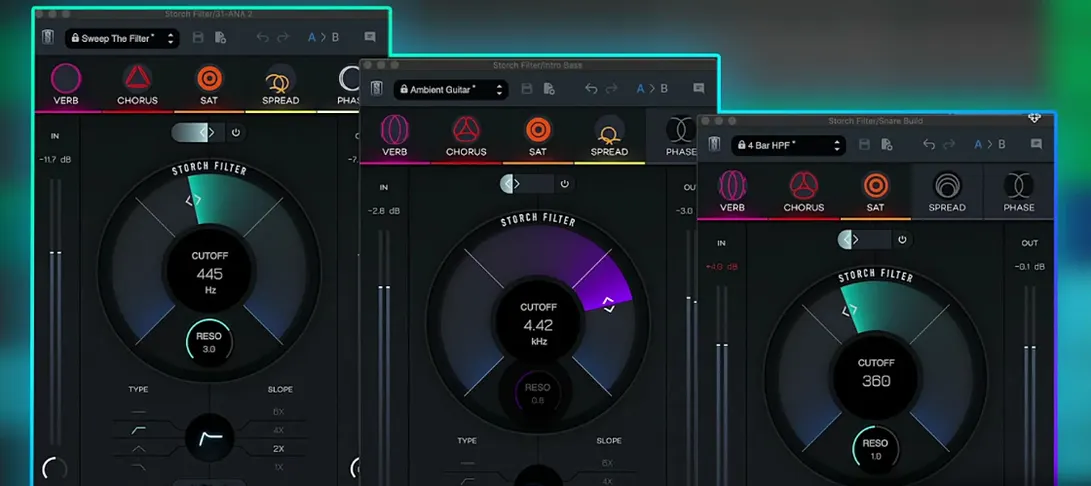
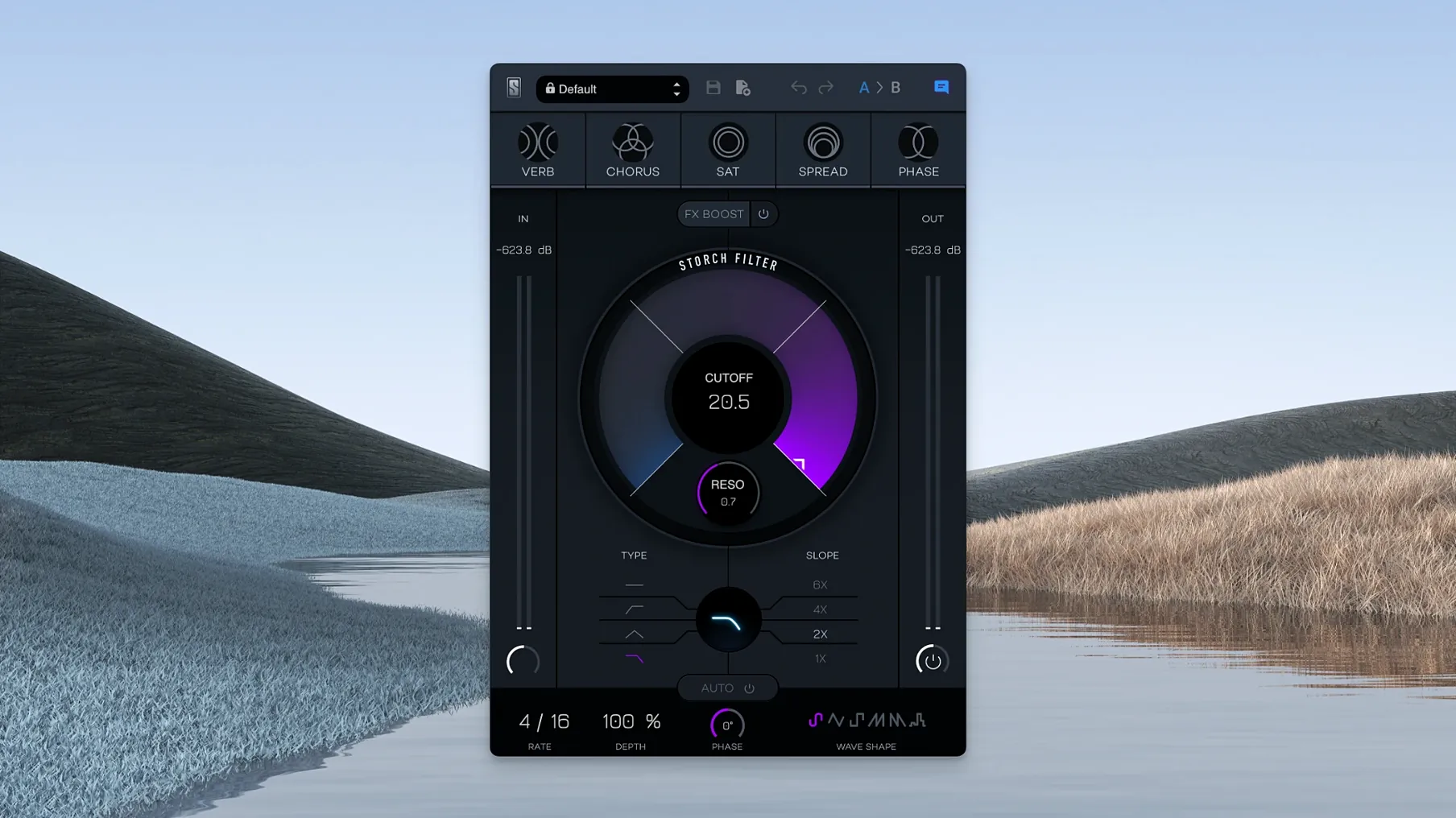
Five built-in effects sit downstream from one filter section. That is the core of Storch Filter—a plugin that starts with a familiar sweep and pushes it somewhere more expressive. The filter itself is an adjustable low pass that carves away high end with a single motion, but the real character arrives when you feed that signal through the companion modules: reverb, chorus, saturation, stereo widening, and phaser.
Sound-shaping controls
- Adjustable low pass filter with a smooth, musical slope that works as the engine for everything below it.
- Reverb and chorus add space and movement without needing extra aux tracks.
- Saturation and stereo widening bring weight and dimension to filtered signals that can otherwise feel thin.
- Phaser introduces rhythmic modulation, especially useful on keys and synth beds.
- Presets from Scott Storch give you starting points that show how the modules interact—useful for reverse-engineering a sound you like.
What it does in a session
This is not a utility filter. It is a texture tool. Pull the low pass down on a drum bus to create a swept intro, then dial in a touch of saturation and widening so the filter feels intentional rather than just dark. On a vocal, a slow phaser and a short reverb behind the filter can turn a dry verse into something hazy and focused at the same time. The interface keeps the routing simple—no hidden menus, no matrix. If you build your sound around a single filter move and want effects that follow it naturally, Storch Filter fits that workflow.
Start With FX Boost at 25%
Out of the box, the plugin loads with a gentle low pass and moderate resonance. I usually adjust two things before I even play audio through it. First, set the FX Boost slider to about 25%—it is easy to miss, tucked off to the side, but it adds a subtle lift to the wet signal that makes the chorus and reverb feel more present without pushing the dry signal out of the way. Second, pick your LFO shape early, even if you plan to keep the modulation depth low. The default sine is smooth, but switching to a downward saw can give filter sweeps a breathing quality that works well on pads and sustained chords.
After that, I route the reverb module to taste. The default mix is fairly wet, and pulling it back to around 30% keeps the space from swallowing the source. If you are working on a bassline, try engaging saturation and then lowering the filter cutoff until just the harmonics poke through—the adjustable low pass filter acts as a tone shaper here, not just a sweep effect.
A start-to-finish workflow: transforming a Rhodes chord loop
Here is a scenario that shows how the modules stack in practice. I started with a clean Rhodes chord progression that felt too polite for the track. The goal was to give it motion and a slightly lo-fi edge without burying it in the mix.
First, I loaded a preset from the Storch bank—something mid-tempo with a slow phaser—and let it play for a bar to hear how the effects were routed. Then I cleared the modulation and rebuilt from scratch. The low pass cutoff went to around 800 Hz, just enough to soften the attack. I set the LFO to a triangle wave, synced to quarter notes, and gave it about 40% depth. That gave the chords a gentle pulse.
Next, I turned on saturation and pushed it until the upper harmonics started to saturate, then backed off slightly. The stereo widening module sat at 50%, pulling the sound outward without making it phasey in mono. A short reverb with a dark tail glued the widening together. Last, I added the phaser with a slow rate, un-synced from the LFO, so the two modulation sources moved independently. By the end, the Rhodes sat exactly where I wanted it: forward enough to carry the verse, textured enough to hold interest across four minutes. None of this required aux sends or extra routing.
Twelve Instances, Zero CPU Spikes
On an Apple Silicon Mac, Storch Filter loads quickly and does not add meaningful latency during playback or recording. I have used it across ten or twelve tracks in a single session without noticeable CPU spikes. The interface stays responsive even when you drag the cutoff while modulation is running, which is not always the case with plugins that combine multiple effects in one window.
Memory use is reasonable for what it packs. Each instance runs the filter engine plus five effects, but it seems to share resources efficiently—adding four instances on a busy mix barely nudged the system meter. If you are the type to build chains of slate digital virtual mix rack mac torrent alongside other processing, you will appreciate that Storch Filter does not demand its own dedicated print track just to keep the session from stalling. The saturation stage adds a little extra load when driven hard, but nothing that a modern ARM machine cannot handle.
Stability has been solid through version 1.0.6. No crashes when swapping presets during playback, no odd behavior when automating the FX Boost slider. For a plugin that stacks this much under one hood, it runs lean.
Version 1.0.6 is a maintenance build that keeps things running smoothly.
- macOS 11 or later
- Apple Silicon architecture
Questions I actually get
Who created the presets included with Storch Filter?
The plugin includes presets from Scott Storch, created in collaboration with him to showcase how the filter and effects interact.
Which effects are built into the plugin?
Five effects sit alongside the filter: reverb, chorus, saturation, stereo widening, and phaser.
Porch talk 0
Come in or pull up a chair to leave a comment.
Nobody has pulled up a chair yet. If you used it on a real Saturday, say what the hour was.
More for the same hour
Everything in VST Plugins Slate Digital Murda Melodies
1.1.1 VST Plugins
179 MB
Slate Digital Murda Melodies
1.1.1 VST Plugins
179 MB
 Slate Digital Submerge
1.0.5 VST Plugins
38 MB
Slate Digital Submerge
1.0.5 VST Plugins
38 MB
 Slate Digital Fresh Air
1.0.9 VST Plugins
40 MB
Slate Digital Fresh Air
1.0.9 VST Plugins
40 MB
 Sonic Academy KICK
1.1.8 VST Plugins
358 MB
Sonic Academy KICK
1.1.8 VST Plugins
358 MB
 Spire
1.5.19 VST Plugins
158 MB
Spire
1.5.19 VST Plugins
158 MB
 ShaperBox
3.6.1 VST Plugins
111 MB
ShaperBox
3.6.1 VST Plugins
111 MB
 SSG Audio Optimus
1.5.143 VST Plugins
58 MB
SSG Audio Optimus
1.5.143 VST Plugins
58 MB
 Serum
2.1.5 VST Plugins
Updated 1.2 GB
Serum
2.1.5 VST Plugins
Updated 1.2 GB