
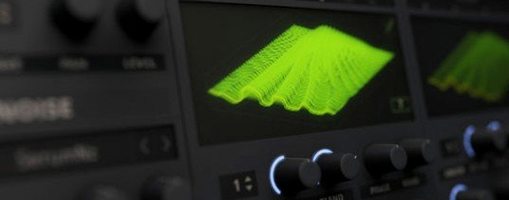
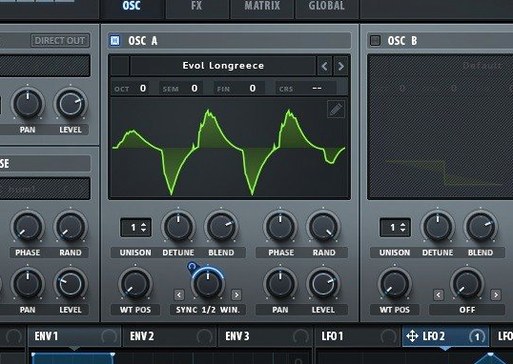
If your first taste of wavetables was a stock DAW synth with two dozen presets and a single filter, Serum 2 feels like the grown-up version that actually explains what the fuss is about. It doesn’t just let you sweep through a table; it hands you the tools to build one from scratch, pull it apart, and make it move in ways you didn’t plan.
Shape a sound from raw audio
The heart of Serum 2 is real-time wavetable editing. You can drag in a sample, slice it into cycles, and tweak the waveform directly—all while playback continues. Importing, editing, and transforming source material happens in one window, so the gap between idea and result stays small.
Stack voices with intention
Unison Warp lets you set each of the up to 16 voices differently, not just detune them equally. You control how the spread behaves across the stereo field, which turns a basic supersaw into something with texture and movement instead of just thickness.
Switch filter character on the fly
Dual filter types mean you can route audio through two distinct filter models and morph between them. It’s a quick way to shift from a warm, rounded low-pass to something gritty and resonant mid-phrase, without reaching for automation lanes.
Bypassing the Wavetable Engine
New Serum users often land on a preset, twist a few macros, and call the sound done. That works for quick sketches, but it skips the whole reason Serum 2 exists. The bigger misstep is ignoring the wavetable editor entirely. Dragging a sample onto oscillator A and watching the waveform analysis run takes five seconds, and what comes out the other side usually sounds more interesting than anything you'd dial in from scratch with basic shapes.
Another common stumble: treating unison as a loudness knob. Cranking voices to 16 with zero detune just stacks phase and eats headroom. Serum 2's unison parameters reward restraint. Setting Unison WT Pos to pull a different waveform for each voice, then backing the voice count down to 5 or 6, often gives a wider, cleaner result than maxing everything out.
Beginners also sleep on the modulation system's depth. Dragging an LFO to a filter cutoff is step one. Step two—which a surprising number of people never take—is assigning that same LFO to the wavetable position, the effects mix, or the unison warp amount. Stacking two or three destinations on one modulator turns a static pad into something that shifts for eight bars without repeating.
Mapping Serum Macros to Logic Smart Controls
Serum 2 works as an AU, VST, or AAX plugin, so it slots into Logic Pro, Ableton Live, FL Studio, and pretty much any DAW that runs on macOS 10.13 or later. In Logic, mapping Serum's macros to Smart Controls takes a single click and makes the hardware knobs on a connected MIDI controller feel purpose-built. The synth also responds to MIDI CC messages out of the box, which means hardware sequencers and grooveboxes can reach in and twist parameters without touching the mouse.
On the sample-import side, dragging audio straight from Finder or from a track in your DAW's arrangement window works without intermediate steps. If you use Audio Hijack to capture system audio, you can route that capture directly into Serum's wavetable import and build oscillators from whatever happens to be playing—a podcast voice, a game soundtrack, a field recording. It's a fast pipeline for sound design sessions where the source material isn't prepared in advance.
Serum also plays nicely with macOS's Aggregate Device feature. Routing its output through a virtual bus into another app for further processing, or combining multiple audio interfaces for more I/O, doesn't cause the clocking glitches that some older plugins still trigger. The ARM-native build means Apple Silicon Macs run it without Rosetta translation, leaving more CPU headroom for other plugins in the chain.
Crank Oscillator Quality Past Aliasing
Open the global preferences and switch the default oscillator quality to 4x oversampling if your Mac can handle it. The difference is subtle on a single oscillator patch, but once unison voices and heavy filter drive stack up, the aliasing reduction is noticeable in the top end. For laptops, leaving it on 2x and only bumping quality during final renders is a reasonable compromise.
Under the wavetable editor's import settings, change the default crossfade length to something shorter than the factory value. The stock setting smooths transitions between waveform cycles a little too aggressively for percussive source material. Dropping it by half preserves more transient snap from imported drum hits or plucked strings.
In the modulation section, enable Show All Mod Sources in the matrix view. The compact list hides connections you've already made, which is fine for mixing, but seeing the full grid during patch design reveals just how many destinations a single LFO or envelope is driving. It's the fastest way to spot a parameter that's being modulated when you didn't realize it.
Finally, assign the two macro knobs to something immediately useful for your workflow. Serum ships with the macros unlinked, and a lot of users leave them that way for months. Mapping macro 1 to wavetable position and macro 2 to filter cutoff plus resonance gives you a performance surface that works across almost any preset.
Turning Foley into Playable Wavetables
Sound designers who build patches for film, game audio, or sample packs find Serum 2 indispensable because the wavetable editor turns any audio file into raw oscillator material. Foley recordings, synthesizer samples, and vocal snippets all become playable wavetables with their own evolving character. The dual filter routing and comb filters that track pitch let them create resonant, tuned effects without stacking external plugins.
Electronic music producers working in bass music, drum and bass, or techno lean on Serum for the unison warp and filter drive. The ability to set different waveforms across unison voices creates reese basses that move and breathe without additional processing. The sample-rate reduction effect built into the filter section gives lo-fi grit that normally requires a separate bitcrusher plugin.
Keyboard players and live performers benefit from Serum's macro system and MIDI responsiveness. Mapping four carefully chosen parameters to the macro knobs, then assigning those to a hardware controller, turns a complex patch into something playable on stage. The unison stack settings that layer octaves under a single key press fill out a live arrangement without needing a backing track to cover harmonic space.
Bedroom producers on older Intel Macs also get a lot out of Serum 2, because the plugin's CPU usage scales with voice count and oversampling settings. Dropping voices and quality lets it run comfortably on machines that struggle with newer, hungrier synths, while still delivering the same sound engine.
Reverse-Engineering the Patches That Hold You
Start by loading ten random presets and playing them with your MIDI keyboard or the on-screen keys. Don't tweak anything yet. Note which patches make you want to hold a chord longer—those are the oscillators and filter combinations worth reverse-engineering first. Serum's layout makes it easy to trace a sound from oscillator through filter to effects, and pulling apart a preset you already like teaches the signal flow faster than watching tutorials.
After that, drag an audio file you didn't record with synthesis in mind onto oscillator A. A vocal phrase, a door slam, a guitar pluck—anything short and percussive works. Serum will attempt to split it into wavetable cycles. Listen to the result across a few octaves. The middle of the keyboard usually sounds musical; the extremes will expose artifacts. Use the wavetable editor's trim and crossfade controls to clean up the worst spots, then save the table for future patches.
Spend an evening building a modulation matrix from scratch on an initialized patch. Start with an envelope on amplitude, add an LFO on filter cutoff, route a second LFO to wavetable position, and assign a third modulator to the effects mix. By the time four mod sources are driving six destinations, the patch will be alive in a way static presets rarely achieve.
On day two or three, try stacking the unison voice count to 7 or 9—odd numbers tend to sound fuller in a mix than even stacks—and experiment with Unison Warp. A value of 20% to 30% keeps the voices distinct without turning the sound into noise. Save this as a template patch with the oversampling set to your preferred quality, so every new sound design session starts from a calibrated base instead of the factory init state.
Version 2.1.5 brings a smart batch of workflow refinements and a handful of clean fixes. A few highlights:
- New option to restore parameter lock states when a host loads a session, so your careful modulation work stays exactly as you left it.
- Right-click any modulation assignment and choose "Show in Matrix" — it jumps you straight to that parameter in the modulation grid, no hunting required.
- Mono note limiting now respects sustain pedal hold, keeping single-voice parts tidy without cutting off held notes.
- Effect rack scroll position is now remembered when you switch between racks and tabs, which saves a lot of back-and-forth when you're deep in sound design.
- Stereo output support for Serum 2 effects even with a mono input, plus pitch expression now responds to tuning table settings.
- Envelope auto-zoom state is preserved, and holding Shift now gives you finer control over modulation amounts and output levels.
- New theme color parameters for active key and range displays in the oscillator interface — a small but welcome visual touch.
On the fix side, arpeggiator notes no longer cut off when starting playback with tempo sync, Serum 1 presets with chaotic LFOs load correctly without switching out of free mode, and the Convolve effect handles impulse responses shorter than 256 samples without crashing. WAV files with 32-bit PCM read cleanly now, and Expression plus Mono Aftertouch values update properly at note start in mono legato mode.
- macOS 10.13 or later
- Apple Silicon or Intel 64-bit
Porch talk 0
Come in or pull up a chair to leave a comment.
Nobody has pulled up a chair yet. If you used it on a real Saturday, say what the hour was.
More for the same hour
Everything in VST Plugins Serato Sample
2.2.0 VST Plugins
612 MB
Serato Sample
2.2.0 VST Plugins
612 MB
 Serato Hex FX
1.2.0 VST Plugins
105 MB
Serato Hex FX
1.2.0 VST Plugins
105 MB
 ShaperBox
3.6.1 VST Plugins
111 MB
ShaperBox
3.6.1 VST Plugins
111 MB
 Scaler 3
3.3.2 VST Plugins
1.4 GB
Scaler 3
3.3.2 VST Plugins
1.4 GB
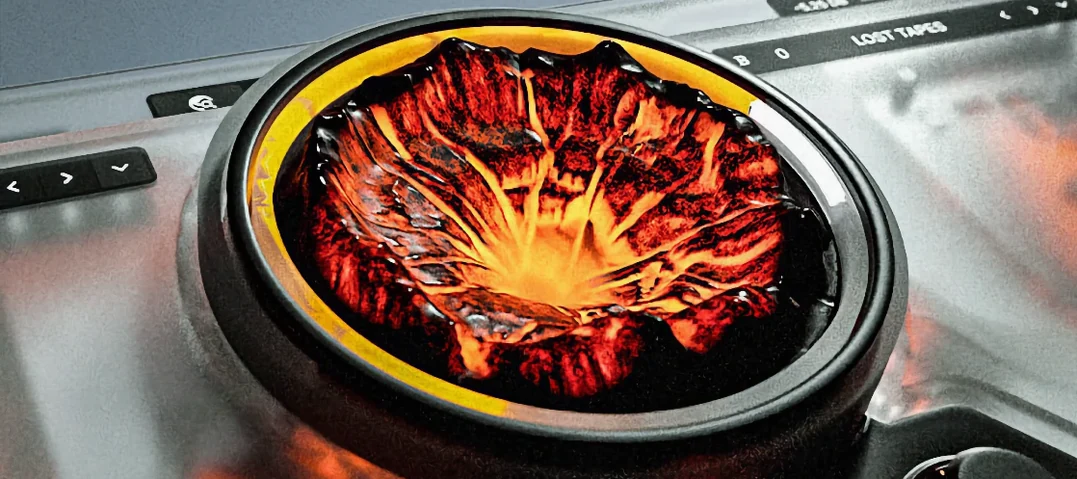 Sauceware Audio Scorch 2
1.0.4 VST Plugins
2 GB
Sauceware Audio Scorch 2
1.0.4 VST Plugins
2 GB
 Slate Digital Fresh Air
1.0.9 VST Plugins
40 MB
Slate Digital Fresh Air
1.0.9 VST Plugins
40 MB
 Slate Digital Murda Melodies
1.1.1 VST Plugins
179 MB
Slate Digital Murda Melodies
1.1.1 VST Plugins
179 MB
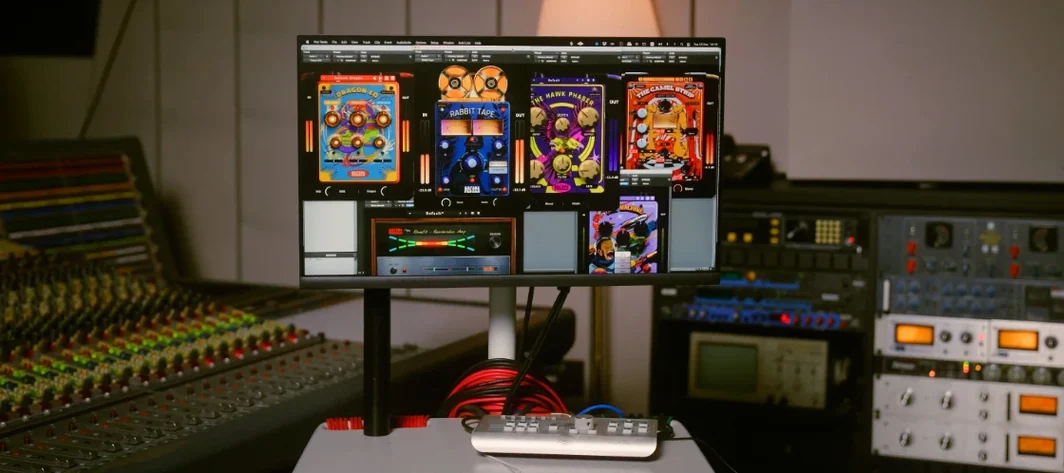 Safari Pedals Everything Bundle
2026.05 VST Plugins
628 MB
Safari Pedals Everything Bundle
2026.05 VST Plugins
628 MB