

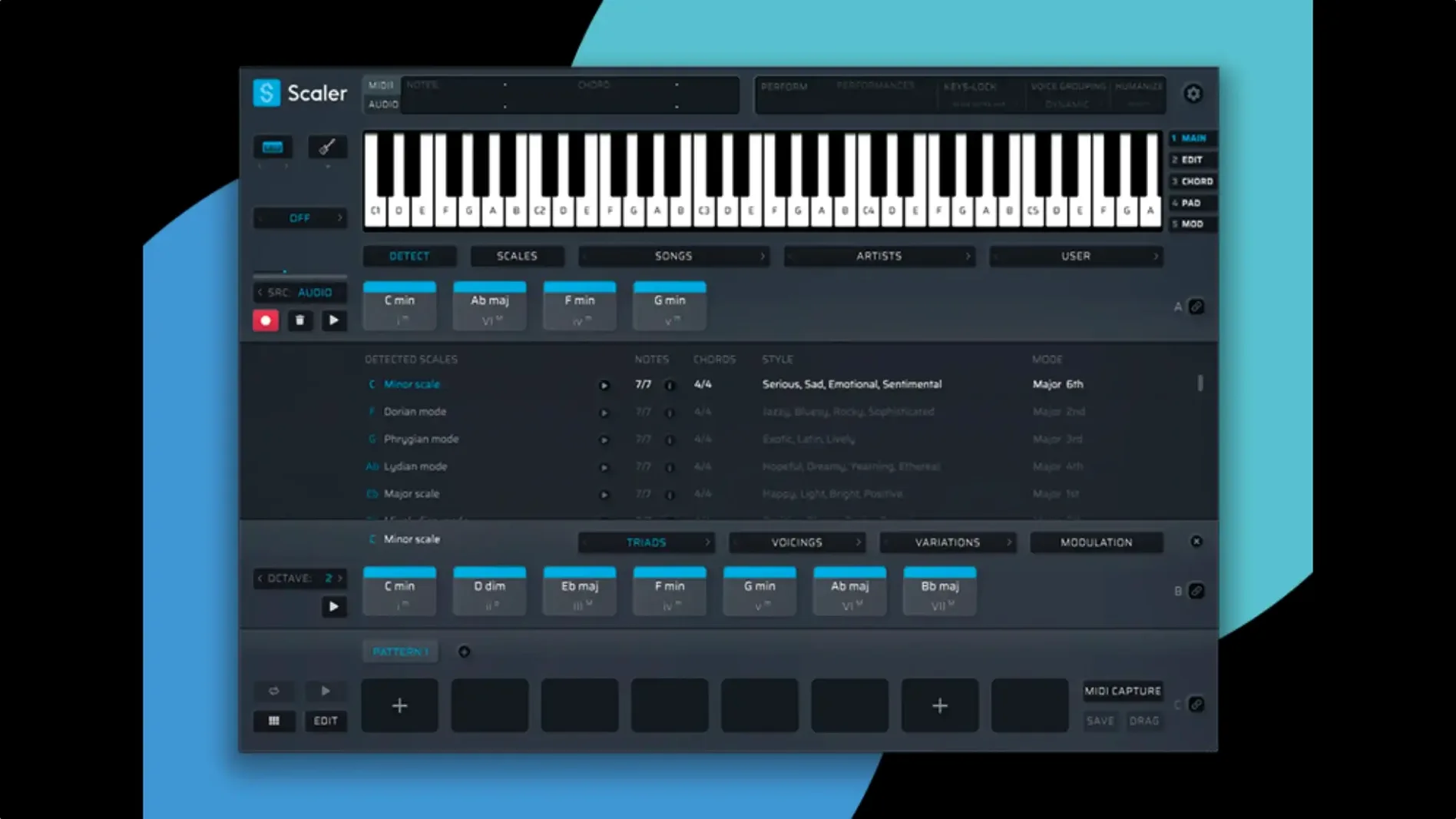
Scaler 3 runs on any Mac that can handle macOS 10.15 Catalina or newer, Intel or Apple Silicon, as long as your DAW loads 64-bit AU, VST3, VST, or AAX plug-ins. The installer is straightforward, and once it's scanned, the workstation shows up as a MIDI effect ready to slot in front of a soft synth.
What you notice first is how the chord suggestions nudge a mix toward a specific mood without locking you into presets. Artist and genre groupings give you a starting point, and from there you can pull apart voicings, tighten the low end with a bass line, or let an arpeggio spread across the stereo field. The MIDI editor in version 3.3.2 now draws every note cleanly—earlier display glitches that hid notes or left awkward gaps before chords are gone.
Melodies and bass lines follow the key you set, so even a quick sketch holds together harmonically. Multi-Bind ties multiple tracks to the same chord changes, which keeps a pad, a bass part, and a lead phrase moving as one block when you test new progressions. You can also host other VST or AU instruments right inside Scaler's chord and MIDI sections, layering sounds as you write.
Exporting MIDI now trims empty space at the front of the sequence automatically, so the clip drops into your arrangement on the downbeat. If you spend evenings chasing a chord change that feels almost right, the combination of guided suggestions and hands-on editing here is worth sitting with.
Bend MIDI Input Routing to Your Keyboard Setup
Out of the box, Scaler 3 behaves like a thoughtful assistant who doesn't interrupt. A few tweaks make it feel like yours. Head into the preferences panel before you do anything else. The default MIDI input routing assumes one keyboard feeding one track, but if you split your controller into zones or run a second keyboard for bass, set the global input channels early. You will forget you did it until you're forty minutes into a session and everything still works.
Switch chord detection from moment-to-moment to hold-and-latch if you play slowly or tend to hover between changes. Without this, Scaler can interpret your indecision as a chord, and the display flickers. Also, turn on the option that locks suggested voicings to a three-octave spread unless you want chords jumping across the keyboard range when you browse presets.
In the MIDI editor, disable "auto-quantize incoming notes" if your timing has swing. The editor snaps to grid by default, which is handy for step entry but stiffens anything you play in live. Finally, set the export tempo to follow your DAW, not the internal clock. The standalone app defaults to its own tempo, and forgetting this is how you end up with a MIDI clip stamped at 120 BPM inside a session running at 94.
A Beatmaker's Companion
Picture someone who chops samples and builds beats in Ableton Live or Logic but freezes when it's time to add harmony. They can hear the chord change they want but fumble around the keyboard hunting for it. Scaler 3 lets them tap in a simple two-note outline and immediately see chord options ranked by how well they fit the surrounding bars.
What changes for this person is speed. Instead of breaking flow by opening a theory reference or scrolling through chord packs, they drag a progression from Scaler's artist presets into the timeline, swap a minor nine for a suspended chord with one click, and hear the result against a bass line Scaler generated in the same key. The beat stays the focus. Harmony becomes a decision you make with your ears, not your theory knowledge.
Multi-Bind is the feature that clicks for this user. Pinning a sub bass track and a Rhodes pad to the same chord lane means trying out four different progressions without re-aligning anything. The timeline shows all three lanes moving together, and when they export the MIDI to separate DAW tracks, the arrangement is already in shape.
A Workflow: Writing a Verse Progression from Scratch
Open Scaler 3 as a standalone app. Set the key to F minor and the tempo to 85 BPM. Create a chord track in the timeline and leave the default four-bar loop. Instead of browsing presets, play in two notes: F and A-flat. Scaler detects a partial F minor and offers completions—add a C for the root triad, or push toward F minor seven with an E-flat on top. Choose the seven.
Now drag the chord suggestion onto bar one. For bar two, shift to D-flat major seven by clicking the D-flat in the scale-aware chord palette. Bar three lands on A-flat major, but hold the suggestion and rotate the voicing downward with the inversion control. Bar four returns to F minor seven with a raised fifth, pulled from the "Cinematic Minor" artist grouping. The progression breathes.
Add a bass track. Scaler generates a simple root-note line that follows the chords. Tighten it by locking the range to one octave and enabling only quarter-note rhythms. For a melody, create a third track and set the generation style to "Legato Phrases" in F natural minor. Scaler produces a line that moves between chord tones on the downbeats. Pick the third variation and nudge a few notes in the MIDI editor, which now draws every pitch correctly after the 3.3.2 display fixes.
Drop an instance of a soft synth onto the chord track using the internal plugin hosting, just to hear the progression with a pad sound before committing to your DAW. When it sits right, export the MIDI. The empty space at the start of the clip is trimmed automatically, so bars one through four land on the grid without cleanup.
Timeline and Hosting Turn Chord Sketches into Full Arrangements
The jump to version 3 brought the multi-lane timeline and plugin hosting, which turned Scaler from a chord suggester into a self-contained writing environment. You no longer need a DAW open to sketch out four tracks of harmony, bass, and melody. That shift alone changed how quickly ideas form—less setup, more music.
Version 3.3.2 addressed two friction points that quietly accumulated in daily work. The MIDI editor had a habit of omitting notes in dense chord clusters, especially when voicings stacked closely. A producer might hear six notes and see four, or spot a gap before the first chord that made the timeline feel misaligned. Those display issues are now resolved, and the editor reflects what you hear.
The second fix—trimming empty space at the start of exported MIDI—saves a small but repetitive editing step. Before the update, a clip often imported with a silent pickup that pushed the downbeat off-grid. Now the exported file starts cleanly, which matters most when you drop a progression into an arrangement that already has drums and vocals locked to the bar line.
If you are drawn to the idea of a compositional tool that handles the theory so you handle the taste, Scaler 3 earns its place in the dock. Look for the scaler 3 mac download to get the latest build, and check the preferences before you start writing—those first five minutes of setup pay back every session after.
- macOS 10.15 Catalina or later
- Intel or Apple Silicon Mac
- 64-bit AU, VST, VST3, or AAX host
Questions I actually get
Can Scaler 3 generate bass lines and melodies?
Yes, it can create melodies, bass lines, and arpeggios locked to the current key, with phrasing you can edit further in the MIDI editor.
Which plug-in formats does Scaler 3 support on a Mac?
It loads as a 64-bit AU, VST, VST3, or AAX plug-in on macOS 10.15 and later, covering most major DAWs.
Porch talk 0
Come in or pull up a chair to leave a comment.
Nobody has pulled up a chair yet. If you used it on a real Saturday, say what the hour was.
More for the same hour
Everything in VST Plugins Sauceware Audio Scorch 2
1.0.4 VST Plugins
2 GB
Sauceware Audio Scorch 2
1.0.4 VST Plugins
2 GB
 Safari Pedals Everything Bundle
2026.05 VST Plugins
628 MB
Safari Pedals Everything Bundle
2026.05 VST Plugins
628 MB
 Roland ZENOLOGY Pro
2.0.7 VST Plugins
1.8 GB
Roland ZENOLOGY Pro
2.0.7 VST Plugins
1.8 GB
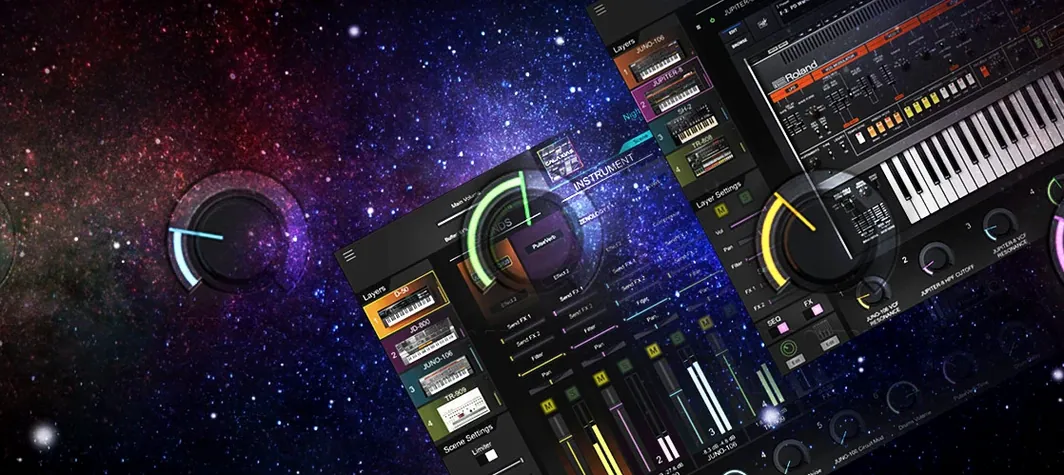 Roland Cloud Legendary Series
2025.06.29 VST Plugins
1.3 GB
Roland Cloud Legendary Series
2025.06.29 VST Plugins
1.3 GB
 Serato Hex FX
1.2.0 VST Plugins
105 MB
Serato Hex FX
1.2.0 VST Plugins
105 MB
 Serato Sample
2.2.0 VST Plugins
612 MB
Serato Sample
2.2.0 VST Plugins
612 MB
 RipX DAW Pro
8.0.3 VST Plugins
1.6 GB
RipX DAW Pro
8.0.3 VST Plugins
1.6 GB
 Serum
2.1.5 VST Plugins
Updated 1.2 GB
Serum
2.1.5 VST Plugins
Updated 1.2 GB